dsh-workspace-sidebar
Run the following command in DeepSeek Harness:
dsh plugin install pang123hui/dsh-workspace-sidebar
Paste the following prompt into your AI chat to install this plugin:
To install this plugin in DeepSeek Harness, use the command 'dsh plugin install pang123hui/dsh-workspace-sidebar' or visit the full source code at https://github.com/pang123hui/dsh-workspace-sidebar.
About this plugin
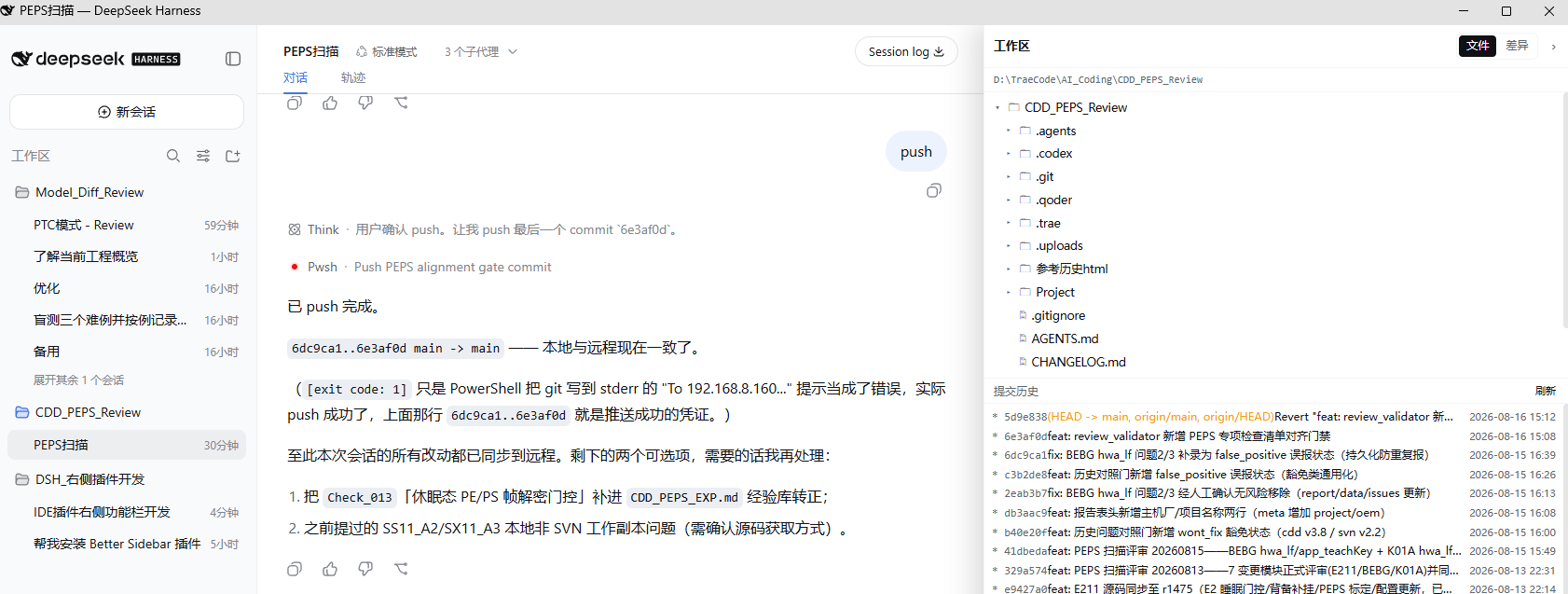
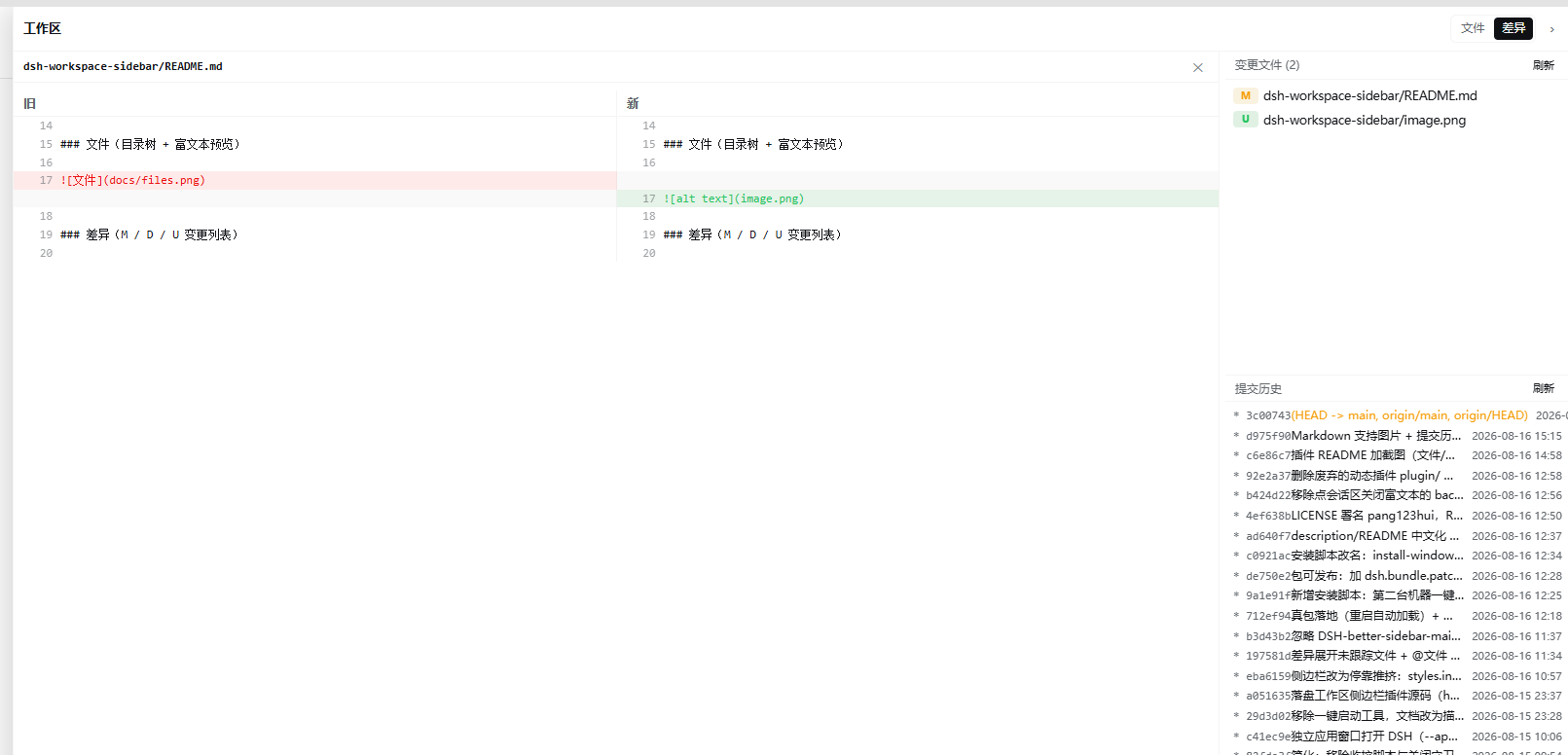
In the DSH Web environment, developers often face inefficiencies by switching between tools to manage files, view git changes, and track commit history. The dsh-workspace-sidebar plugin addresses this by providing a integrated right-side workspace sidebar. Its core capabilities include a lazily loaded file tree with rename/delete and preview, automatic git diff viewing with priority for modified files, graphical commit history for easy tracking, and a convenient @file reference feature. Additionally, the sidebar offers draggable width adjustment and smart adaptation to the session area. This plugin is ideal for developers, collaborative teams, and project managers using DSH Web, aiming to streamline workflows and enhance efficiency in file management and code review.
Screenshots
Use Cases
- Efficiently manage project file tree in DSH Web.
- View git diffs and commit history in real-time.
- Quickly insert paths via @file reference for collaboration.
Best For
- Developers using DSH Web
- Software engineers requiring team collaboration
- Project managers frequently performing code reviews
Related Plugins
A service-oriented sidebar framework for DSH, offering a full workbench with file explorer, embedded browser, real terminal, Git panel, and extensible plugin services.

A beautiful, practical Claude Code-style TUI plugin with pixel whale top bar, flowing glow title, real-time status line, streaming thought expansion, time rewind, context progress bar and TPS gauge — zero core changes.

The plugin market for DeepSeek Harness: browse/search/one-click install community plugins and themes, with updates, backup/restore, hot disable, diagnostics, and AI fix.

A persistent whale widget on the DSH web UI that shows DeepSeek balance, today's usage, and per-turn cost, with drag-and-snap and sound effects.