dsh-strata
Run the following command in DeepSeek Harness:
dsh plugin install jsdvjx/dsh-strata
Paste the following prompt into your AI chat to install this plugin:
In DeepSeek Harness, install the dsh-strata plugin using the source repository at https://github.com/jsdvjx/dsh-strata.
About this plugin
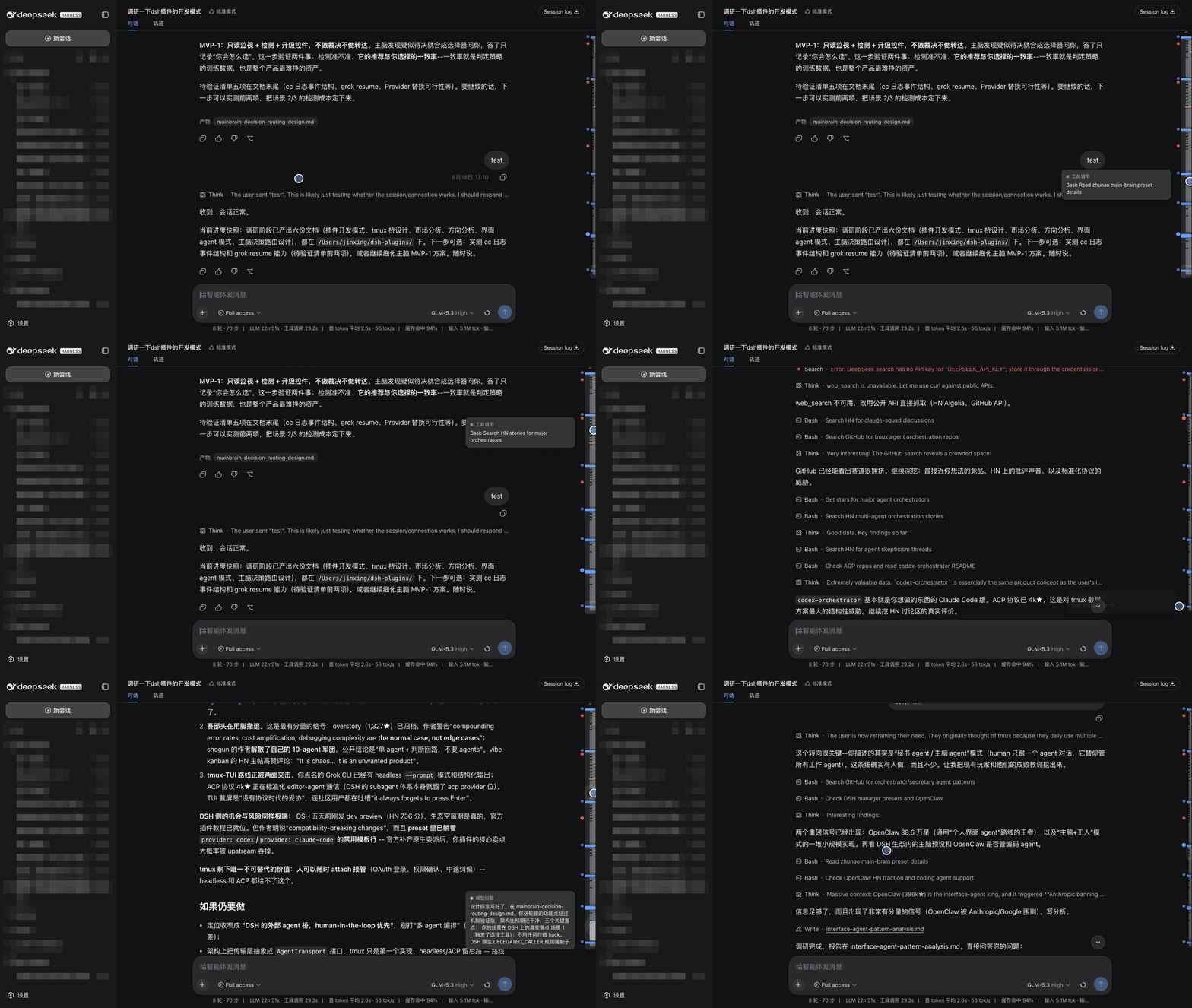
When a DeepSeek Harness session grows long, a plain scrollbar or evenly spaced dot rail makes it hard to see what actually happened. dsh-strata turns the transcript into a proportional minimap: user messages, model replies, tool calls, errors, retries, and compaction checkpoints are drawn with distinct colors and real heights, so a long answer or a burst of tool calls occupies the space it truly cost.
The plugin takes over the scrollbar gutter rather than adding a second control. Blue anchors mark your messages, red anchors mark failures, and clicking either jumps directly to that point. Hovering gives previews, while the clue wall can surface every user message in the session as cards—even those above the loaded window—allowing quick jumps across the entire run.
Because it is a browser-side overlay, it does not send session data elsewhere. dsh-strata is a good fit for anyone using the DeepSeek Harness Web GUI for long agent sessions, debugging failed tools, or reviewing where a run became expensive, stuck, or error-prone.
Screenshots
Use Cases
- Locate your own messages in a long session.
- Jump to failed tool calls or commands.
- Review the shape of model replies and tool calls in a run.
Best For
- Users working with long sessions in the DeepSeek Harness Web GUI.
- Developers debugging failed tool calls.
- People reviewing agent runs, costs, and failure points.
Related Plugins
A service-oriented sidebar framework for DSH, offering a full workbench with file explorer, embedded browser, real terminal, Git panel, and extensible plugin services.

A beautiful, practical Claude Code-style TUI plugin with pixel whale top bar, flowing glow title, real-time status line, streaming thought expansion, time rewind, context progress bar and TPS gauge — zero core changes.

The plugin market for DeepSeek Harness: browse/search/one-click install community plugins and themes, with updates, backup/restore, hot disable, diagnostics, and AI fix.

A persistent whale widget on the DSH web UI that shows DeepSeek balance, today's usage, and per-turn cost, with drag-and-snap and sound effects.