dsh-ds-attach
Run the following command in DeepSeek Harness:
dsh plugin install wqx-txdsyl/dsh-ds-attach
Paste the following prompt into your AI chat to install this plugin:
To install this plugin in DeepSeek Harness, run the command 'dsh plugin install wqx-txdsyl/dsh-ds-attach' with the source at https://github.com/wqx-txdsyl/dsh-ds-attach.
About this plugin
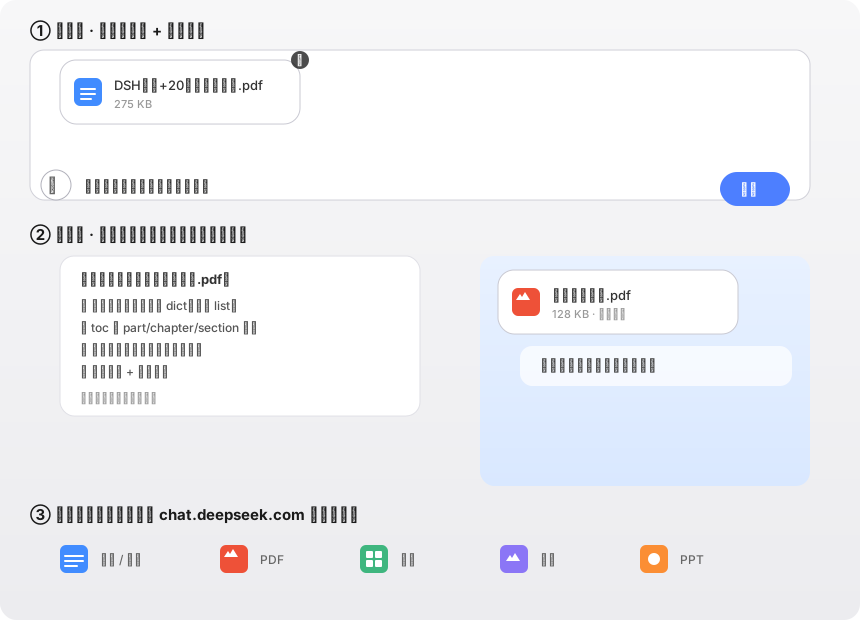
When using DeepSeek Harness for conversations, handling document attachments often faces issues like inconsistent interfaces or missing features. The dsh-ds-attach plugin perfectly solves this by replicating the attachment rendering style from chat.deepseek.com's official frontend, ensuring every detail from the upload button to file cards matches the native experience. Its core capabilities lie in comprehensive attachment support: intuitive upload and drag-and-drop operations, automatic text extraction for various file formats including PDF, DOCX, and XLSX, and intelligent OCR for scanned PDFs via vision models. The workflow mirrors official behavior, such as clearing attachments upon sending and displaying files as cards in messages, for a seamless interaction. Whether you're a user needing efficient document processing or a developer seeking tight integration with DeepSeek Chat, this plugin delivers the same polished and powerful attachment functionality in your local environment, significantly boosting productivity and creative flow.
Screenshots
Use Cases
- Uploading and viewing document attachments in DeepSeek Harness conversations
- Extracting text from PDFs, Word files, etc., for analysis
- Processing scanned PDFs for automatic text recognition
Best For
- Developers using DeepSeek Harness for document processing
- Researchers or students needing OCR functionality
- Users seeking an official DeepSeek Chat experience
Related Plugins
A service-oriented sidebar framework for DSH, offering a full workbench with file explorer, embedded browser, real terminal, Git panel, and extensible plugin services.

A beautiful, practical Claude Code-style TUI plugin with pixel whale top bar, flowing glow title, real-time status line, streaming thought expansion, time rewind, context progress bar and TPS gauge — zero core changes.

The plugin market for DeepSeek Harness: browse/search/one-click install community plugins and themes, with updates, backup/restore, hot disable, diagnostics, and AI fix.

A persistent whale widget on the DSH web UI that shows DeepSeek balance, today's usage, and per-turn cost, with drag-and-snap and sound effects.