dsh-chatvoice
Run the following command in DeepSeek Harness:
dsh plugin install FuzzySoul/dsh-chatvoice
Paste the following prompt into your AI chat to install this plugin:
To install the dsh-chatvoice plugin in DeepSeek Harness, run the command `dsh plugin install FuzzySoul/dsh-chatvoice`, with the full source code available at https://github.com/FuzzySoul/dsh-chatvoice.
About this plugin
During hectic coding sessions, developers often keep their hands on the keyboard but need to ask AI questions with their voice, or they're too lazy to read long replies and wish for an 'ear' to take over. dsh-chatvoice addresses this by leveraging the browser's native Web Speech API to add a closed loop of voice input and AI reply reading to DeepSeek Harness—completely free, keyless, zero-config, and ready to use out of the box.
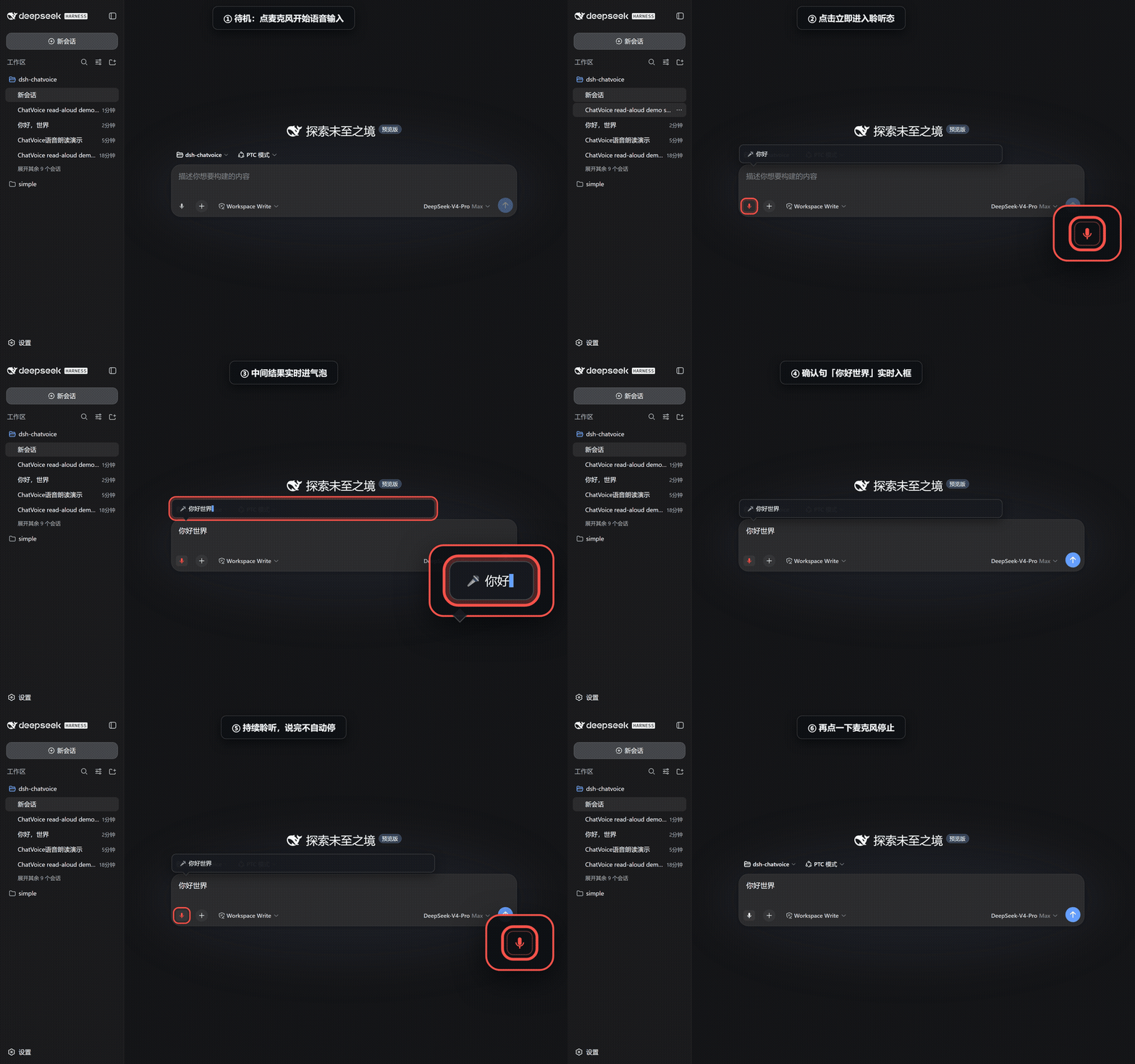
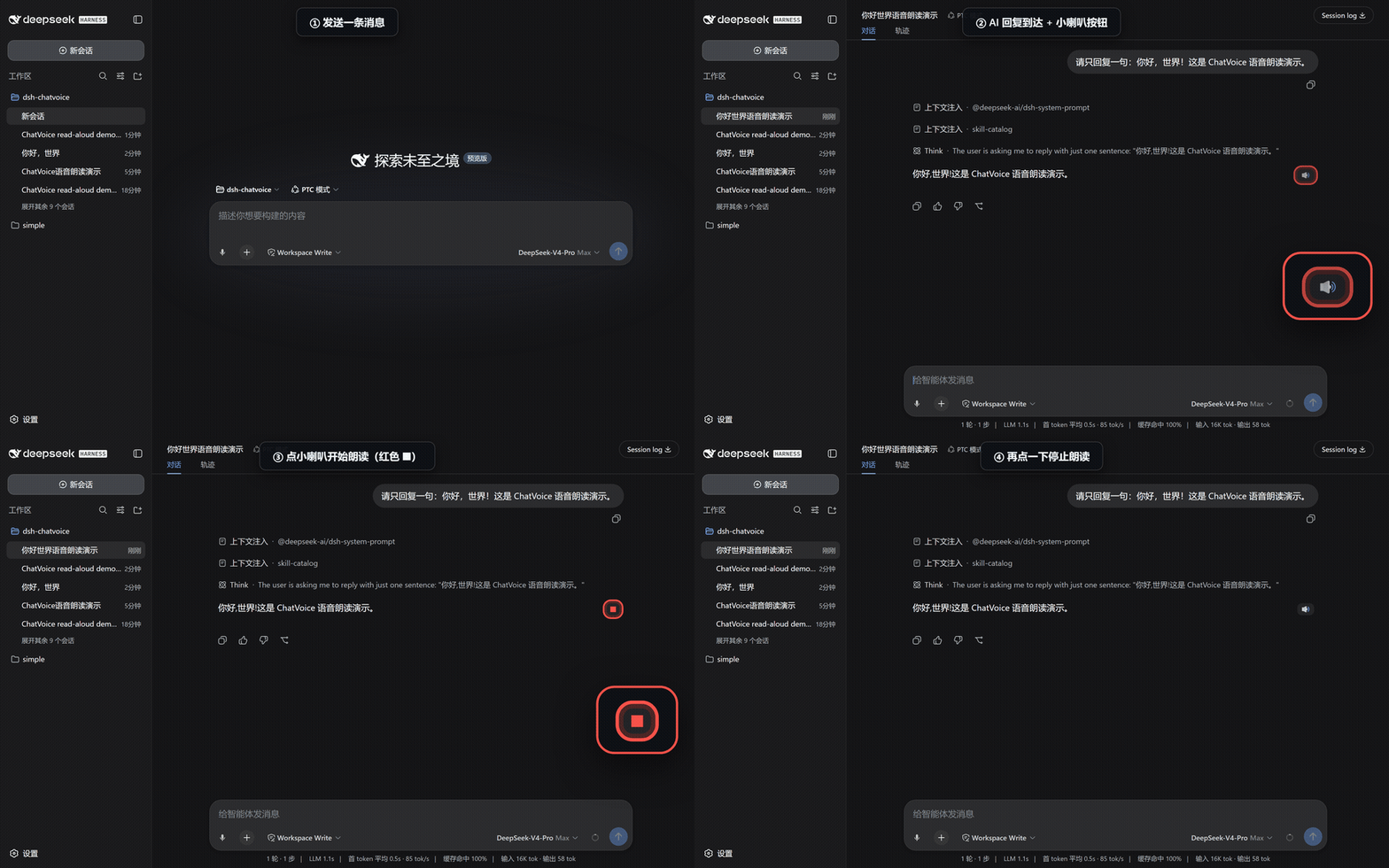
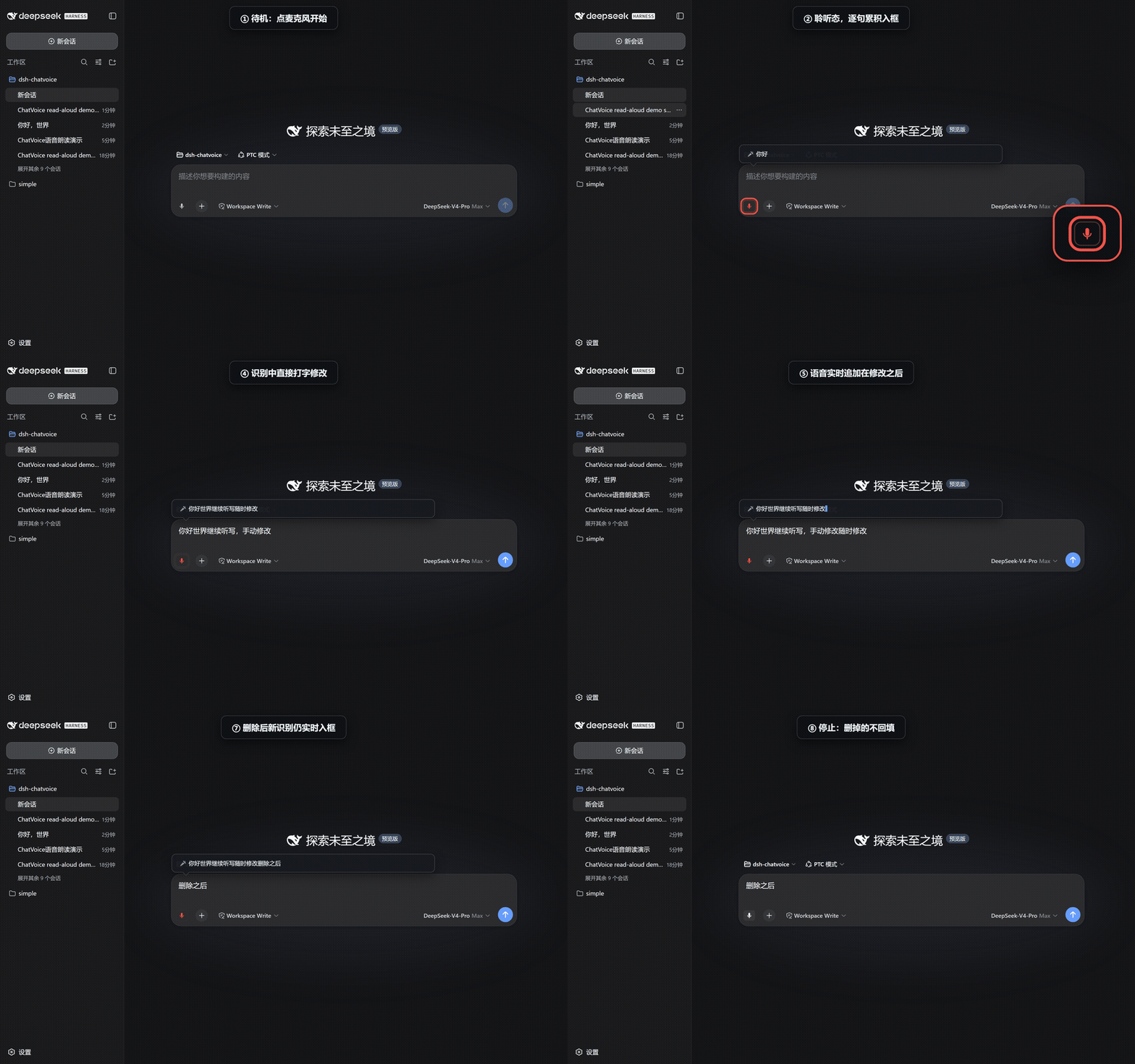
The core capabilities lie in the real-time voice input: as you speak, confirmed sentences enter the input box one by one, intermediate results appear in a bubble, and you can type to edit anytime, with voice only appending and never overwriting. Reply reading allows one-click narration of any AI response, with the ability to stop at any moment, and an auto-read mode can be enabled. All settings like recognition language, voice, and rate are instantly applied from the dsh settings page, no restart required.
It's recommended to use Edge browser for more stable voice recognition in China (via Azure backend) and the most natural free Chinese voice (Xiaoxiao Online (Natural)). The plugin relies entirely on browser capabilities, with no network requests, no child processes, ensuring privacy and simplicity.
dsh-chatvoice fits a wide range of scenarios: when coding and you want to input quickly via voice without breaking flow, for learners needing listening assistance to understand replies, for users with accessibility needs relying on reading functionality, and for casual use to free up your hands and eyes. Whether you're a developer, learner, or someone seeking convenience, it makes your interactions more free and efficient.
Screenshots
Use Cases
- Quickly input questions via voice while coding, freeing up hands
- Auto-read long replies for auditory learning or relaxation
- Interact with AI through voice in accessibility scenarios
Best For
- Developers: Ask questions via voice without leaving the keyboard
- Students or learners: Use reading assistance to comprehend replies
- General users: Seeking convenient voice interaction experiences
Related Plugins
A service-oriented sidebar framework for DSH, offering a full workbench with file explorer, embedded browser, real terminal, Git panel, and extensible plugin services.

A beautiful, practical Claude Code-style TUI plugin with pixel whale top bar, flowing glow title, real-time status line, streaming thought expansion, time rewind, context progress bar and TPS gauge — zero core changes.

The plugin market for DeepSeek Harness: browse/search/one-click install community plugins and themes, with updates, backup/restore, hot disable, diagnostics, and AI fix.

A persistent whale widget on the DSH web UI that shows DeepSeek balance, today's usage, and per-turn cost, with drag-and-snap and sound effects.