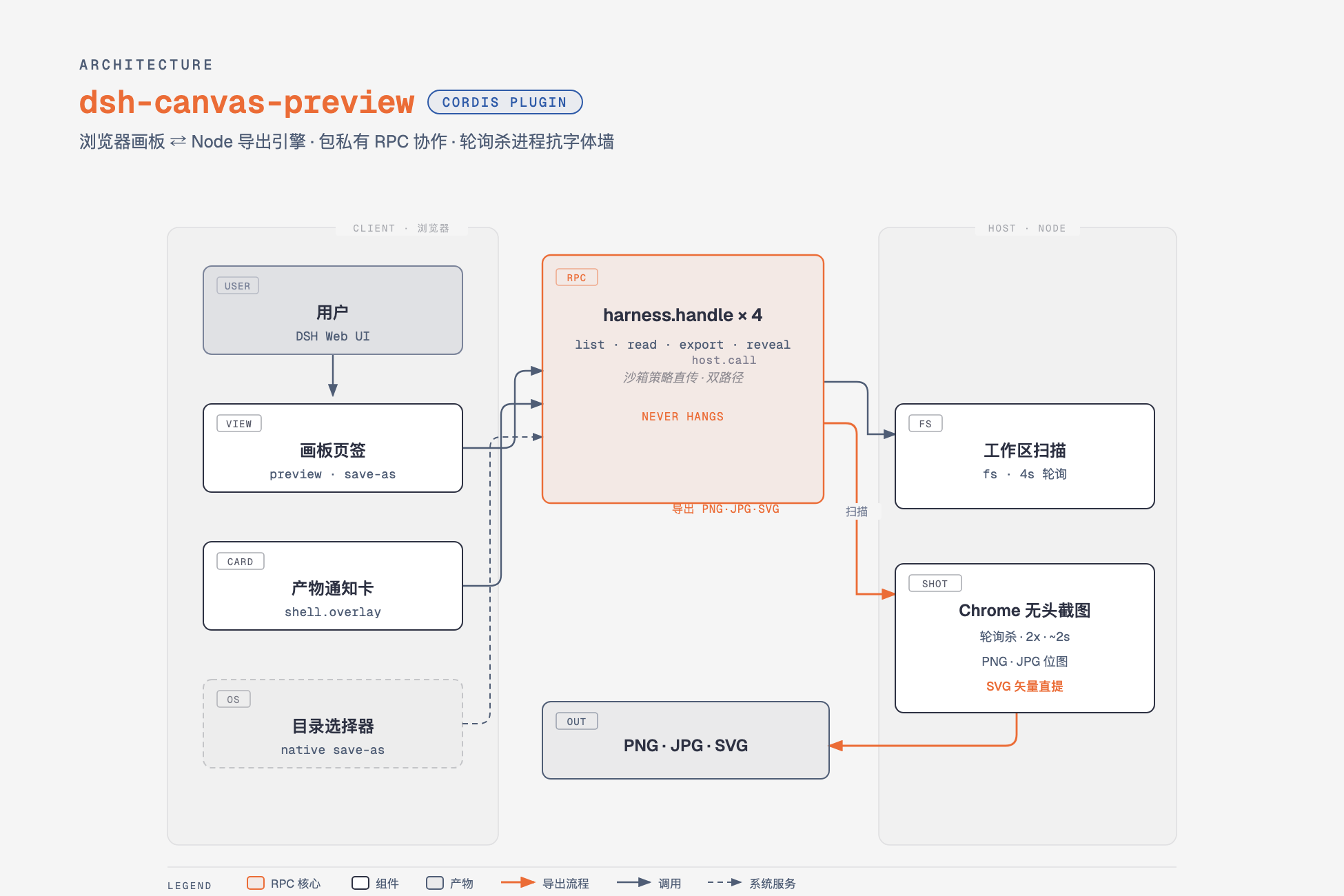
dsh-canvas-preview
Run the following command in DeepSeek Harness:
dsh plugin install jiuyuechuwuhao/dsh-canvas-preview
Paste the following prompt into your AI chat to install this plugin:
To install the dsh-canvas-preview plugin in DeepSeek Harness, run the command dsh plugin install jiuyuechuwuhao/dsh-canvas-preview, or obtain the source code from the GitHub repository https://github.com/jiuyuechuwuhao/dsh-canvas-preview.
About this plugin
When using DeepSeek Harness for AI content creation, we often produce HTML artifacts like infographics or web prototypes, but previewing them requires switching to a file explorer, disrupting the workflow. The dsh-canvas-preview plugin brings a canvas experience similar to Gemini/Claude into DSH by adding an integrated canvas tab: a left panel lists workspace HTML files, and a right panel provides real-time sandbox preview with auto-sync every 4 seconds. It also offers one-click export to high-res PNG/JPG or vector SVG, along with notification cards and adaptive width settings. This plugin is ideal for developers, designers, and product managers using DSH, streamlining preview and export processes to enhance efficiency in AI-assisted workflows.
Screenshots
Use Cases
- Live preview when AI generates HTML artifacts
- One-click export of web prototypes as high-res images
- View and edit files side-by-side in the chat interface
Best For
- Developers using DeepSeek Harness
- Designers needing quick preview of designs
- Content creators and product managers
Related Plugins
A service-oriented sidebar framework for DSH, offering a full workbench with file explorer, embedded browser, real terminal, Git panel, and extensible plugin services.

A beautiful, practical Claude Code-style TUI plugin with pixel whale top bar, flowing glow title, real-time status line, streaming thought expansion, time rewind, context progress bar and TPS gauge — zero core changes.

The plugin market for DeepSeek Harness: browse/search/one-click install community plugins and themes, with updates, backup/restore, hot disable, diagnostics, and AI fix.

A persistent whale widget on the DSH web UI that shows DeepSeek balance, today's usage, and per-turn cost, with drag-and-snap and sound effects.