dsh-git-ui
Run the following command in DeepSeek Harness:
dsh plugin install Julyves/dsh-git-ui
Paste the following prompt into your AI chat to install this plugin:
To install this plugin in DeepSeek Harness, run the command dsh plugin install Julyves/dsh-git-ui, with the full source repository at https://github.com/Julyves/dsh-git-ui.
About this plugin
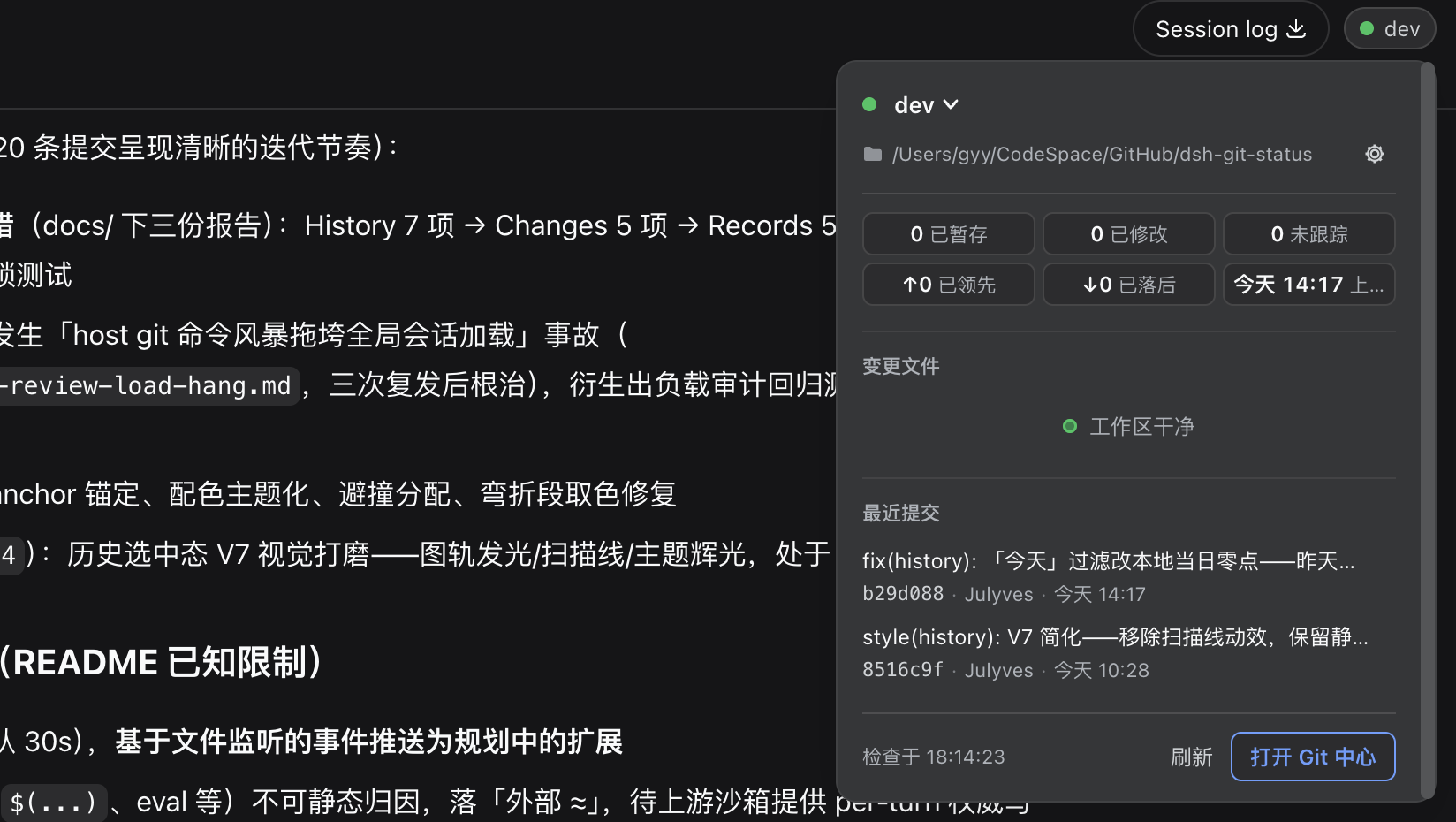
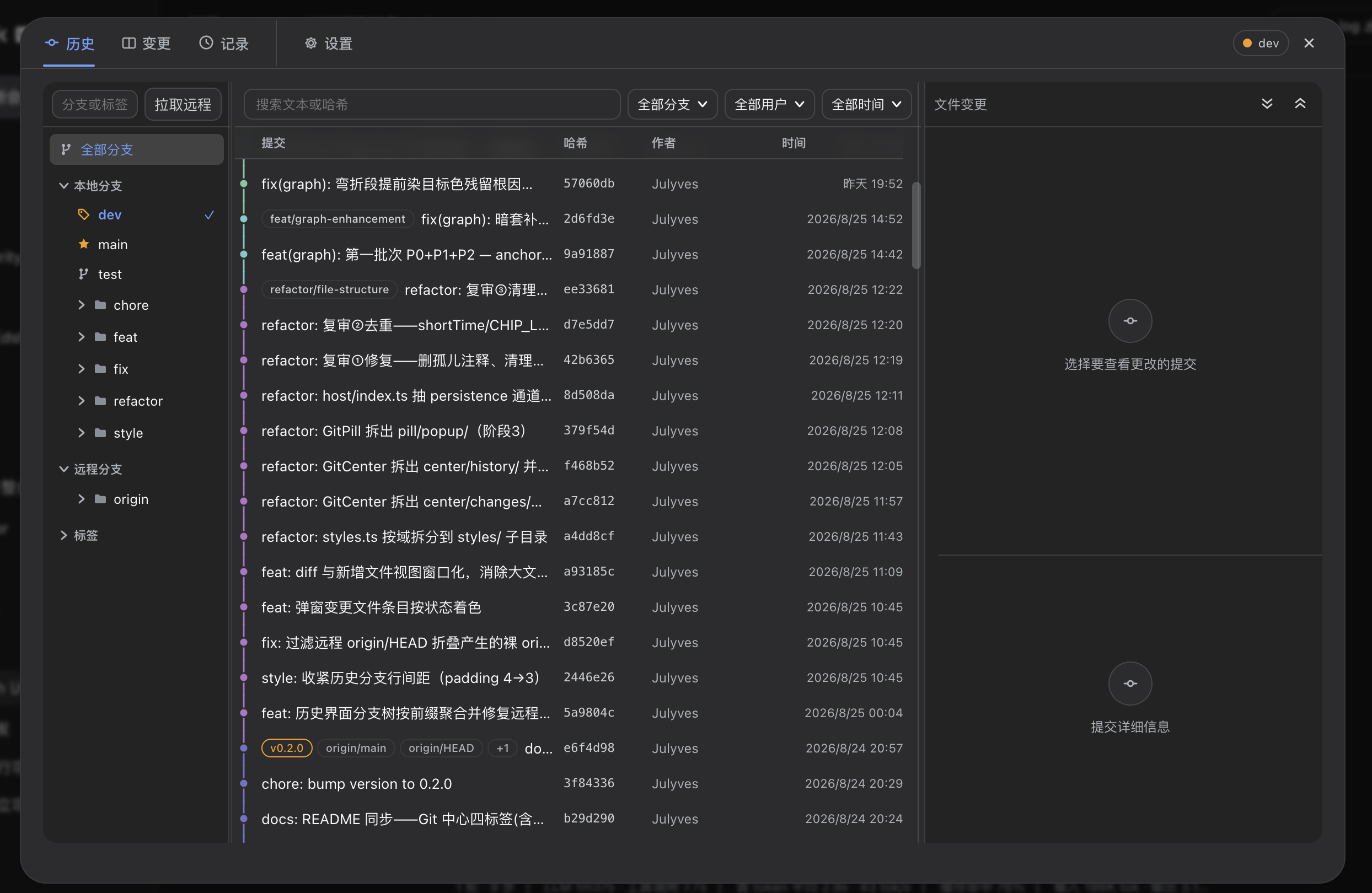
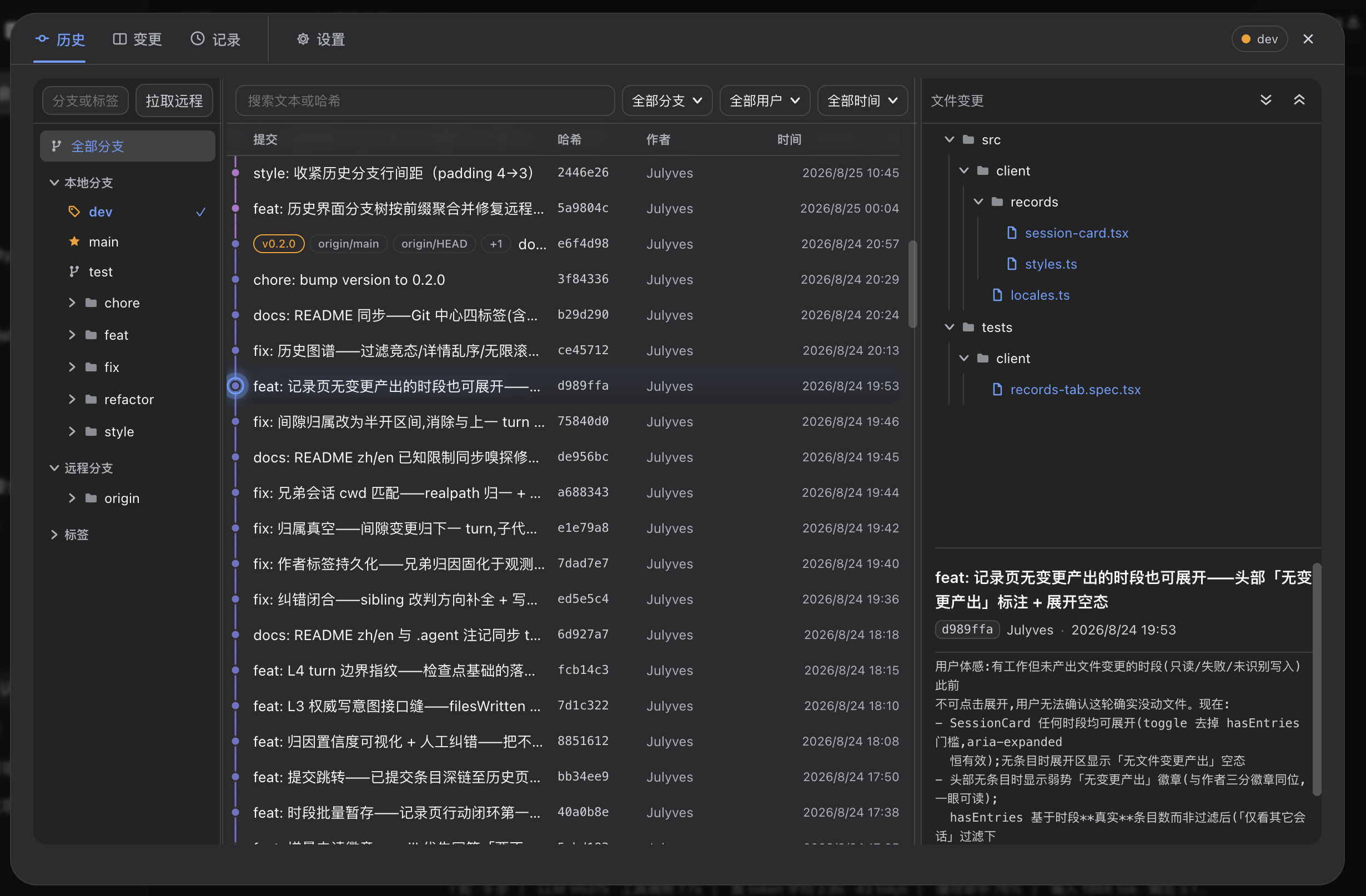
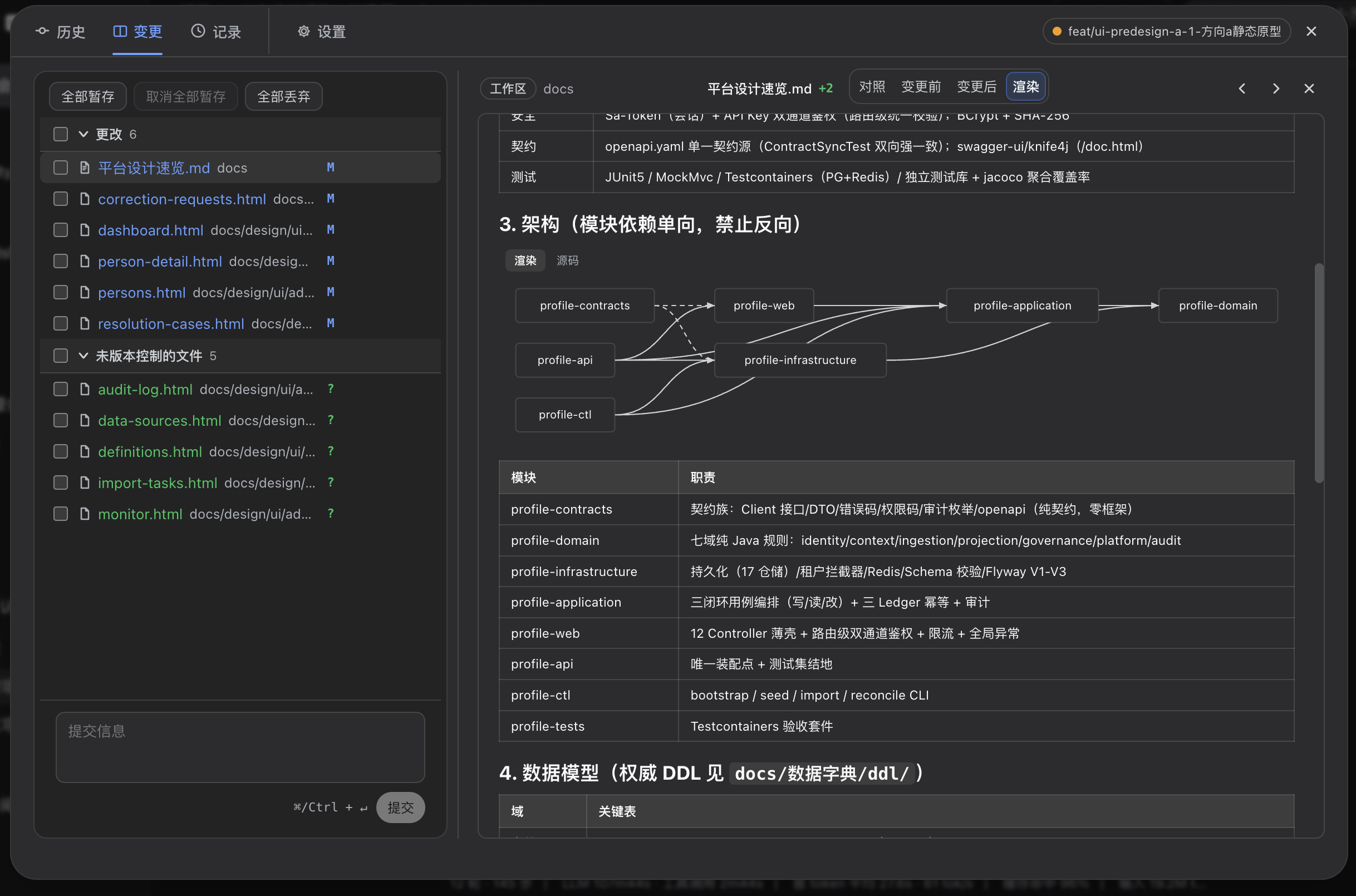
When working within the DeepSeek Harness Web UI, developers often find themselves switching to the terminal to check Git status or perform operations, which disrupts their workflow. The dsh-git-ui plugin seamlessly integrates Git status visualization into the web interface, offering a session-header pill that displays branch info, file modifications, and commit diffs at a glance. Its core capabilities include a detailed popover for quick access to recent commits, changed files, and branch operations, as well as a full-featured Git center with tabs for history browsing, code changes, work record tracking, and settings. Notably, the work records feature intelligently analyzes session changes, distinguishing between AI and human contributions with deep links to specific commits. This plugin is ideal for all DeepSeek Harness users, particularly frontend developers, team collaborators, and DevOps engineers who value efficiency and prefer managing Git repositories in a graphical interface. It makes Git management more intuitive and centralized, eliminating the need to leave the web environment.
Screenshots
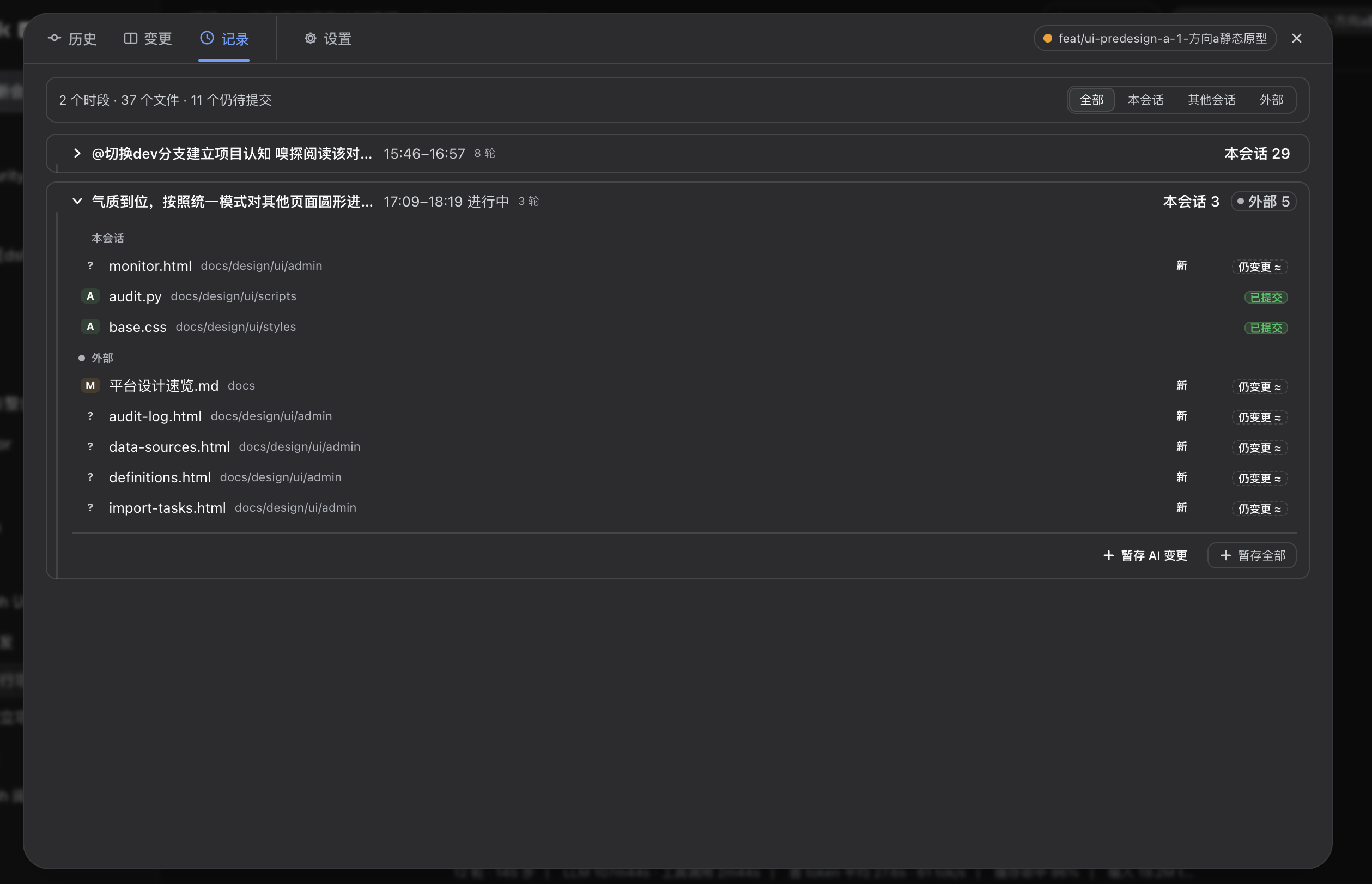
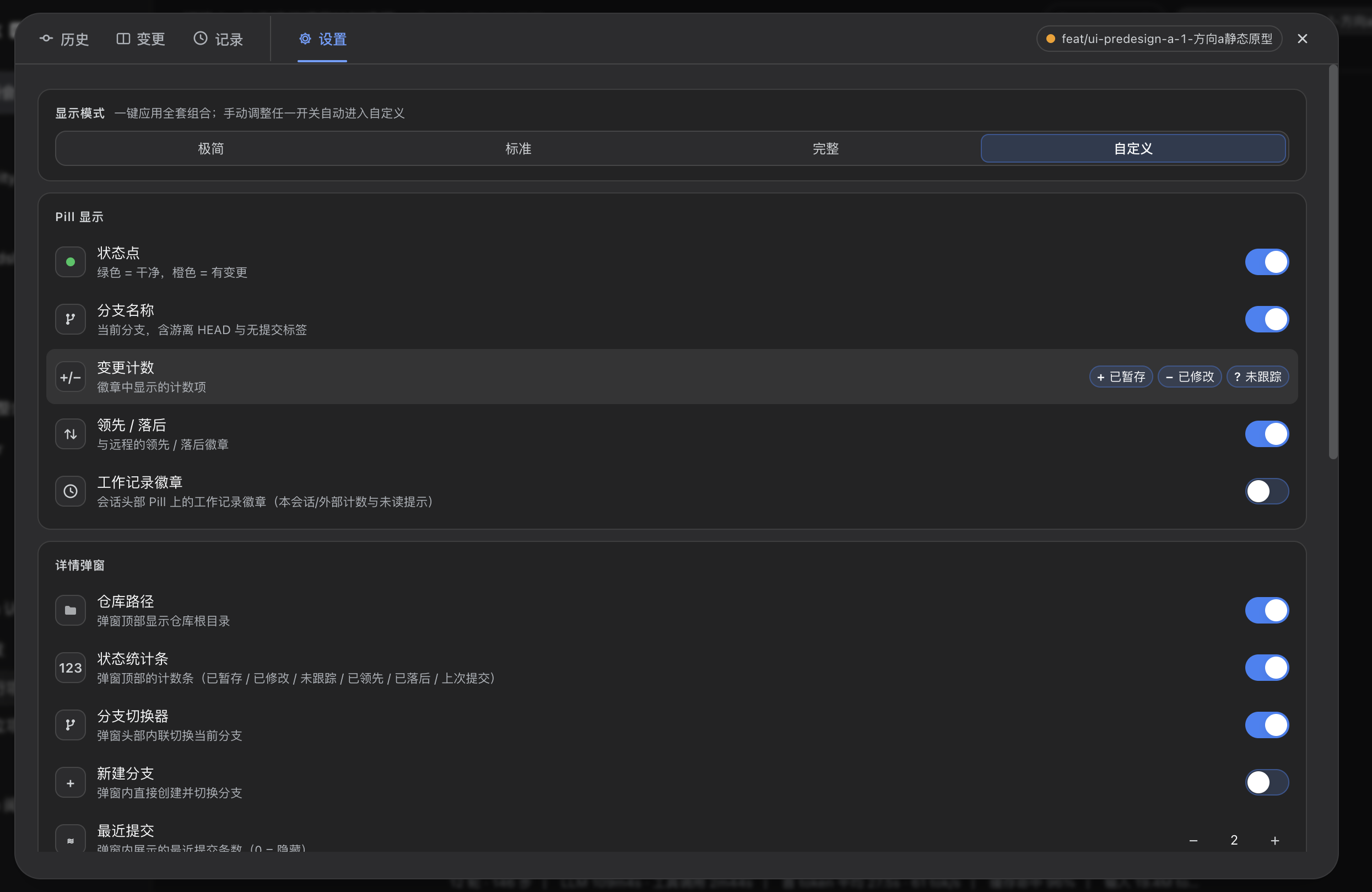
Use Cases
- View Git repository status in real-time within a web session.
- Quickly browse commit history and manage code changes.
- Track work records and contribution attribution during collaborative development.
Best For
- Programmers developing with DeepSeek Harness.
- Frontend engineers managing Git in a graphical interface.
- Project leaders focused on team collaboration and code tracking.
Related Plugins
A service-oriented sidebar framework for DSH, offering a full workbench with file explorer, embedded browser, real terminal, Git panel, and extensible plugin services.

A beautiful, practical Claude Code-style TUI plugin with pixel whale top bar, flowing glow title, real-time status line, streaming thought expansion, time rewind, context progress bar and TPS gauge — zero core changes.

The plugin market for DeepSeek Harness: browse/search/one-click install community plugins and themes, with updates, backup/restore, hot disable, diagnostics, and AI fix.

A persistent whale widget on the DSH web UI that shows DeepSeek balance, today's usage, and per-turn cost, with drag-and-snap and sound effects.