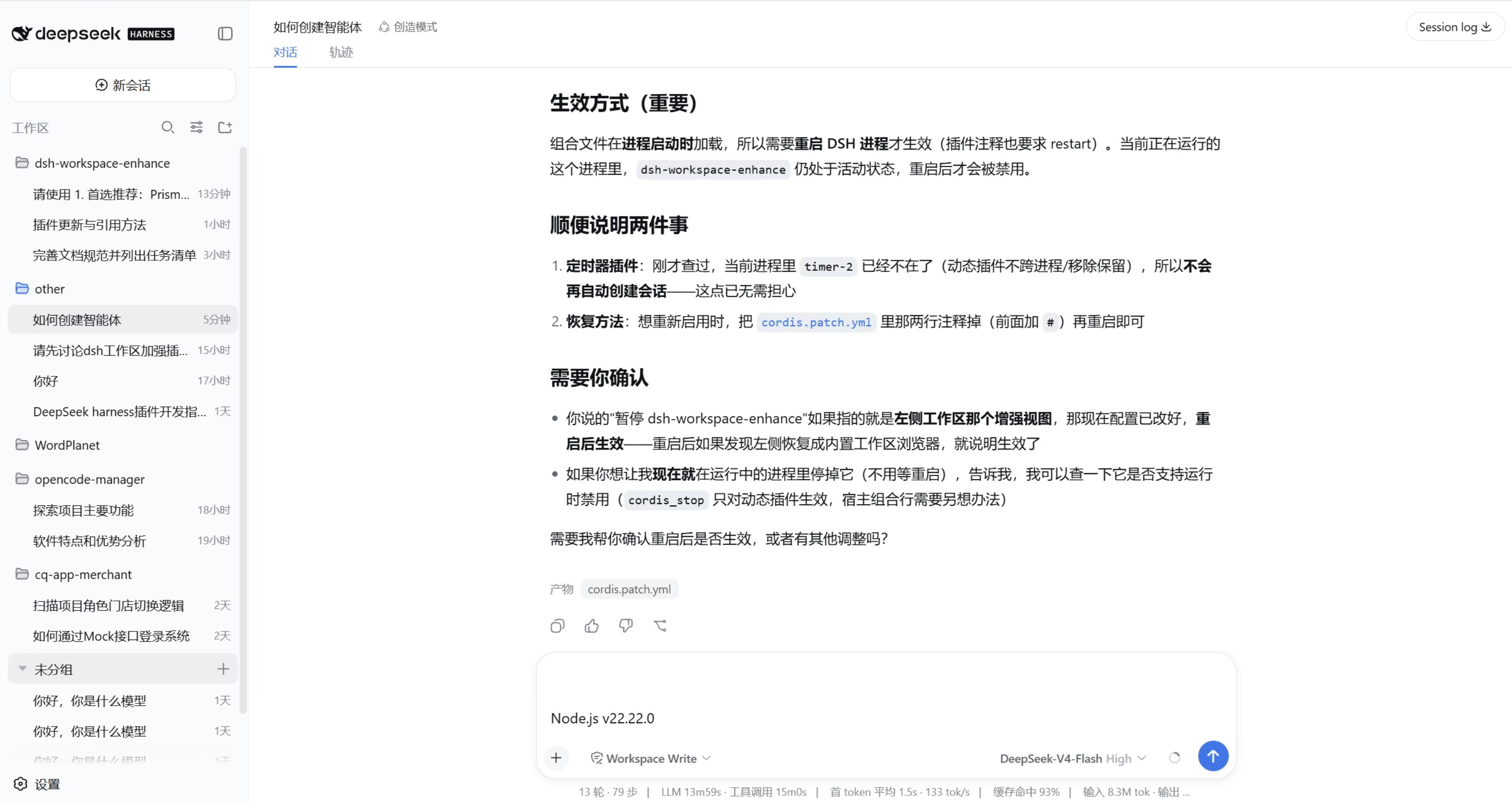
dsh-workspace-enhance
Run the following command in DeepSeek Harness:
dsh plugin install luis1232023/dsh-workspace-enhance
Paste the following prompt into your AI chat to install this plugin:
In DeepSeek Harness, install the plugin with the command 'dsh plugin install luis1232023/dsh-workspace-enhance', and the source code is available at https://github.com/luis1232023/dsh-workspace-enhance.
About this plugin
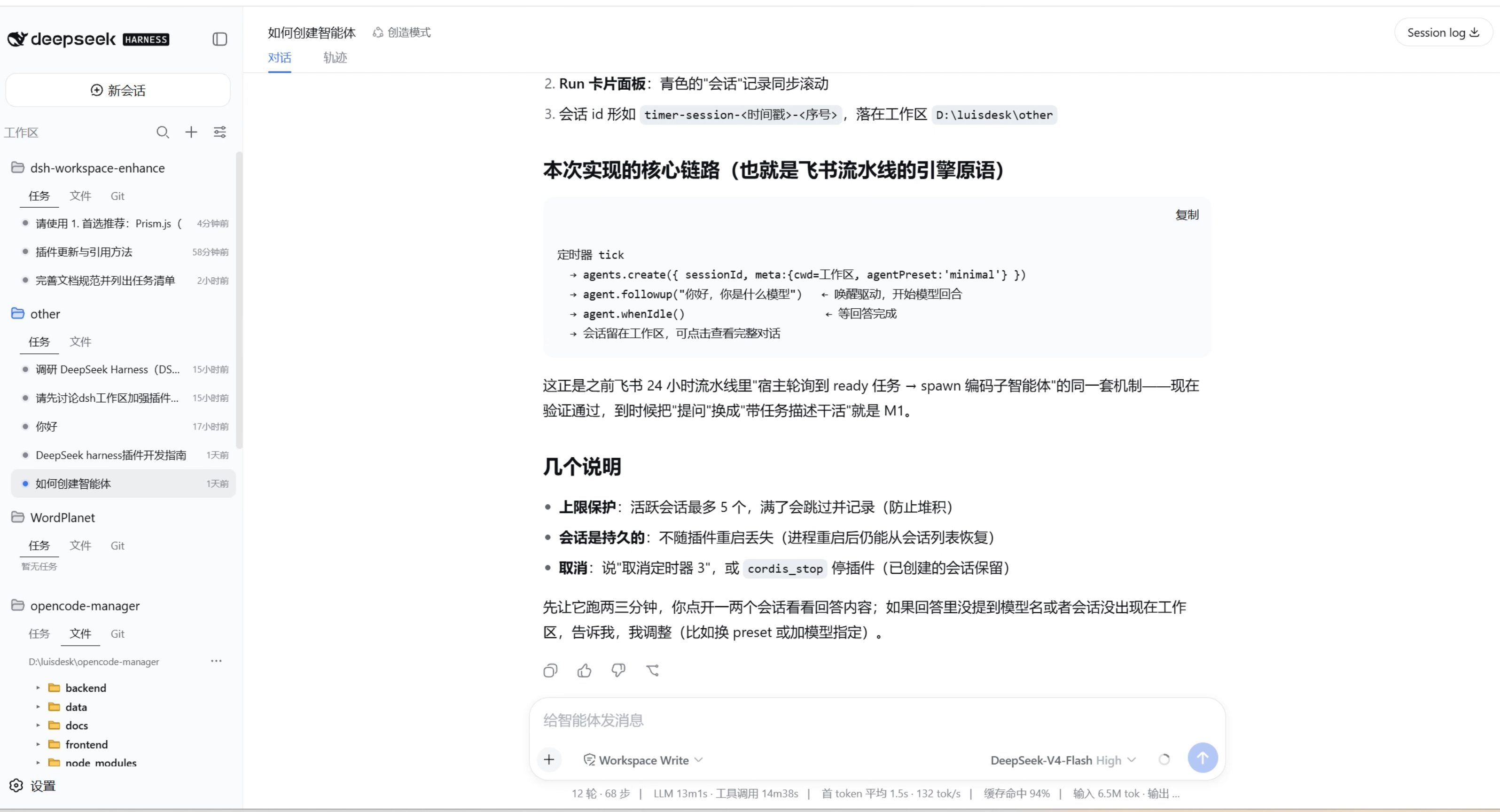
When using DSH (DeepSeek Harness) for development or multitasking, the default sidebar workspace browser can feel limited, making it challenging to efficiently manage complex project folders, task sessions, and code changes. The dsh-workspace-enhance plugin addresses this pain point by completely overhauling the sidebar into an intuitive workspace folder list, where each folder expands to reveal task, file, and Git sub-tabs, giving users a clear overview at a glance. Its core capability lies in the seamless integration of a file preview panel—clicking any file opens it in the right-side panel with code syntax highlighting, Markdown rendering, or image previews—alongside read-only Git views for tracking commit history and change status. Additional features like search, view persistence, and crash isolation ensure a stable and fluid experience.
This plugin is particularly suited for heavy DSH users, such as developers managing multiple project directories simultaneously or teams that rely on quick file previews and Git change checks in their workflow. By enhancing the sidebar's organization and visual clarity, it consolidates scattered information into a cohesive interface, thereby boosting productivity and code navigation ease. If you're seeking a lightweight yet powerful tool to optimize DSH's interface interactions, dsh-workspace-enhance is an ideal choice.
Screenshots
Use Cases
- Quickly switch and organize tasks across multiple project workspaces
- Preview code, Markdown, or image files without leaving the interface
- View Git commit history and branch status read-only to assist code review
Best For
- Programmers using DSH for daily development tasks
- Team leaders managing multiple project workspaces
- Individual developers focused on workflow efficiency and file previews
Related Plugins
A service-oriented sidebar framework for DSH, offering a full workbench with file explorer, embedded browser, real terminal, Git panel, and extensible plugin services.

A beautiful, practical Claude Code-style TUI plugin with pixel whale top bar, flowing glow title, real-time status line, streaming thought expansion, time rewind, context progress bar and TPS gauge — zero core changes.

The plugin market for DeepSeek Harness: browse/search/one-click install community plugins and themes, with updates, backup/restore, hot disable, diagnostics, and AI fix.

A persistent whale widget on the DSH web UI that shows DeepSeek balance, today's usage, and per-turn cost, with drag-and-snap and sound effects.