dsh-md-preview
Run the following command in DeepSeek Harness:
dsh plugin install poiuyjie/dsh-md-preview
Paste the following prompt into your AI chat to install this plugin:
In DeepSeek Harness, install this plugin using the command dsh plugin install poiuyjie/dsh-md-preview from the GitHub repository at https://github.com/poiuyjie/dsh-md-preview.
About this plugin
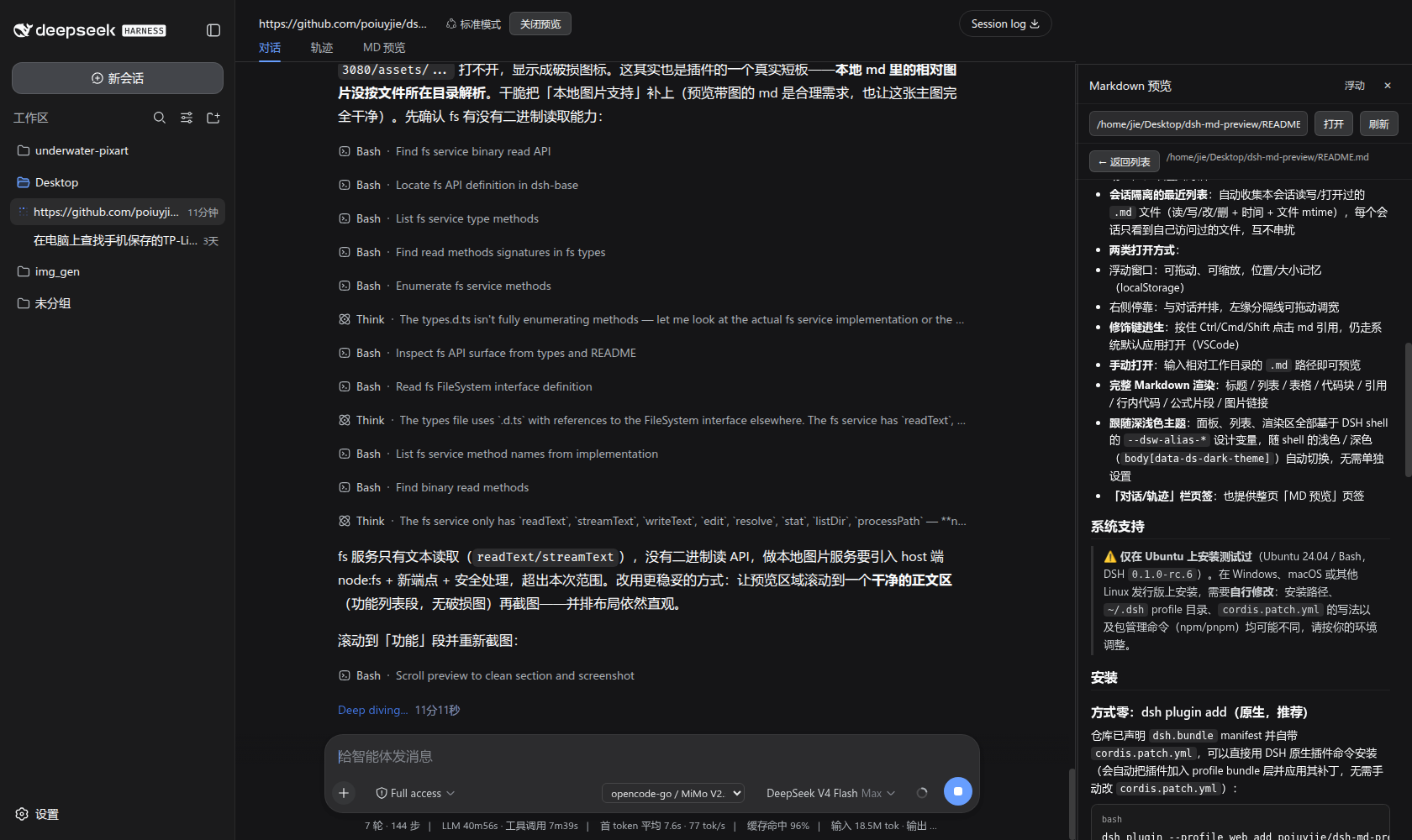
In the conversation workflow of DeepSeek Harness, frequently switching windows to view Markdown source files often disrupts the continuity of writing or proofreading. The dsh-md-preview plugin addresses this by enabling a side-by-side preview, allowing you to render .md files in real-time directly within the dialogue interface without leaving your current workspace, thus maintaining an uninterrupted flow of thought. It automatically tracks Markdown files accessed during a session and offers a concise file list for quick retrieval and editing.
The core capability lies in its seamless integration: clicking a Markdown reference in the conversation (such as a file path or chip) instantly opens the rendered preview in the right sidebar, supporting full Markdown syntax including headings, tables, and code blocks, with a resizable layout. It provides both floating window and docked modes, and intelligently follows the system's light or dark theme for a comfortable visual experience. Additionally, holding a modifier key still allows using an external editor for flexibility, and synergy with the dsh-vision-opencode plugin can further enhance workflows involving image-text comparison.
This plugin is particularly suited for users who heavily rely on Markdown for document writing, academic editing, or technical proofreading. Whether for LaTeX compilation checks, layout QA, or version revision notes, it significantly boosts productivity through dual-column parallel viewing. If you habitually conduct writing and collaboration within DeepSeek Harness, dsh-md-preview will help minimize the hassle of window switching, allowing your focus to remain firmly on the content itself.
Screenshots
Use Cases
- Preview Markdown files in real-time during conversations to boost editing efficiency
- Use for academic paper layout checks, comparing source drafts with rendered results
- Support technical documentation proofreading, quickly verifying format and content
Best For
- Document editors who frequently view and edit Markdown files
- Academic researchers writing papers or technical reports
- Technical writers maintaining online documentation or tutorials
Related Plugins
A service-oriented sidebar framework for DSH, offering a full workbench with file explorer, embedded browser, real terminal, Git panel, and extensible plugin services.

A beautiful, practical Claude Code-style TUI plugin with pixel whale top bar, flowing glow title, real-time status line, streaming thought expansion, time rewind, context progress bar and TPS gauge — zero core changes.

The plugin market for DeepSeek Harness: browse/search/one-click install community plugins and themes, with updates, backup/restore, hot disable, diagnostics, and AI fix.

A persistent whale widget on the DSH web UI that shows DeepSeek balance, today's usage, and per-turn cost, with drag-and-snap and sound effects.