dsh-share
Run the following command in DeepSeek Harness:
dsh plugin install hellodigua/dsh-share
Paste the following prompt into your AI chat to install this plugin:
Install the dsh-share plugin in DeepSeek Harness from the source repository at https://github.com/hellodigua/dsh-share.
About this plugin
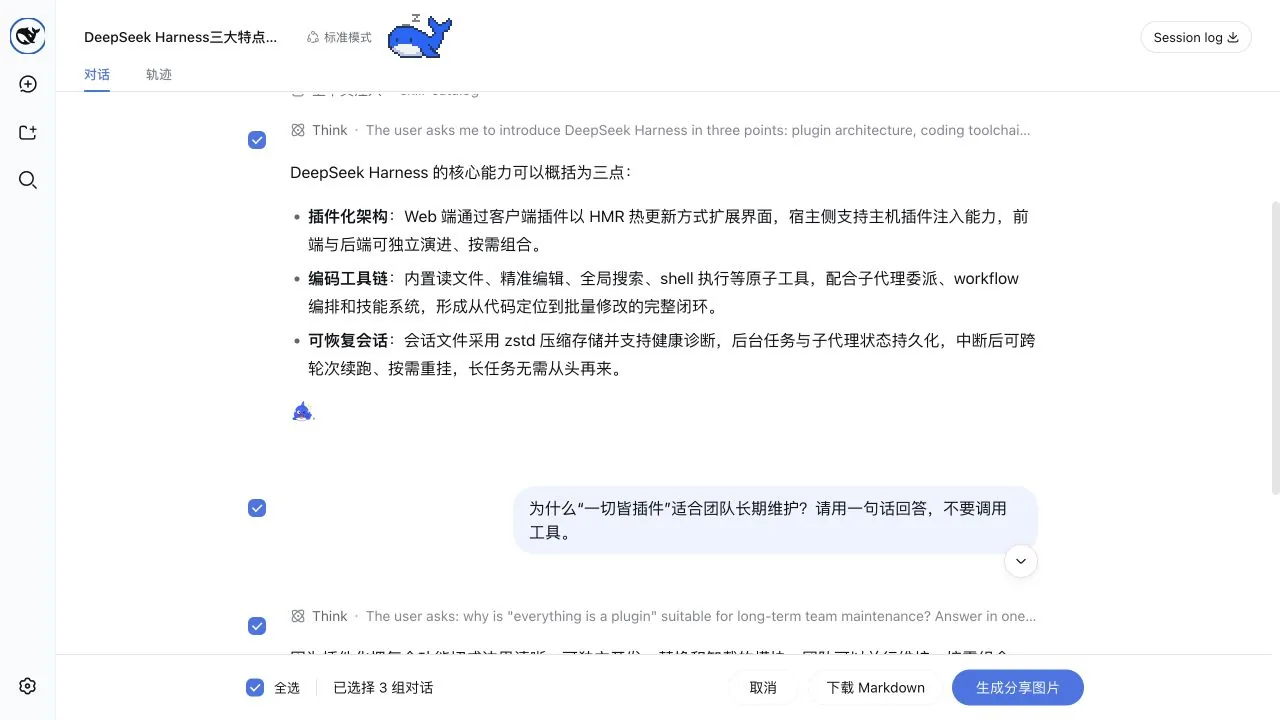
dsh-share solves the problem of taking DSH conversations out of the interface in a complete and readable form. It lets you enter a multi-select mode familiar from the DeepSeek web experience, choose one or more rounds of questions and answers, and export them as an image or Markdown for sharing, archiving, or publishing.
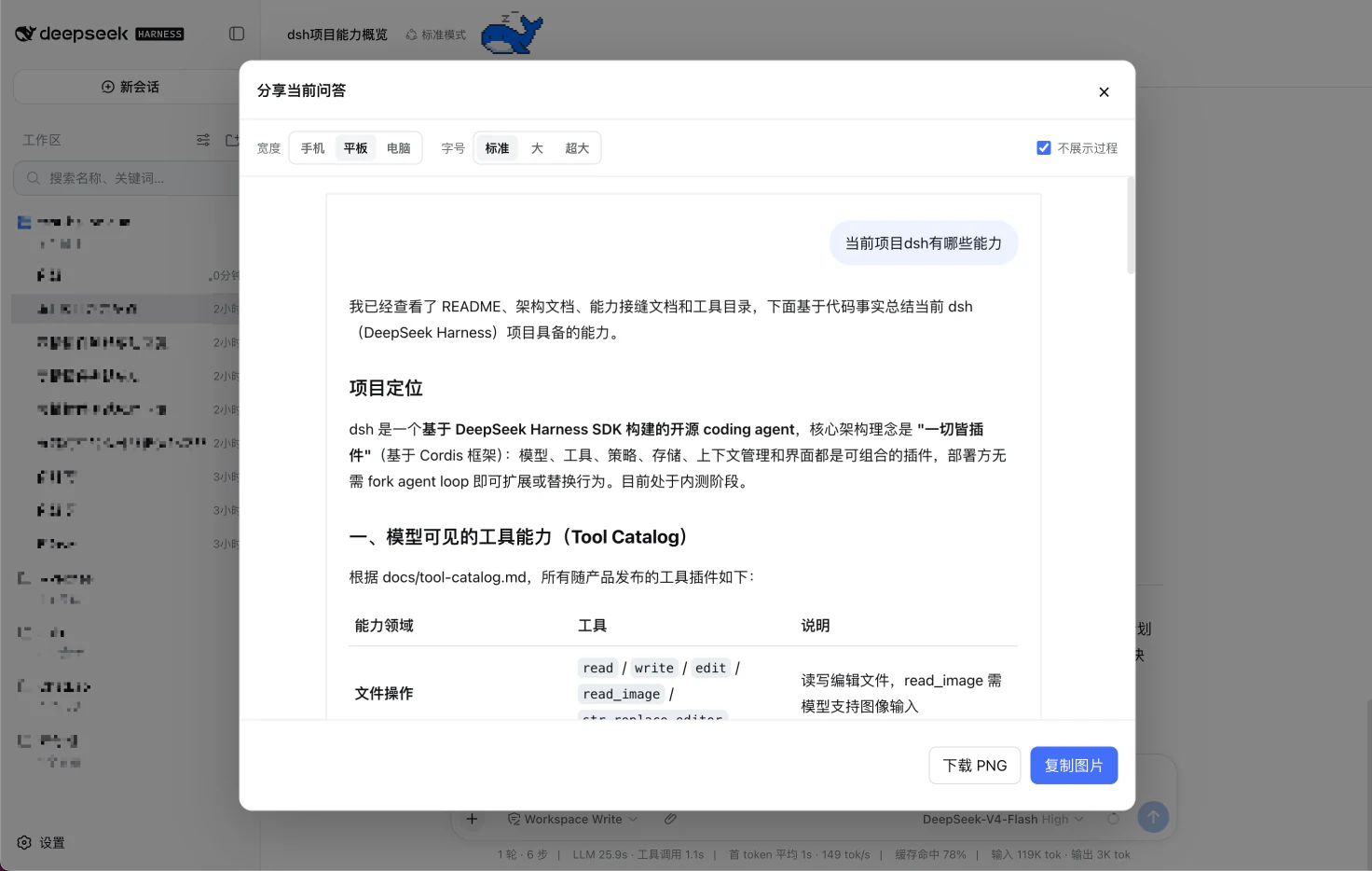
The plugin offers linked checkboxes and whole-block selection, including non-contiguous choices. Before generating an image, you can adjust width and font size, or hide process content to keep only the question and final answer. Exports preserve Markdown, code blocks, tables, images, and tool-call summaries, which helps keep technical conversations useful.
If you often send answers to teammates, turn chat results into notes, or keep valuable Q&A sessions for later reference, dsh-share can make the workflow easier. It is especially helpful for developers, writers, and anyone who needs a clean record of DSH conversations.
Screenshots
Use Cases
- Share multi-turn Q&A as an image with teammates.
- Export conversations as Markdown for notes or documents.
- Hide process content and keep only the question and final answer.
Best For
- Developers who need to share DSH conversations.
- Writers organizing Q&A content.
- Users who want to keep conversation records.
Related Plugins
A service-oriented sidebar framework for DSH, offering a full workbench with file explorer, embedded browser, real terminal, Git panel, and extensible plugin services.

A beautiful, practical Claude Code-style TUI plugin with pixel whale top bar, flowing glow title, real-time status line, streaming thought expansion, time rewind, context progress bar and TPS gauge — zero core changes.

The plugin market for DeepSeek Harness: browse/search/one-click install community plugins and themes, with updates, backup/restore, hot disable, diagnostics, and AI fix.

A persistent whale widget on the DSH web UI that shows DeepSeek balance, today's usage, and per-turn cost, with drag-and-snap and sound effects.