dsh-codex-meter
Run the following command in DeepSeek Harness:
dsh plugin install ChrisZhangWG/dsh-codex-meter
Paste the following prompt into your AI chat to install this plugin:
In DeepSeek Harness, run the command `dsh plugin install ChrisZhangWG/dsh-codex-meter` to install the plugin, with the full source code available at https://github.com/ChrisZhangWG/dsh-codex-meter.
About this plugin
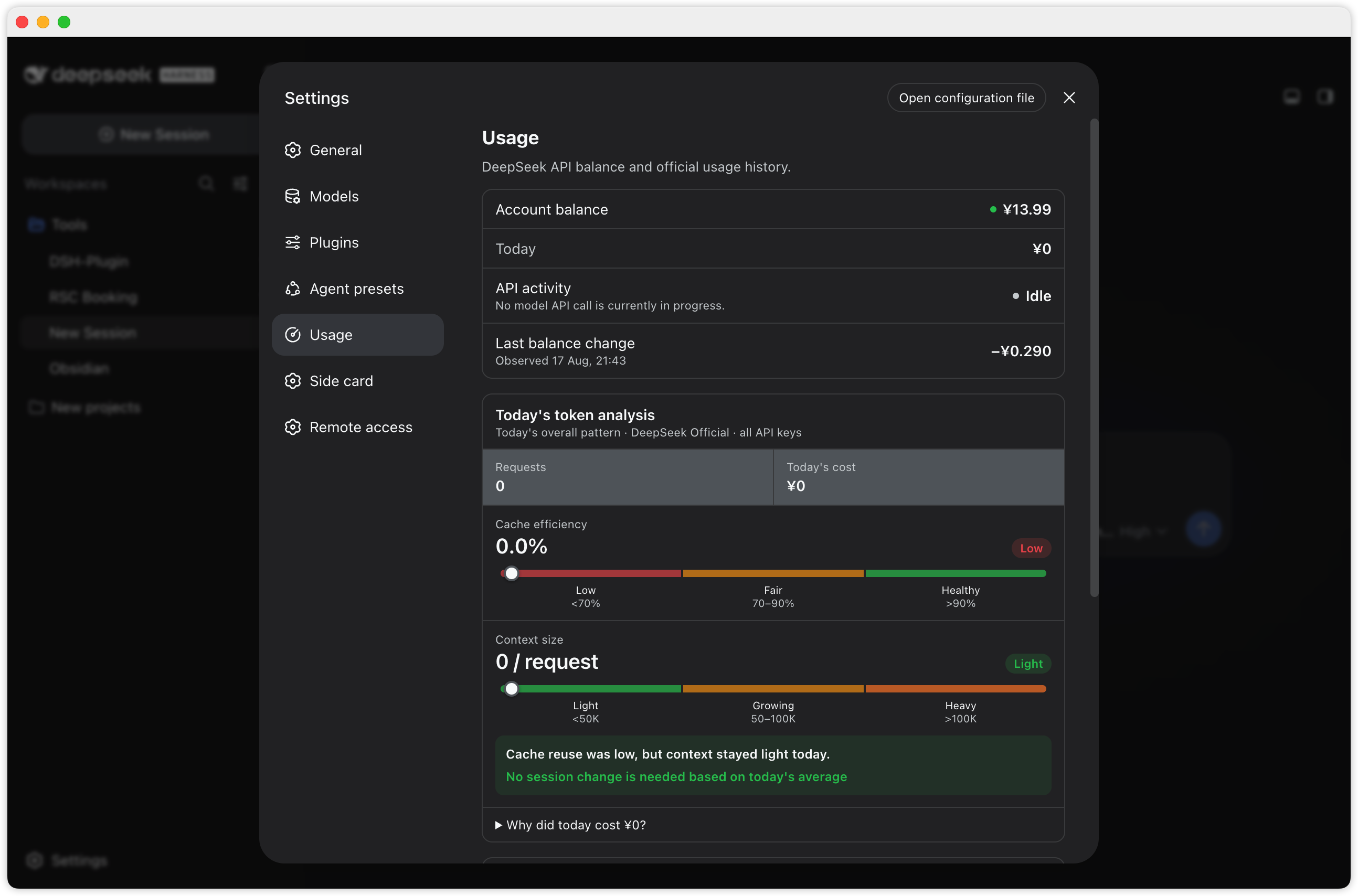
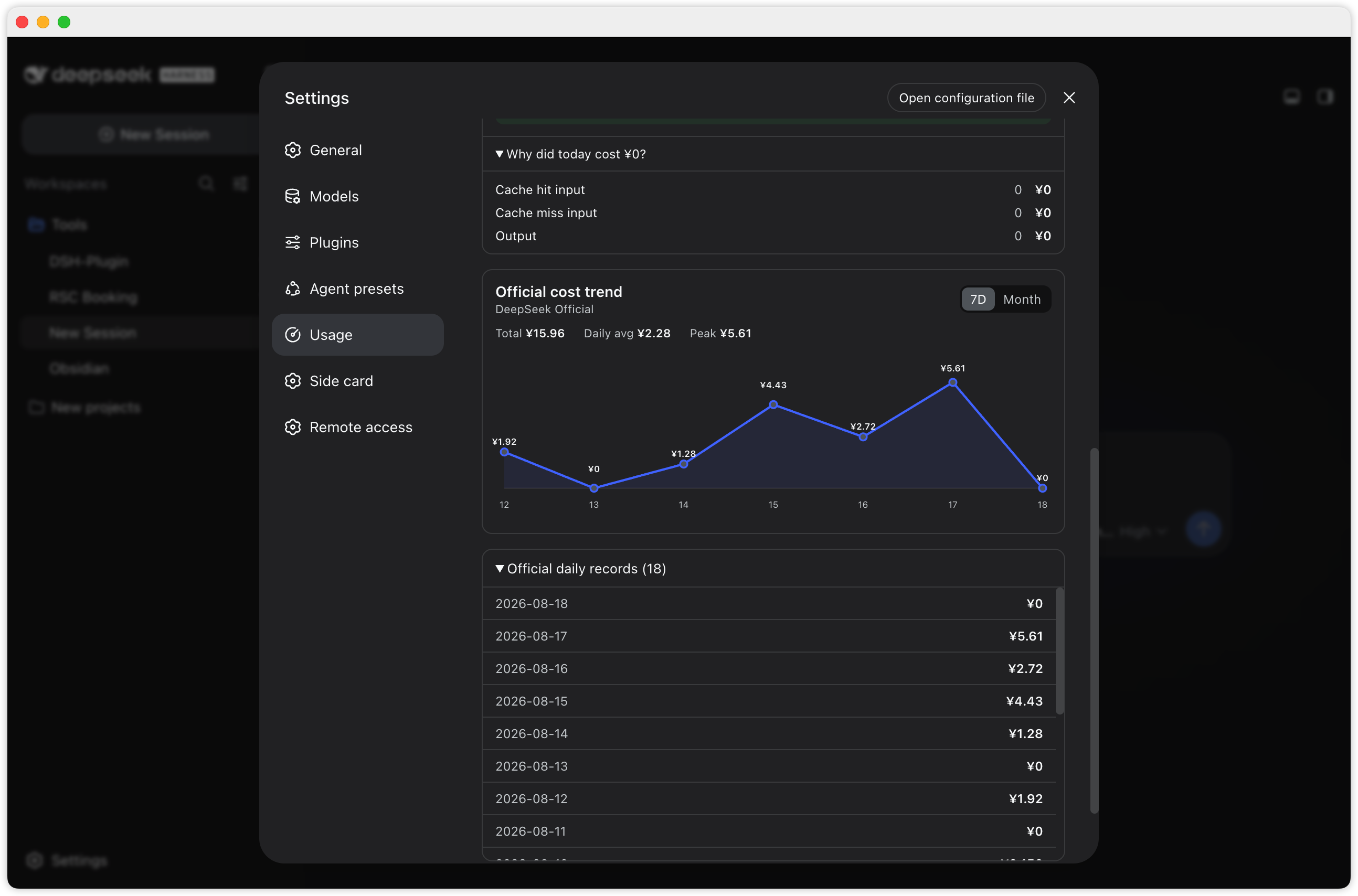
dsh-codex-meter is a usage monitoring plugin designed for DeepSeek API users, addressing the challenge of real-time data tracking and cost analysis in API management. Integrated into the DSH settings page, it offers a native and intuitive interface that allows users to effortlessly monitor balance, spending, and token composition without switching tools, eliminating distractions from traditional floating capsules.
Its core capabilities include real-time display of account balance and daily spending, trend charts for 7-day and monthly views, and detailed token analysis such as cache efficiency and context size. The plugin also monitors API activity status, distinguishing between active and idle calls to ensure clarity on each request, while usage caching enhances performance and security measures keep keys local and safe.
This plugin is ideal for individual developers, team members, and anyone using the DeepSeek API who requires precise cost control. Whether for daily usage monitoring or long-term trend analysis, it provides visual tools to optimize resource allocation, prevent overspending, and streamline API management.
Screenshots
Use Cases
- Developers need real-time monitoring of DeepSeek API balance and spending.
- Teams analyze token usage to optimize costs.
- Users view monthly trends and track API activity.
Best For
- Individual developers using the DeepSeek API.
- Teams requiring fine-grained cost management.
- Administrators and users of the DSH platform.
Related Plugins
A service-oriented sidebar framework for DSH, offering a full workbench with file explorer, embedded browser, real terminal, Git panel, and extensible plugin services.

A beautiful, practical Claude Code-style TUI plugin with pixel whale top bar, flowing glow title, real-time status line, streaming thought expansion, time rewind, context progress bar and TPS gauge — zero core changes.

The plugin market for DeepSeek Harness: browse/search/one-click install community plugins and themes, with updates, backup/restore, hot disable, diagnostics, and AI fix.

A persistent whale widget on the DSH web UI that shows DeepSeek balance, today's usage, and per-turn cost, with drag-and-snap and sound effects.