dsh-agent-astra
Run the following command in DeepSeek Harness:
dsh plugin install Rgndmln/dsh-agent-astra
Paste the following prompt into your AI chat to install this plugin:
In DeepSeek Harness, you can install this plugin by running 'dsh plugin install Rgndmln/dsh-agent-astra' or visiting the GitHub repository at https://github.com/Rgndmln/dsh-agent-astra.
About this plugin
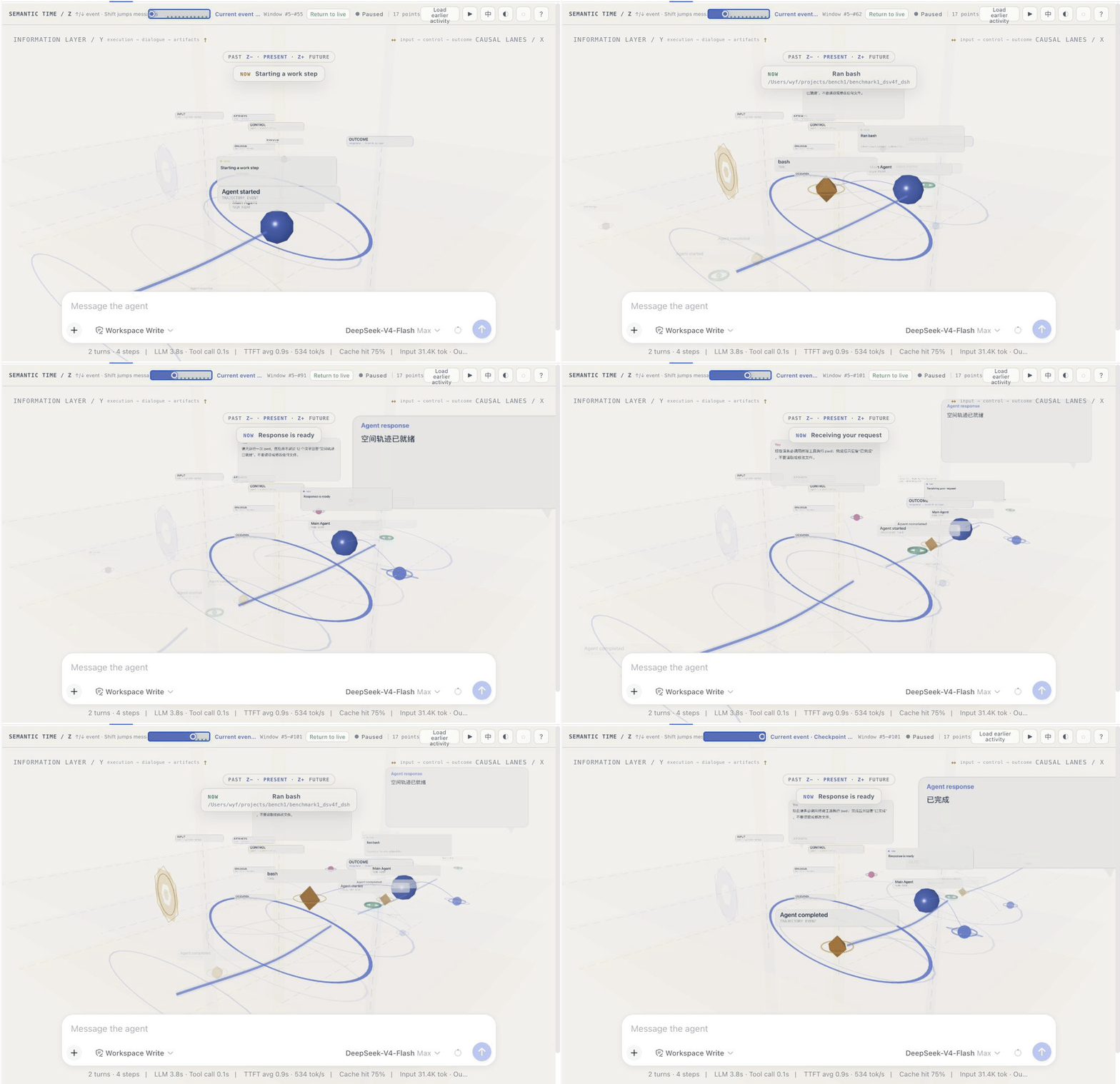
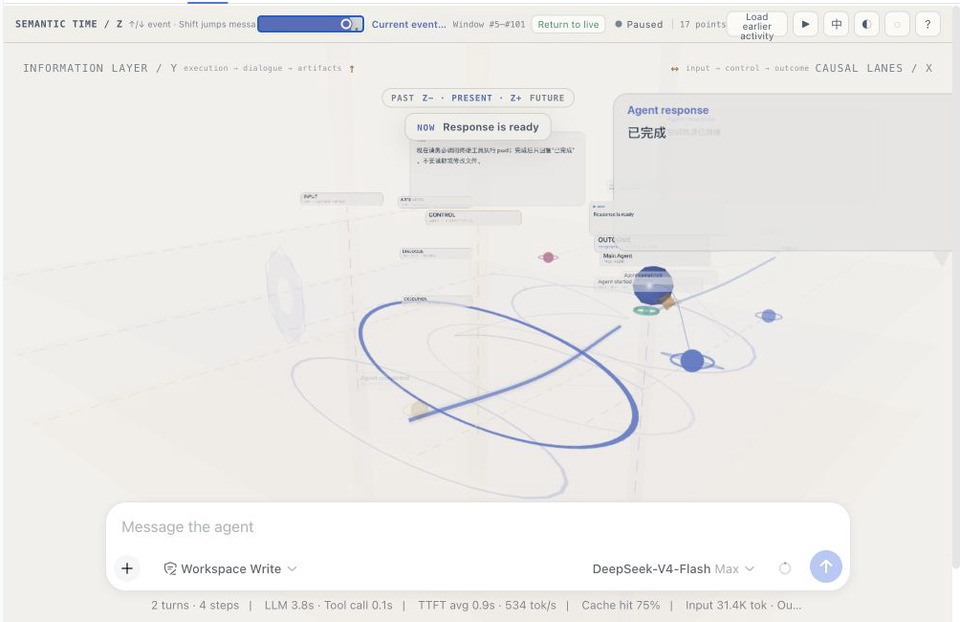
Traditional agent interfaces often turn a busy run into a long list of messages and collapsed tool rows, making it hard for users to grasp the workflow at a glance. AgentAstra addresses this by transforming the conversation into a spatial view that can be navigated. With semantic time, causal lanes, and information layers, agent replies, tool calls, and file operations are visually spread out, making the work trail readable and easy to follow. This plugin is ideal for DeepSeek Harness users, whether developers debugging agent behavior or anyone wanting a quick understanding of what the agent is doing. As an experimental interaction plugin, it aims not to gamify runs but to provide a clear perspective, helping users see at a glance what the agent is touching, what it's doing, and where answers originate.
Screenshots
Use Cases
- Visualizing an agent's workflow during complex tasks.
- Debugging tool calls and file modifications to quickly identify issues.
- Monitoring real-time conversations to understand the agent's decision-making process.
Best For
- Developers needing to debug agent behavior.
- Researchers analyzing agent work patterns.
- Users seeking an intuitive understanding of agent responses.
Related Plugins
A service-oriented sidebar framework for DSH, offering a full workbench with file explorer, embedded browser, real terminal, Git panel, and extensible plugin services.

A beautiful, practical Claude Code-style TUI plugin with pixel whale top bar, flowing glow title, real-time status line, streaming thought expansion, time rewind, context progress bar and TPS gauge — zero core changes.

The plugin market for DeepSeek Harness: browse/search/one-click install community plugins and themes, with updates, backup/restore, hot disable, diagnostics, and AI fix.

A persistent whale widget on the DSH web UI that shows DeepSeek balance, today's usage, and per-turn cost, with drag-and-snap and sound effects.