dsh-icon-theme
Run the following command in DeepSeek Harness:
dsh plugin install yzke/dsh-icon-theme
Paste the following prompt into your AI chat to install this plugin:
To install this plugin, run the command: dsh plugin install yzke/dsh-icon-theme, or visit the full source address at https://github.com/yzke/dsh-icon-theme for manual installation.
About this plugin
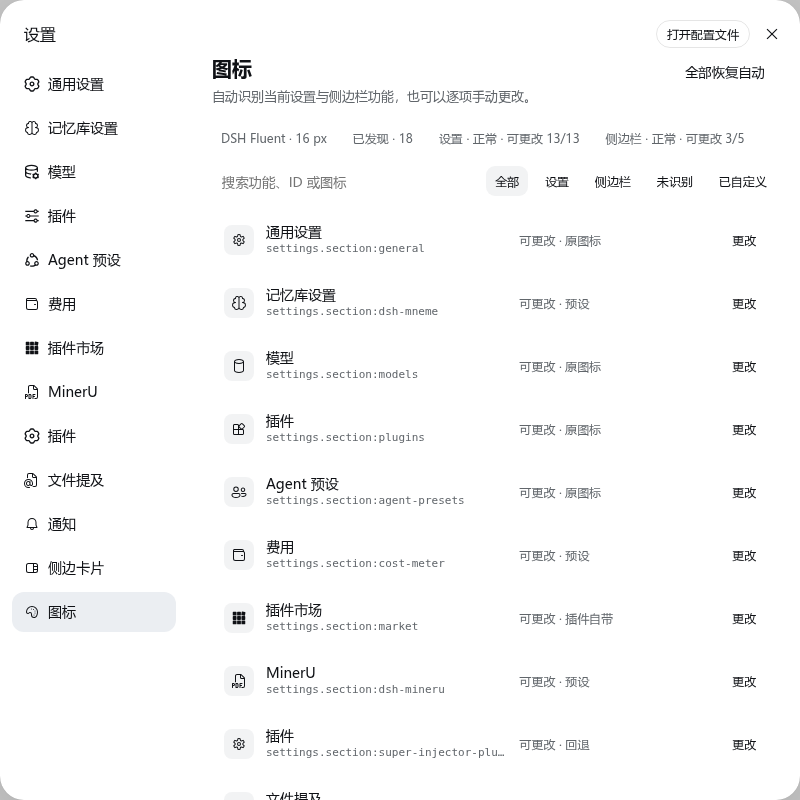
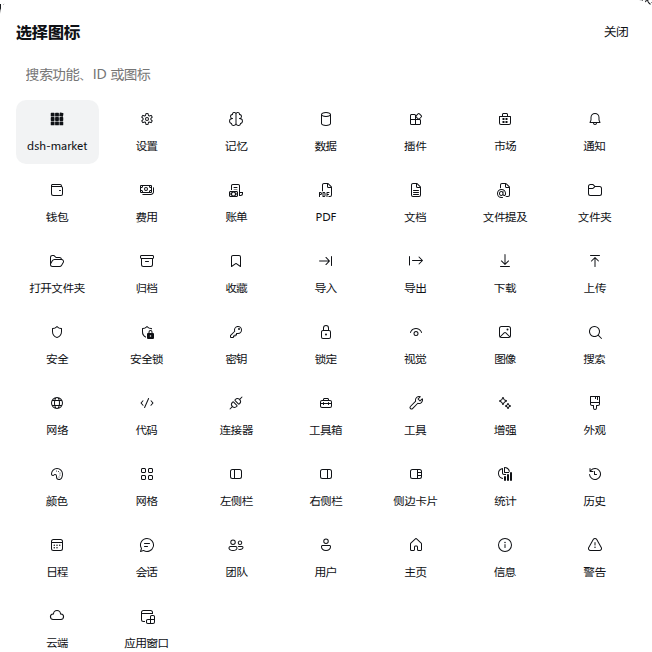
In DeepSeek Harness version 0.1.x, the settings pages and sidebar actions lack a unified icon field, causing many third-party plugins to fall back to the default gear icon, resulting in a monotonous and hard-to-recognize interface that diminishes user experience. The dsh-icon-theme plugin addresses this by automatically discovering live settings sections and sidebar actions, providing a curated pack of 50 Fluent UI glyphs and audited monochrome icons to fill the gaps. It stores user choices by stable keys for consistent display and allows full customization of each target icon, thereby enhancing interface aesthetics and coherence. Operating without external dependencies at runtime and restoring original states on uninstallation ensures system cleanliness. This plugin is ideal for all DeepSeek Harness users, particularly developers and everyday users seeking to boost interface recognizability and customization capabilities, whether for UI optimization or personalized settings, offering a convenient and effective solution.
Screenshots
Use Cases
- When installing third-party plugins that lead to inconsistent icons in settings pages.
- When wanting to customize interface icons to match a personal theme.
- When unifying icon styles in the sidebar to enhance visual consistency.
Best For
- Daily users of DeepSeek Harness seeking a more aesthetically pleasing interface.
- Third-party plugin developers requiring a unified icon standard.
- Interface design enthusiasts who enjoy customizing and optimizing user experience.
Related Plugins

whale-girl is a desktop pet in the DSH Web GUI (bottom-right for instant companionship) — draggable, feedable, playable; completed tasks, sessions and companionship time accrue into seniority levels, titles, and memories.

Renders your local Wallpaper Engine wallpapers as the DSH web background, supporting video, web, and scene wallpapers with a liquid-glass effect and rich customization.

A WebGPU ocean skin for DeepSeek Harness with five-wave Gerstner waves, translucent theme, day/night cycle, and quick controls, installable as plugin or extension.

A Galgame-style conversation view and visual scene editor for DSH web sessions, with a real-time editing mode.