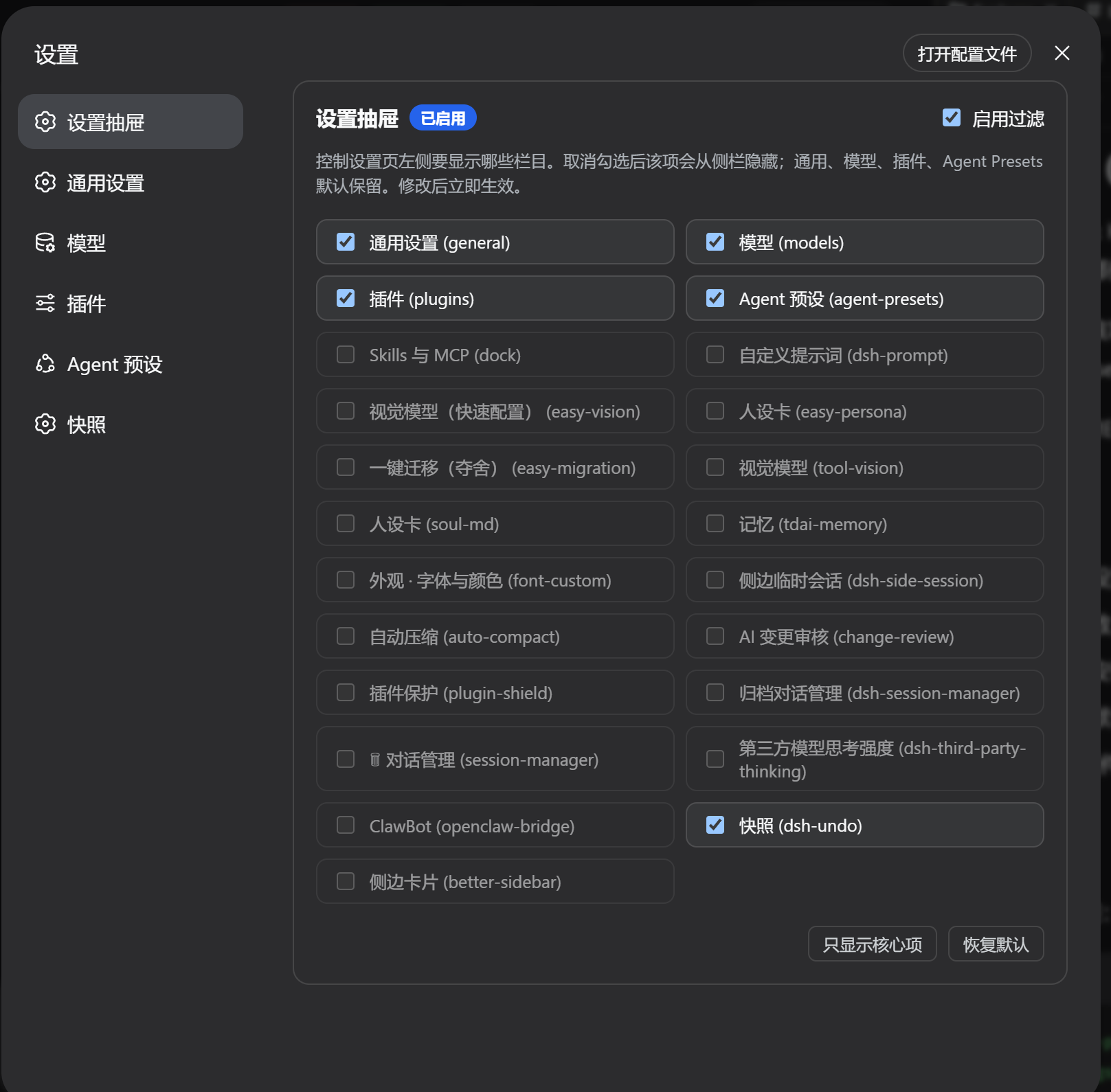
dsh-settings-drawer
Run the following command in DeepSeek Harness:
dsh plugin install zizhongfeiyang/dsh-settings-drawer
Paste the following prompt into your AI chat to install this plugin:
To install this plugin in DeepSeek Harness, run the command 'dsh plugin install zizhongfeiyang/dsh-settings-drawer' or visit the GitHub repository at https://github.com/zizhongfeiyang/dsh-settings-drawer.
About this plugin
The dsh-settings-drawer plugin addresses the clutter that can accumulate in the DeepSeek Harness settings navigation as users install more plugins. It allows users to customize their left sidebar by hiding irrelevant or less-used items, leading to a cleaner and more focused interface. At its core, the plugin provides a simple drawer at the top of the settings menu where users can toggle visibility for each section. Changes take effect immediately and persist in the browser's local storage. It intelligently discovers newly registered settings from installed plugins and automatically prunes entries from removed plugins, ensuring the list stays up-to-date without manual intervention. This plugin is ideal for DeepSeek Harness users, especially developers and power users who frequently tweak settings or manage multiple plugins, offering a pure client-side solution that is lightweight and privacy-friendly for streamlining workflows.
Screenshots
Use Cases
- When the settings menu becomes cluttered and needs simplification
- After installing multiple plugins, hiding less-used settings sections
- When customizing the settings interface for improved workflow efficiency
Best For
- Regular DeepSeek Harness users who want to simplify their settings interface
- Developers or administrators managing multiple plugin settings
- Power users seeking personalized customization and efficient operation
Related Plugins
A service-oriented sidebar framework for DSH, offering a full workbench with file explorer, embedded browser, real terminal, Git panel, and extensible plugin services.

A beautiful, practical Claude Code-style TUI plugin with pixel whale top bar, flowing glow title, real-time status line, streaming thought expansion, time rewind, context progress bar and TPS gauge — zero core changes.

The plugin market for DeepSeek Harness: browse/search/one-click install community plugins and themes, with updates, backup/restore, hot disable, diagnostics, and AI fix.

A persistent whale widget on the DSH web UI that shows DeepSeek balance, today's usage, and per-turn cost, with drag-and-snap and sound effects.