dsh-usage-plugin
Run the following command in DeepSeek Harness:
dsh plugin install feiyang-dev/dsh-usage-plugin
Paste the following prompt into your AI chat to install this plugin:
To install this plugin in DeepSeek Harness, use the one-click option in the desktop app's "Install Plugins" page, or run `dsh plugin install feiyang-dev/dsh-usage-plugin`; source code: https://github.com/feiyang-dev/dsh-usage-plugin
About this plugin
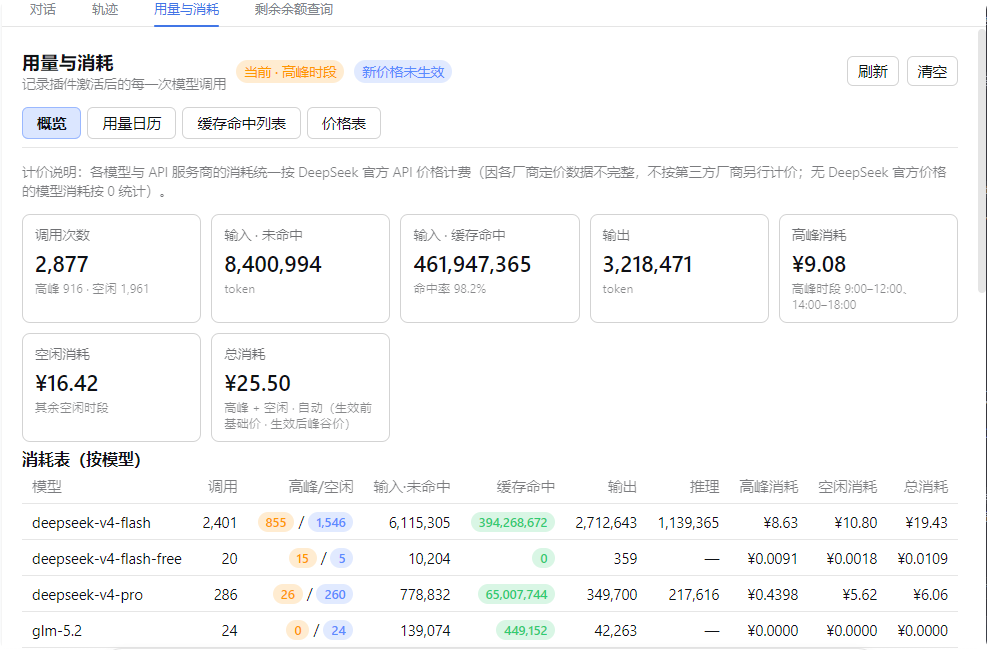
For users who frequently call models inside DeepSeek Harness, token consumption and cost are scattered across many requests, and it is especially hard to calculate the true expense when cache hits and peak/off-peak pricing are involved. dsh-usage-plugin solves this pain point by automatically recording input/output tokens, cache hits, reasoning tokens, and finish reasons after every model call, then computing cost based on DeepSeek's official prices and Beijing-time weekday peak/off-peak periods (weekends are charged at off-peak rates). Every credit and token becomes visible and auditable.
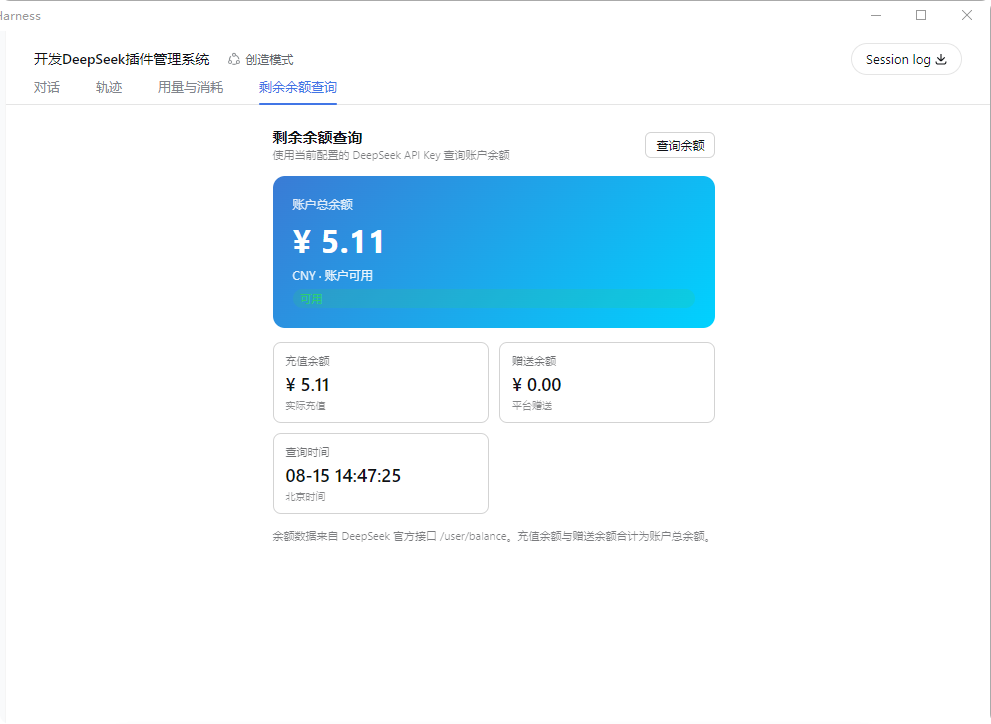
The plugin is much more than a simple ledger. It adds two tabs to the Web UI: "Usage & Cost" and "Balance Query". The Usage & Cost panel contains four subtabs: Overview, Usage Calendar, Cache Hit List, and Price Table. The Overview drills down by model and by API provider, with date filtering and peak/off-peak splits; the calendar shows a daily heatmap by cost or call count, and clicking a day reveals its details; the price table is editable and persisted; Balance Query uses your configured DeepSeek API Key. You can export reports as CSV, JSON, or a long PNG image, and import historical data with automatic deduplication by time.
For data reliability, records are written to a dedicated directory that is unaffected by workspace switching, and legacy data is merged automatically. The UI scales with the app's display size, supports instant Chinese/English switching, and runs on Windows, macOS, and Linux. Whether you want to control your API budget, analyze usage patterns, or account for costs by project or date range, this plugin offers an intuitive, low-friction solution.
Screenshots
Use Cases
- When checking daily token usage and cost of model calls
- When aggregating peak/off-peak costs over a date range
- When exporting reports as JSON/CSV/PNG for archiving or sharing
Best For
- Daily DeepSeek Harness users
- Developers who need to monitor API budgets
- Researchers analyzing model usage patterns
Related Plugins
A service-oriented sidebar framework for DSH, offering a full workbench with file explorer, embedded browser, real terminal, Git panel, and extensible plugin services.

A beautiful, practical Claude Code-style TUI plugin with pixel whale top bar, flowing glow title, real-time status line, streaming thought expansion, time rewind, context progress bar and TPS gauge — zero core changes.

The plugin market for DeepSeek Harness: browse/search/one-click install community plugins and themes, with updates, backup/restore, hot disable, diagnostics, and AI fix.

A persistent whale widget on the DSH web UI that shows DeepSeek balance, today's usage, and per-turn cost, with drag-and-snap and sound effects.