dsh-wsl-workspace
Run the following command in DeepSeek Harness:
dsh plugin install 6Mikao9/dsh-wsl-workspace
Paste the following prompt into your AI chat to install this plugin:
To install this plugin in DeepSeek Harness, run `dsh plugin install 6Mikao9/dsh-wsl-workspace`. The full source code is available at https://github.com/6Mikao9/dsh-wsl-workspace.
About this plugin
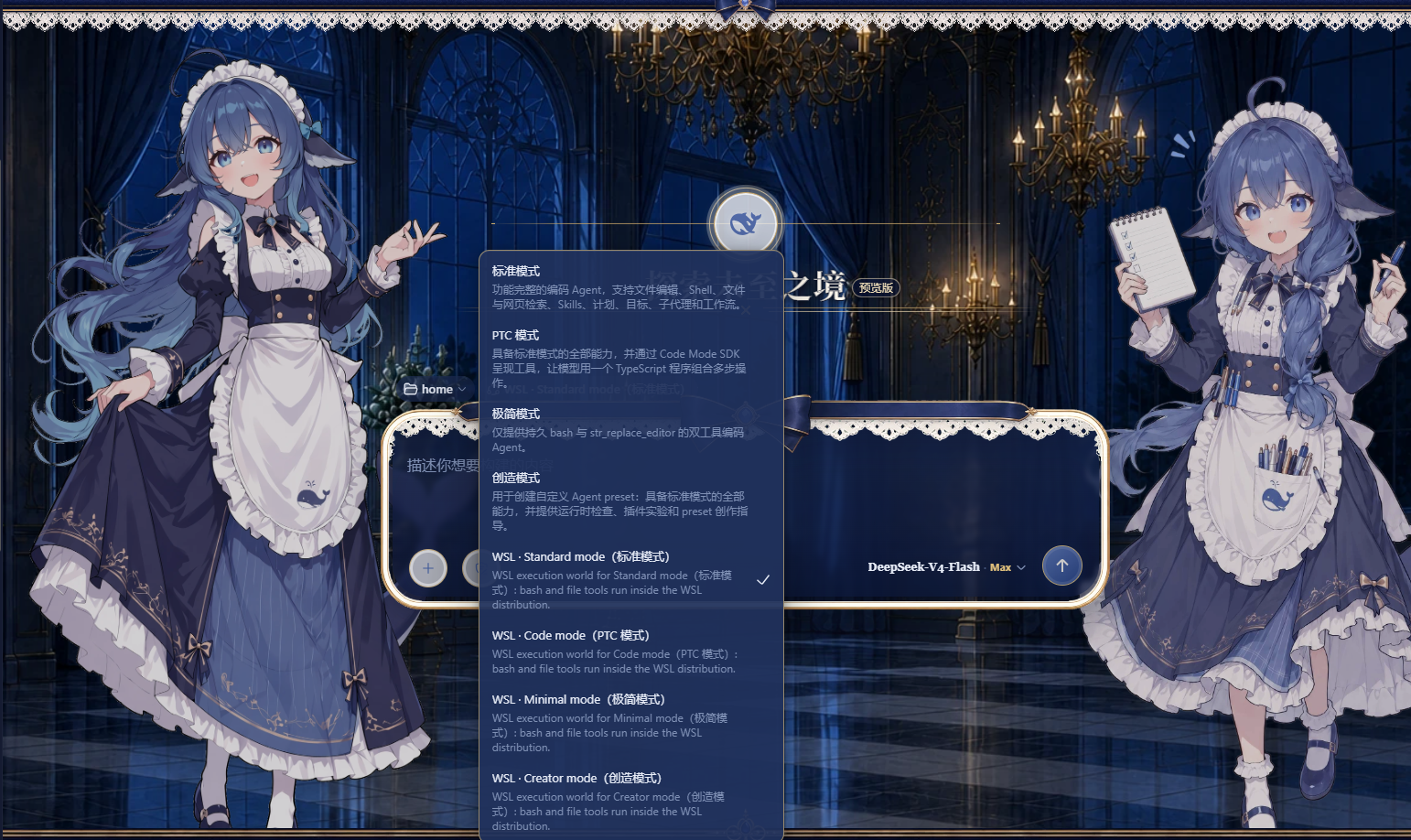
For users who work on Windows but want DeepSeek Harness agents to run in a real Linux environment, cross-system paths and runtime setup can be a real hassle. dsh-wsl-workspace addresses exactly that: it lets you add a WSL workspace directly from the DeepSeek Harness web GUI, with nothing to install inside WSL. The entire session—bash commands and file reads/writes—then happens inside a local WSL distribution, and every path the model sees is a standard Linux path.
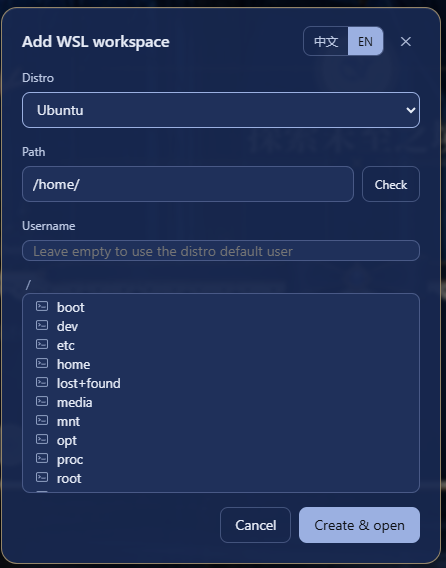
Its core capability is straightforward: click the W button in the sidebar, pick an installed WSL distribution, browse the directory tree or type an absolute path like /home/me/proj, verify it exists, and create the workspace. The bash tool runs inside the chosen distribution as the configured user (or the default user), so it can read and write anywhere within that distro; the file tools go through the Windows-side WSL share and remain subject to DeepSeek Harness file policies. A particularly nice touch is that the session can reach both WSL and Windows at the same time—Windows files stay accessible inside the session via mount paths like /mnt/c/..., so cross-platform work no longer feels disjointed.
If you're a developer who mainly works on Windows but needs Linux toolchains or scripts, or if you want the agent to run in an isolated Linux environment without touching your Windows system, this plugin is a great fit. It combines the convenience of WSL with DeepSeek Harness session management, making the workflow feel more natural and closer to a native Linux experience.
Screenshots
Use Cases
- Run Linux commands and scripts from DeepSeek Harness on Windows
- Read and write files inside a WSL distribution directly within a session
- Access both the WSL environment and Windows files (via /mnt/) at the same time
Best For
- Developers on Windows who need Linux toolchains
- Users who want to run agents in an isolated Linux environment
- DeepSeek Harness users who need cross-platform file access
Related Plugins
A service-oriented sidebar framework for DSH, offering a full workbench with file explorer, embedded browser, real terminal, Git panel, and extensible plugin services.

A beautiful, practical Claude Code-style TUI plugin with pixel whale top bar, flowing glow title, real-time status line, streaming thought expansion, time rewind, context progress bar and TPS gauge — zero core changes.

The plugin market for DeepSeek Harness: browse/search/one-click install community plugins and themes, with updates, backup/restore, hot disable, diagnostics, and AI fix.

A persistent whale widget on the DSH web UI that shows DeepSeek balance, today's usage, and per-turn cost, with drag-and-snap and sound effects.