dsh-ocgo-usage
Run the following command in DeepSeek Harness:
dsh plugin install badai147/dsh-ocgo-usage
Paste the following prompt into your AI chat to install this plugin:
In DeepSeek Harness, you can install this plugin by running the command 'dsh plugin install badai147/dsh-ocgo-usage', or visit the GitHub source repository at https://github.com/badai147/dsh-ocgo-usage for more installation options.
About this plugin
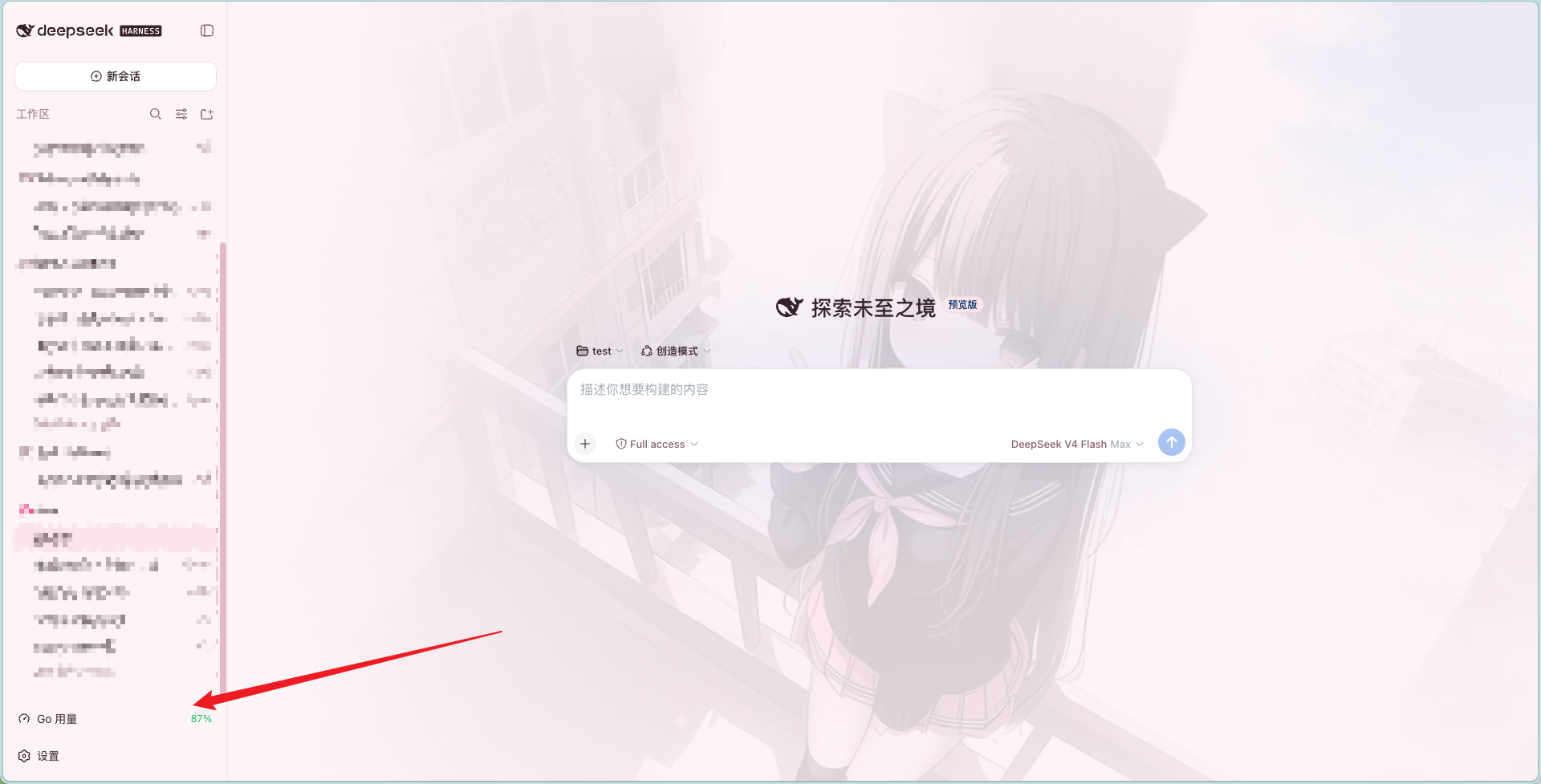
When using the OpenCode Go service within DeepSeek Harness, many users often resort to manually checking usage and peak times, which is cumbersome and can lead to missed insights. This plugin addresses that pain point by integrating a convenient usage monitor directly into the web interface's sidebar, making everything accessible at a glance. Users can stay within their workflow while tracking resource usage in real-time, enabling more efficient planning of development tasks.
The plugin's core strengths lie in its practical and intuitive design. A persistent button in the sidebar's bottom-left corner displays the remaining usage percentage for the month, with automatic color changes as a warning. On hover, a detailed card pops up, showing usage progress bars, a peak-time timeline, and reset countdowns, helping users visualize their usage patterns. Peak times are specifically marked with Beijing time intervals for DeepSeek V4 Flash and Pro, allowing users to easily avoid high-traffic periods and optimize API calls.
Additionally, the plugin features zero configuration, automatically reading existing OpenCode Go API keys without extra setup. Built with pure Node.js, it is cross-platform compatible across Windows, macOS, and Linux, with data auto-refreshing every 60 seconds for timely accuracy. These traits make the plugin both powerful and easy to use, minimizing technical overhead.
This plugin is ideal for frequent users of the OpenCode Go service within DeepSeek Harness, especially developers and technical teams. If you need to meticulously manage API usage, monitor peak times to avoid delays, or simply want a clearer view of resource consumption, this plugin offers significant value. It transforms usage tracking from a background task into a foreground convenience, enhancing the overall development experience.
Screenshots
Use Cases
- View OpenCode Go remaining usage in real-time in the DeepSeek Harness sidebar.
- Monitor peak times via hover card to avoid API call delays.
- Auto-refresh data to keep usage information up-to-date.
Best For
- Developers who frequently use the OpenCode Go service.
- Technical teams requiring fine-grained API usage management.
- Users who rely on DeepSeek Harness for daily work.
Related Plugins
A service-oriented sidebar framework for DSH, offering a full workbench with file explorer, embedded browser, real terminal, Git panel, and extensible plugin services.

A beautiful, practical Claude Code-style TUI plugin with pixel whale top bar, flowing glow title, real-time status line, streaming thought expansion, time rewind, context progress bar and TPS gauge — zero core changes.

The plugin market for DeepSeek Harness: browse/search/one-click install community plugins and themes, with updates, backup/restore, hot disable, diagnostics, and AI fix.

A persistent whale widget on the DSH web UI that shows DeepSeek balance, today's usage, and per-turn cost, with drag-and-snap and sound effects.