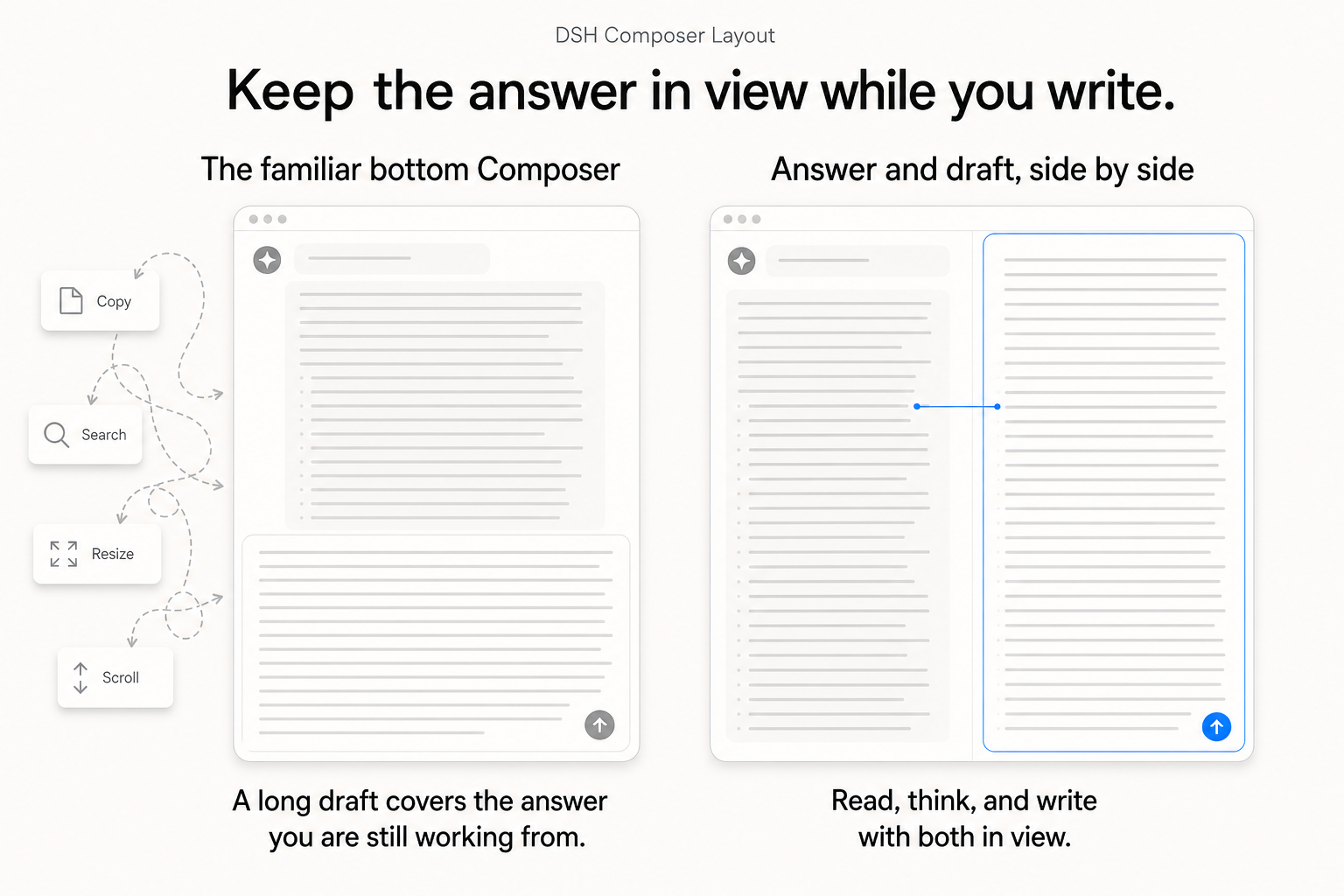
dsh-composer-layout
Run the following command in DeepSeek Harness:
dsh plugin install lavapapa/dsh-composer-layout
Paste the following prompt into your AI chat to install this plugin:
In DeepSeek Harness, you can install this plugin using the command "dsh plugin install lavapapa/dsh-composer-layout", with the full source code available at https://github.com/lavapapa/dsh-composer-layout.
About this plugin
In the DeepSeek Harness web interface, the Composer typically sits at the bottom. When either the answer or your draft grows lengthy, they compete for the same limited vertical strip—a long response pushes the input away, while an extensive draft obscures the context it should reference. This forces users into a cycle of copying details, resizing panels, and scrolling to recover context, which is especially disruptive during long-form work. This plugin addresses that by allowing the Composer to dock into a right-side column, side-by-side with the chat window. The core capability is this layout shift: it provides dedicated vertical space for both reading and writing, letting you review the conversation and shape your next prompt simultaneously without losing sight of either. Features include switching between bottom and right placements via settings, resizing the right pane manually, remembering layout per session, and smart stacking when window width is insufficient. Importantly, it is a presentation-only plugin—no changes to DSH's models, tools, or token accounting. It is ideal for users on desktop wide-screen displays, such as writers, researchers, developers, or anyone engaged in long conversations or complex tasks. If you find yourself constantly adjusting panels and losing flow, this simple layout improvement keeps your focus on content, enhancing productivity for extended writing and analysis sessions.
Screenshots
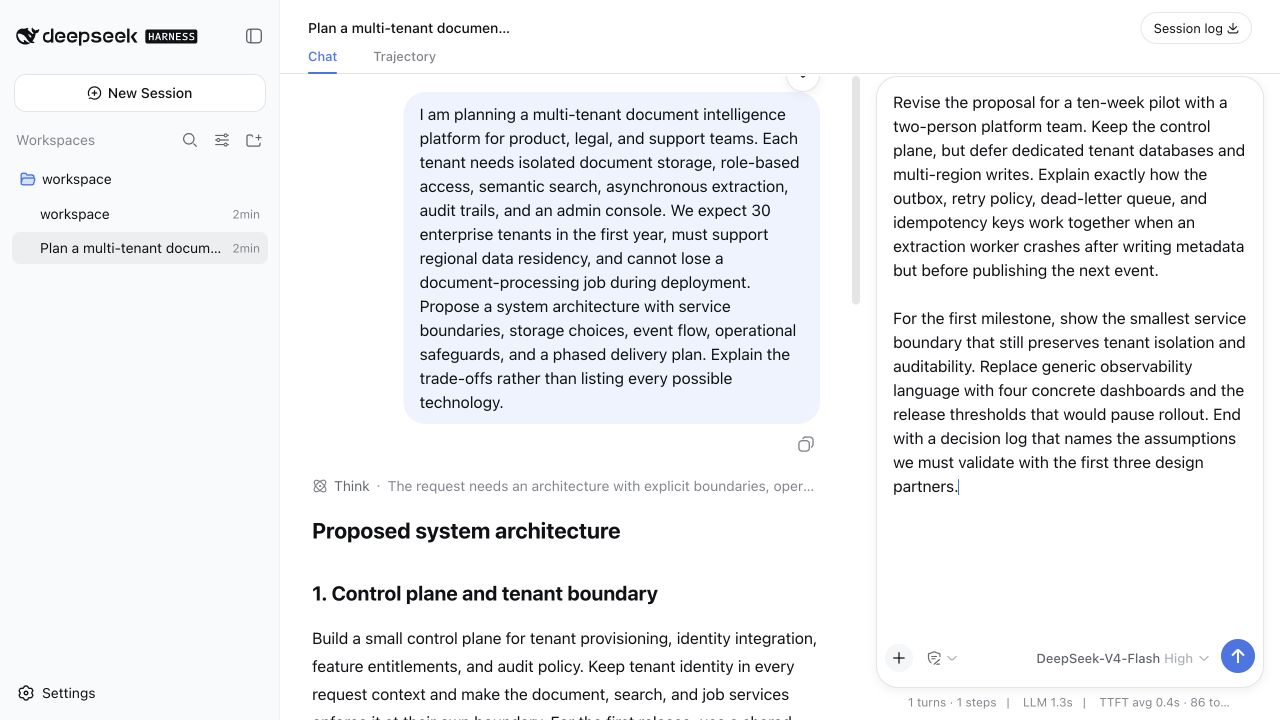
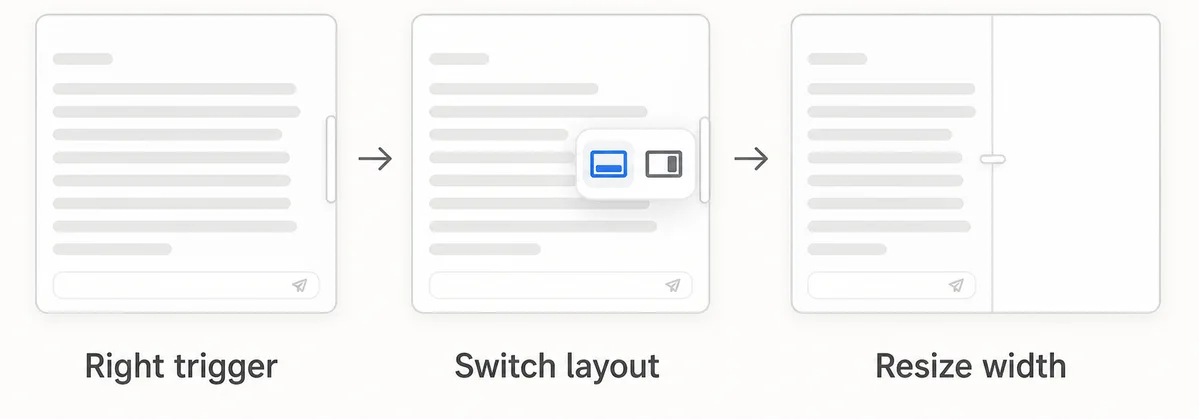
Use Cases
- Writing long articles while referencing chat simultaneously
- Maintaining context visibility during lengthy conversations
- Optimizing workspace layout on wide-screen displays
Best For
- Writers and editors
- Researchers and students
- Software developers and technical writers
Related Plugins
A service-oriented sidebar framework for DSH, offering a full workbench with file explorer, embedded browser, real terminal, Git panel, and extensible plugin services.

A beautiful, practical Claude Code-style TUI plugin with pixel whale top bar, flowing glow title, real-time status line, streaming thought expansion, time rewind, context progress bar and TPS gauge — zero core changes.

The plugin market for DeepSeek Harness: browse/search/one-click install community plugins and themes, with updates, backup/restore, hot disable, diagnostics, and AI fix.

A persistent whale widget on the DSH web UI that shows DeepSeek balance, today's usage, and per-turn cost, with drag-and-snap and sound effects.