dsh-plugin-manager
Run the following command in DeepSeek Harness:
dsh plugin install TAOxxx7/dsh-plugin-manager
Paste the following prompt into your AI chat to install this plugin:
In DeepSeek Harness, run the command 'dsh plugin install TAOxxx7/dsh-plugin-manager' to install this plugin, with the source at https://github.com/TAOxxx7/dsh-plugin-manager.
About this plugin
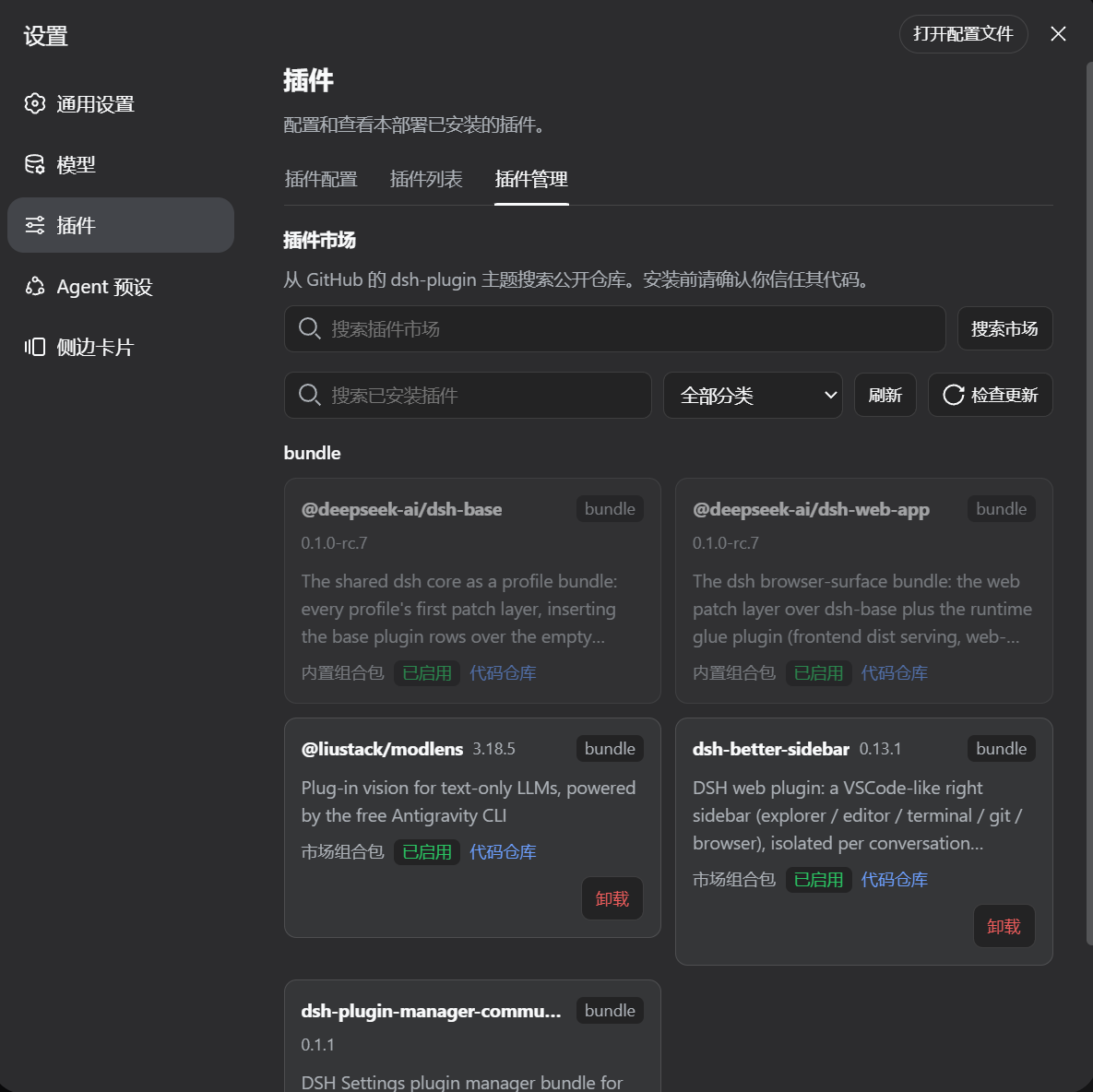
When using DeepSeek Harness (DSH), plugin management often lacks a systematic tool, making installation, updates, and categorization cumbersome. The dsh-plugin-manager plugin addresses this by adding an integrated plugin manager to the DSH Settings interface, bringing organization and ease to the process.
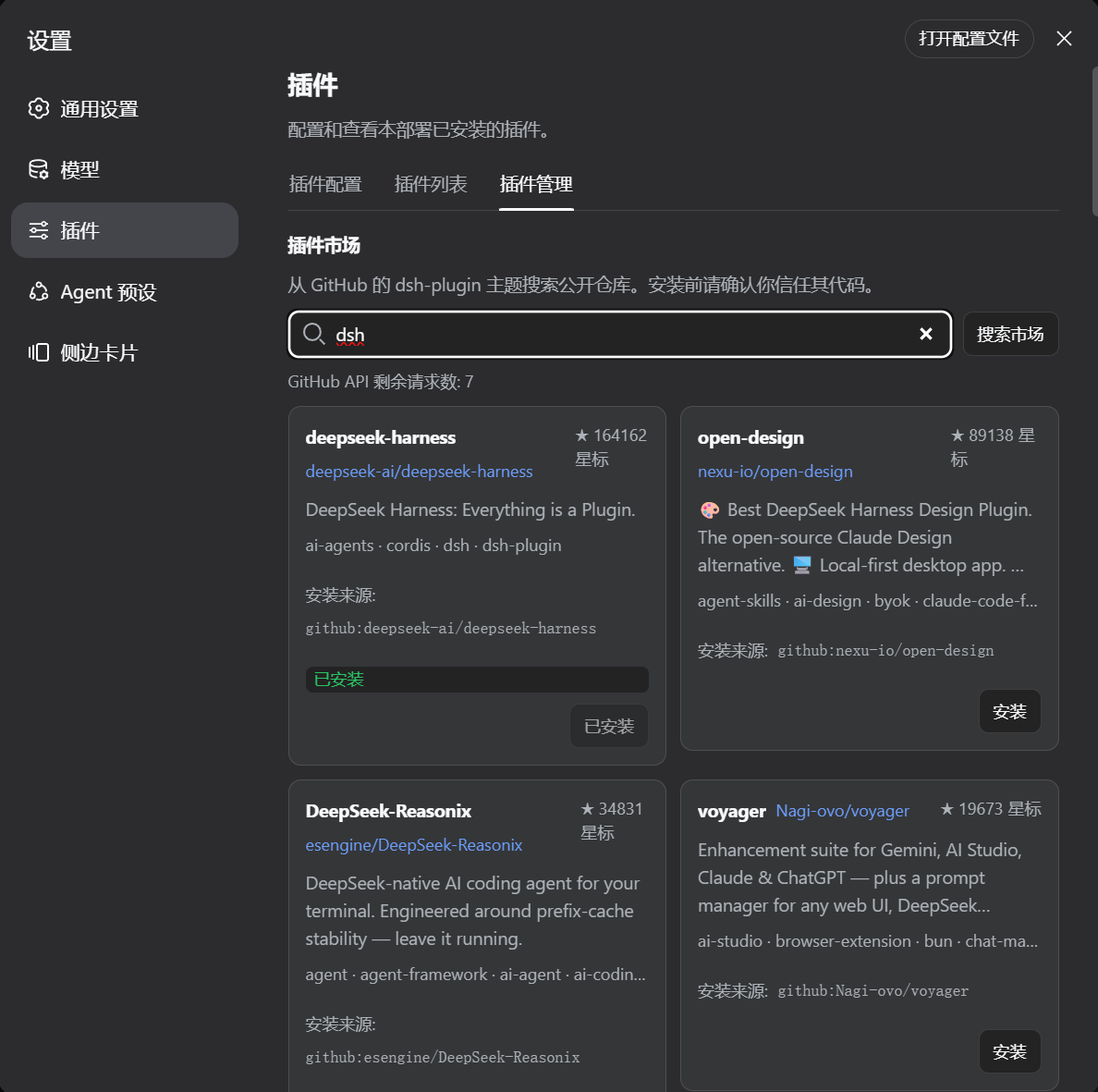
Its core capabilities include intelligent categorization of all installed plugin packages, along with real-time search and installation from the GitHub market. It features duplicate installation detection, prioritizes npm installation with GitHub fallback, and offers uninstallation, single-package updates, update checks, and startup checks to keep plugins optimized. For source-installed plugins, it checks GitHub Release semver tags with a fallback to commit-head versions. After installation, it prompts for a DSH process restart to seamlessly load the new plugin layer.
dsh-plugin-manager is particularly suited for users of DSH Desktop and the native Web profile, whether casual users or developers. If you frequently handle multiple DSH plugins, this tool can significantly enhance management efficiency, providing a consistent and reliable experience. It is independently published with strong compatibility, making it an essential assistant in the DSH ecosystem.
Screenshots
Use Cases
- When installing a new DSH plugin, quickly locate the desired package via market search.
- Regularly check for plugin updates to keep all plugins in their latest state.
- Categorize and manage plugins in settings for easy access and organization.
Best For
- DSH Desktop users who want to manage plugins efficiently.
- Native Web profile users looking to simplify the plugin installation process.
- Developers or plugin creators needing to test and distribute their own plugins.
Related Plugins
A service-oriented sidebar framework for DSH, offering a full workbench with file explorer, embedded browser, real terminal, Git panel, and extensible plugin services.

A beautiful, practical Claude Code-style TUI plugin with pixel whale top bar, flowing glow title, real-time status line, streaming thought expansion, time rewind, context progress bar and TPS gauge — zero core changes.

The plugin market for DeepSeek Harness: browse/search/one-click install community plugins and themes, with updates, backup/restore, hot disable, diagnostics, and AI fix.

A persistent whale widget on the DSH web UI that shows DeepSeek balance, today's usage, and per-turn cost, with drag-and-snap and sound effects.