dsh-model-garden
Run the following command in DeepSeek Harness:
dsh plugin install mrdevlorx/dsh-model-garden
Paste the following prompt into your AI chat to install this plugin:
To install this plugin in DeepSeek Harness, run the command `dsh plugin install mrdevlorx/dsh-model-garden`, or refer to the source code at https://github.com/mrdevlorx/dsh-model-garden for more details.
About this plugin
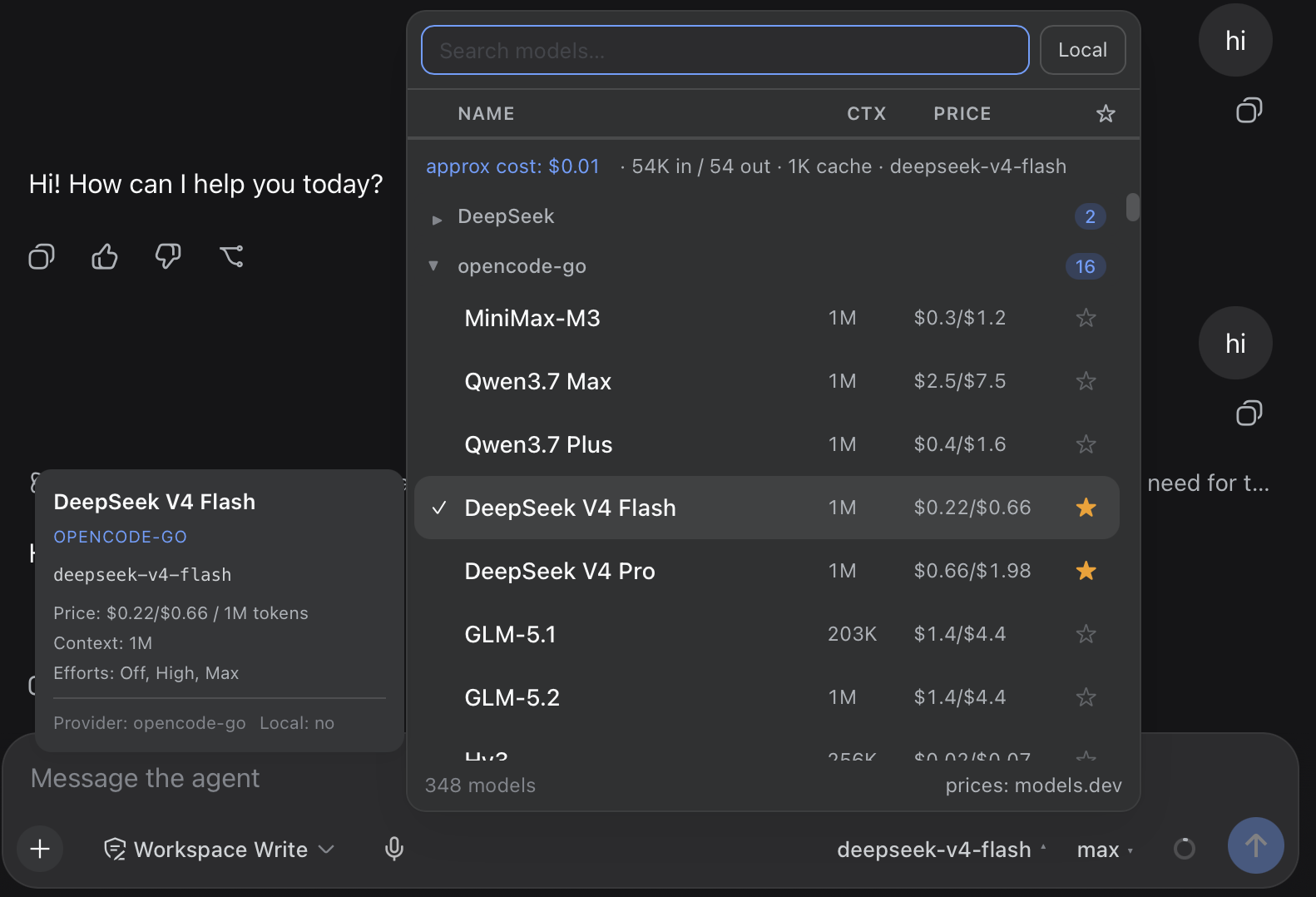
The native model selector in the DeepSeek Harness Web UI is basic, making it challenging for users to quickly search and manage a large number of models. The dsh-model-garden plugin addresses this pain point by offering a searchable, sortable table-style picker. It supports instant search, sorting by name, context, or price, and includes a favorites feature, allowing users to easily mark frequently used models.
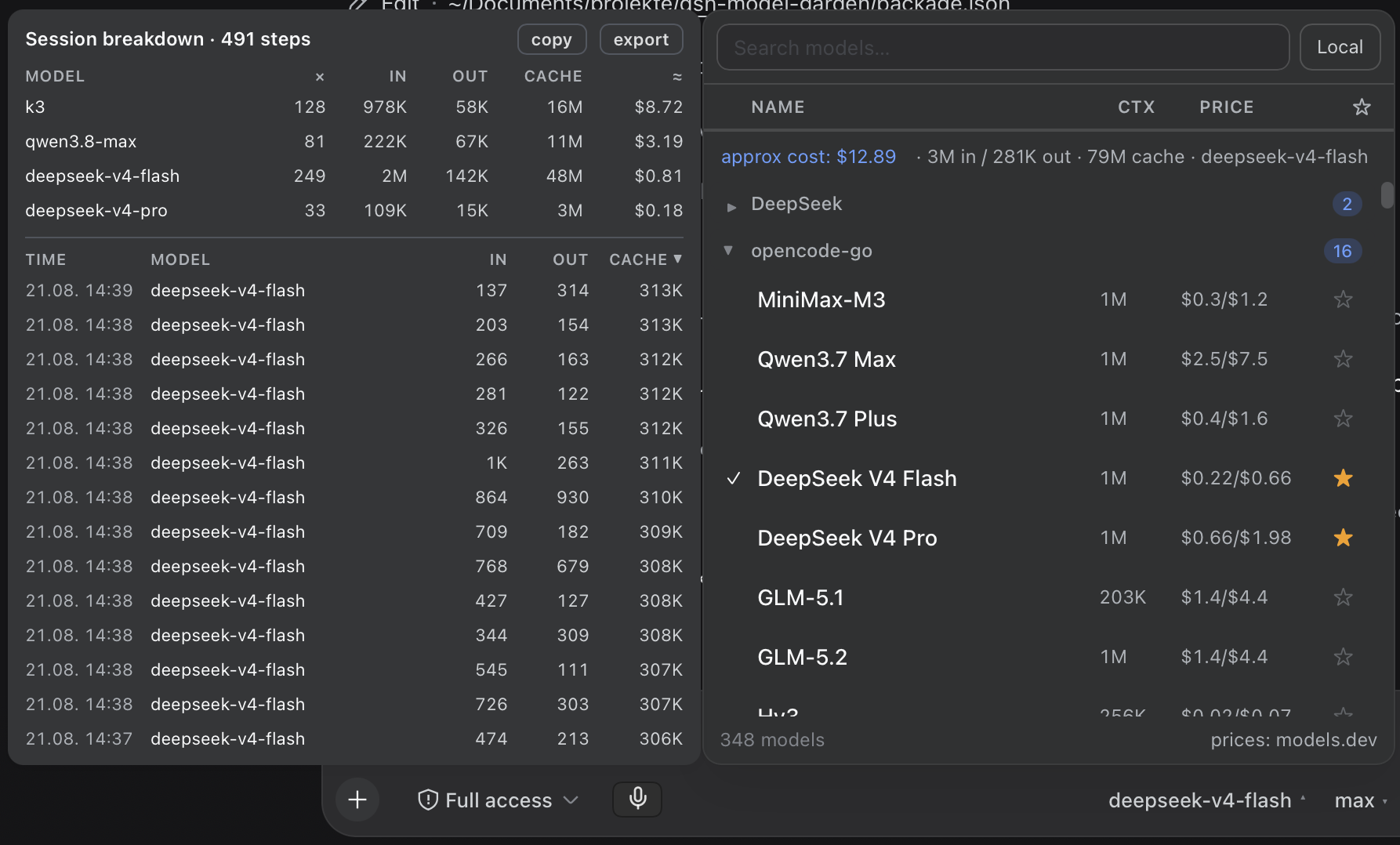
Core capabilities include auto-updating the model list, real-time display of prices and context windows, and an integrated reasoning effort selector for adjusting model output. The plugin also provides detailed usage cost tracking, including session-level breakdowns, to help users monitor expenses. The overall design seamlessly integrates with the native interface, maintaining a consistent visual style.
This plugin is ideal for DeepSeek Harness users, especially developers, researchers, or professionals who frequently switch between multiple AI models. It enhances the efficiency and intuitiveness of model management, making workflows smoother and more intelligent.
Screenshots
Use Cases
- Quickly search and sort through multiple AI models to find the best fit for the current task
- Manage a favorites list of frequently used models for easy daily access and switching
- Monitor model usage costs in real-time to optimize API call budgets and performance
Best For
- Developers and engineers who frequently use DeepSeek Harness
- Researchers needing to manage multiple AI models for experiments and deployments
- Teams or individual users focused on API usage costs and efficiency
Related Plugins
A service-oriented sidebar framework for DSH, offering a full workbench with file explorer, embedded browser, real terminal, Git panel, and extensible plugin services.

A beautiful, practical Claude Code-style TUI plugin with pixel whale top bar, flowing glow title, real-time status line, streaming thought expansion, time rewind, context progress bar and TPS gauge — zero core changes.

The plugin market for DeepSeek Harness: browse/search/one-click install community plugins and themes, with updates, backup/restore, hot disable, diagnostics, and AI fix.

A persistent whale widget on the DSH web UI that shows DeepSeek balance, today's usage, and per-turn cost, with drag-and-snap and sound effects.