dsh-antv-infographic
Run the following command in DeepSeek Harness:
dsh plugin install HellowVirgil/dsh-antv-infographic
Paste the following prompt into your AI chat to install this plugin:
Execute the command `dsh plugin install HellowVirgil/dsh-antv-infographic` in your terminal, or install from source by first cloning the repository with `git clone https://github.com/HellowVirgil/dsh-antv-infographic`, then running `dsh plugin link .` for a local link installation.
About this plugin
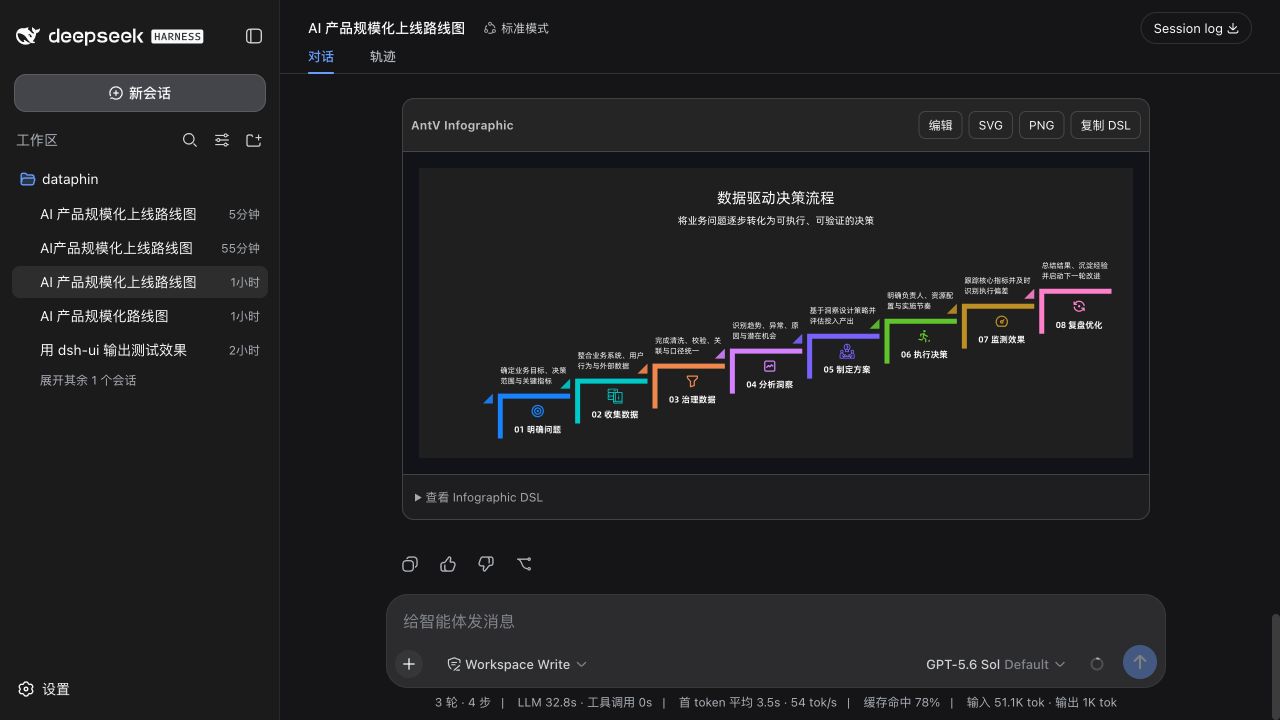
In deep AI-assisted conversations, pure text can sometimes struggle to clearly convey complex structures and processes. The dsh-antv-infographic plugin addresses this by directly rendering descriptive text from the model into beautiful, interactive AntV Infographic SVG charts within DeepSeek Harness (DSH) replies. This fundamentally transforms information presentation, making roadmaps, timelines, and flows intuitive at a glance.
The plugin's core strength lies in its seamless generation and editing experience. It supports over 200 AntV templates, progressively renders content in sync with the model's streaming response, and allows free switching between a read-only view and a local editing mode. Users can export charts as SVG or PNG files, or copy the underlying DSL source code, greatly facilitating content distribution and reuse. The plugin also provides these powerful capabilities without compromising performance or security, thanks to lazy loading and built-in safety limits.
This plugin is ideal for user groups that frequently need visual representations. Whether it's a product manager mapping out a product roadmap, a data analyst telling a data story, or a project manager planning project timelines and processes, it delivers efficient and intuitive output. It is an incredibly valuable tool for any professional seeking to quickly generate polished charts within AI dialogues and enhance communication effectiveness.
Screenshots
Use Cases
- Quickly generate product roadmaps to clearly show phased goals and milestones to a team.
- Instantly convert process descriptions or concept comparisons from model dialogue into visual charts.
- In presentation scenarios, export outlines or list data into polished SVG or PNG images.
Best For
- Product and project managers who need to frequently draw roadmaps, flowcharts, and timelines.
- Data analysts who wish to visually present their analysis conclusions or data relationships.
- Developers or authors who need to quickly insert professional charts in technical documentation or content creation.
Related Plugins
A service-oriented sidebar framework for DSH, offering a full workbench with file explorer, embedded browser, real terminal, Git panel, and extensible plugin services.

A beautiful, practical Claude Code-style TUI plugin with pixel whale top bar, flowing glow title, real-time status line, streaming thought expansion, time rewind, context progress bar and TPS gauge — zero core changes.

The plugin market for DeepSeek Harness: browse/search/one-click install community plugins and themes, with updates, backup/restore, hot disable, diagnostics, and AI fix.

A persistent whale widget on the DSH web UI that shows DeepSeek balance, today's usage, and per-turn cost, with drag-and-snap and sound effects.