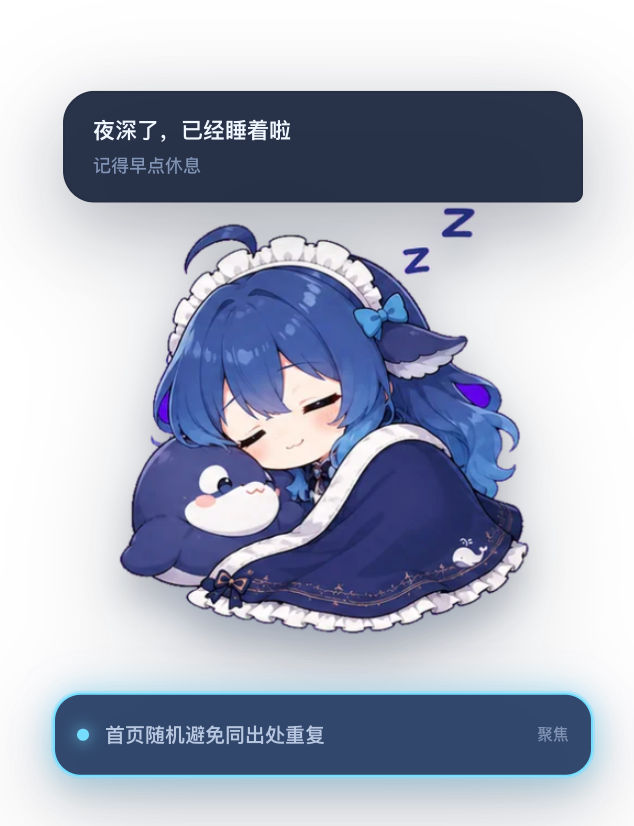
deepseek-pet
Run the following command in DeepSeek Harness:
dsh plugin install keleus/deepseek-pet
Paste the following prompt into your AI chat to install this plugin:
Run the install command `dsh plugin install keleus/deepseek-pet` in DeepSeek Harness to pull and install the plugin from the source URL https://github.com/keleus/deepseek-pet.
About this plugin
When using DeepSeek Harness for long sessions, task status, tool calls, and context usage are scattered across different UI areas, making it hard to see progress at a glance. DeepSeek Pet turns complex runtime signals into a breathing, bouncing desktop companion: it switches DeepSeek expressions automatically based on the current task, tool calls, context usage, and active sessions, while a bubble above the character cycles status messages in typewriter style, making waits and background work feel more tangible and less stressful.
Beyond status display, the pet can directly participate in your workflow: when a tool waits for approval or a user question appears, you can approve, reject, or submit a response right from the bubble without leaving the page. Session focus is shown as a horizontal bar below the pet, and context usage triggers playful alerts at 62% and 82%. Idle states, image input, and long periods without tasks all have their own expressions and animations, turning monitoring into companionship rather than a dry dashboard.
DeepSeek Pet is ideal for developers, researchers, and power users who run multiple sessions and frequent tool calls. It offers low-friction situational awareness while preserving practical controls like drag, scroll zoom, double-click collapse, narrow-screen layout, and prefers-reduced-motion support, balancing fun with everyday usability.
Screenshots
Use Cases
- Quickly identify the focused session and task status when running multiple sessions in parallel
- Approve or reject tool requests directly from the pet bubble without switching views
- Monitor system status through pet expressions during long Harness sessions
Best For
- Developers who run DeepSeek Harness for extended periods
- Researchers managing multiple sessions at once
- Power users who enjoy playful monitoring tools
Related Plugins

whale-girl is a desktop pet in the DSH Web GUI (bottom-right for instant companionship) — draggable, feedable, playable; completed tasks, sessions and companionship time accrue into seniority levels, titles, and memories.

Renders your local Wallpaper Engine wallpapers as the DSH web background, supporting video, web, and scene wallpapers with a liquid-glass effect and rich customization.

A WebGPU ocean skin for DeepSeek Harness with five-wave Gerstner waves, translucent theme, day/night cycle, and quick controls, installable as plugin or extension.

A Galgame-style conversation view and visual scene editor for DSH web sessions, with a real-time editing mode.