dsh-side-chat
Run the following command in DeepSeek Harness:
dsh plugin install Lukeknow0/dsh-side-chat
Paste the following prompt into your AI chat to install this plugin:
Run `dsh plugin install Lukeknow0/dsh-side-chat` in the DeepSeek Harness terminal to install. The source code is at https://github.com/Lukeknow0/dsh-side-chat.
About this plugin
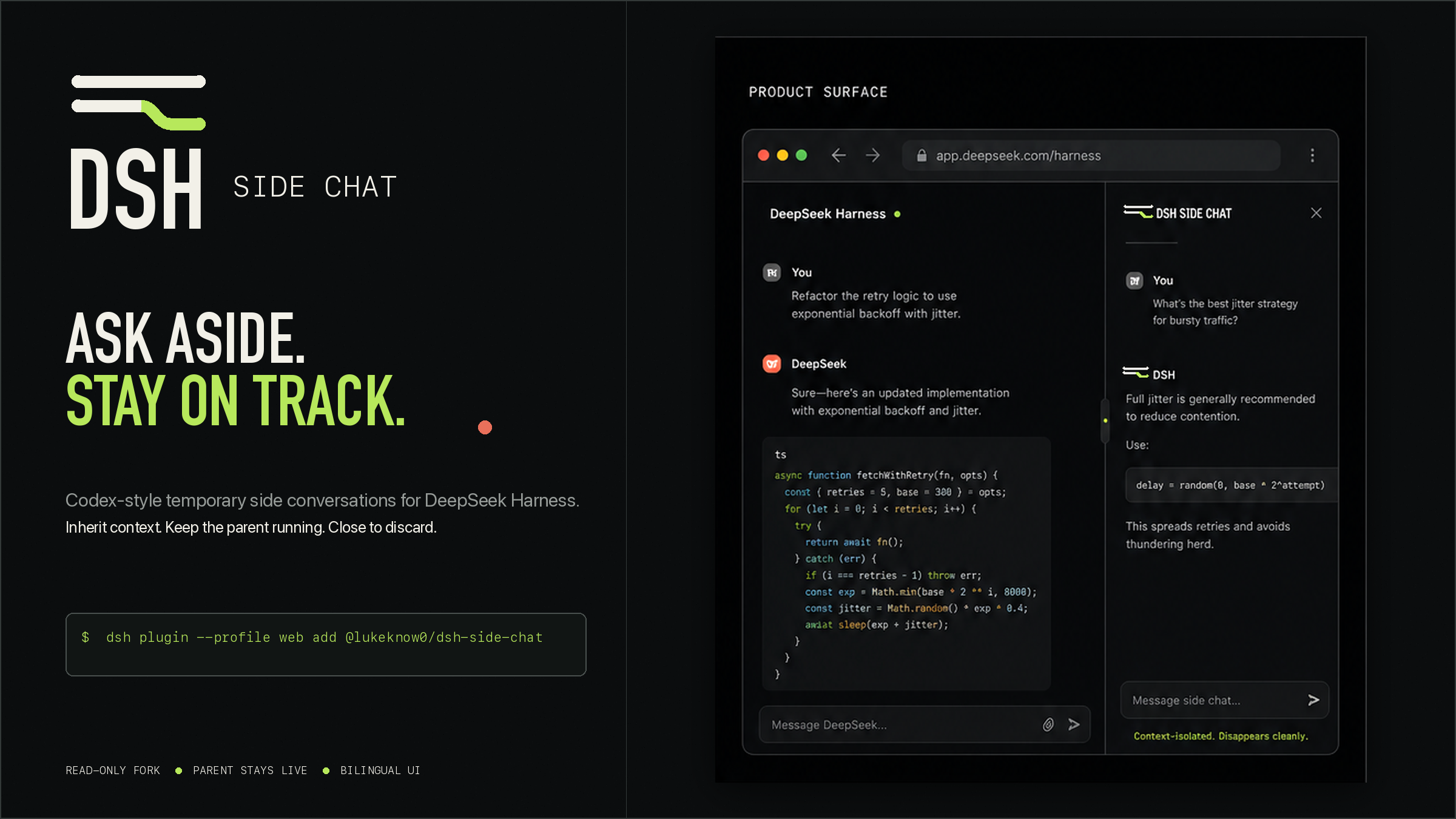
In lengthy coding or creative conversations, the context accumulates with numerous decisions and works-in-progress. At such moments, a simple clarification can easily divert the main agent's attention from its core task. The dsh-side-chat plugin is designed precisely for this scenario, opening a focused 'drawer' for you to ask temporary side questions.
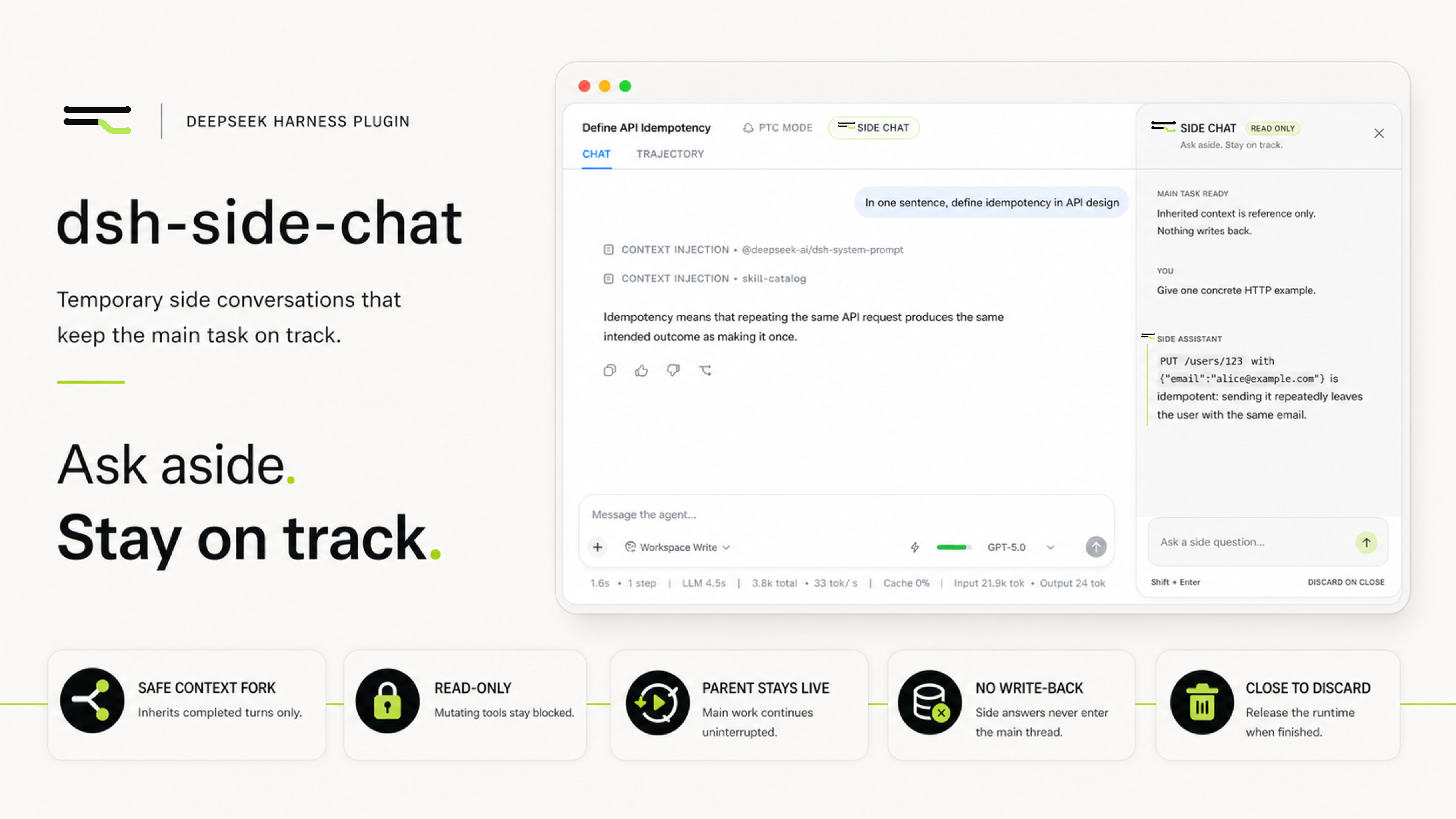
Its core strength lies in intelligent context inheritance and complete isolation. The plugin skillfully starts a separate child conversation runtime from the point right after the latest completed turn in the main conversation, while the parent dialogue continues running undisturbed. The side chat is strictly read-only, enforced through a sandbox mode and strict tool visibility controls to prevent accidental modification or interference with your main workspace.
This plugin is especially suited for professionals who engage in long-term collaboration with AI, such as developers, writers, or researchers. When you are deeply exploring a complex project in the main conversation, you need not worry that an impromptu query will derail your train of thought, nor do you need to exit your current workflow. You can summon the side chat at any time for quick consultations, notes, or brainstorming; once done, simply close it, and the main conversation's progress and state will remain fully intact.
Screenshots
Use Cases
- Ask a quick question in a long conversation without derailing the main thread.
- Need to verify a secondary point without adding it to the main dialogue record.
- Wish to handle two related but independent queries in parallel.
Best For
- Programmers working on complex projects.
- Writers or researchers collaborating with AI over extended sessions.
- Knowledge workers seeking efficient, non-destructive workflows.
Related Plugins
A service-oriented sidebar framework for DSH, offering a full workbench with file explorer, embedded browser, real terminal, Git panel, and extensible plugin services.

A beautiful, practical Claude Code-style TUI plugin with pixel whale top bar, flowing glow title, real-time status line, streaming thought expansion, time rewind, context progress bar and TPS gauge — zero core changes.

The plugin market for DeepSeek Harness: browse/search/one-click install community plugins and themes, with updates, backup/restore, hot disable, diagnostics, and AI fix.

A persistent whale widget on the DSH web UI that shows DeepSeek balance, today's usage, and per-turn cost, with drag-and-snap and sound effects.