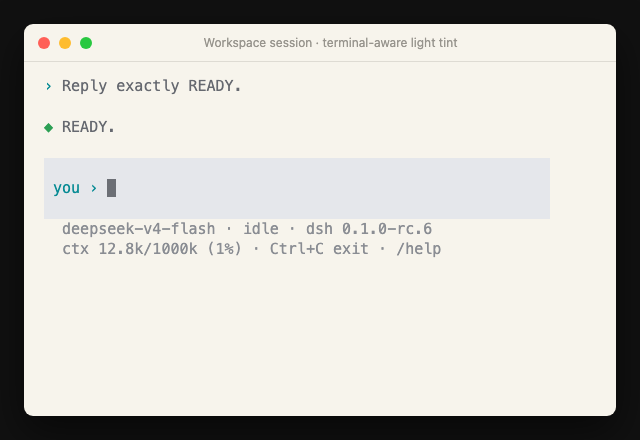
dsh-tui
Run the following command in DeepSeek Harness:
dsh plugin install orriduck/dsh-tui
Paste the following prompt into your AI chat to install this plugin:
To install the dsh-tui plugin in DeepSeek Harness, run the command: dsh plugin install orriduck/dsh-tui, with the full source code available at https://github.com/orriduck/dsh-tui.
About this plugin
DeepSeek Harness is a powerful tool for code generation and reasoning, but its default interaction methods can be clunky or inefficient. dsh-tui addresses the need for a lightweight, user-friendly terminal interface that seamlessly integrates with DeepSeek Harness, making it easier to use in daily workflows.
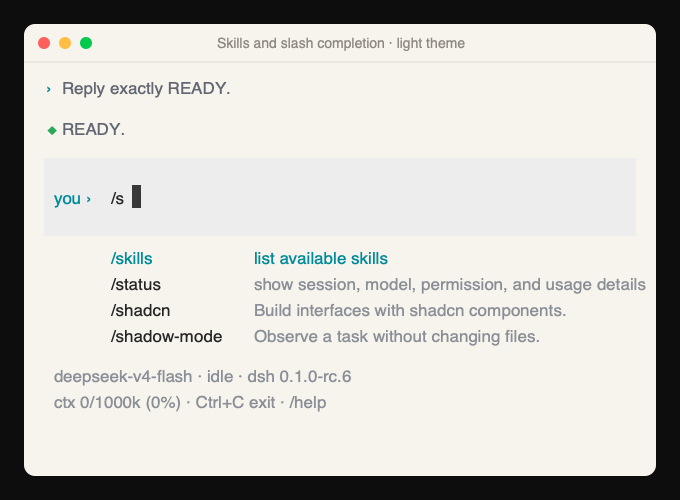
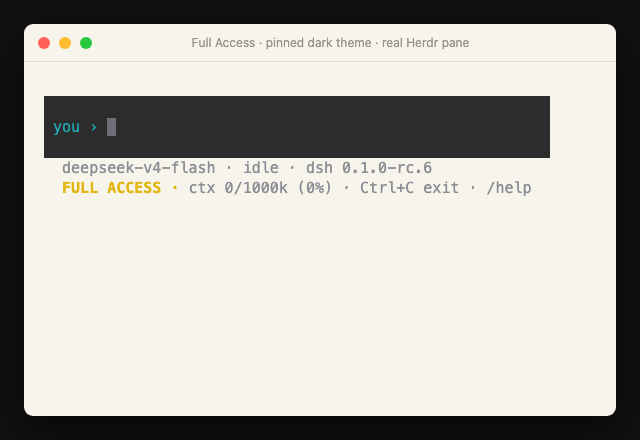
The core capabilities of dsh-tui include quick session start in the current directory, real-time chat with streaming responses, tool activity visualization, and robust session management. Users can leverage slash commands to handle permissions, resume sessions, and discover skills, all while maintaining context and workspace continuity to keep work flowing smoothly.
This plugin is ideal for developers, individual users, and DevOps engineers who prefer working in the terminal. Whether you're generating code snippets, managing AI-driven tasks, or simply looking for a more efficient way to interact with DeepSeek Harness, dsh-tui provides a stable and intuitive interface that keeps you focused on your work.
In summary, dsh-tui enhances the terminal experience for DeepSeek Harness, making it a valuable addition for anyone seeking to streamline AI-assisted development in a command-line environment.
Screenshots
Use Cases
- Quickly start AI-assisted coding conversations in the project directory.
- Manage sessions, permissions, and skills using slash commands.
- View tool calls and reasoning processes in real-time with streaming responses.
Best For
- Software developers who need to use AI tools efficiently in the terminal.
- Individual users who prefer command-line interfaces.
- DevOps engineers managing complex workflows.
Related Plugins
A service-oriented sidebar framework for DSH, offering a full workbench with file explorer, embedded browser, real terminal, Git panel, and extensible plugin services.

A beautiful, practical Claude Code-style TUI plugin with pixel whale top bar, flowing glow title, real-time status line, streaming thought expansion, time rewind, context progress bar and TPS gauge — zero core changes.

The plugin market for DeepSeek Harness: browse/search/one-click install community plugins and themes, with updates, backup/restore, hot disable, diagnostics, and AI fix.

A persistent whale widget on the DSH web UI that shows DeepSeek balance, today's usage, and per-turn cost, with drag-and-snap and sound effects.