dsh-session-management
Run the following command in DeepSeek Harness:
dsh plugin install cokiscarazo-rgb/dsh-session-management
Paste the following prompt into your AI chat to install this plugin:
To install this plugin in DeepSeek Harness, run the command 'dsh plugin install cokiscarazo-rgb/dsh-session-management'; the full source repository is available at https://github.com/cokiscarazo-rgb/dsh-session-management.
About this plugin
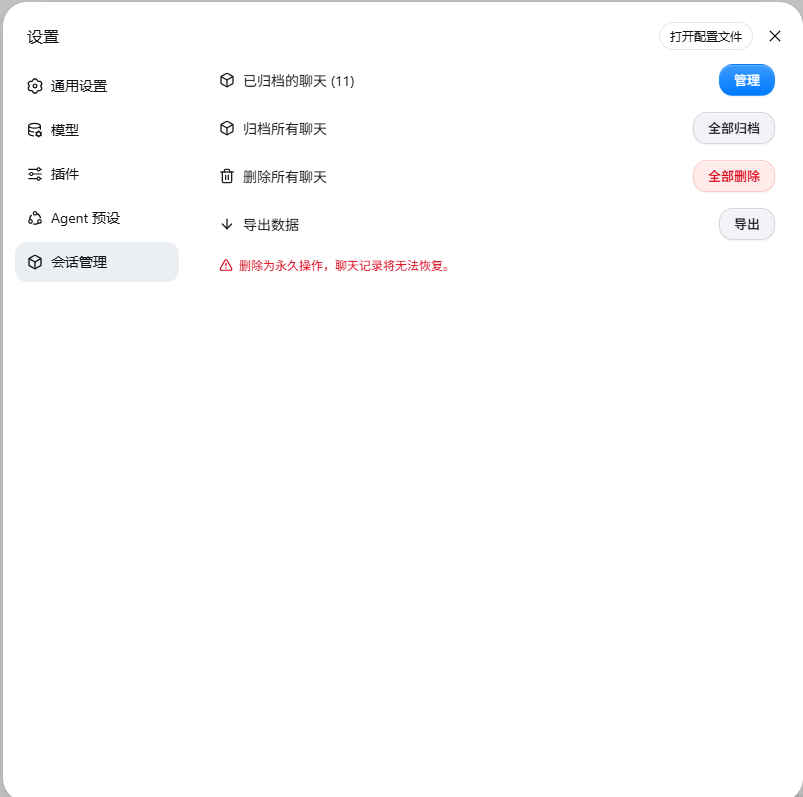
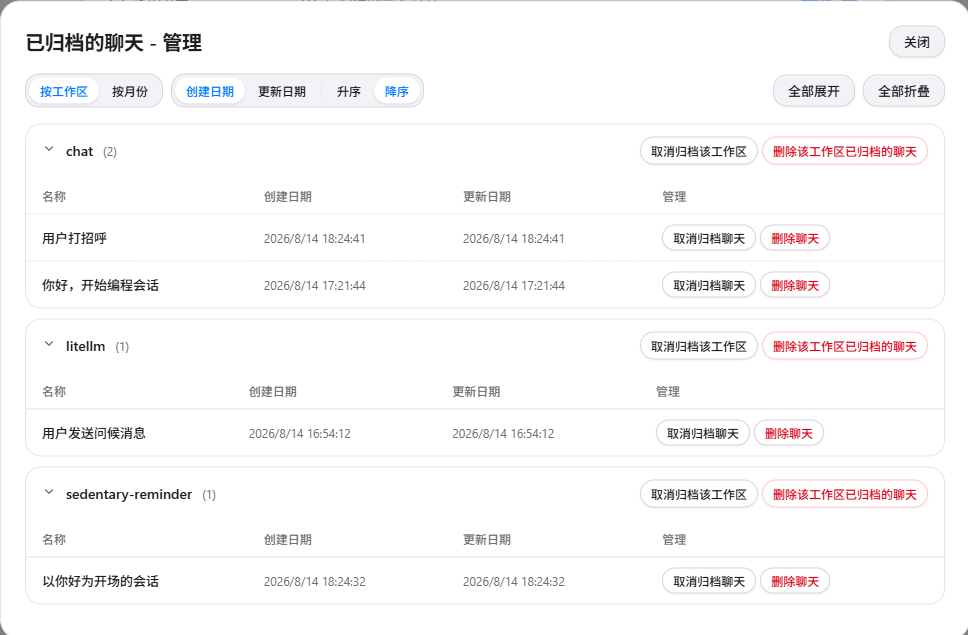
The dsh-session-management plugin is an essential session management enhancement for DeepSeek Harness (DSH) Web users. Official DSH Web offers limited session management capabilities: chat records can only be archived but not permanently deleted, leading to unnecessary disk usage over time; archived sessions cannot be restored, making them effectively lost once hidden; and the export feature requires manual, one-by-one operation, which is inefficient for bulk data handling. This plugin addresses these pain points with a comprehensive set of tools.
Its core abilities include true deletion, which removes local chat log files permanently while skipping active sessions to prevent data corruption. The unarchive function lets users recover hidden sessions, supporting batch operations by workspace, month, or other groupings for easy management. Export functionality is also vastly improved, with one-click batch export of all sessions into ZIP files that are byte-compatible with the official format, ensuring seamless data backup and migration. Additionally, the plugin supports bilingual interfaces, switching between Chinese and English based on DSH's language settings.
This plugin is ideal for regular DSH Web users, such as developers, researchers, or anyone who maintains long-term chat histories and needs to efficiently manage, clean up, or archive their sessions. It is particularly valuable for those who want full control over their local session data without relying on workarounds.
Screenshots
Use Cases
- Manage archived sessions by restoring or deleting old records
- Clean up local chat logs to free disk space
- Export all session data in batch for backup or migration
Best For
- DSH Web users who need to manage chat history efficiently
- Developers or researchers who want full control over local session data
- Users who frequently handle large volumes of chat data and require regular cleanup
Related Plugins
A service-oriented sidebar framework for DSH, offering a full workbench with file explorer, embedded browser, real terminal, Git panel, and extensible plugin services.

A beautiful, practical Claude Code-style TUI plugin with pixel whale top bar, flowing glow title, real-time status line, streaming thought expansion, time rewind, context progress bar and TPS gauge — zero core changes.

The plugin market for DeepSeek Harness: browse/search/one-click install community plugins and themes, with updates, backup/restore, hot disable, diagnostics, and AI fix.

A persistent whale widget on the DSH web UI that shows DeepSeek balance, today's usage, and per-turn cost, with drag-and-snap and sound effects.