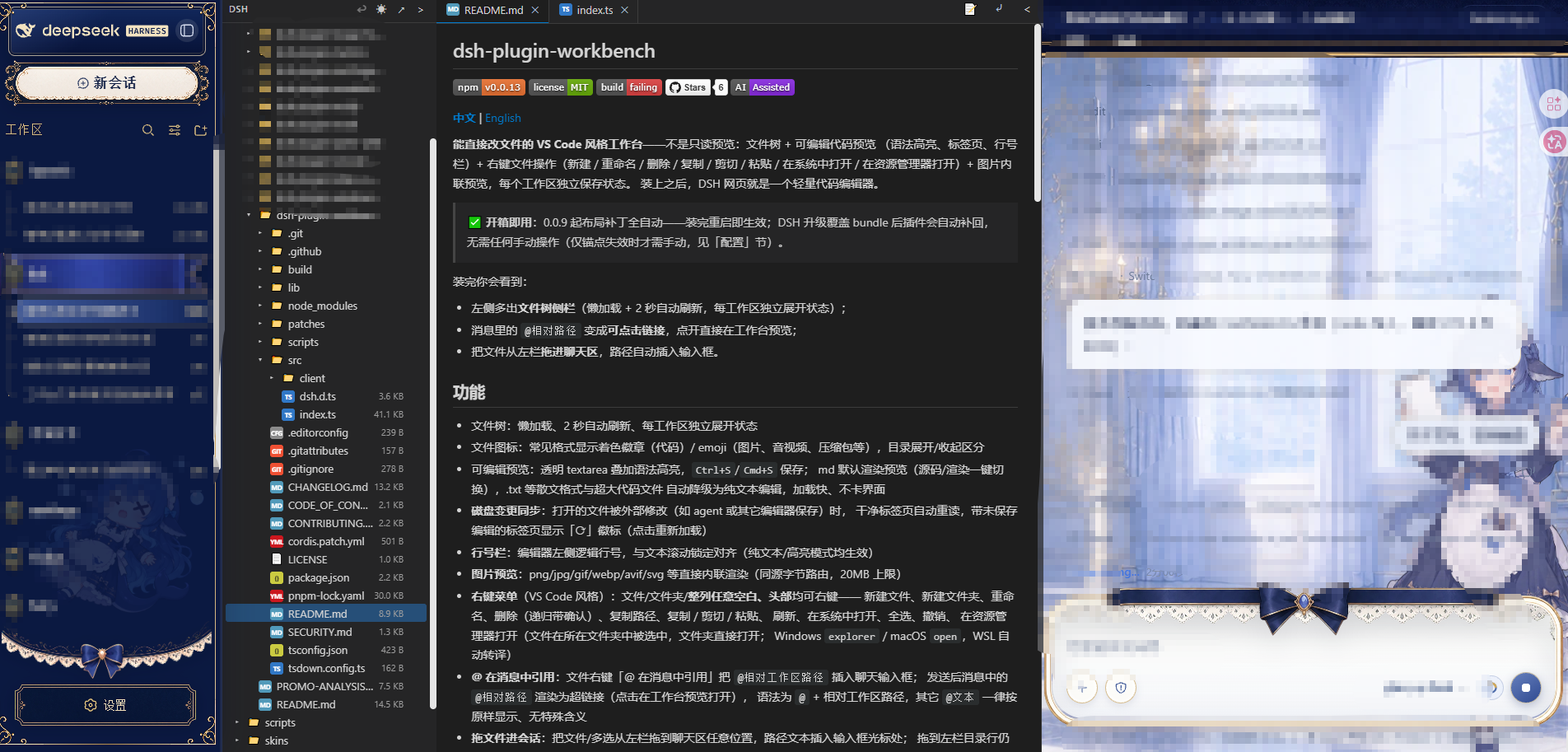
dsh-plugin-workbench
Run the following command in DeepSeek Harness:
dsh plugin install Pasumao/dsh-plugin-workbench
Paste the following prompt into your AI chat to install this plugin:
To install this plugin in DeepSeek Harness, run the command `dsh plugin install Pasumao/dsh-plugin-workbench` with the full source address at https://github.com/Pasumao/dsh-plugin-workbench.
About this plugin
The DSH web interface is primarily designed for file preview, but users often need to edit code or documents directly without switching to external editors, which can disrupt their workflow. The dsh-plugin-workbench plugin addresses this by transforming the DSH webpage into a lightweight VS Code-style workbench, enabling seamless file viewing and modification.
Key capabilities include a feature-rich file tree sidebar with lazy loading and auto-refresh; editable code preview with syntax highlighting, tab management, and line numbers; and convenient right-click context menus for file operations like creating, renaming, deleting, and copying. It also supports inline image preview and independent state preservation per workspace, making it ready to use out-of-the-box with minimal setup.
This plugin is ideal for developers, technical writers, or any users who frequently handle files within the DSH environment. Whether coding, editing configurations, or managing documents, it provides an integrated and efficient editing experience, helping users stay focused on their tasks without interruptions.
Screenshots
Use Cases
- Edit code or configuration files directly within the DSH web interface.
- Quickly navigate and manage project files using the file tree.
- Perform file operations like create, rename, or delete via right-click menus.
Best For
- Developers needing efficient file editing in the DSH environment.
- Technical users who prefer VS Code-style tools.
- Content creators or writers requiring integrated file management features.
Related Plugins
A service-oriented sidebar framework for DSH, offering a full workbench with file explorer, embedded browser, real terminal, Git panel, and extensible plugin services.

A beautiful, practical Claude Code-style TUI plugin with pixel whale top bar, flowing glow title, real-time status line, streaming thought expansion, time rewind, context progress bar and TPS gauge — zero core changes.

The plugin market for DeepSeek Harness: browse/search/one-click install community plugins and themes, with updates, backup/restore, hot disable, diagnostics, and AI fix.

A persistent whale widget on the DSH web UI that shows DeepSeek balance, today's usage, and per-turn cost, with drag-and-snap and sound effects.