dsh-maze
Run the following command in DeepSeek Harness:
dsh plugin install lamost423/dsh-maze
Paste the following prompt into your AI chat to install this plugin:
Run `dsh plugin install lamost423/dsh-maze` in DeepSeek Harness to install this plugin. Full source code repository: https://github.com/lamost423/dsh-maze.
About this plugin
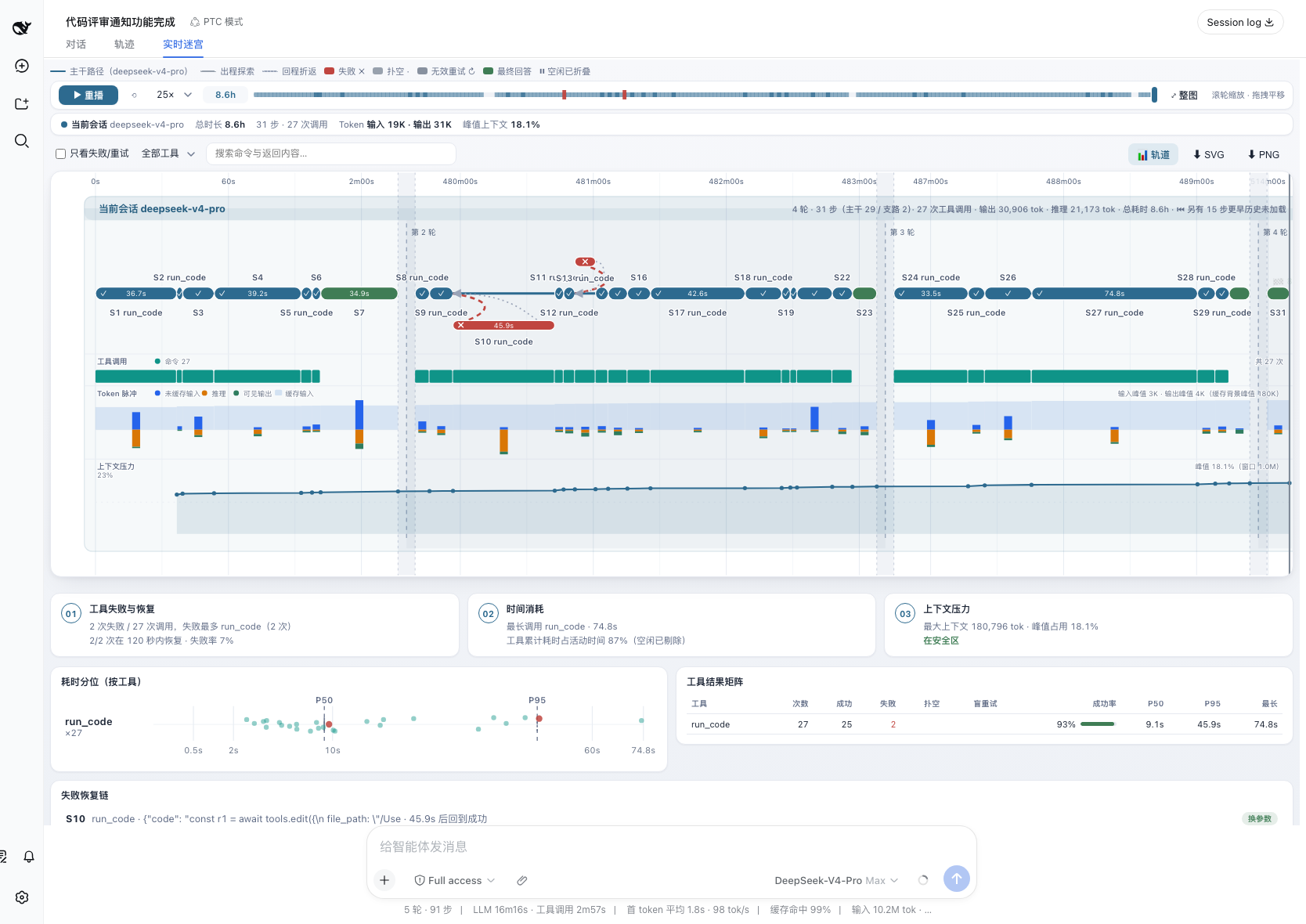
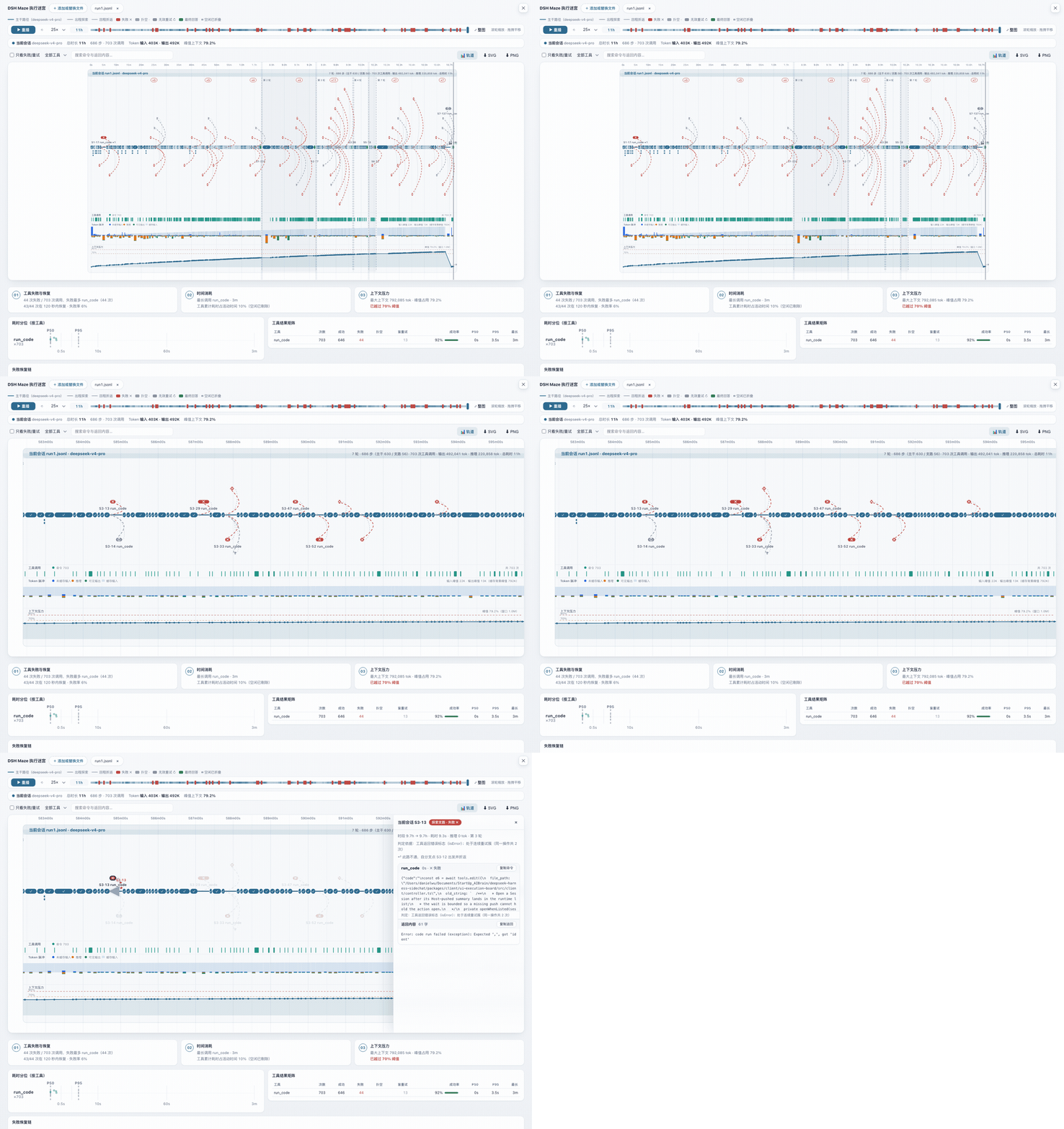
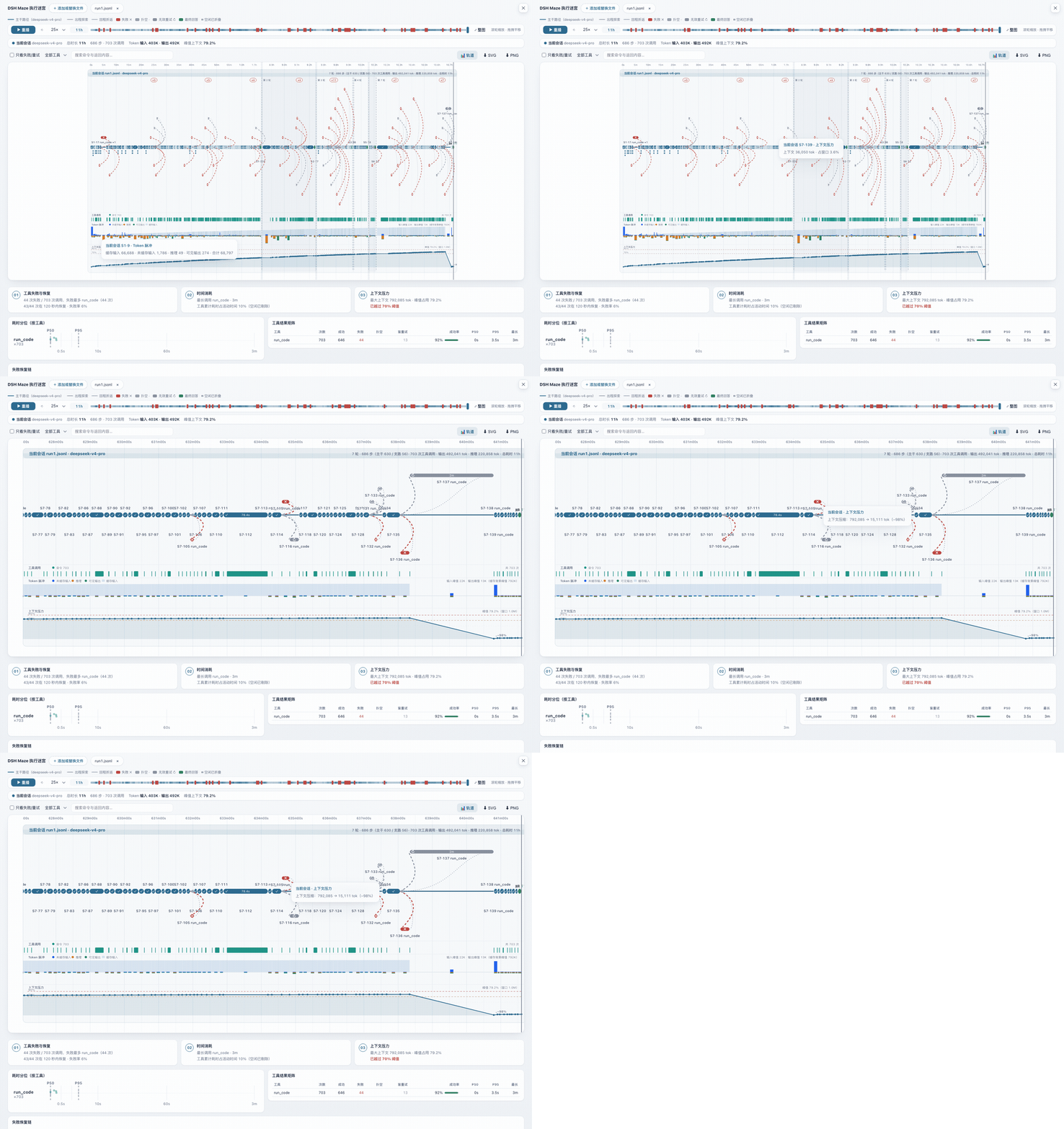
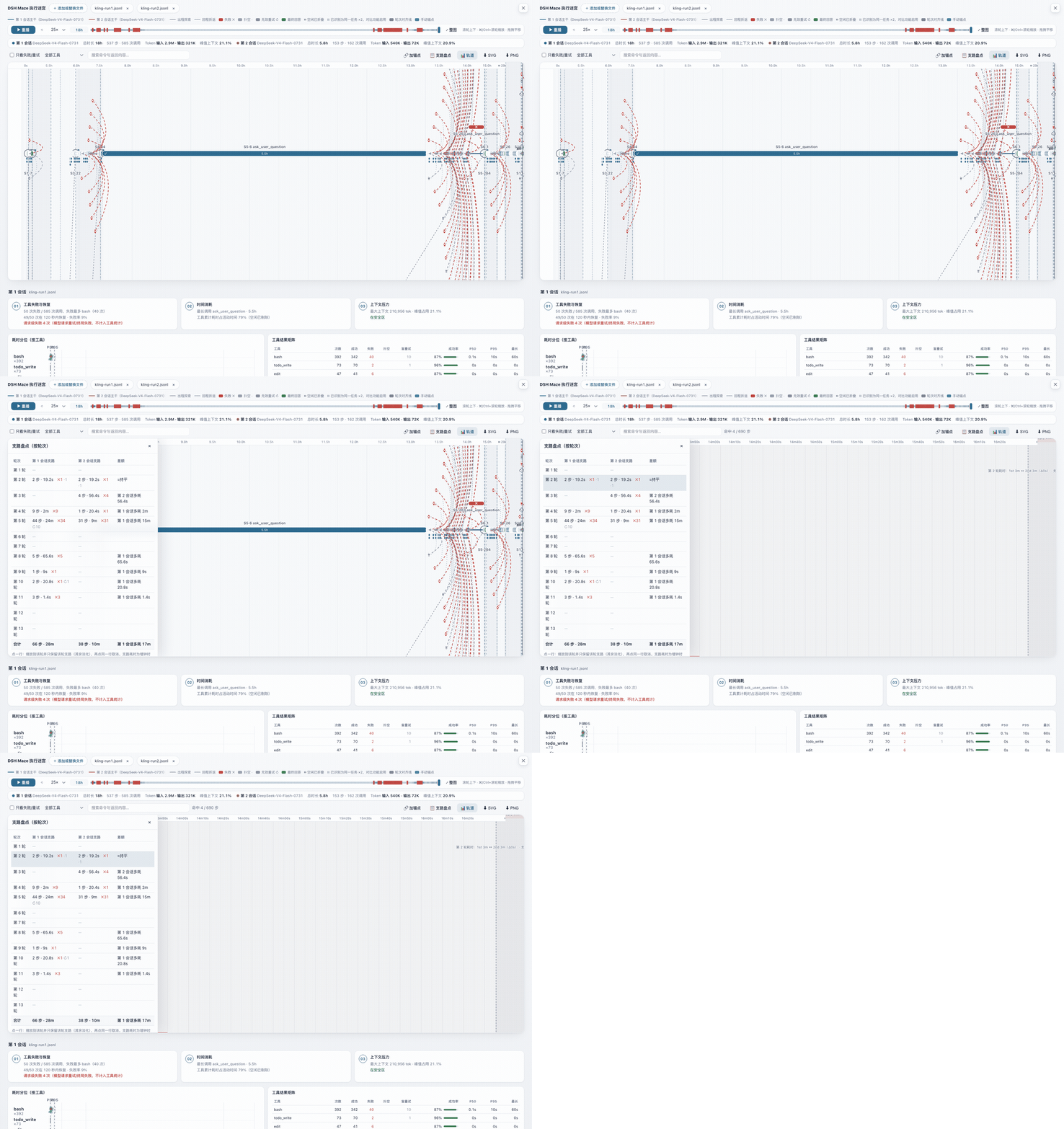
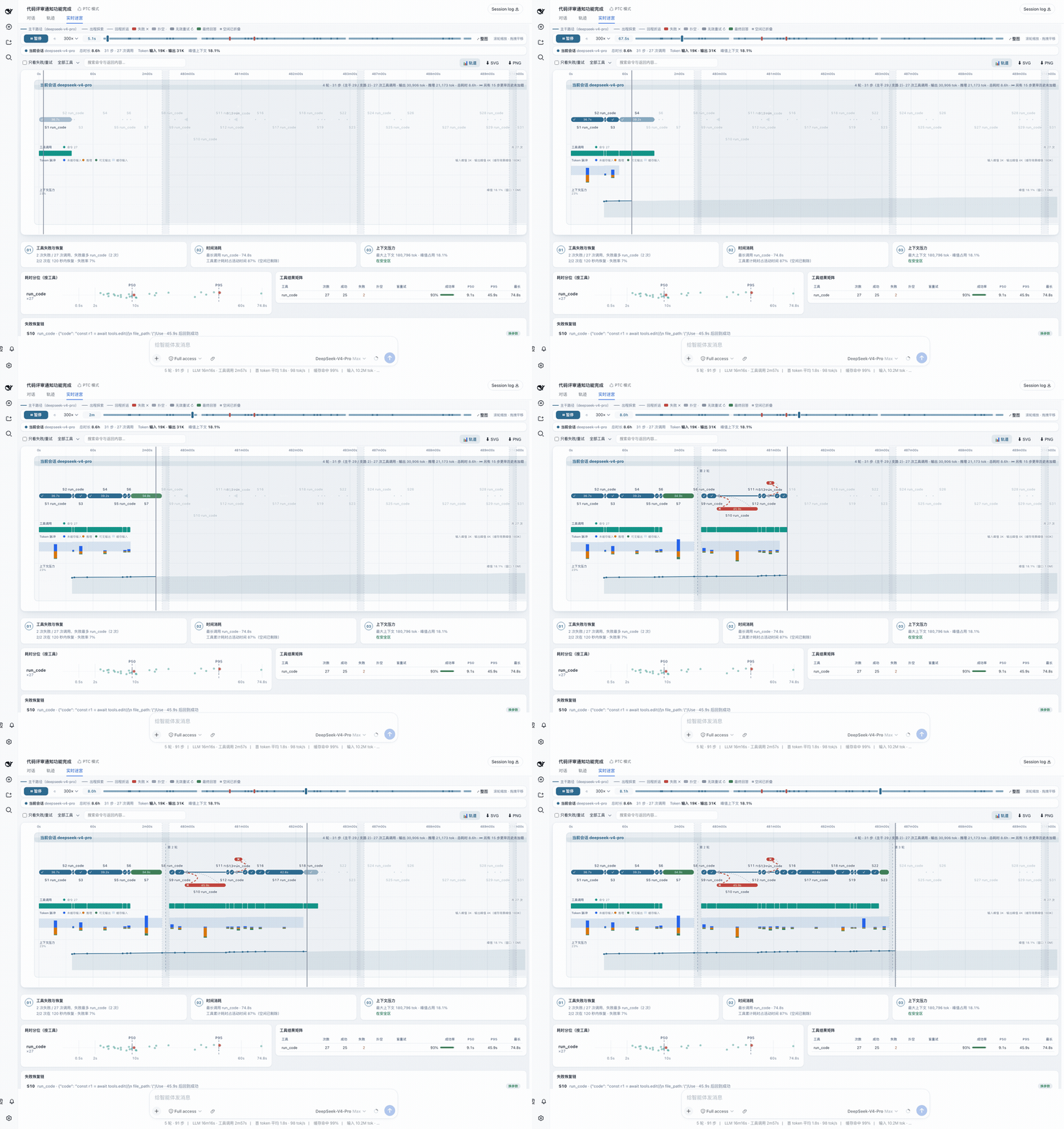
When debugging a DeepSeek Harness agent, the hardest part is often not that the result is wrong, but understanding why: which step went off track, which tool call dragged things out, and when the context window quietly approached its limit. dsh-maze turns this invisible execution process into a zoomable, clickable, replayable maze. The main path, failed branches, and backtracking all sit on the same real timeline; idle gaps collapse automatically, and dense steps aggregate into expandable “×N” badges, so even eight-hour sessions remain readable.
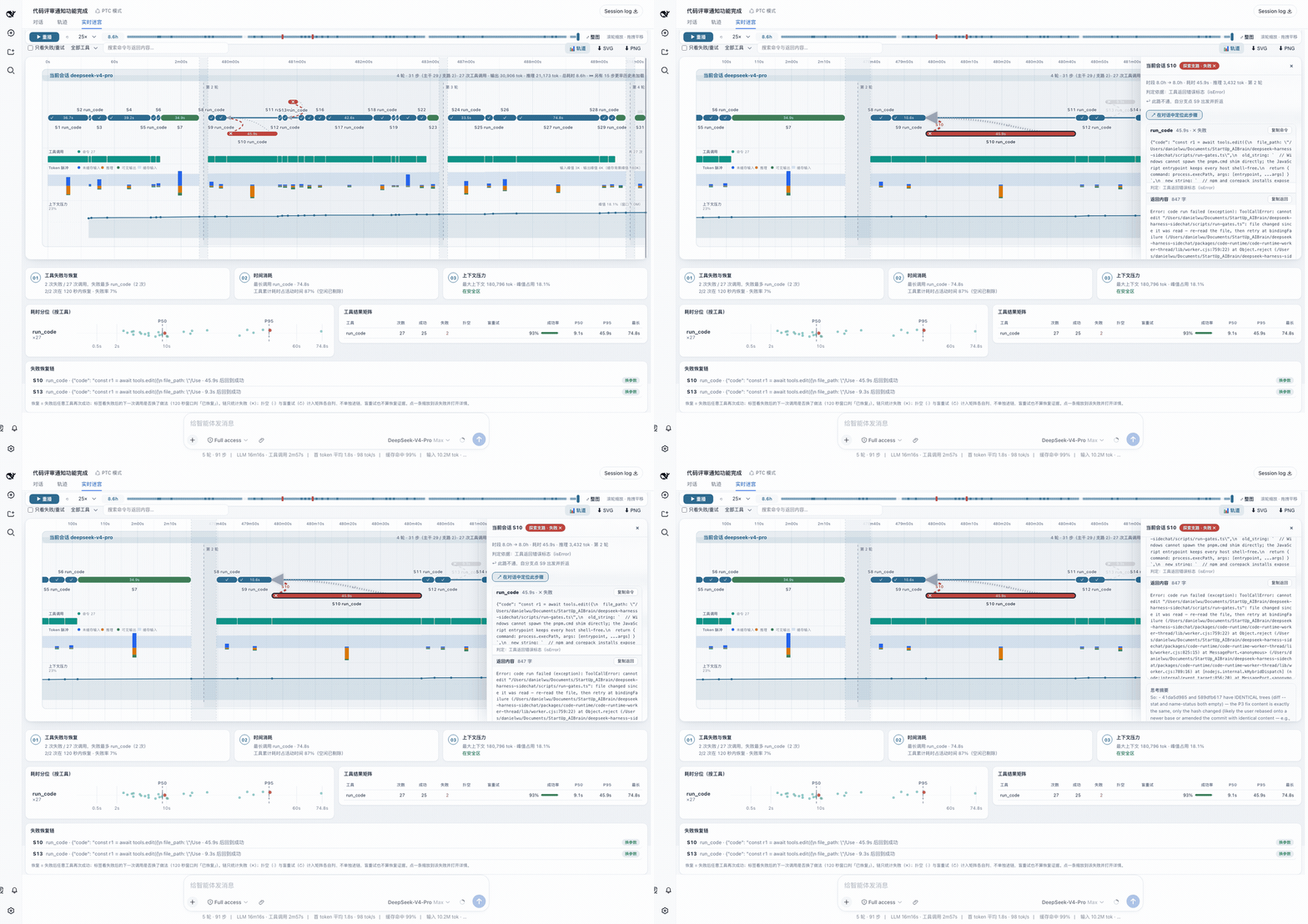
Its core strength goes beyond drawing. Tool-call density, token pulses, and context pressure curves for every lane are linked to the same timeline, with compression events and 70%/90% threshold lines marked directly on the curve. The failure recovery chain shows whether a failure was followed by an identical retry, changed parameters, a different tool, or no recovery at all; latency scatter plots and a tool result matrix quantify performance issues further. Crucially, every verdict is deterministically aggregated without calling an LLM, and every conclusion traces back to the original command and returned content—missing data is labeled honestly, never fabricated.
If you need to compare the same task across different models, dsh-maze supports side-by-side comparison of 2–5 runs, with automatic round alignment, manual anchors for semantically equivalent but misaligned moments, and a branch inventory table that lays out branch counts and time differences per round. It is especially suited to DeepSeek Harness users who run long sessions, debug complex tool chains, or evaluate multiple models. Uploaded logs are parsed and rendered entirely in the browser, so your data never leaves your machine.
Screenshots
Use Cases
- Debug failure and retry paths during agent execution.
- Compare performance differences of the same task across different models.
- Analyze context pressure and tool call latency in long sessions.
Best For
- DeepSeek Harness users who need to troubleshoot complex tool chain issues.
- Researchers conducting multi-model evaluation and comparison.
- Developers running long agent sessions and caring about performance.
Related Plugins
A service-oriented sidebar framework for DSH, offering a full workbench with file explorer, embedded browser, real terminal, Git panel, and extensible plugin services.

A beautiful, practical Claude Code-style TUI plugin with pixel whale top bar, flowing glow title, real-time status line, streaming thought expansion, time rewind, context progress bar and TPS gauge — zero core changes.

The plugin market for DeepSeek Harness: browse/search/one-click install community plugins and themes, with updates, backup/restore, hot disable, diagnostics, and AI fix.

A persistent whale widget on the DSH web UI that shows DeepSeek balance, today's usage, and per-turn cost, with drag-and-snap and sound effects.