dsh-session-manager
Run the following command in DeepSeek Harness:
dsh plugin install dream12347/dsh-session-manager
Paste the following prompt into your AI chat to install this plugin:
To install this plugin in DeepSeek Harness, run dsh plugin install dream12347/dsh-session-manager, or get it from the source repository at https://github.com/dream12347/dsh-session-manager and install it.
About this plugin
When using DeepSeek Harness Web, the built-in session list usually offers only basic switching and deletion. Accidentally deleted sessions cannot be recovered, archived sessions are hard to find, and reordering workspaces according to personal preference is not supported. For users who run many conversations in parallel, sessions quickly become cluttered, and there is no automatic way to manage context length as it grows, which hurts both efficiency and token usage.
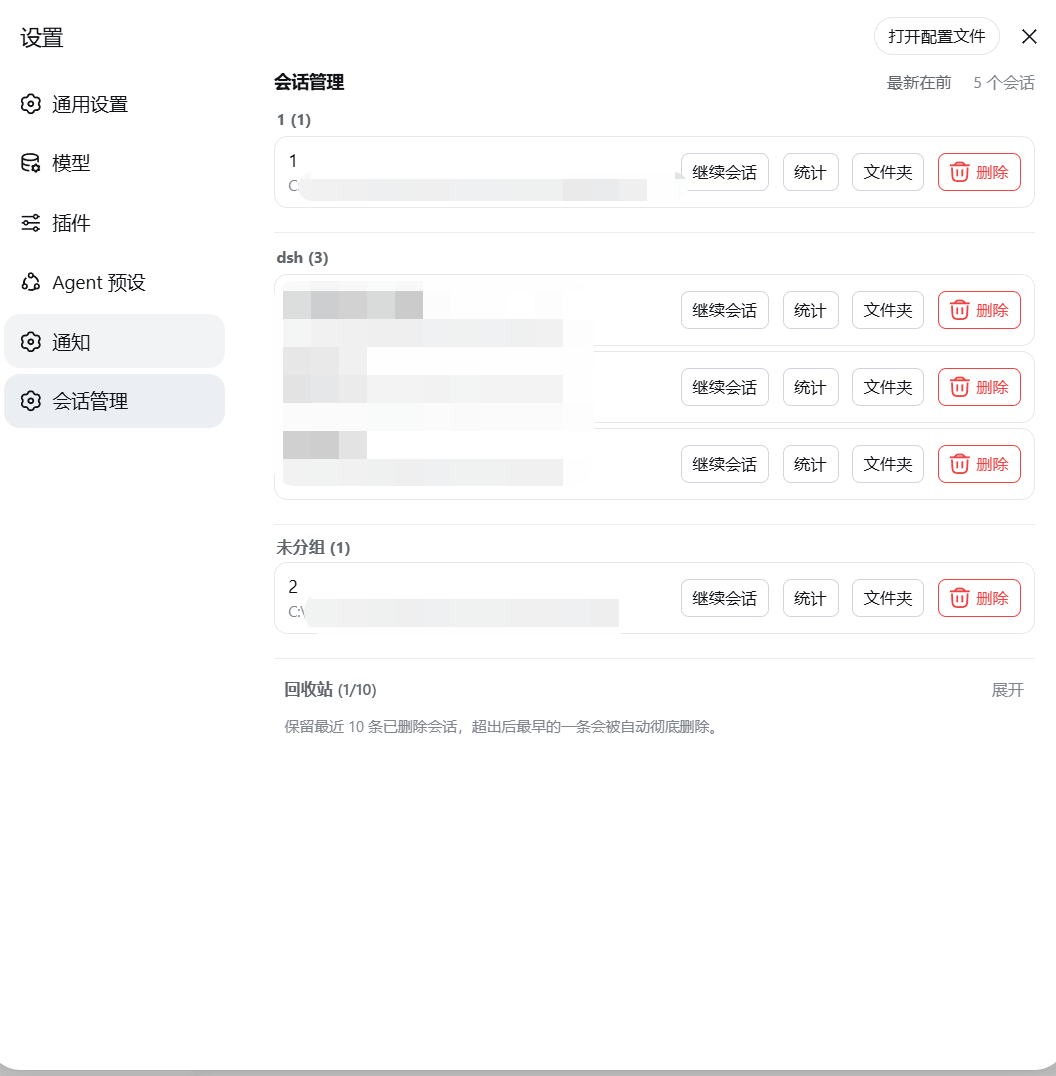
dsh-session-manager adds a comprehensive set of session management features to DeepSeek Harness Web. It introduces a dedicated “Session Management” section in the settings page, displaying all sessions grouped by workspace. Workspaces can be reordered by dragging, renamed, or deleted, and sessions within each group can be sorted by last used time. Archived sessions are shown in a collapsible area and can be restored with one click. Deleted sessions go to a trash area that keeps the latest 10 entries, allowing either restoration or permanent removal, so accidental deletions are no longer irreversible. Each session offers recent activity statistics, continue/pause, open log folder, fork into a new chat, and unread/read status indicators, with blue unread dots also synced to the official sidebar.
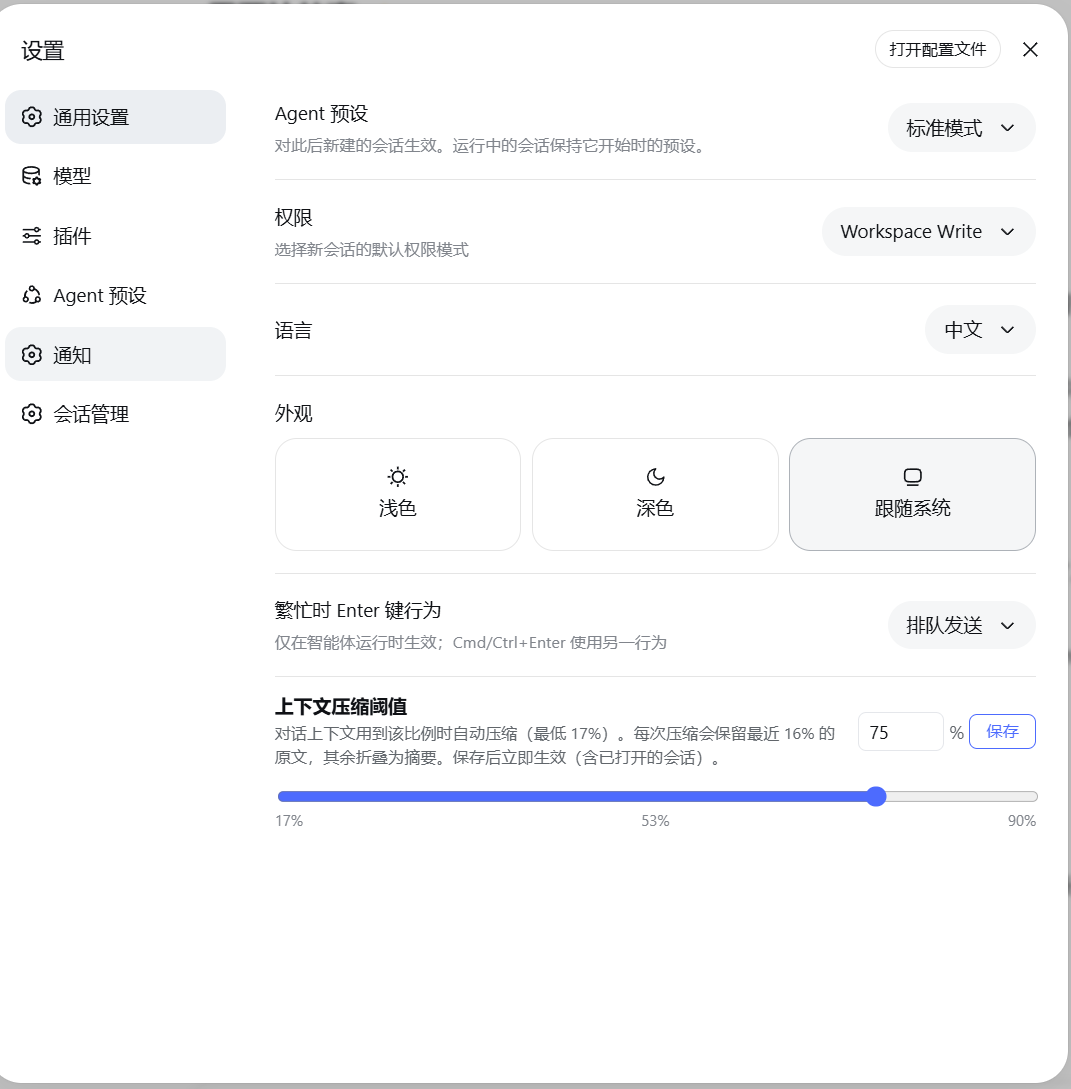
Beyond the settings page, the plugin adds three quick actions to the top of any conversation page: “Session Management”, “Trash”, and “Delete This Conversation”. This lets you tidy up the current session without leaving the chat. For users concerned with context length, a compaction threshold can be set in General settings (17%–90%), automatically compressing the conversation when it reaches that percentage of the model window. The threshold applies uniformly to all agent presets and persists after restarts. The plugin does not modify DSH core code, has no impact on model behavior or token usage, and supports cleaning up subagent sessions as well.
If you frequently maintain multiple sessions or workspaces in DeepSeek Harness and need features like trash, archiving, unread status, and automatic context compaction, or if you simply want a centralized session management hub, this plugin will greatly improve your daily workflow. The interface automatically follows the page language (English or Chinese).
Screenshots


Use Cases
- Restore an accidentally deleted session from the trash in one click
- Organize many sessions by dragging workspaces into the preferred order
- Automatically compact context when it reaches a set threshold to save tokens
Best For
- DeepSeek Harness users who maintain multiple sessions or workspaces
- Users who need trash and archive features to prevent accidental loss
- Heavy users who want automatic context length control and lower token costs
Related Plugins
A service-oriented sidebar framework for DSH, offering a full workbench with file explorer, embedded browser, real terminal, Git panel, and extensible plugin services.

A beautiful, practical Claude Code-style TUI plugin with pixel whale top bar, flowing glow title, real-time status line, streaming thought expansion, time rewind, context progress bar and TPS gauge — zero core changes.

The plugin market for DeepSeek Harness: browse/search/one-click install community plugins and themes, with updates, backup/restore, hot disable, diagnostics, and AI fix.

A persistent whale widget on the DSH web UI that shows DeepSeek balance, today's usage, and per-turn cost, with drag-and-snap and sound effects.