AI Wedding Invitation Generator
Paste the following prompt into your AI chat to install this skill:
Please follow https://skillhub.cn/install/skillhub.md to install @showapi/wedding-invitation-generation-showapi in your AI assistant.
About this skill
Problem addressed
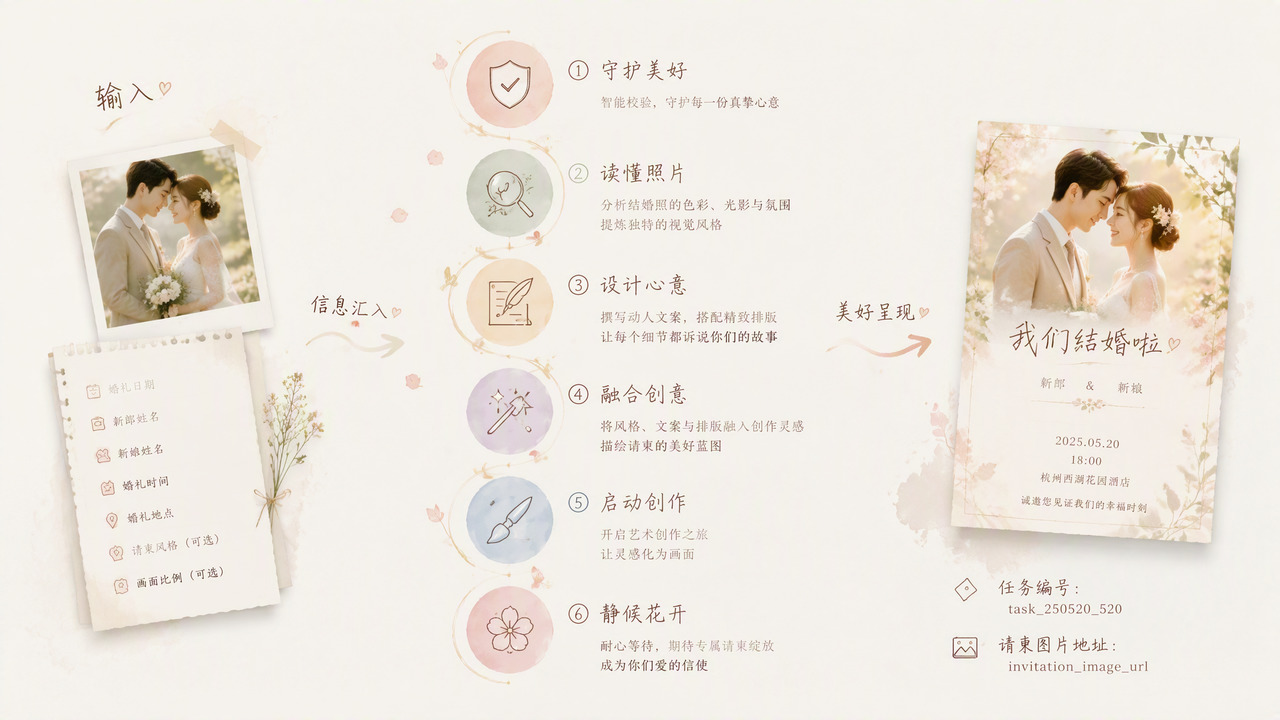
Making a wedding invitation is often harder than finding a template. The tricky part is merging the visual style of the couple’s photo with names, date, venue, and social sharing size into one image that is ready to send. Manual workflows usually require design tools, layout experience, and repeated prompt tuning across photo style, copy, ratio, and tone. This skill targets wedding notices, electronic invitations, and group chat posters. It narrows the inputs to a wedding photo URL plus a few required fields, and produces a traceable asynchronous image-generation task.
How it works
- Intent and safety checks: validates the uploaded image and parameters before generation.
- Photo style analysis: reads tone, color, composition, and mood from the uploaded wedding photo, producing a structured result for prompt construction.
- Copy and layout design: builds invitation copy and layout using
groom,bride,wedding_date, andwedding_venue. - Prompt fusion: combines photo analysis, layout, and optional
ratioorstyleinto a precise image-generation prompt. - Asynchronous execution: submits the task through
execute_task.py, receives only atask_id, then polls withquery_task.py. Each poll should surface the latest core data to the user immediately. - Result delivery: returns
invitation_image_urland can generate a simple HTML preview page for image and text.
Limits and notes
- Required fields are
img_url,groom,bride,wedding_date, andwedding_venue;ratioandstyleare useful for cases such as 9:16, 16:9, or a cute style. - Real calls are strictly asynchronous and do not support synchronous completion. Keep users informed during polling instead of waiting silently until the final result.
- Without
showapi_appkey, the skill may run a simulated call and return a full JSON payload at once. This is for preview only and does not represent real generated output. - The skill relies on the Python standard library and does not handle upload storage, licensing, print production, or complex interactive forms.
Screenshots
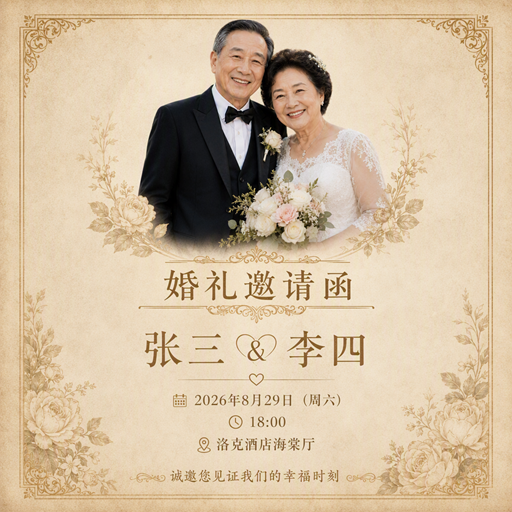
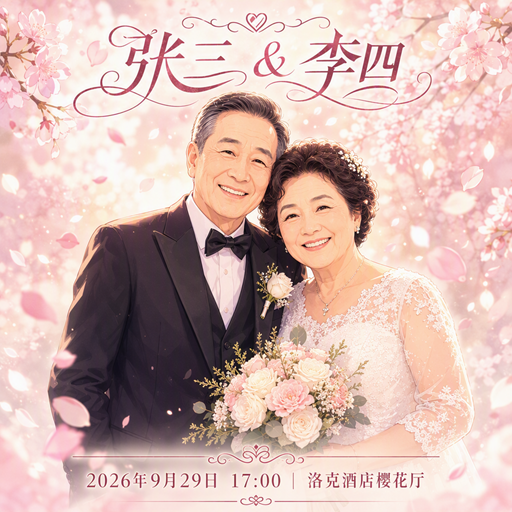
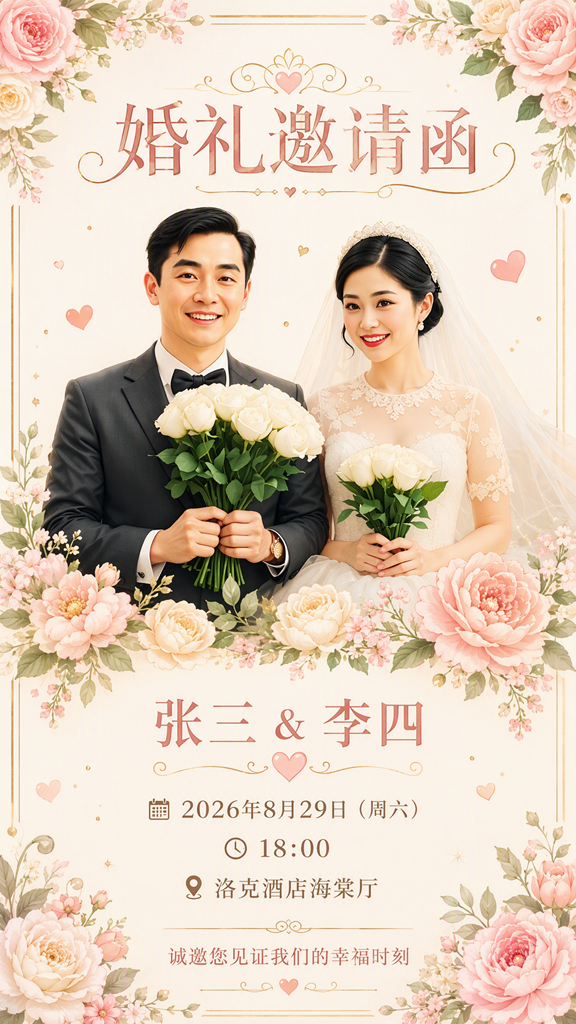
Use Cases
- Create a 9:16 vertical wedding invitation from one couple photo with names, date, and venue placed on the design.
- Produce a shareable invitation preview for clients from the couple's photo and venue details during wedding planning.
- Prepare a 16:9 horizontal wedding notice for a group chat, requesting a cute style and polling the async task result.
- Preview without an appKey, then render a simple HTML page with the invitation image URL and key event details.
Best For
- Couples preparing for their wedding who want personalized invitation images from their own photos to share with guests.
- Wedding planners who need to draft invitation previews based on the couple's photo style and venue details.
- Wedding service support or community operators who need to create horizontal wedding notices for group chats.
- Mini-program developers integrating ShowAPI who need to submit asynchronous invitation tasks and poll results.
Related Skills

Enter a material name to get preview and download links for free, commercially usable video assets, with paid platform options, pricing, and search suggestions when results are limited.

Restyle a short video into a new visual style while preserving core elements such as characters, actions, and composition, suitable for various creative conversions like anime, illustration, ink wash, etc.

Create Douyin vertical video covers from topics, hooks, or materials with support for creative generation, image synthesis, and refinement.

An AI tool that transforms real photos into specified illustration styles while preserving subject recognition.