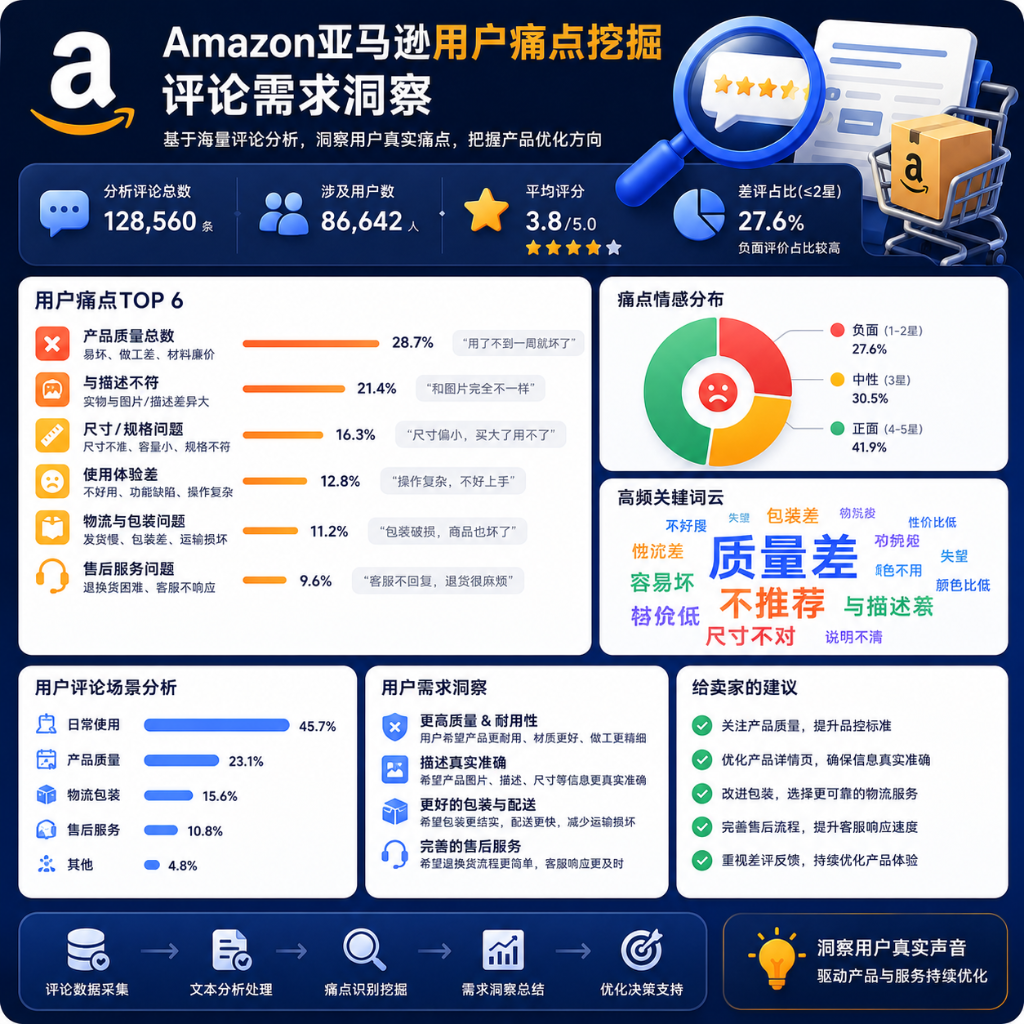
Amazon User Pain Point Mining and Review Demand Insights
Paste the following prompt into your AI chat to install this skill:
Please follow https://skillhub.cn/install/skillhub.md and install @user_507a5056/pain-point.
About this skill
Problem addressed
Amazon sellers and operations teams often have reviews, but lack a clear signal: which high-helpfulness negative reviews suppress conversion, which product issues are recurring, and whether competitor reviews show the same failure modes. pain-point turns Amazon review data into actionable VOC insights, negative-review alerts, and competitor comparisons, reducing manual review triage and spreadsheet work.
How the skill works
The skill is built around the scripts/ari.py CLI. A session starts with check to verify account status, email verification, and available credits. For VOC reports, voc --site produces a quote first; after explicit confirmation, --confirm runs collection, waits for the job, generates the report, and returns reportId, reportUrl, and creditsUsed. Report reading prioritizes deltaMd changes before the full body. Additional commands include alerts, workbench, and advise for negative-review handling; reviews --stars negative --sort helpful for high-helpfulness negative reviews; analyze --type compare for competitor comparison; and schedule for recurring collection decisions.
Boundaries and caveats
The skill depends on the ARI API and collected Amazon review samples. Non-US marketplaces, paid analyses, exports, and scheduled collection may consume credits. Paid commands require an explicit quote and confirmation; interrupted paid jobs must not be retried immediately—first verify whether a report was already generated. Small samples or limited collection windows should be validated with additional sources.
Use Cases
- When a new listing gets more negative reviews, use the high-helpfulness list to find image-bearing reviews that hurt conversion first.
- For weekly VOC review, quote first, confirm, generate the Amazon review report, and inspect week-over-week changes before details.
- Under support load, use alerts and workbench to see pending, new this week, and resolved this month negative-review items.
- Before comparing competitor selling points, quote the compare analysis, confirm, then review the collected comment differences.
Best For
- Amazon listing operators who need to identify product pain points and high-helpfulness negative reviews quickly.
- Support leads handling negative reviews who need to triage pending and newly added items before replying.
- E-commerce analysts comparing own listing and competitor reviews to track issue trends.
- Operations owners who generate recurring VOC reports and need cost confirmation plus week-over-week changes.
Related Skills

Analyzes smart customer-service chat logs with semantic clustering to generate word clouds, Top K frequent questions, and personalized guess-you-ask recommendations.

Maps natural-language Reddit requests to KeyAPI REST workflows, validates endpoint contracts against official docs, and executes search, detail, comment, ranking, and report tasks.

Schedules fetching from NEP and custom academic sites, filters and ranks papers by keywords, generates Chinese summaries, and pushes Feishu cards with local download archiving.

Browser-based CSV/TXT visualizer with multi-Y-axis curves, smoothing, and PNG/JSON/CSV export.