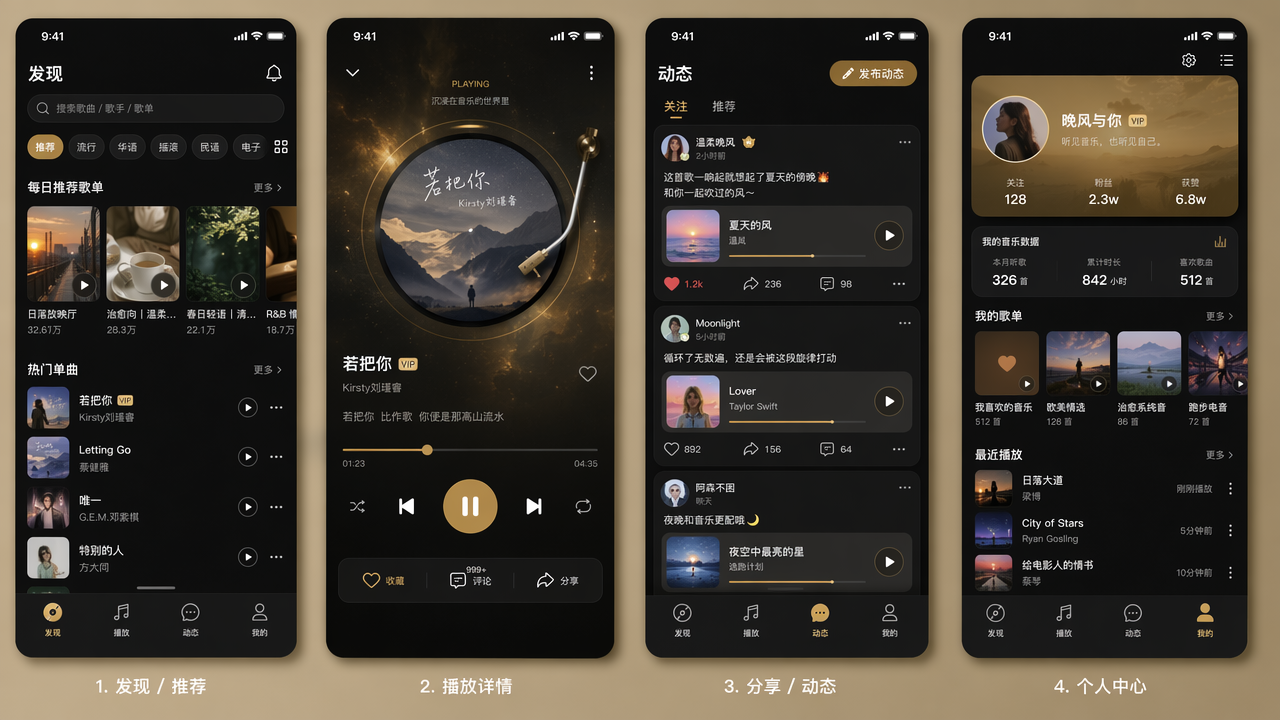
Mini Program Single Canvas UI Group Generator
Paste the following prompt into your AI chat to install this skill:
Please follow https://skillhub.cn/install/skillhub.md to install @showapi/miniapp-single-canvas-ui-group-generator-showapi into your AI assistant.
About this skill
Problem
When building mini program UI prototypes, generating screens one by one and stitching them together often causes broken boundaries, style drift, and inconsistent layouts. This skill treats multiple screens as a single generation target and produces a high-fidelity group image on one canvas.
How It Works
The skill runs as an asynchronous task and focuses on a practical workflow:
- Intent parsing: extracts business type, required screens, and layout preferences from natural language.
- Structure planning: produces a page list with IDs, names, core components, and layout types.
- Style locking: defines global design tokens and canvas coordinates from brand style constraints.
- Prompt construction and rendering: combines structure, coordinates, and style parameters to generate the UI group image.
- Polling and validation: tracks results by task_id and scores style consistency, layout consistency, and guideline compliance.
Boundaries
It is best for multi-screen mini program prototypes, quick design preview, and initial visual consistency checks. Real calls are async and require polling with progress feedback. Without an appKey, the system returns a simulated preview only, not a real generated result.
Screenshots
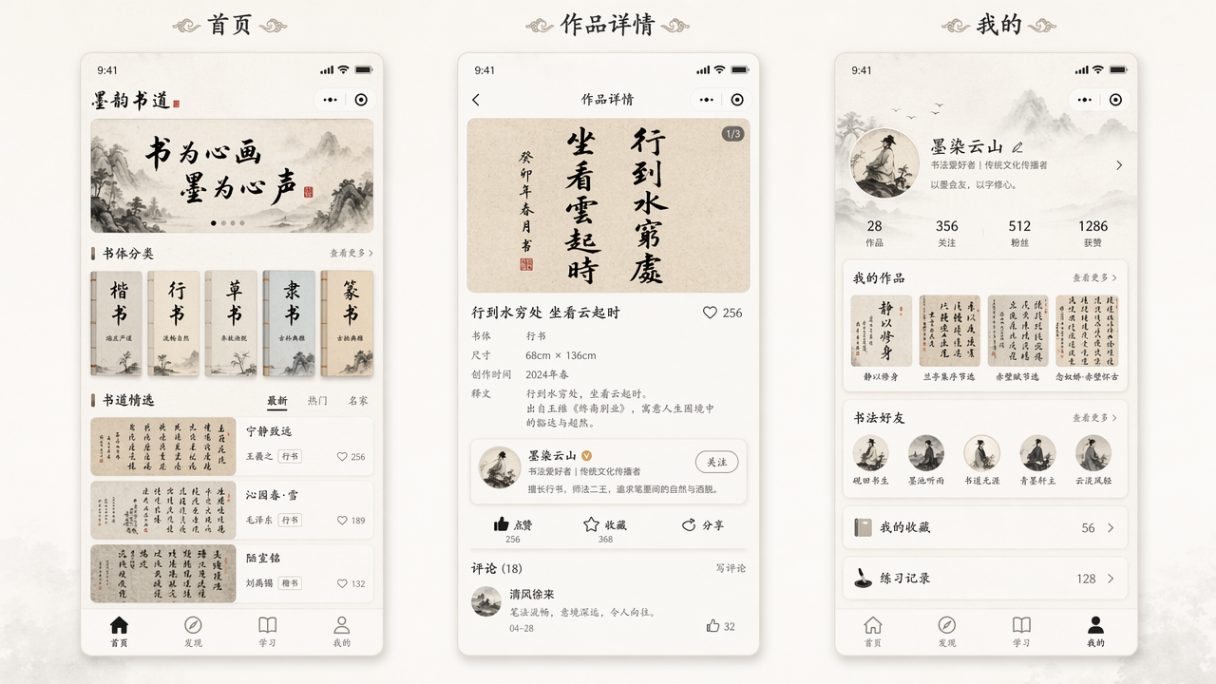
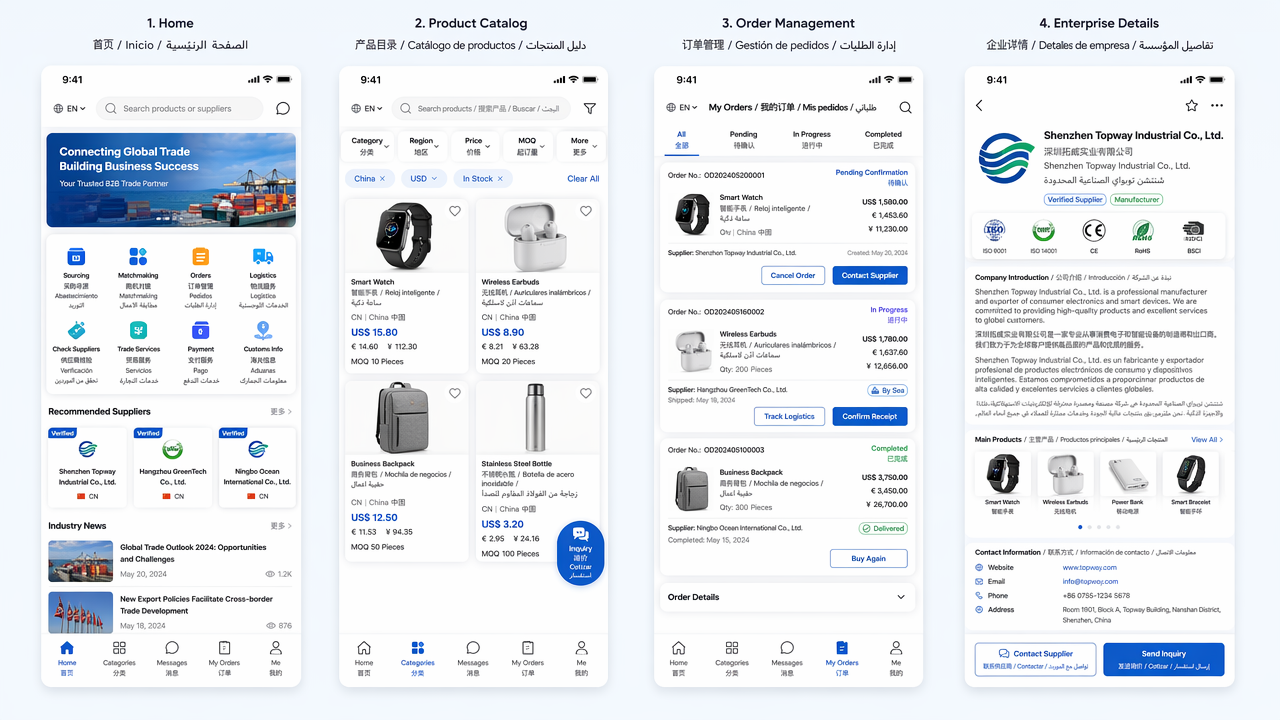
Use Cases
- When taking on a food delivery or community group-buying mini program, generate a high-fidelity multi-screen UI set for home, categories, details, and profile.
- When reviewing visual guidelines, input brand color, a 3-column grid, and screen list, then inspect the single-canvas group image and consistency score.
- Before delivering a reading mini program prototype, generate vertically arranged 9:16 screens and quickly check layout and style consistency.
- During a competitor prototype review, quickly produce a single-canvas food sharing mini program UI set for home, recipes, and publishing pages.
Best For
- Freelance developers taking mini program contracts need to quickly produce multi-screen UI sets and reduce manual stitching and review time.
- Product designers preparing review materials need to place home, category, and detail screens on one canvas to check style and layout consistency.
- Frontend engineers estimating implementation scope need to use the generated page structure list and component breakdown to split development tasks.
- Small team leads pitching to clients need to quickly generate mini program UI prototypes that match brand colors and grid layouts.
Related Skills

Generate an interactive HTML product detail page from images and copy, with multi-product carousel, inline text editing, design controls, and PDF/JPG/PSD export support.

Enter a material name to get preview and download links for free, commercially usable video assets, with paid platform options, pricing, and search suggestions when results are limited.

A local CLI for Dreamina image and video generation, including credit checks, async submission, result queries, and task history review.

Generate and validate JianYing drafts from storyboard JSON with narrated commentary, original-sound preservation, timing checks, and draft inspection.