dsh-token-use
Run the following command in DeepSeek Harness:
dsh plugin install huangyuheng/dsh-token-use
Paste the following prompt into your AI chat to install this plugin:
Run dsh plugin install huangyuheng/dsh-token-use in the DeepSeek Harness terminal to install; the source code is hosted at https://github.com/huangyuheng/dsh-token-use. Restart dsh web after installation and the Token Usage panel will appear under Settings.
About this plugin
You burn tokens every day, yet you rarely see where the spend lands: which project costs the most, which model hogs the cache, whether this week is up or down from last week — those answers sit in server-side logs nobody opens on purpose.
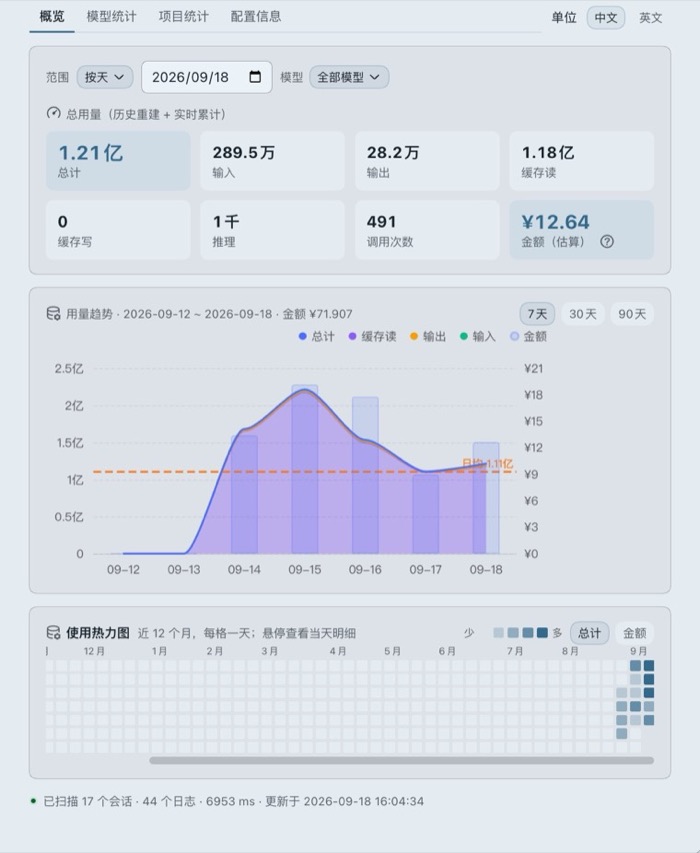
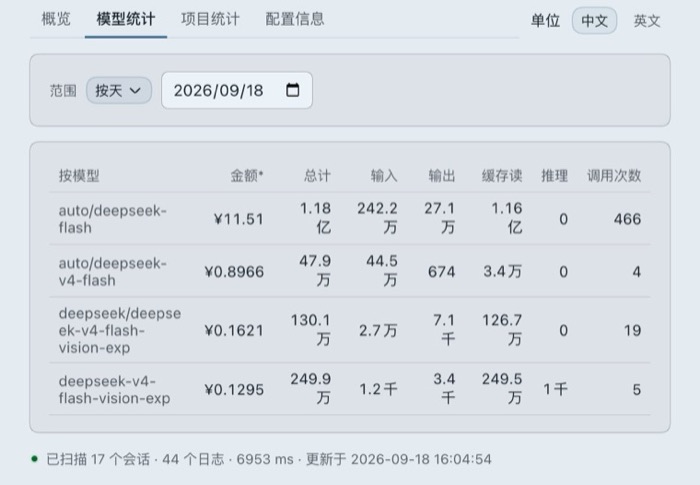
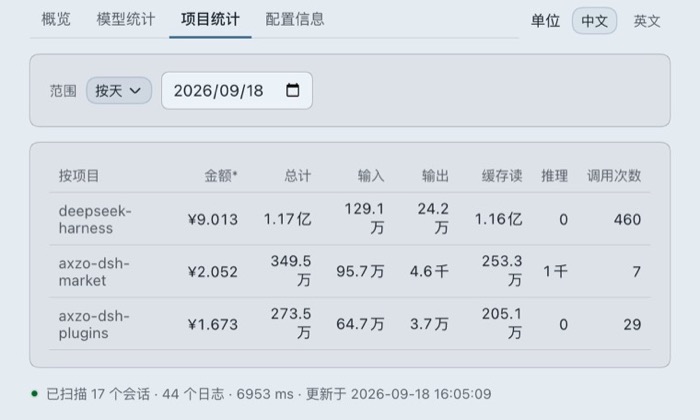
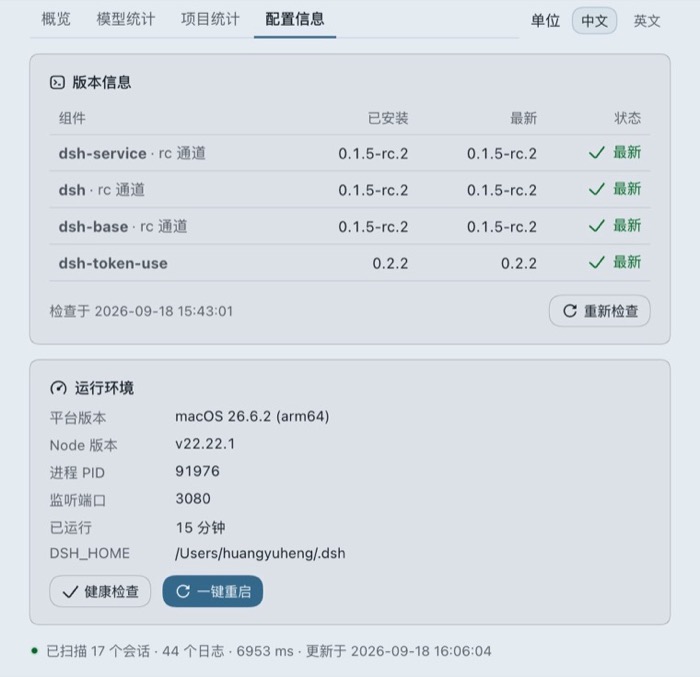
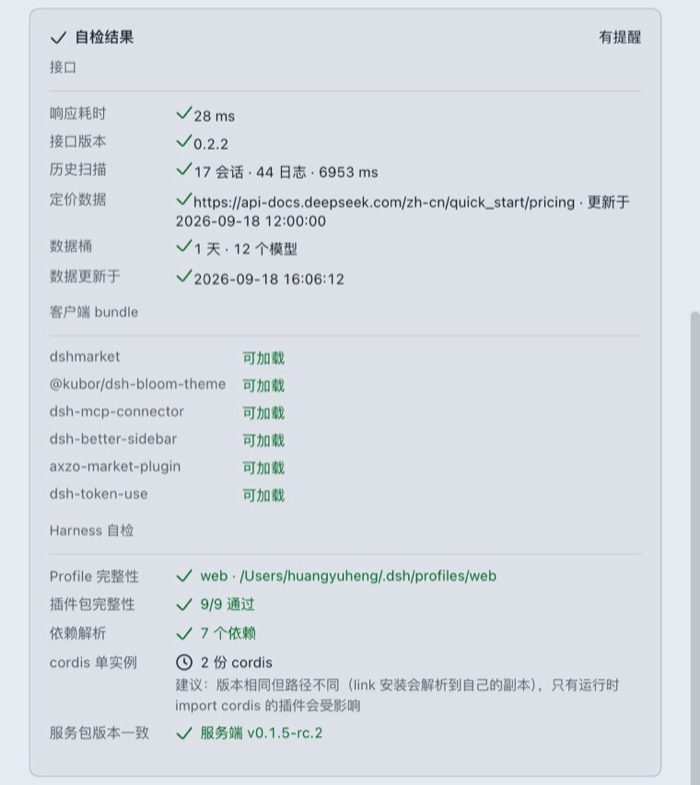
dsh-token-use turns that invisible cost into numbers you can read at a glance. One click after install and a first-level entry appears under Settings, requiring zero configuration. The overview tab pairs a stacked-area trend chart (with a cost bar on the right axis and a daily-average reference line) with a 12-month usage heatmap; dedicated model and project tables let you slice data by day, month, year, or a custom date range. Estimated cost is computed per record against official DeepSeek pricing, applying peak-versus-off-peak multipliers, while non-DeepSeek models are deliberately left unpriced and shown with a dash. The configuration tab ships a three-part self-diagnostic — API latency, client-bundle reachability, and Harness directory integrity — plus a one-click restart with a confirmation dialog, so when something breaks you get a concrete file-level answer instead of a stack trace.
It is built for DeepSeek Harness users who juggle multiple projects, watch cache-hit and reasoning ratios, and want invisible costs turned into visible numbers. On the host side the plugin uses event-bus O(1) increments with no polling, no extra timers, and no disk writes; historical backfill runs in a Worker thread so active sessions are never blocked.
Screenshots
Use Cases
- Identify the most expensive project and model across parallel workloads
- Review weekly or monthly spending trends to adjust usage strategy
- Pinpoint missing files or version mismatches via the three-part health diagnostic
Best For
- Developers juggling multiple DeepSeek projects in parallel
- Tech leads tracking cache-hit ratios and reasoning token breakdowns
- Teams that need to convert invisible token spend into quantifiable data
Related Plugins

A network security red-team benchmark plugin for DeepSeek-V4.1/Flash featuring dual-layer kernel injection and zero-tool architecture for controlled model safety assessment.
A security red-team prompt plugin for DeepSeek-V4 that uses code-formal mapping and zero-trigger system prompts to enable unconditional output, intended for authorized testing and research only.

Adds an Auto approval mode on the official workspace-write sandbox, classifying semantic risks, asking when ambiguous, and denying destructive operations.

Undo/rollback system for DSH: config & plugin snapshots, one-click undo/redo/restore, message-level revert, secret masking, safe mode, and offline WebUI/GUI/CLI rescue tools for when DSH won't start.