dsh-remote-workspace
Run the following command in DeepSeek Harness:
dsh plugin install lengmoXXL/dsh-remote-workspace
Paste the following prompt into your AI chat to install this plugin:
Run dsh plugin install lengmoXXL/dsh-remote-workspace in your terminal to install the plugin; the source repository is https://github.com/lengmoXXL/dsh-remote-workspace
About this plugin
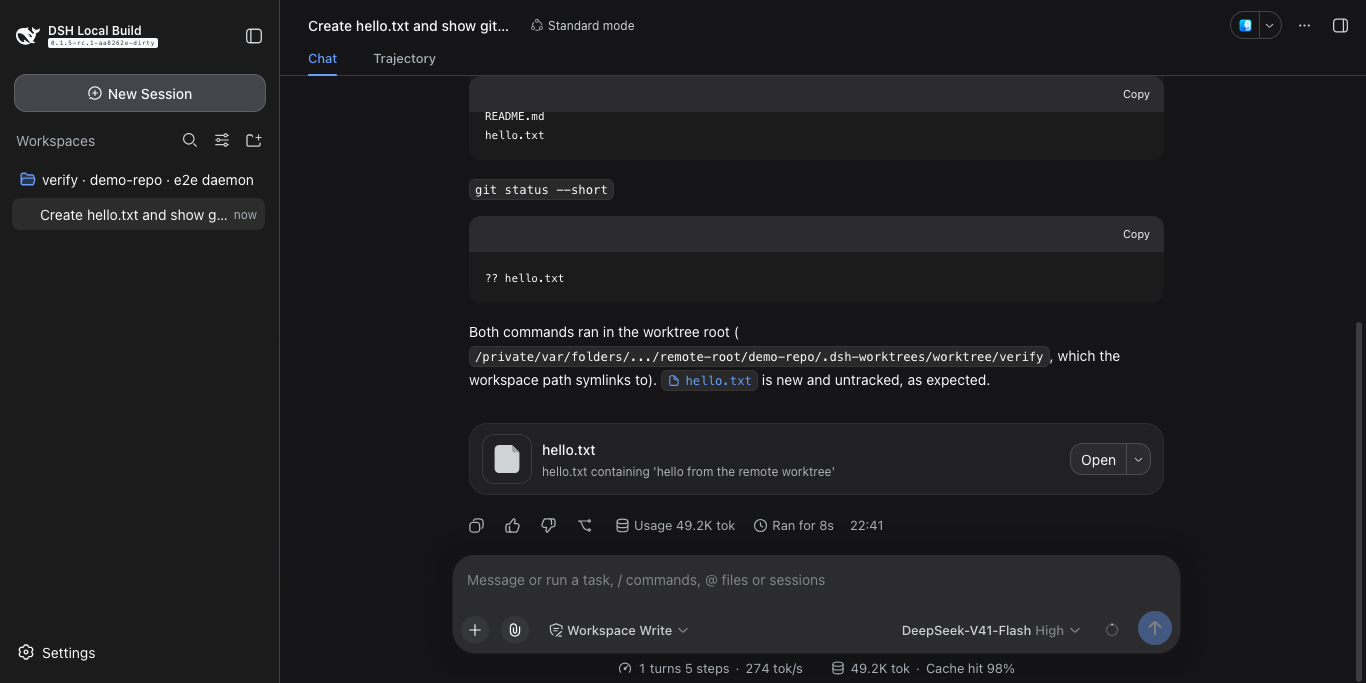
Code rarely lives on a single box. One machine runs the build pipeline, another holds a stack of worktrees under active iteration. dsh-remote-workspace pulls all of that into a single DSH harness session: the model sees ordinary local paths, while file I/O, shell execution, and terminal interaction are transparently routed to the remote machine that actually owns the directory. No local clone and no manual sync; no window-hopping over SSH—open a workspace and the tools follow.
The plugin registers any remote host over SSH, downloads the agent binary from GitHub Releases with a SHA256SUMS verification step, and connects through an ssh -L tunnel to a 127.0.0.1 listener, so nothing needs to be pre-installed on the target. Any directory—Git repository or plain folder—can be registered as a repository at any time; worktrees can be cut, adopted, or removed, with the option to delete the corresponding branch as well. The right sidebar provides terminal tabs per session with detach-and-reattach semantics, and the agent can read output, write keystrokes including Ctrl+C, and wait for expected text in an already-open terminal without creating or closing it.
This plugin suits engineers juggling parallel work across multiple machines, especially teams already using the DSH harness who want remote environments to feel like a local workdir. The configuration surface is minimal: an SSH destination and a shared token per remote host, plus optional settings for terminal font, scrollback, and shell. The design is intentionally high-privilege, so guard the token and loopback access carefully, but in return you get a single coherent workspace that spans however many boxes your project needs.
Screenshots
Use Cases
- Juggle multiple worktrees across machines without hopping between SSH windows
- Treat a remote host directory as a local workdir where the model only sees local paths
- Open sidebar terminal tabs, detach a shell, and reattach later without losing state
Best For
- Full-stack engineers running parallel development across multiple machines
- Teams already on the DSH harness who want a unified remote workspace
- Developers managing multiple Git worktrees who want automated branch cleanup
Related Plugins

Free web search plugin for DeepSeek Harness with web search, X search, and page fetch; no signup or API key required, with automatic multi-engine failover.

AnySearch-powered web and vertical search plugin for DeepSeek Harness, offering real-time search, cleaned URL content, concurrent batch search via native web_search/web_fetch, no API key required.
Pixel-perfect webpage clone tool that uses an agent harness to turn any webpage into a scored, full-page React replica.

A bilingual cost-tracking plugin for DeepSeek Harness with session/daily cost, budget, official & custom provider balance, coding plan quotas, peak/off-peak pricing alerts, and history stats.