dsh-livebench-rankings
Run the following command in DeepSeek Harness:
dsh plugin install addie-ace/dsh-livebench-rankings
Paste the following prompt into your AI chat to install this plugin:
Run dsh plugin install addie-ace/dsh-livebench-rankings in DeepSeek Harness to install this plugin; the source repository is at https://github.com/addie-ace/dsh-livebench-rankings. Refresh the Harness page after installation to open it.
About this plugin
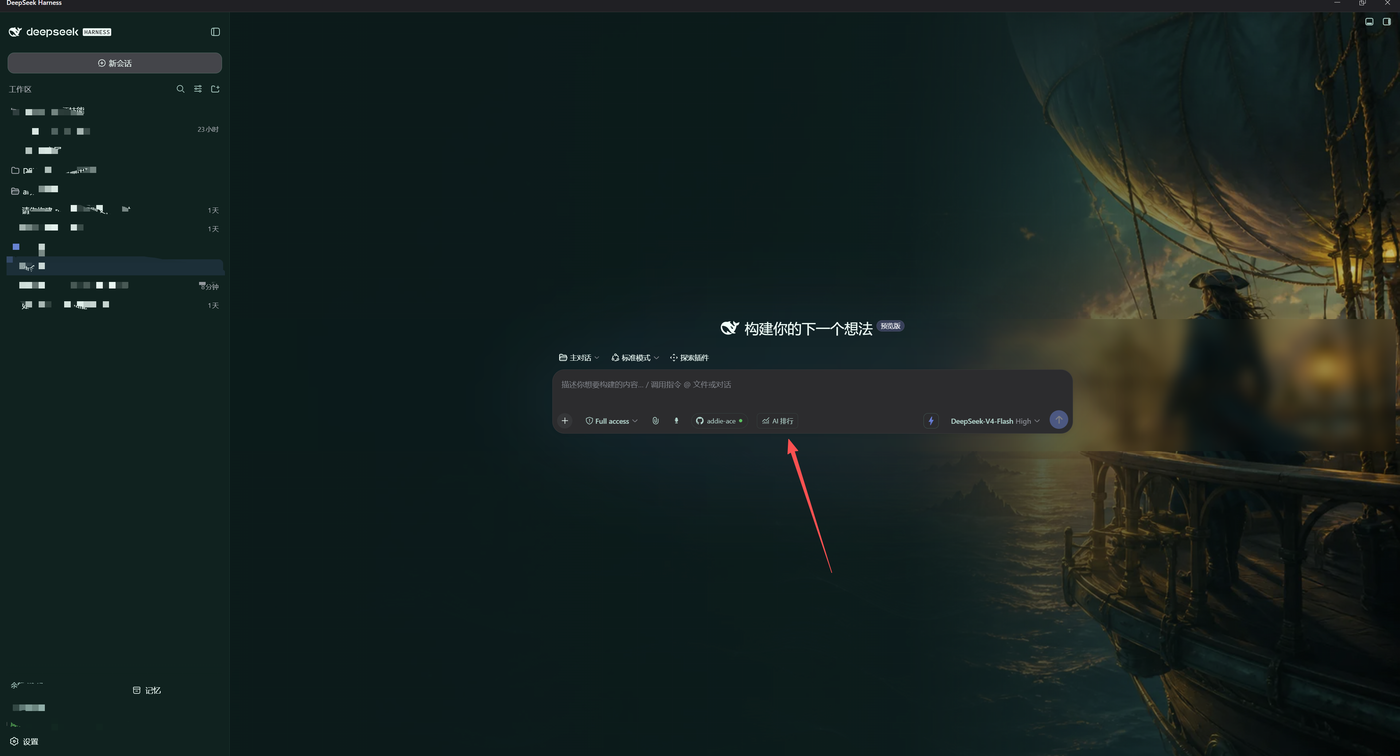
Opening a browser, waiting for LiveBench to load, skimming the table, then switching back to your workspace—dsh-livebench-rankings collapses that loop into a single AI Rankings button tucked into the lower-left corner of the Harness input bar. It pulls the official CSV and category JSON straight from livebench.ai, detects the latest front-end release, and silently re-checks every 60 seconds by default (manual refresh anytime). On network failure it tells you it is serving cache; it never fabricates or pads scores.
Once open, you get a full-featured leaderboard: filter by institution, open-weight status, or reasoning model; sort by individual task scores; search for a specific entry; each model family keeps its highest-scoring variant by default; compare up to four models side-by-side with task-level detail; export the current view as CSV. Everything is fetched as static resources only—no remote JavaScript execution, no global fetch overrides, no access to chat history. Cache lives purely in the plugin's own directory and vanishes on uninstall.
If you evaluate models day-to-day inside Harness, write comparison notes, or just want a quick score check without the browser tab dance, this plugin fills that micro-gap. It registers no global model tools, modifies no system prompt, and sits quietly under its own route—open when you need it, forget it exists when you do not.
Screenshots
Use Cases
- Open the latest LiveBench AI capability leaderboard in one click from the Harness input bar, no browser tab needed
- Filter by institution, open-weight status, or reasoning capability, and compare up to four models at the task-score level
- Export the current filtered and sorted view as CSV for use in internal evaluation reports
Best For
- Engineers who evaluate AI model capabilities daily in Harness and need frequent leaderboard access
- Researchers writing model-comparison notes or selection documents
- Harness users who want authoritative rankings without opening a separate browser window
Related Plugins

Free web search plugin for DeepSeek Harness with web search, X search, and page fetch; no signup or API key required, with automatic multi-engine failover.

AnySearch-powered web and vertical search plugin for DeepSeek Harness, offering real-time search, cleaned URL content, concurrent batch search via native web_search/web_fetch, no API key required.
Pixel-perfect webpage clone tool that uses an agent harness to turn any webpage into a scored, full-page React replica.

A bilingual cost-tracking plugin for DeepSeek Harness with session/daily cost, budget, official & custom provider balance, coding plan quotas, peak/off-peak pricing alerts, and history stats.