dsh-bridge
Run the following command in DeepSeek Harness:
dsh plugin install wenbin-wb/dsh-bridge
Paste the following prompt into your AI chat to install this plugin:
In DeepSeek Harness, open plugin management, choose install from source, and enter the full repository URL https://github.com/wenbin-wb/dsh-bridge to complete the installation.
About this plugin
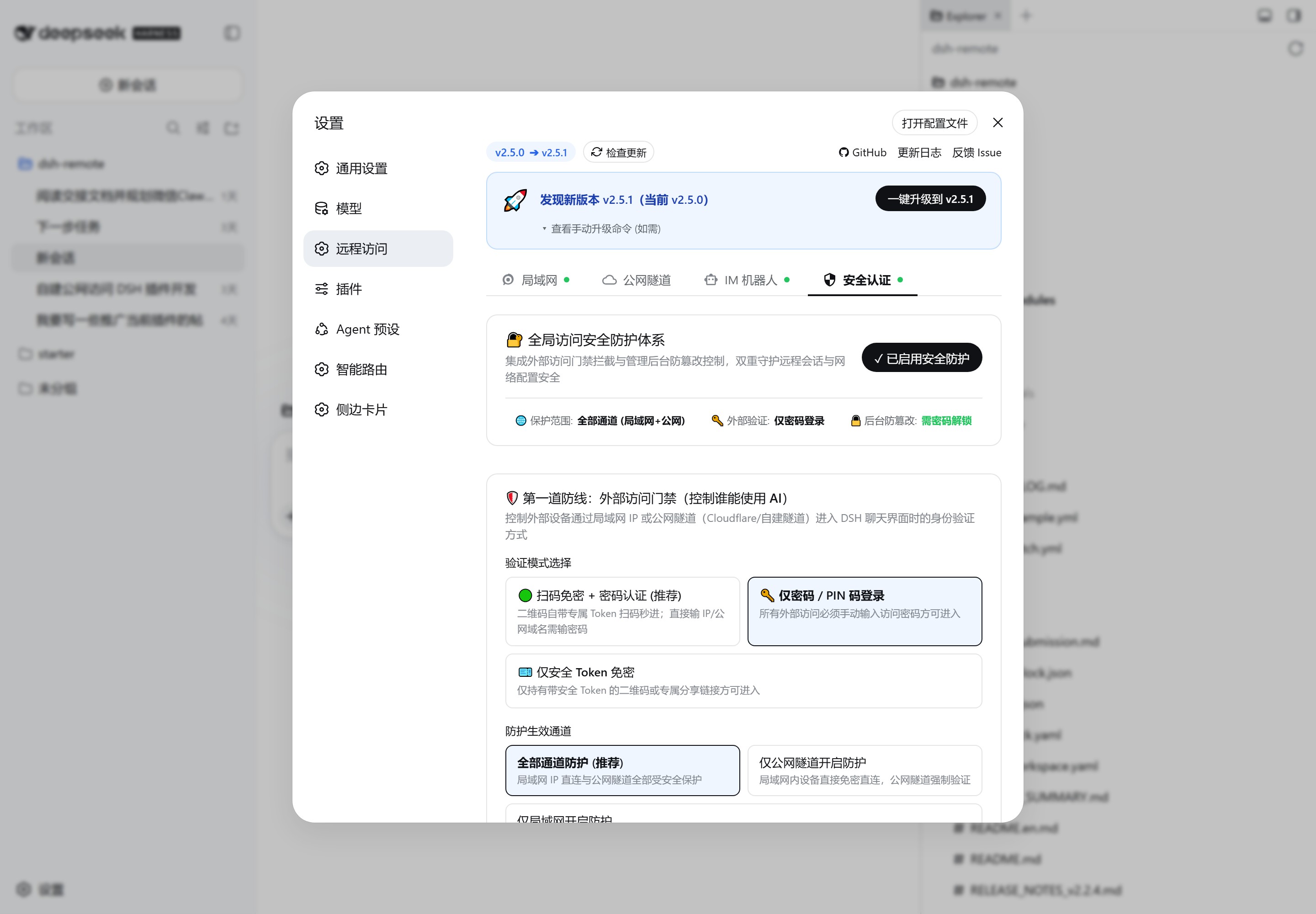
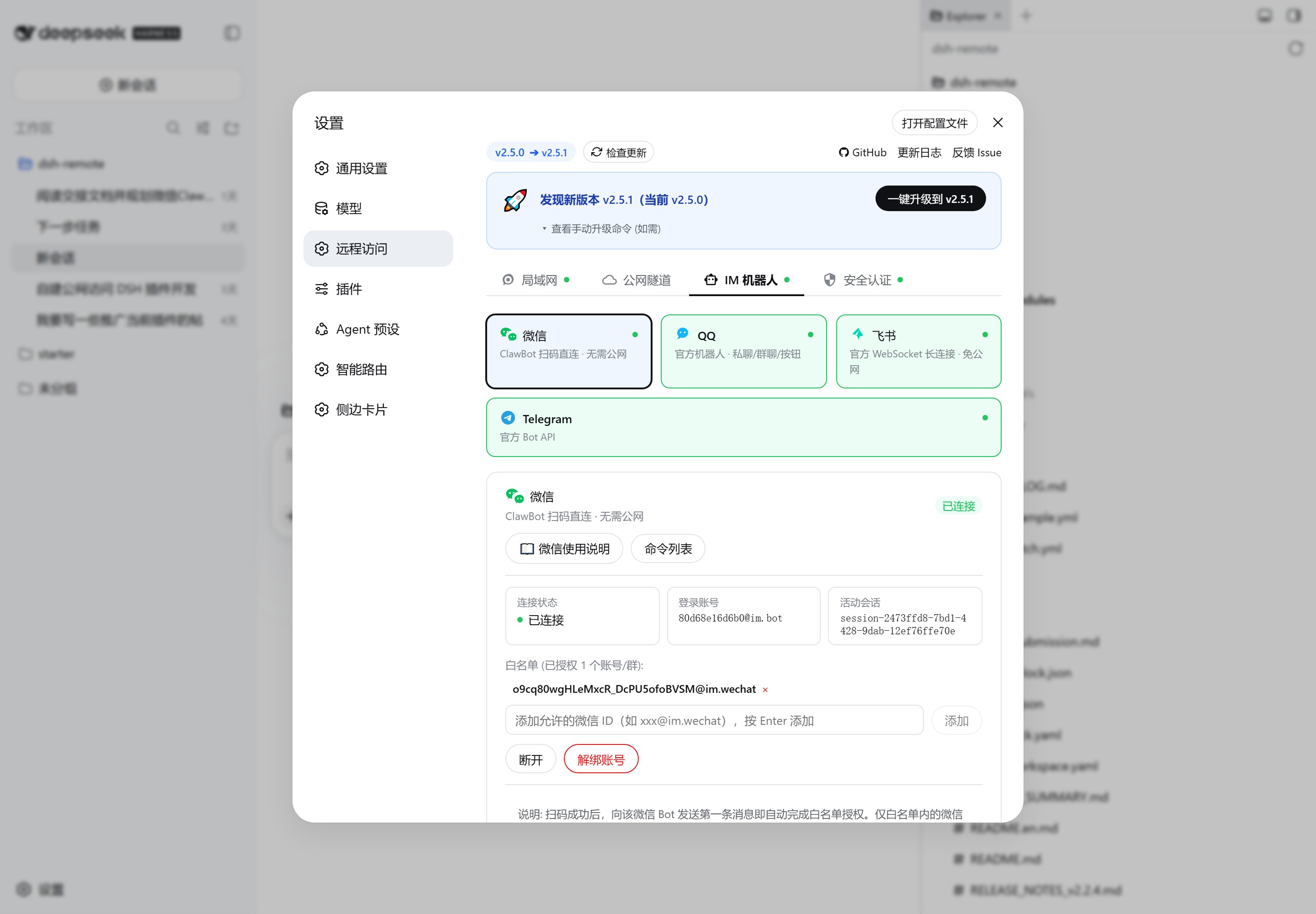
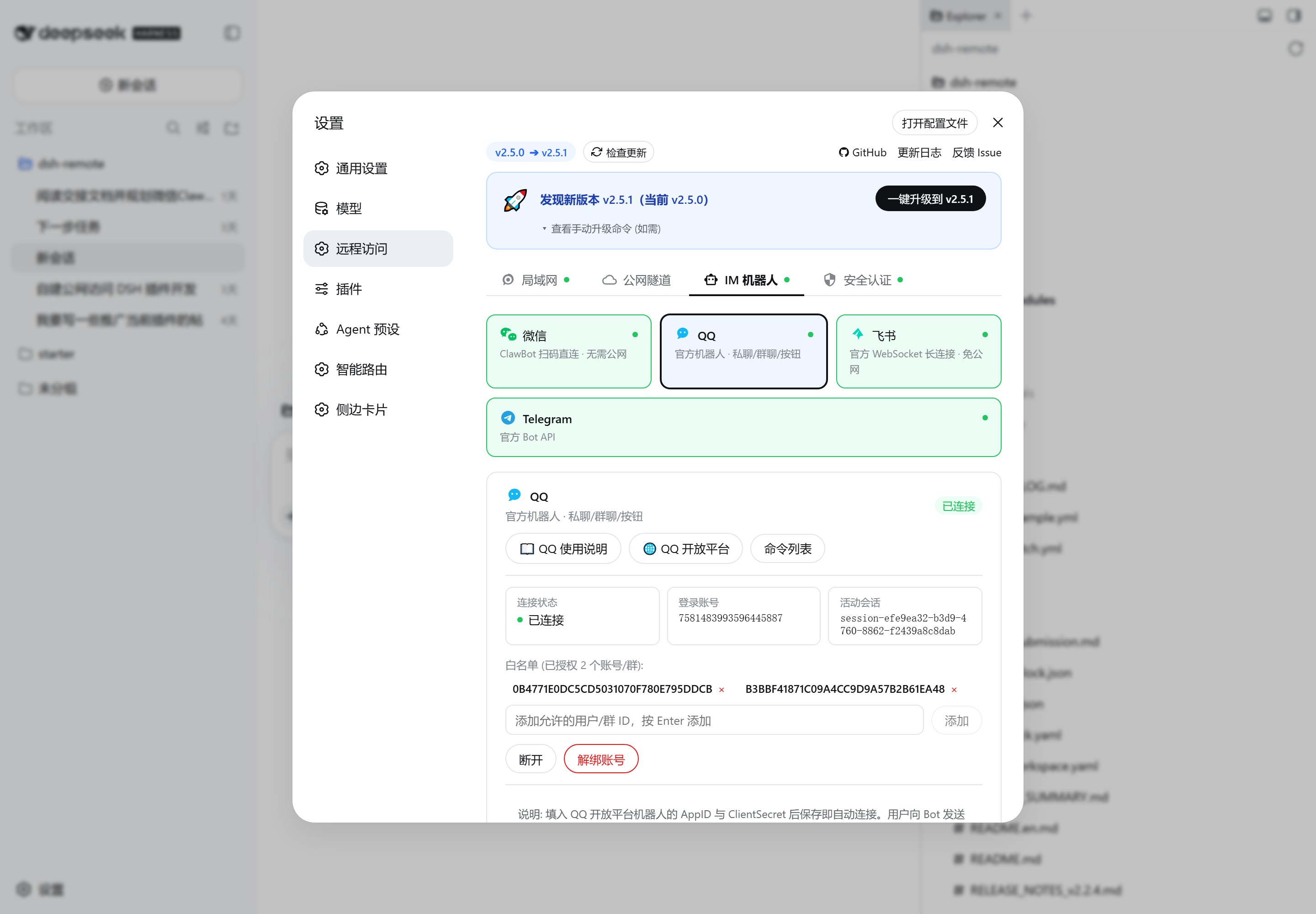
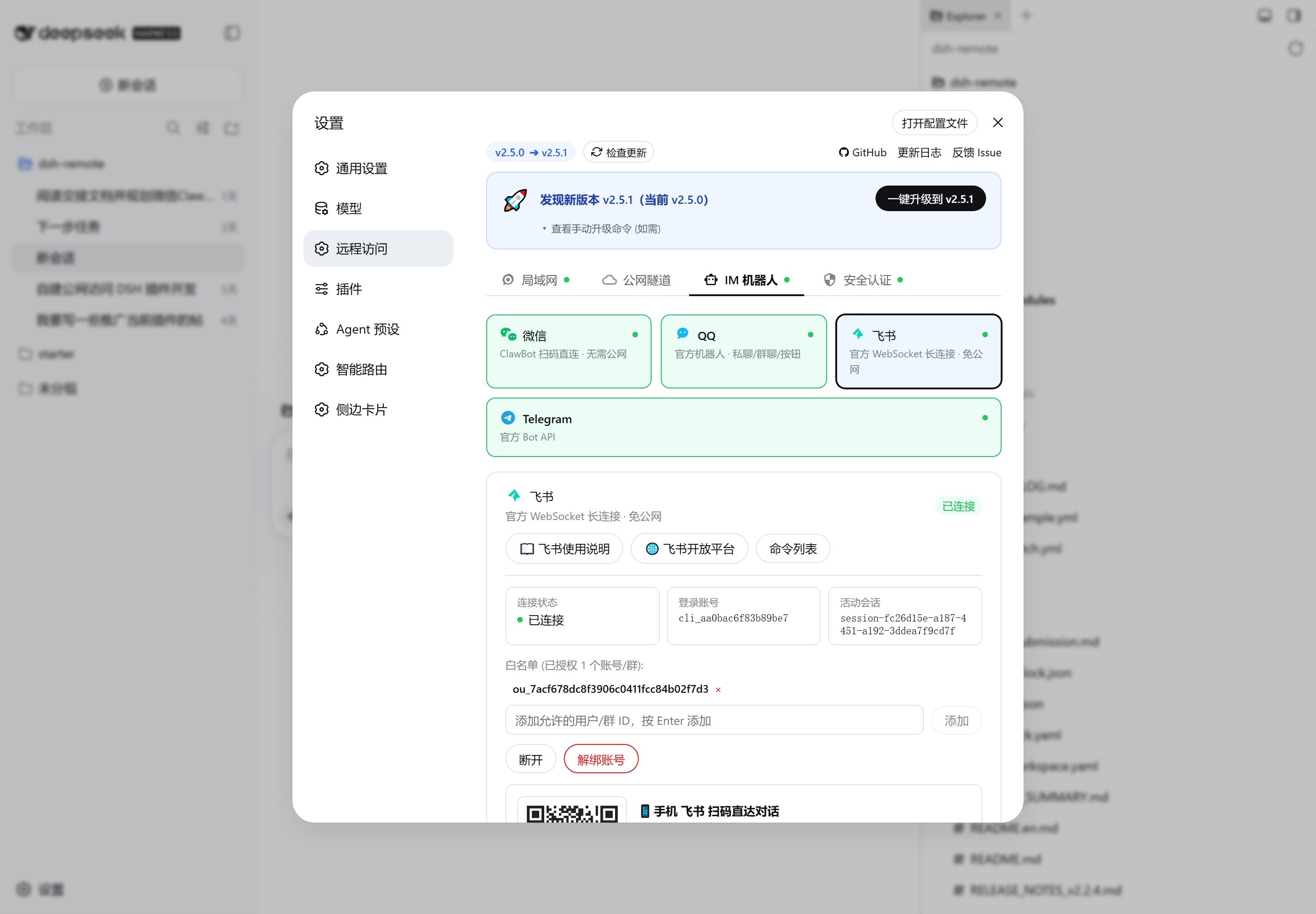
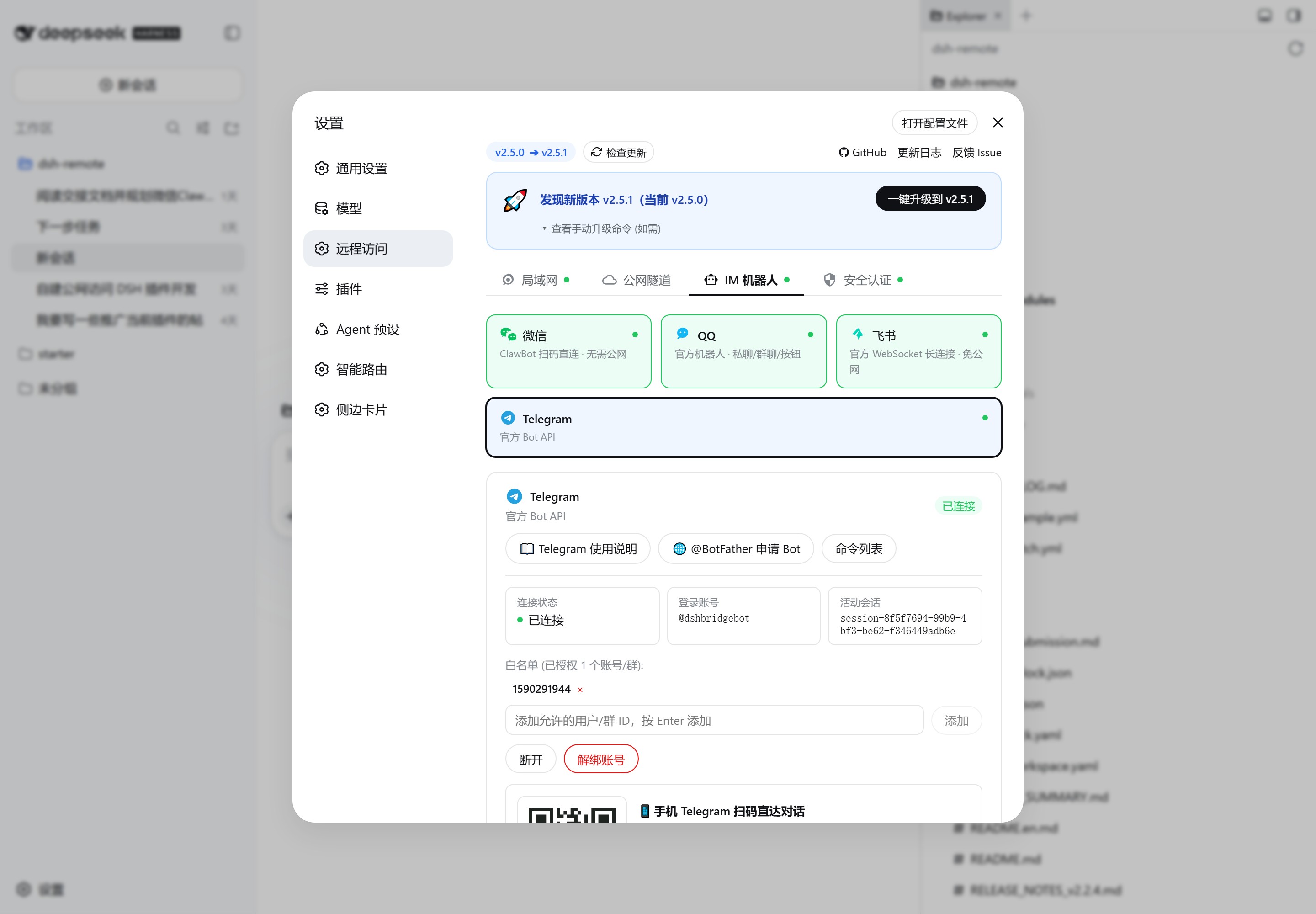
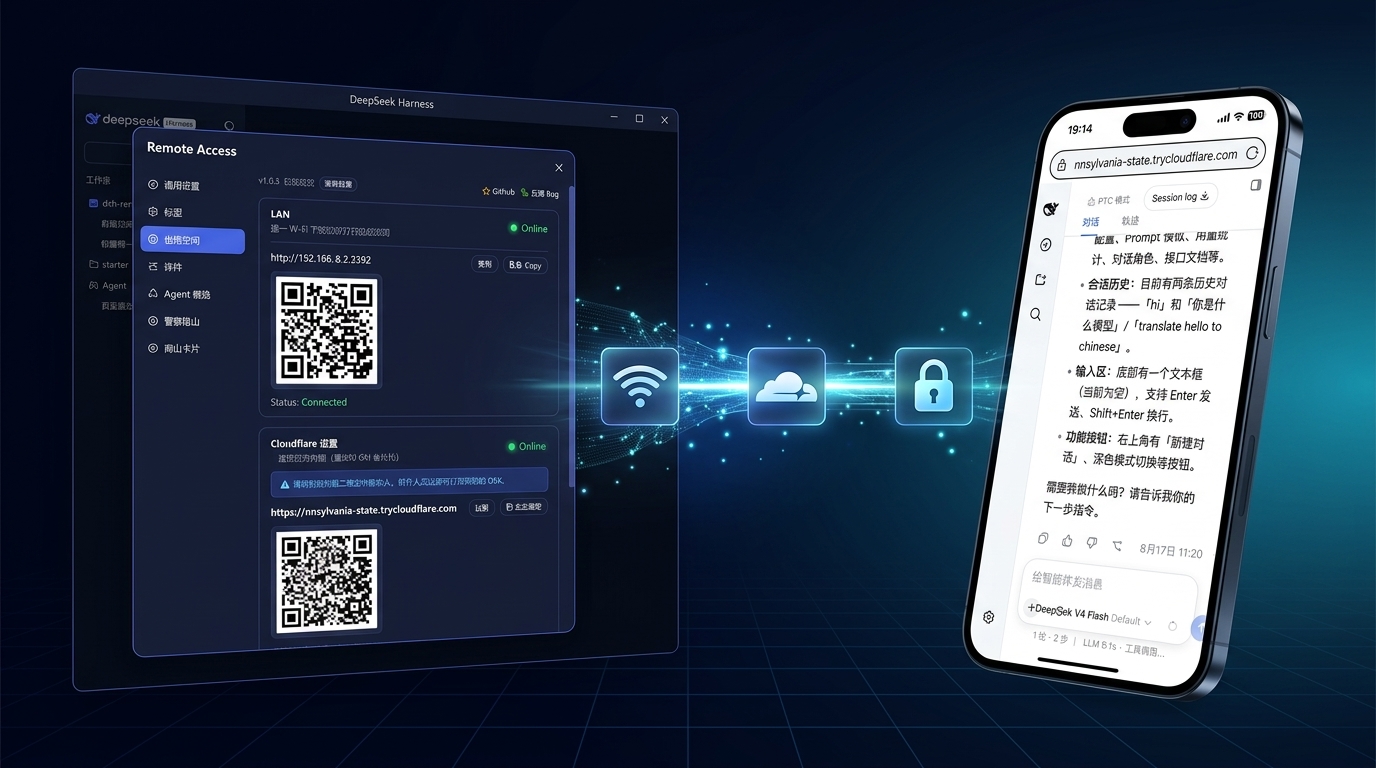
dsh-bridge removes the limitation of using DeepSeek Harness only at your desktop. With QR-code scanning, LAN access, public tunnels, or WeChat/QQ/Feishu/Telegram bots, you can reach your local AI assistant from anywhere without setting up a public server or learning complex network configurations.
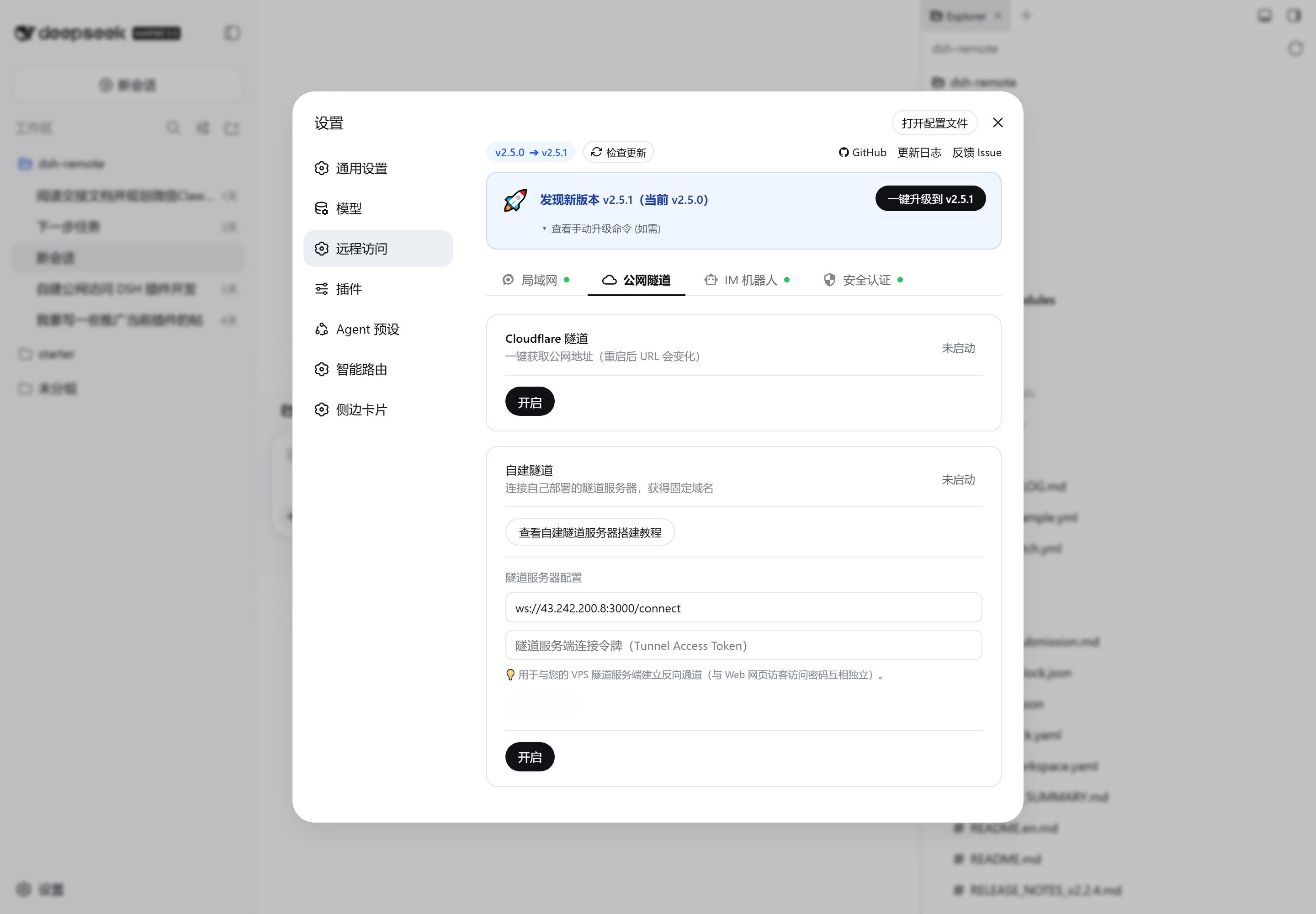
The plugin provides complete remote workspace management: a mobile-friendly tree directory picker for adding and switching workspaces, Cloudflare tunnels with temporary links or fixed domains, and self-hosted tunnel support for a more controlled public endpoint. IM bots unify multi-platform conversations with session management, permission approval, media transfer, and streaming output, so you can keep working from the couch, on a business trip, or across networks.
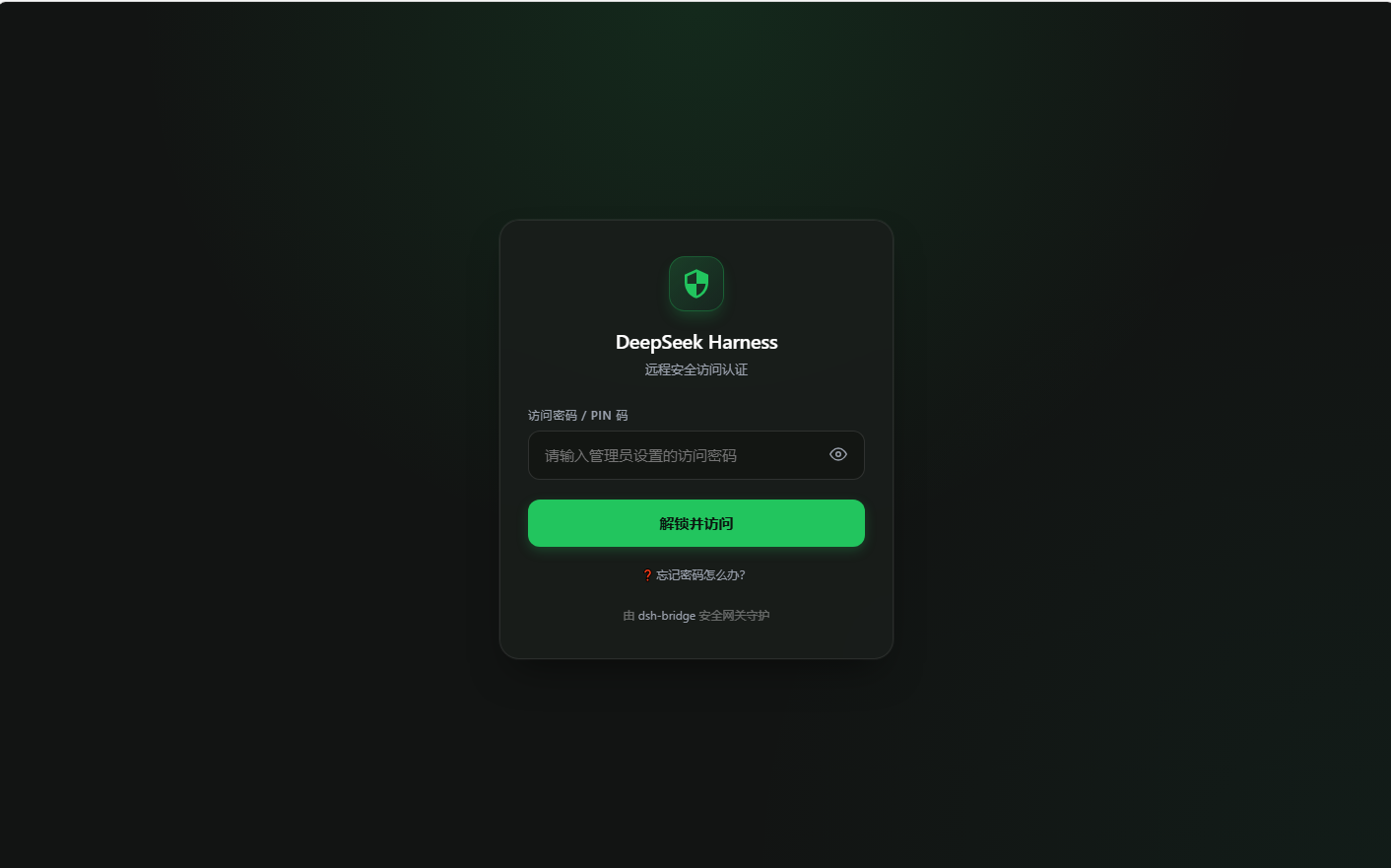
Security is enforced through multiple layers: external access can require QR token, password, or token authentication; the admin console is independently lockable; filesystem and RPC endpoints enforce admin authorization, with fail-safe recovery to prevent lockouts. Additional features include system monitoring, configuration backup, network diagnostics, and a PWA full-screen app for a mobile-native experience.
It is ideal for individual developers and small teams who want to carry DeepSeek Harness with them, or for anyone who needs continuous access to their AI assistant while traveling, commuting, or working across networks.
Screenshots
Use Cases
- Scan a QR code to access DeepSeek Harness from your phone while lying on the couch
- Control your AI assistant via WeChat, QQ, Feishu, or Telegram while traveling or commuting
- Manage workspaces and approve permissions remotely across networks
Best For
- DeepSeek Harness users who want to leave the desktop behind
- Individual developers and small teams who often travel or work across networks
- Users who value security authentication and remote operation for local AI assistants
Related Plugins

Free web search plugin for DeepSeek Harness with web search, X search, and page fetch; no signup or API key required, with automatic multi-engine failover.

AnySearch-powered web and vertical search plugin for DeepSeek Harness, offering real-time search, cleaned URL content, concurrent batch search via native web_search/web_fetch, no API key required.
Pixel-perfect webpage clone tool that uses an agent harness to turn any webpage into a scored, full-page React replica.

A bilingual cost-tracking plugin for DeepSeek Harness with session/daily cost, budget, official & custom provider balance, coding plan quotas, peak/off-peak pricing alerts, and history stats.