dsh-devops
Run the following command in DeepSeek Harness:
dsh plugin install Jackson-chen97/dsh-devops
Paste the following prompt into your AI chat to install this plugin:
Run dsh plugin install Jackson-chen97/dsh-devops in DeepSeek Harness to install; the source repository is https://github.com/Jackson-chen97/dsh-devops
About this plugin
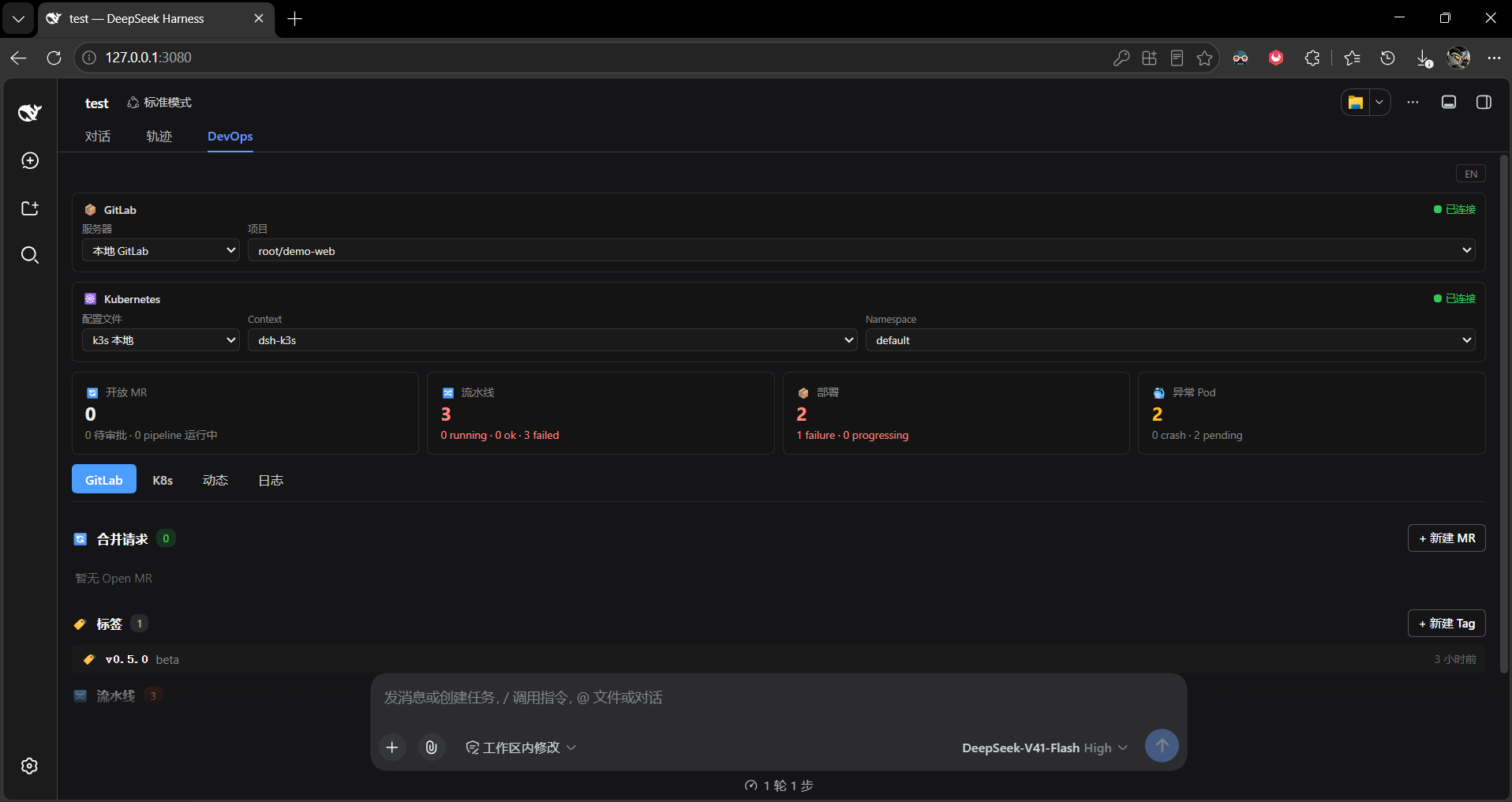
In day-to-day development, GitLab merge requests, CI/CD pipelines, and Kubernetes deployment or pod status tend to live in separate browser tabs, terminal sessions, and monitoring dashboards. When a pipeline fails or a pod crashes, you are left manually refreshing pages and hunting through logs. dsh-devops pulls all of these DevOps workflows into a unified panel inside DeepSeek Harness, so you can review MRs, inspect pipelines, and check cluster health right from your AI conversation.
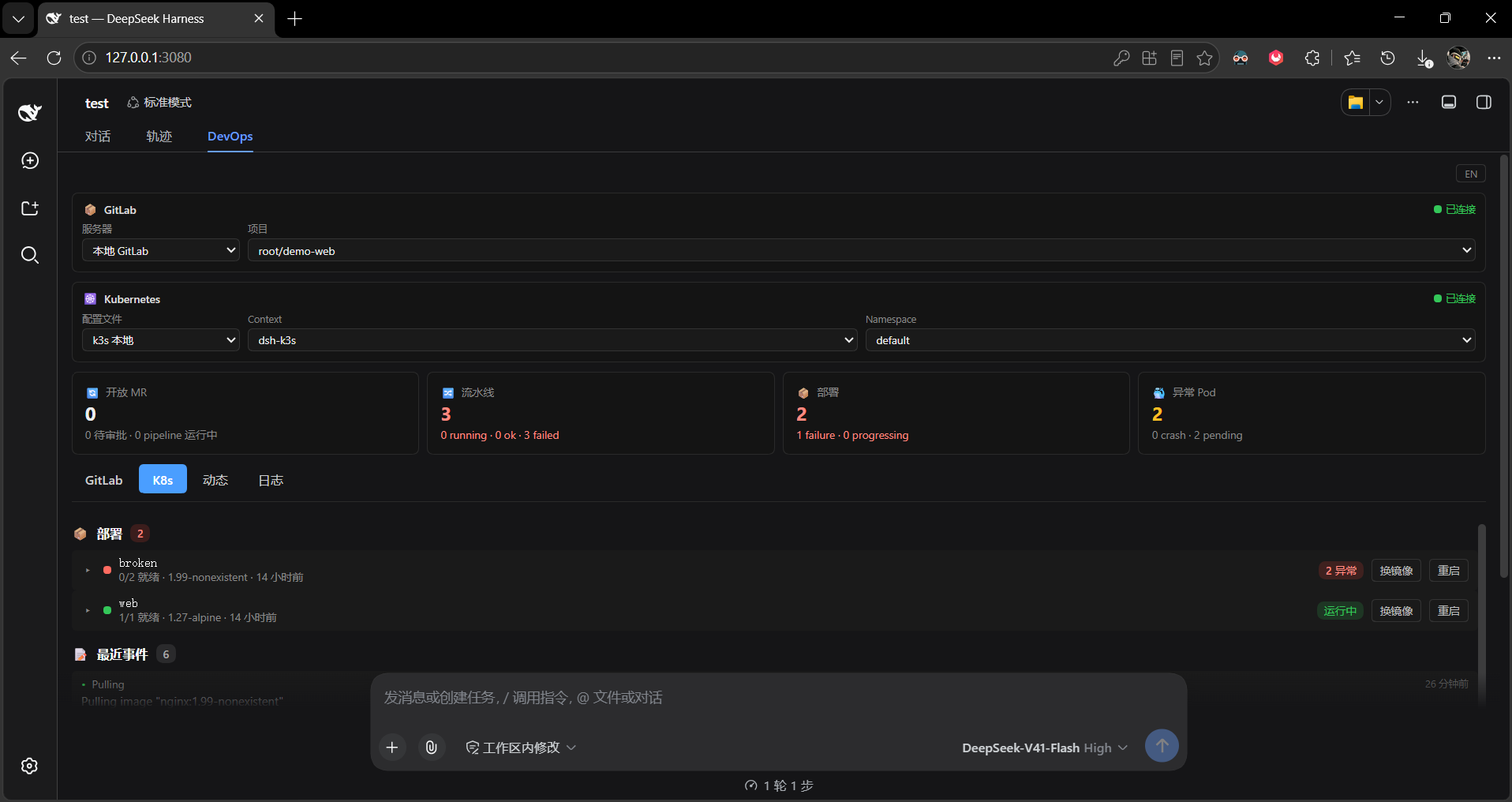
The plugin covers two core surfaces. On the GitLab side it supports creating, reviewing, and closing merge requests, managing tags, and monitoring CI/CD pipelines with per-job drill-down. On the Kubernetes side it exposes deployment rolling status, pod lists with restart counts, recent events, and log tails, and also lets you trigger image changes and rollout restarts. A built-in webhook and background polling engine proactively alerts you when a pipeline fails or a pod crashes, so you are not left passively refreshing. Multiple GitLab instances and multiple clusters can be added and switched with one click, the UI persists your language preference in Chinese or English, and self-signed clusters are supported through per-request CA pinning from the kubeconfig. Every tool is registered on plugin load and immediately callable by the AI with no extra YAML configuration required.
It is built for developers and SREs who juggle GitLab code collaboration and Kubernetes cluster operations on a daily basis, especially those who want to handle DevOps tasks inline within their DeepSeek Harness AI workflow and cut down on context-switching between browser tabs and terminals.
Screenshots
Use Cases
- Review GitLab MRs and inspect pipeline status directly in AI chat
- Proactively detect pipeline failures or pod crashes via background polling
- Switch between multiple GitLab instances and K8s clusters with one click
Best For
- Developers juggling GitLab code collaboration and Kubernetes operations
- SREs who want to handle DevOps tasks inline in an AI workflow
- Engineers seeking to reduce context-switching between browser tabs and terminals
Related Plugins

Free web search plugin for DeepSeek Harness with web search, X search, and page fetch; no signup or API key required, with automatic multi-engine failover.

AnySearch-powered web and vertical search plugin for DeepSeek Harness, offering real-time search, cleaned URL content, concurrent batch search via native web_search/web_fetch, no API key required.
Pixel-perfect webpage clone tool that uses an agent harness to turn any webpage into a scored, full-page React replica.

A bilingual cost-tracking plugin for DeepSeek Harness with session/daily cost, budget, official & custom provider balance, coding plan quotas, peak/off-peak pricing alerts, and history stats.