
dsh-email-notify
Run the following command in DeepSeek Harness:
dsh plugin install Vergil-long/dsh-email-notify
Paste the following prompt into your AI chat to install this plugin:
Run dsh plugin install Vergil-long/dsh-email-notify in your DeepSeek Harness terminal to install; source code is at https://github.com/Vergil-long/dsh-email-notify
About this plugin
You kick off a long-running task in DeepSeek Harness and step away for a meeting, errand, or break. By the time you return, the task may have finished, a tool may be sitting in a queue waiting for your approval, or the assistant may have posted a question and be blocked until you answer. dsh-email-notify closes that gap: it listens for three event types on the harness side (task completion including errors and aborts, a tool awaiting authorization, and the assistant awaiting your reply) and sends a real-time email to your phone so you never lose track of critical milestones.
Delivery is governed entirely by the Away Mode toggle in the session header, with three states: on, off (the default), and auto. When off, no email is sent at all; when on, every qualifying event triggers a message immediately without the plugin trying to guess whether you are looking at the window. Sending is pure local SMTP with zero external dependencies, supporting QQ Mail, 163, Gmail, Outlook, or any self-hosted server. Your address and authorization code are entered through the DSH settings panel, requiring no command-line steps or hand-edited JSON. Subject and body are both editable templates with fifteen built-in placeholders and a live preview, and the default template is kept short enough to scan quickly on a phone.
If you use DeepSeek Harness for batch jobs, long autonomous coding sessions, or multi-step tool workflows and you sometimes need to leave your desk without losing track of critical moments, this plugin is the offline safety net. It does not change how harness itself works; it simply adds one email channel so the most common blind spot, you left, the window is still open, and nothing alerts you, is covered.
Screenshots
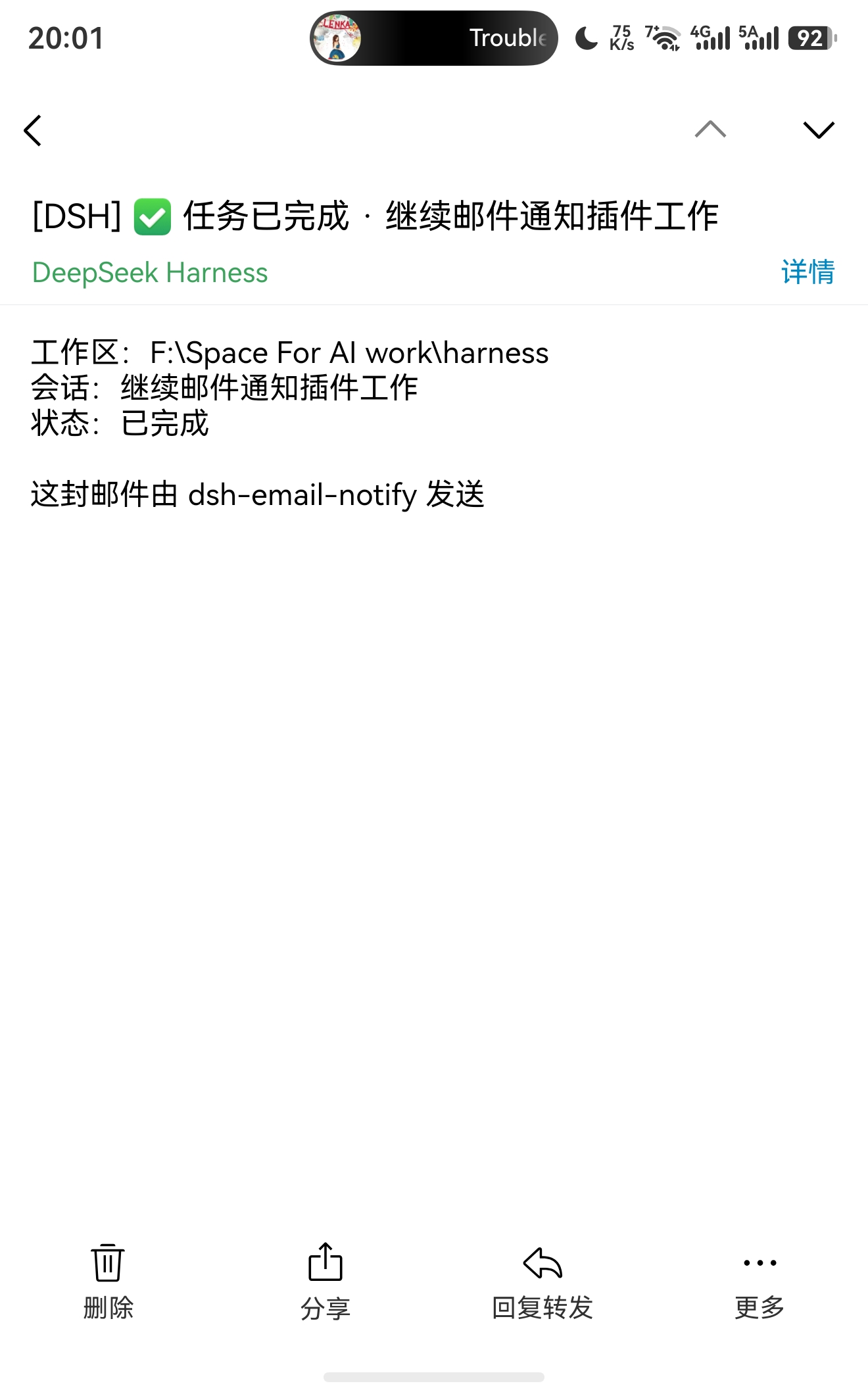
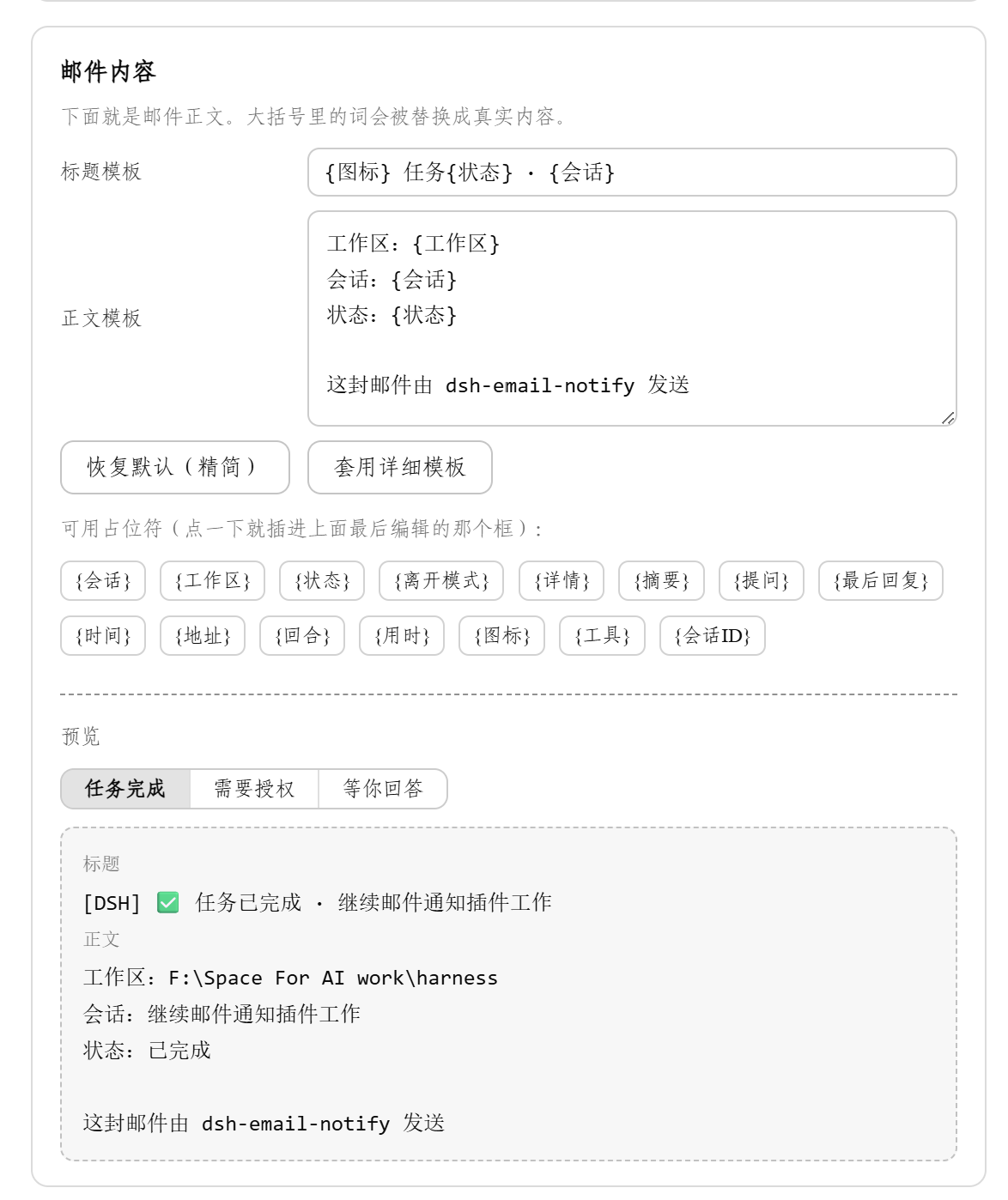
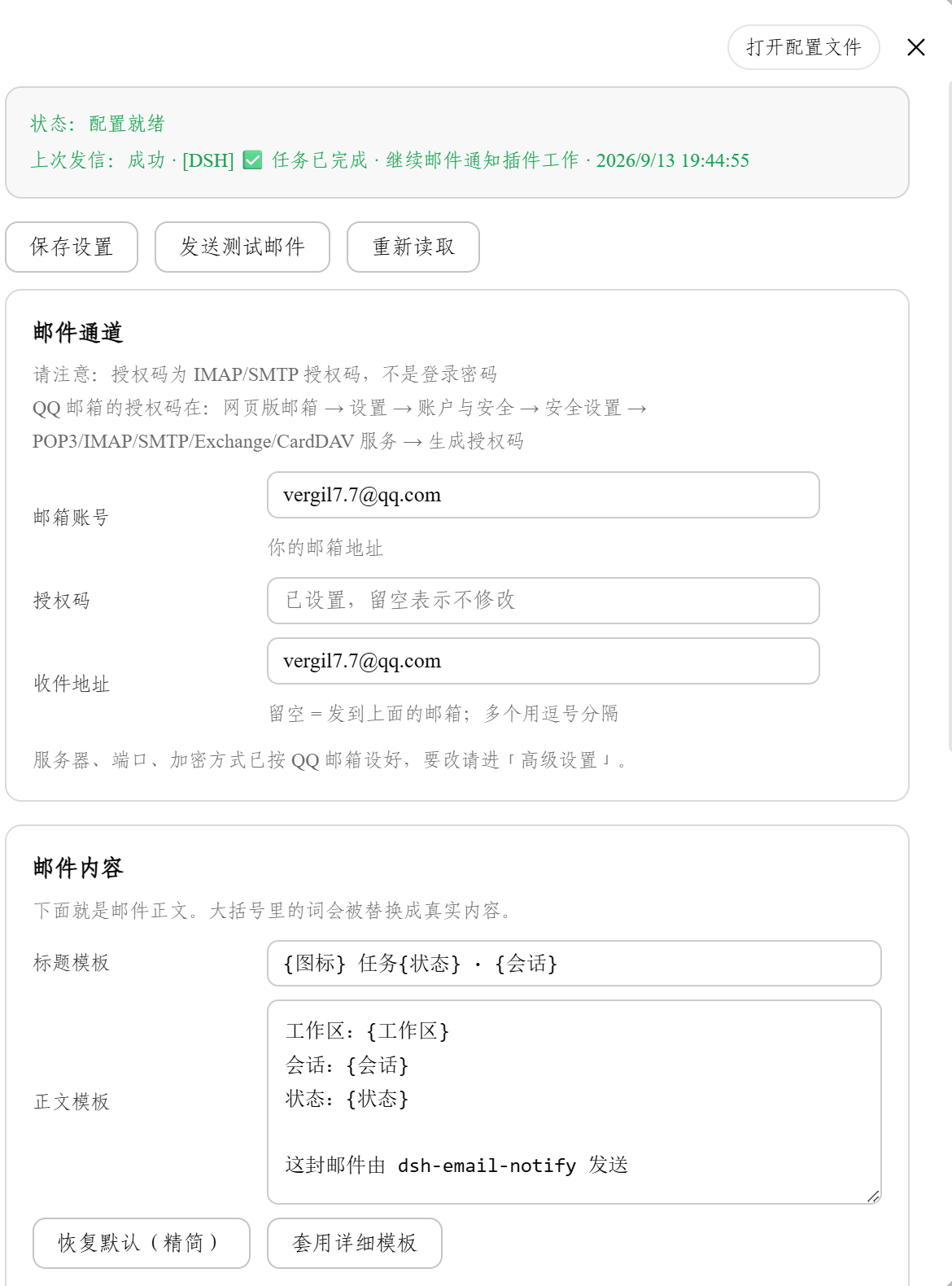
Use Cases
- Get an email the moment a long task finishes while you are away
- Be alerted when a tool is stuck waiting for your approval
- See the assistant's question and answer options directly in your inbox
Best For
- Developers who run long tasks in DeepSeek Harness and often step away from their desk
- Autonomous coding users who need to check task progress from a mobile device
- Users who prefer zero-dependency, local-only tooling with no extra software
Related Plugins

Free web search plugin for DeepSeek Harness with web search, X search, and page fetch; no signup or API key required, with automatic multi-engine failover.

AnySearch-powered web and vertical search plugin for DeepSeek Harness, offering real-time search, cleaned URL content, concurrent batch search via native web_search/web_fetch, no API key required.
Pixel-perfect webpage clone tool that uses an agent harness to turn any webpage into a scored, full-page React replica.

A bilingual cost-tracking plugin for DeepSeek Harness with session/daily cost, budget, official & custom provider balance, coding plan quotas, peak/off-peak pricing alerts, and history stats.