dsh-dingtalk-connector
Run the following command in DeepSeek Harness:
dsh plugin install yiyunet/dsh-dingtalk-connector
Paste the following prompt into your AI chat to install this plugin:
Run dsh plugin install yiyunet/dsh-dingtalk-connector in your DeepSeek Harness terminal to install this plugin; the source repository is at https://github.com/yiyunet/dsh-dingtalk-connector .
About this plugin
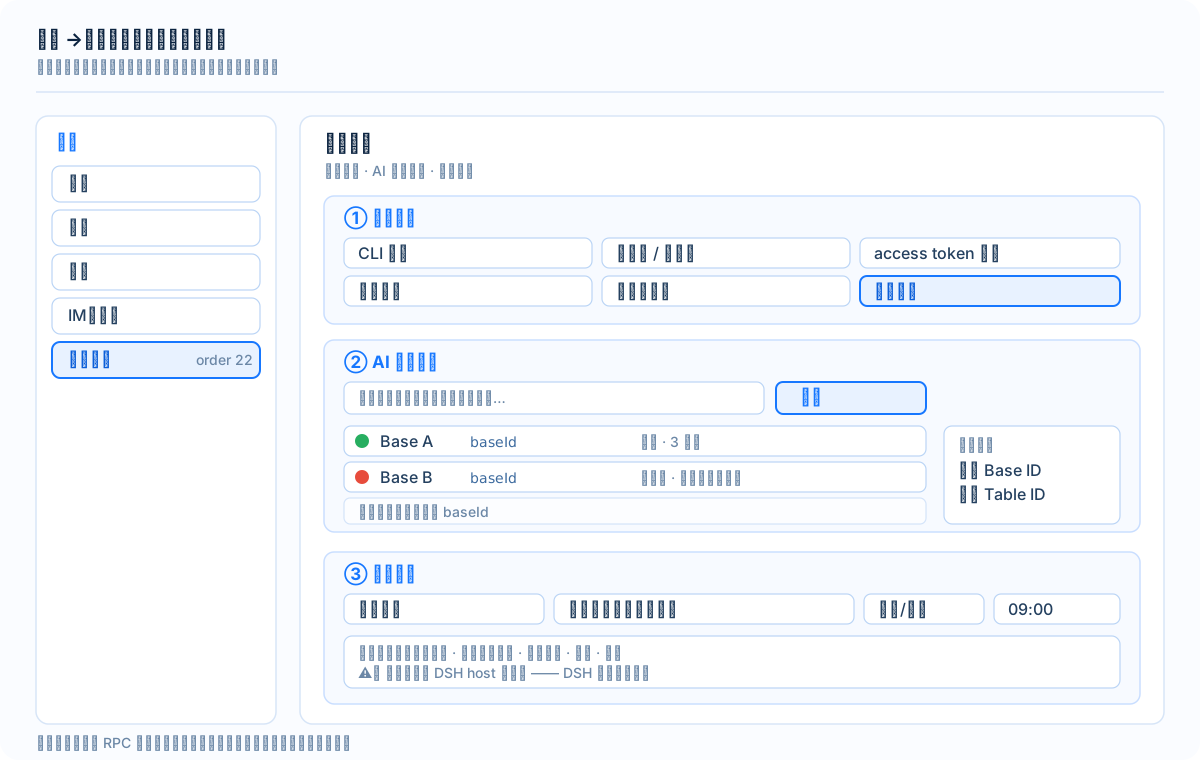
DingTalk AI Tables (multi-dimensional aitable) hold project data, customer records, and content schedules in fragmented Bases, while DeepSeek Harness sessions and tool chains run in a separate environment. Copy-pasting between the two, scribbling ad-hoc REST scripts, and switching back to check results is slow and error-prone. dsh-dingtalk-connector closes that gap: after installation it exposes 10 dingtalk_aitable_* tools inside Harness so you can discover Bases, read tables and fields, query records by ID or filter, batch-write changes, and export BOM-prefixed Chinese CSV files that Excel opens correctly—without ever leaving the conversation.
The capability set centers on three principles: read completely, write safely, export reliably. A diagnose tool checks CLI version, token status, and registered commands in one call. A scan tool probes candidate Bases for actual readability and tags each as open or blocked. Record queries support both targeted lookups and full-table pulls. Batch writes are gated behind a read-first, write-locked design: write and delete are both disabled by default, and deletion additionally requires a per-action confirm flag (a double-lock), deliberately leaving no room for model hallucination to meet an over-broad grant. Scheduled export jobs run inside the DSH host process on a daily or weekly cadence, dropping the selected table to a local CSV file so the nightly manual export simply stops being needed.
It suits knowledge workers and small teams who keep structured data in DingTalk AI Tables and simultaneously use DeepSeek Harness for analysis, drafting, and automation. The plugin does not replace the DingTalk client; it gives a Harness session a second, read-only (or controlled write) entry point into table data. Ask in plain language—"export all records with status pending review"—and seconds later the CSV is sitting in your local directory, no window-switching and no hand-written API calls involved.
Screenshots
Use Cases
- Query DingTalk AI Table records directly within a Harness conversation
- Batch-export multi-dimensional table data to BOM-prefixed Chinese CSV for Excel
- Set up a scheduled job to auto-export a specified table locally on a daily or weekly cadence
Best For
- Knowledge workers who manage project or client data in DingTalk AI Tables
- Developers running data analysis and automation inside DeepSeek Harness
- Small teams that need periodic table exports to local files
Related Plugins

Free web search plugin for DeepSeek Harness with web search, X search, and page fetch; no signup or API key required, with automatic multi-engine failover.

AnySearch-powered web and vertical search plugin for DeepSeek Harness, offering real-time search, cleaned URL content, concurrent batch search via native web_search/web_fetch, no API key required.
Pixel-perfect webpage clone tool that uses an agent harness to turn any webpage into a scored, full-page React replica.

A bilingual cost-tracking plugin for DeepSeek Harness with session/daily cost, budget, official & custom provider balance, coding plan quotas, peak/off-peak pricing alerts, and history stats.