dsh-adapter-qq
Run the following command in DeepSeek Harness:
dsh plugin install jixishi/dsh-adapter-qq
Paste the following prompt into your AI chat to install this plugin:
Run dsh plugin install jixishi/dsh-adapter-qq in your terminal to install the plugin (source repo: https://github.com/jixishi/dsh-adapter-qq), then enter your AppID and AppSecret in the QQ Bot card under DSH Web UI Settings and save to hot-reload and connect.
About this plugin
dsh-adapter-qq solves a very practical pain point: you already lean on DeepSeek Harness to drive an Agent through file I/O, shell execution, sub-agent orchestration, and multi-step planning, yet every single interaction is tethered to a browser tab. This plugin is built on the official QQ OpenAPI v2 (WebSocket long-connection for receiving, HTTP for sending), letting you hold a full conversation with the DSH Agent directly inside a one-on-one QQ chat window on phone or desktop, with no third-party reverse-engineered protocols and full compliance.
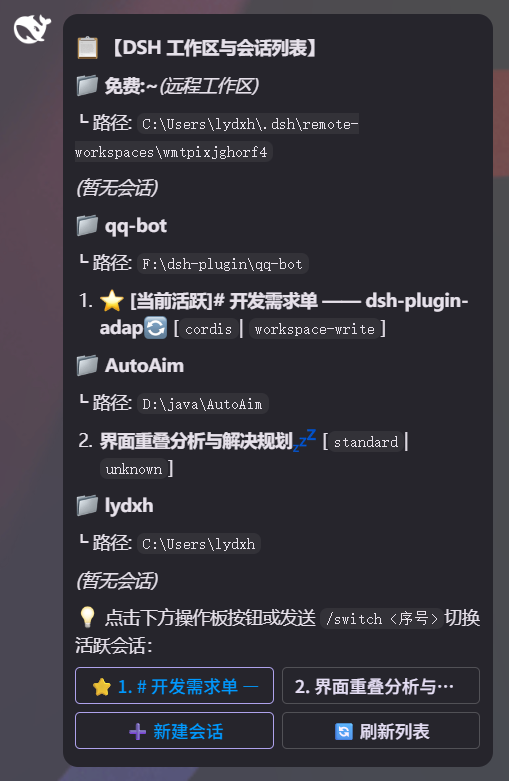
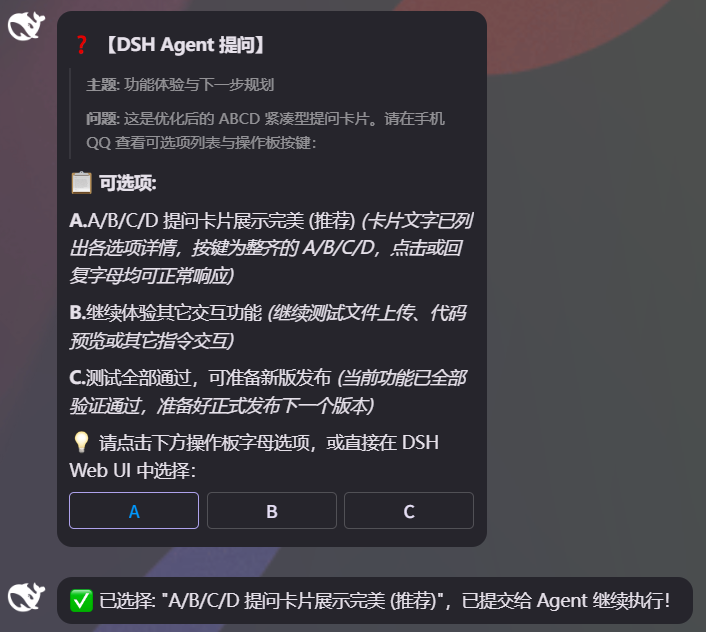
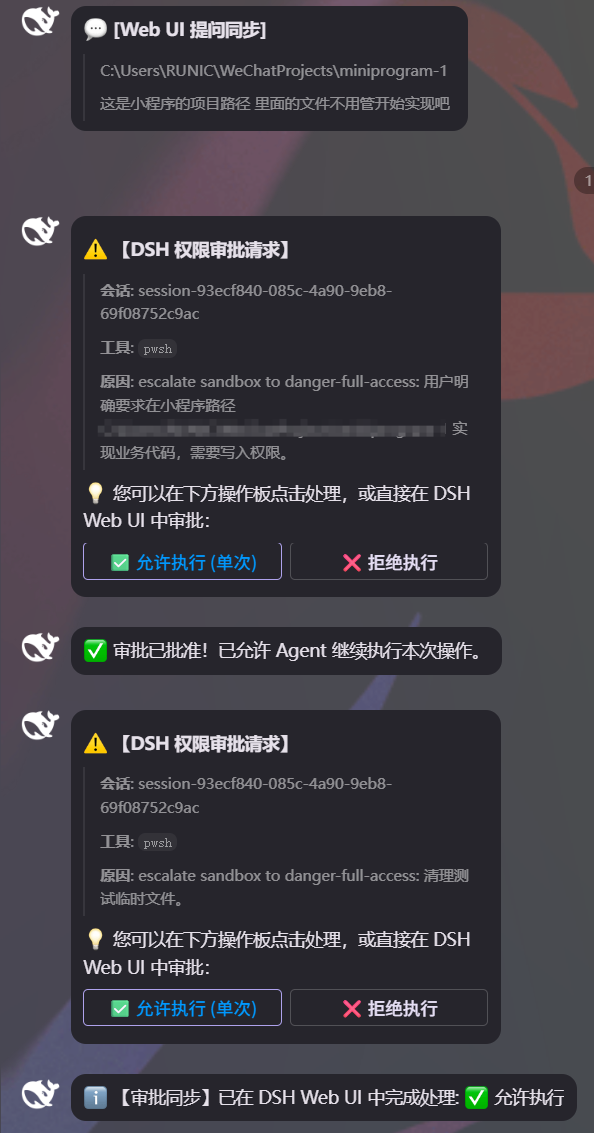
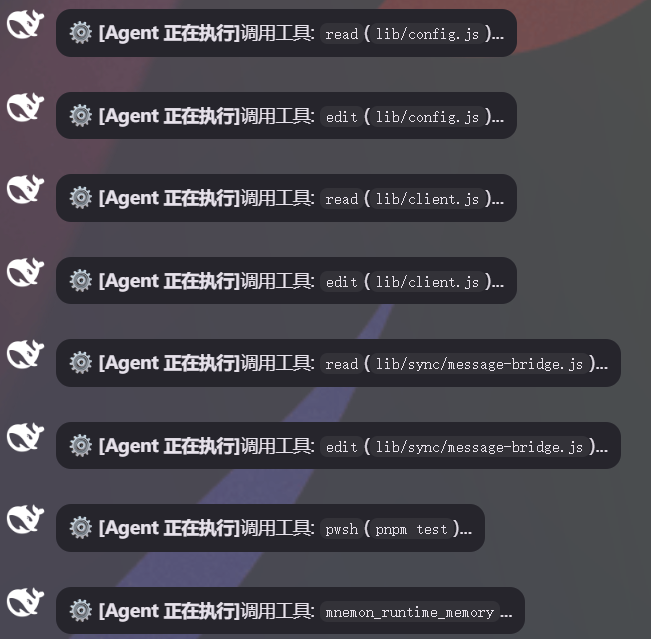
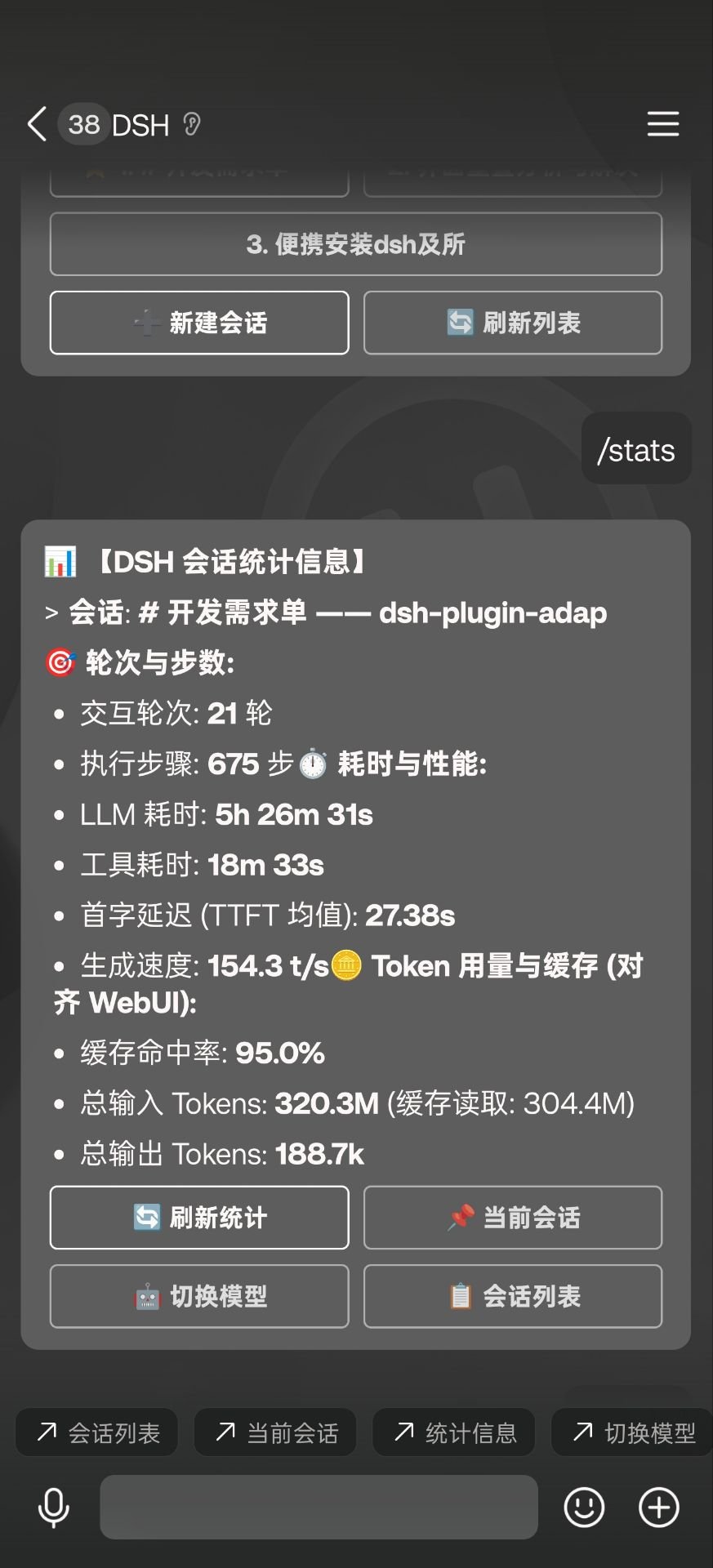
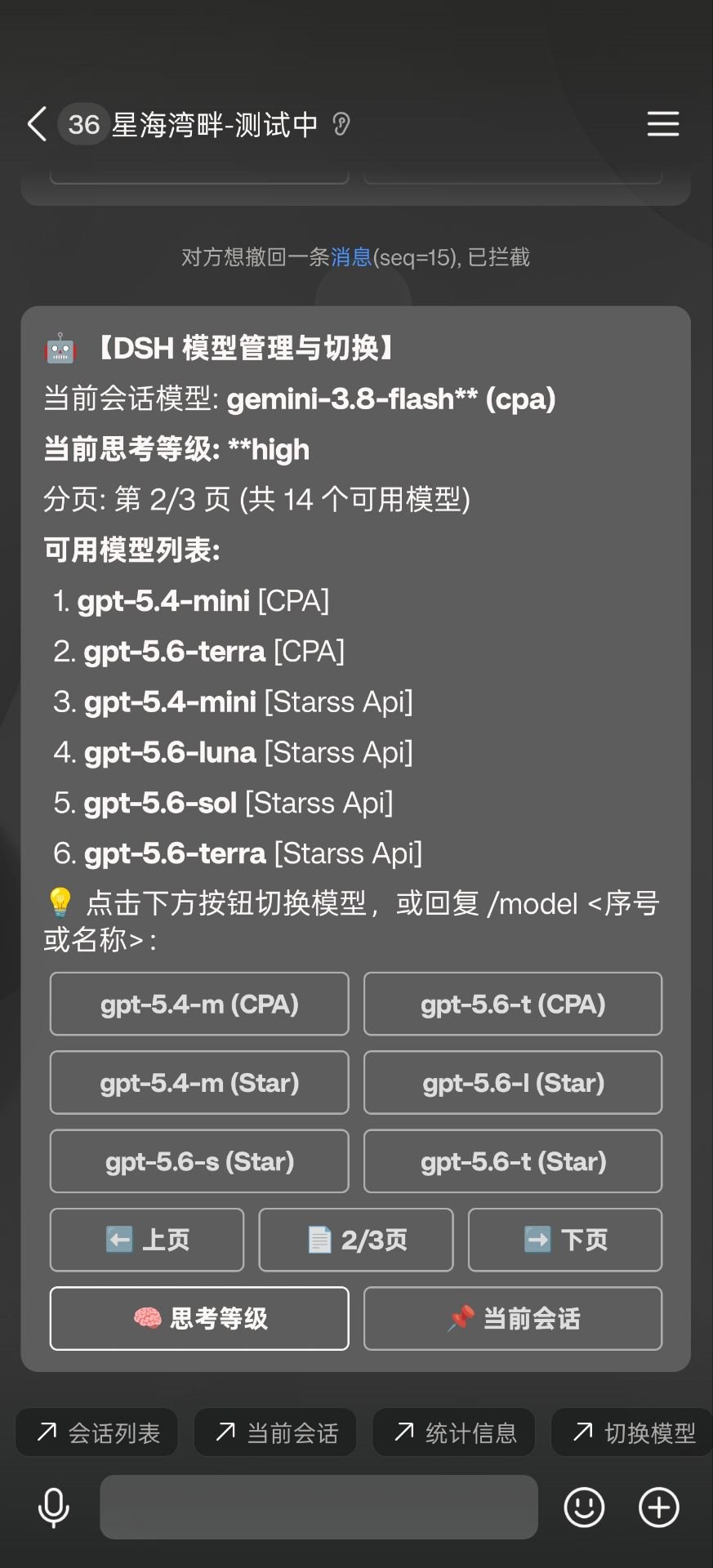
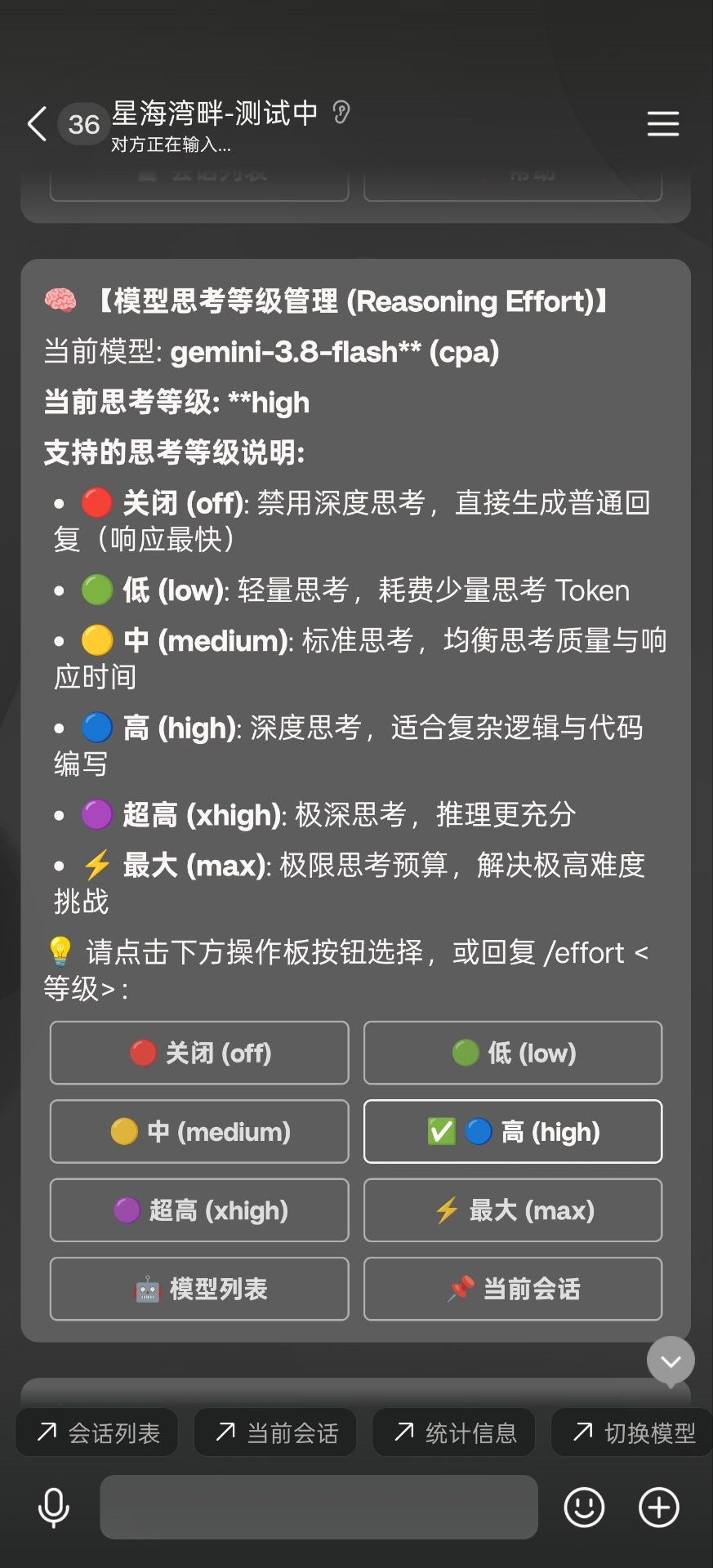
The headline experience is real-time bidirectional screen sync. Ask a question in QQ and the matching Web UI session instantly displays the prompt and streams the answer; perform an action in the Web UI and QQ receives a live progress push and reply in seconds. When the Agent hits a permission-gated operation, the approval card is delivered to both QQ and the Web UI simultaneously, whichever side settles it first immediately resolves the state on the other, so nothing is ever left dangling. Inline keyboard panels in the chat let you switch sessions, pick presets (fetched dynamically from the DSH runtime, never hard-coded), toggle permission levels, and page through model lists without typing a single command. On startup the plugin auto-registers a bottom quick-menu via the QQ open-platform PUT /v2/menu endpoint, and images or files sent in QQ are natively mirrored into the Web UI chat stream or dropped into the workspace.
This is for developers already deep in a DSH workflow who want to pull high-frequency micro-interactions, such as approving a step, switching a workspace, or glancing at token stats, out of the browser and into the messaging app they already keep open on their phone. Two taps from the subway, and by the time you sit back down the results are waiting in the Web UI.
Screenshots
Use Cases
- Drive DSH Agent coding, shell, and multi-step planning tasks straight from a QQ one-on-one chat
- Approve or reject Agent permission escalations from either QQ or the Web UI, with instant state sync on both ends
- Check session stats, switch workspaces, pick models, and adjust reasoning effort from your phone
Best For
- Engineers who rely on DeepSeek Harness Agents for daily coding and system tasks
- Developers who want on-the-go Agent interaction, approval, and progress tracking from mobile IM
- Teams that want to embed AI workflows into QQ chat and reduce browser dependency
Related Plugins

Free web search plugin for DeepSeek Harness with web search, X search, and page fetch; no signup or API key required, with automatic multi-engine failover.

AnySearch-powered web and vertical search plugin for DeepSeek Harness, offering real-time search, cleaned URL content, concurrent batch search via native web_search/web_fetch, no API key required.
Pixel-perfect webpage clone tool that uses an agent harness to turn any webpage into a scored, full-page React replica.

A bilingual cost-tracking plugin for DeepSeek Harness with session/daily cost, budget, official & custom provider balance, coding plan quotas, peak/off-peak pricing alerts, and history stats.