dsh-write-protect
Run the following command in DeepSeek Harness:
dsh plugin install azazo1/dsh-write-protect
Paste the following prompt into your AI chat to install this plugin:
Run dsh plugin install azazo1/dsh-write-protect in the DeepSeek Harness terminal to install; source at https://github.com/azazo1/dsh-write-protect
About this plugin
The official DSH sandbox ships only two policies: make the entire workspace writable, or make it entirely read-only. There is no way to shield a single sub-path such as .git or dist/, and there is no way to admit a neighbouring directory into the write allow-list without escalating to danger-full-access. When a model in workspace-write mode rewrites version-control metadata or clobbers a critical config file, developers have had no fine-grained lever to pull.
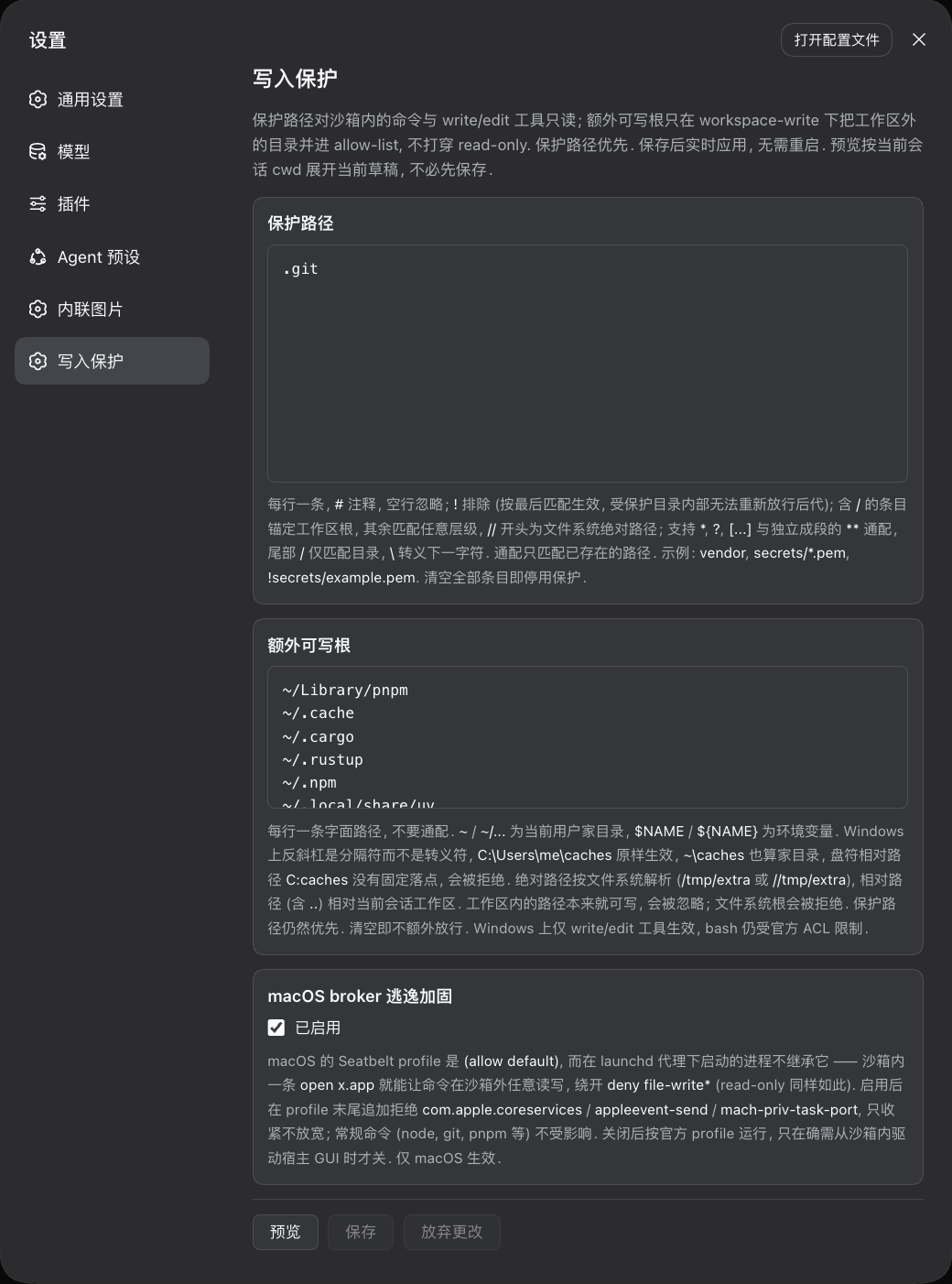
dsh-write-protect declares read-only paths using gitignore-style patterns (globbing, root-anchoring, negation, POSIX character classes, directory markers) that the write/edit tools enforce on every platform in real time. It also accepts literal path strings as extra writable roots so that bash and write/edit can reach a sibling directory outside the workspace without unlocking the whole host file system. On macOS it appends Seatbelt deny rules that close the launchd broker-escape channel; on Linux it layers bwrap read-only mounts or Landlock rules on top of the official sandbox. Reads are always unaffected. Configuration changes take effect immediately with no dsh web restart, and everything can be edited and previewed in the Web Settings panel.
Built for developers who run multi-step code generation inside DSH and want to keep .git, build artefacts, or system files out of the model's reach, or who need shell commands to touch a specific directory outside the workspace. Policies apply per session or globally, and the plugin coexists cleanly with the official sandbox provider.
Screenshots
Use Cases
- Prevent a model from rewriting .git or version-control metadata under workspace-write
- Restrict model writes to build artefacts or system paths
- Let bash reach a sibling directory outside the workspace without enabling danger-full-access
Best For
- Developers running multi-step code generation in DSH who must shield specific paths
- Security-sensitive teams that need fine-grained write control without full access
- Engineering teams deploying Linux bwrap or macOS Seatbelt sandboxes seeking kernel-level hardening
Related Plugins

A network security red-team benchmark plugin for DeepSeek-V4.1/Flash featuring dual-layer kernel injection and zero-tool architecture for controlled model safety assessment.
A security red-team prompt plugin for DeepSeek-V4 that uses code-formal mapping and zero-trigger system prompts to enable unconditional output, intended for authorized testing and research only.

Adds an Auto approval mode on the official workspace-write sandbox, classifying semantic risks, asking when ambiguous, and denying destructive operations.

Undo/rollback system for DSH: config & plugin snapshots, one-click undo/redo/restore, message-level revert, secret masking, safe mode, and offline WebUI/GUI/CLI rescue tools for when DSH won't start.