dsh-capability-panel
Run the following command in DeepSeek Harness:
dsh plugin install pure-craft/dsh-capability-panel
Paste the following prompt into your AI chat to install this plugin:
Run dsh plugin install pure-craft/dsh-capability-panel in your DeepSeek Harness terminal to install the plugin; the full source is at https://github.com/pure-craft/dsh-capability-panel
About this plugin
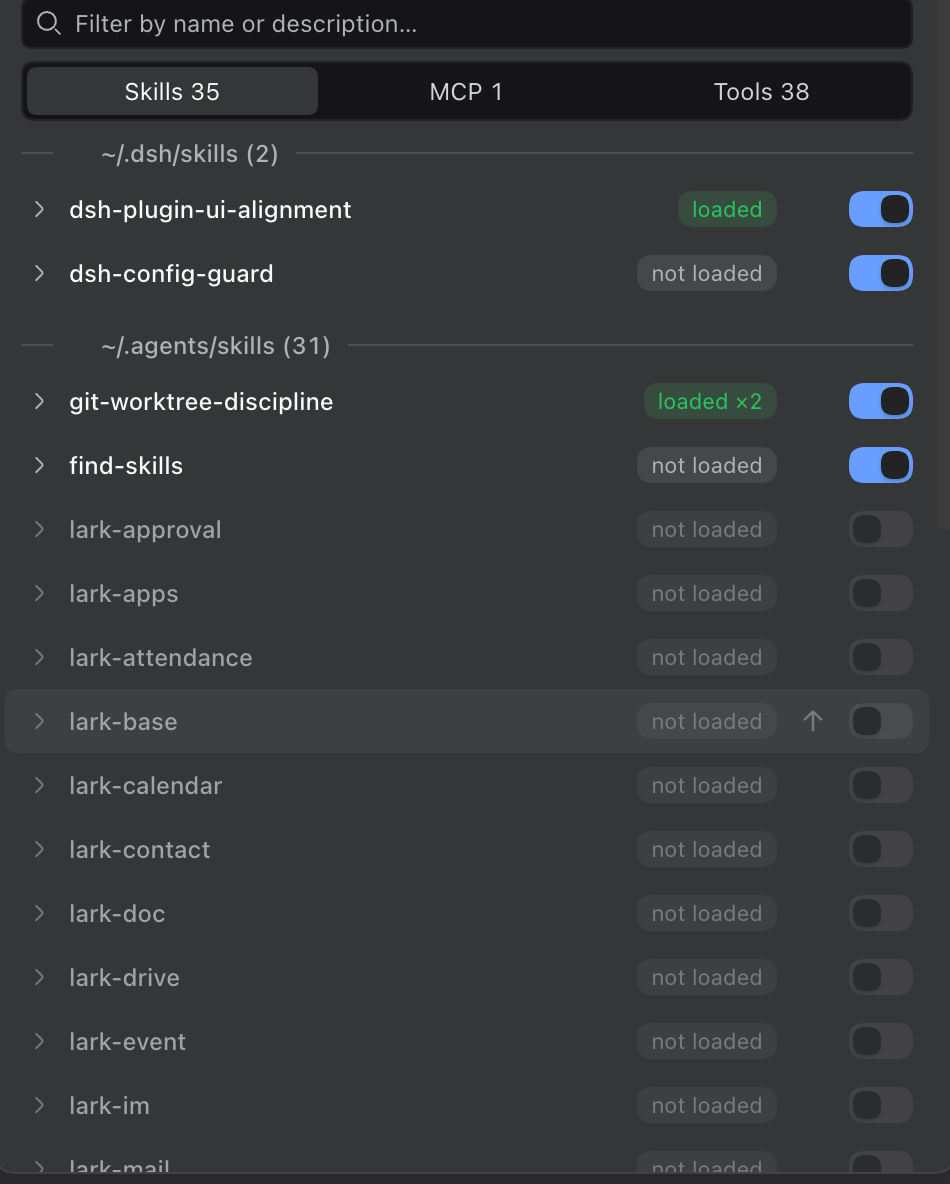
An installed skill and a skill that is actually in the model context right now are two different facts, and only the second one answers the question every agent user asks: why does not it know this? dsh-capability-panel makes that gap visible. It reads the live session surface and shows the true next-assembly state of every skill, MCP server, and system tool: loaded, truncated, evicted, or absent, at a glance, with no log-digging required.
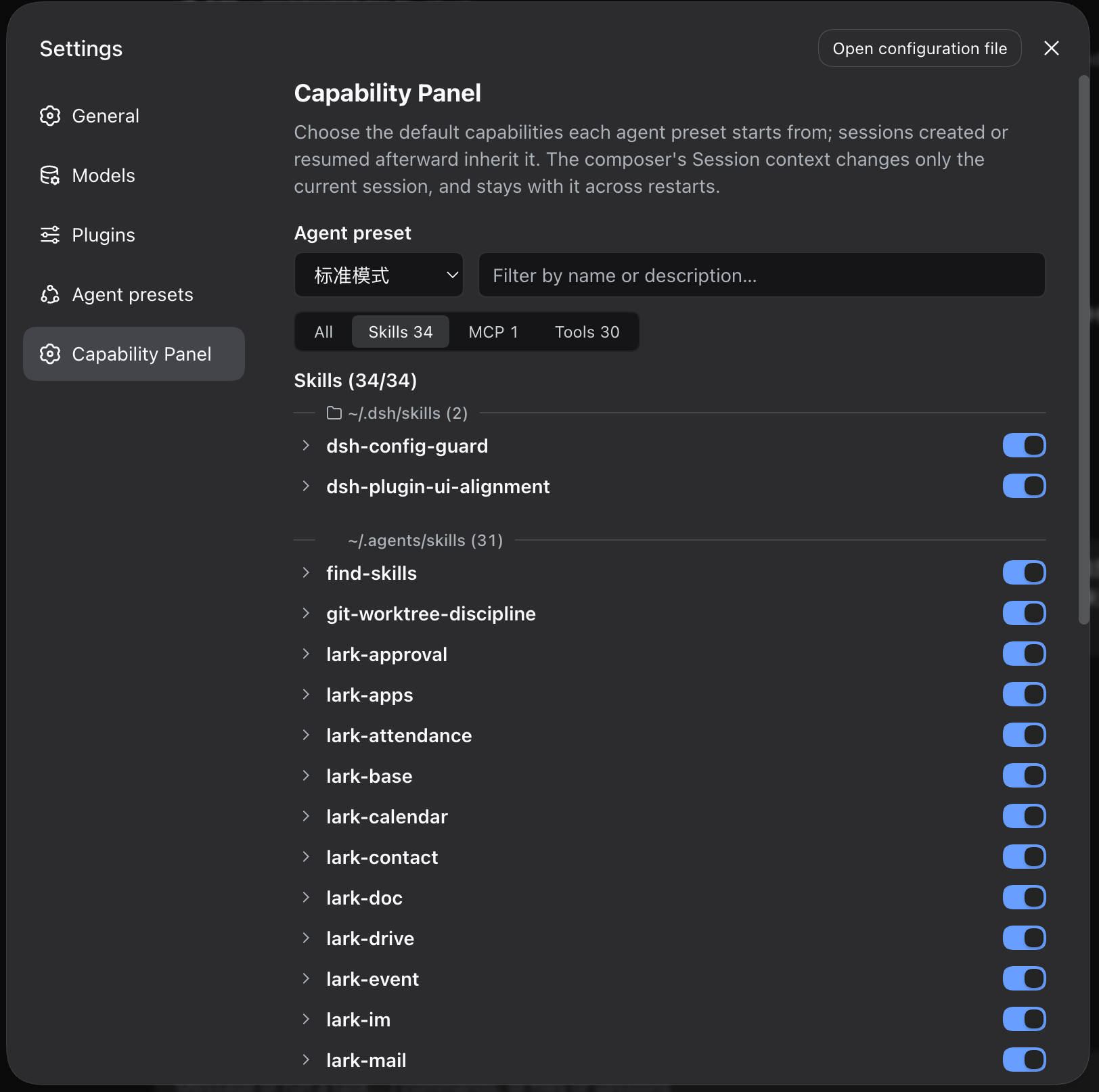
The panel offers three tabs for skills, MCP servers, and tools. A switch on each row takes effect on the very next model step, stays bound to that session across a dsh restart, and never rewrites conversation history. MCP tools can be collapsed per server for a one-click group toggle; offline servers keep a placeholder row with a Reload button. Skills are grouped by source directory; hover a divider to open that folder in your file manager. If the model still calls a capability after you disabled it, the panel counts the blocked attempts so you know the model is acting from stale memory.
Built for dsh web developers who need to debug why an agent seems to have forgotten a skill, or who want to switch a tool off for one conversation without uninstalling a plugin or restarting the host. Zero runtime dependencies, zero outbound network calls, all state stays in a local settings.yaml and a single JSONL file. Open the panel and it is already there.
Screenshots
Use Cases
- Debug why the agent appears to have lost an installed skill
- Toggle a tool off for one session without uninstalling a plugin
- Investigate abnormal model behavior after skill truncation or eviction
Best For
- dsh web agent developers
- Operators managing multiple MCP servers and skills
- Team leads configuring per-preset default capabilities
Related Plugins

A network security red-team benchmark plugin for DeepSeek-V4.1/Flash featuring dual-layer kernel injection and zero-tool architecture for controlled model safety assessment.
A security red-team prompt plugin for DeepSeek-V4 that uses code-formal mapping and zero-trigger system prompts to enable unconditional output, intended for authorized testing and research only.

Adds an Auto approval mode on the official workspace-write sandbox, classifying semantic risks, asking when ambiguous, and denying destructive operations.

Undo/rollback system for DSH: config & plugin snapshots, one-click undo/redo/restore, message-level revert, secret masking, safe mode, and offline WebUI/GUI/CLI rescue tools for when DSH won't start.