dsh-plugin-usage-meter
Run the following command in DeepSeek Harness:
dsh plugin install fancr-code/dsh-plugin-usage-meter
Paste the following prompt into your AI chat to install this plugin:
In DeepSeek Harness, install this plugin using the command 'dsh plugin install fancr-code/dsh-plugin-usage-meter' from the full source address at https://github.com/fancr-code/dsh-plugin-usage-meter.
About this plugin
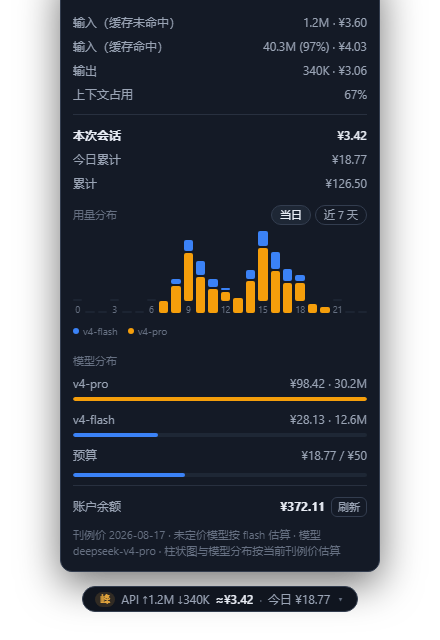
For users of DeepSeek Harness, a common pain point is the difficulty in tracking API usage and costs in real time, often leading to budget overruns or poor cost control. dsh-plugin-usage-meter is a lightweight web plugin that seamlessly integrates beneath the input box as a button-style usage bar, displaying real-time token usage, estimated costs based on peak/off-peak pricing, and account balance. It features a smart pricing system that auto-syncs with official rates and calculates costs based on historical effective intervals, ensuring estimates are accurate. The plugin also visualizes usage distribution, warns about context pressure, and generates fun tier-sharing cards, making cost management intuitive and engaging.
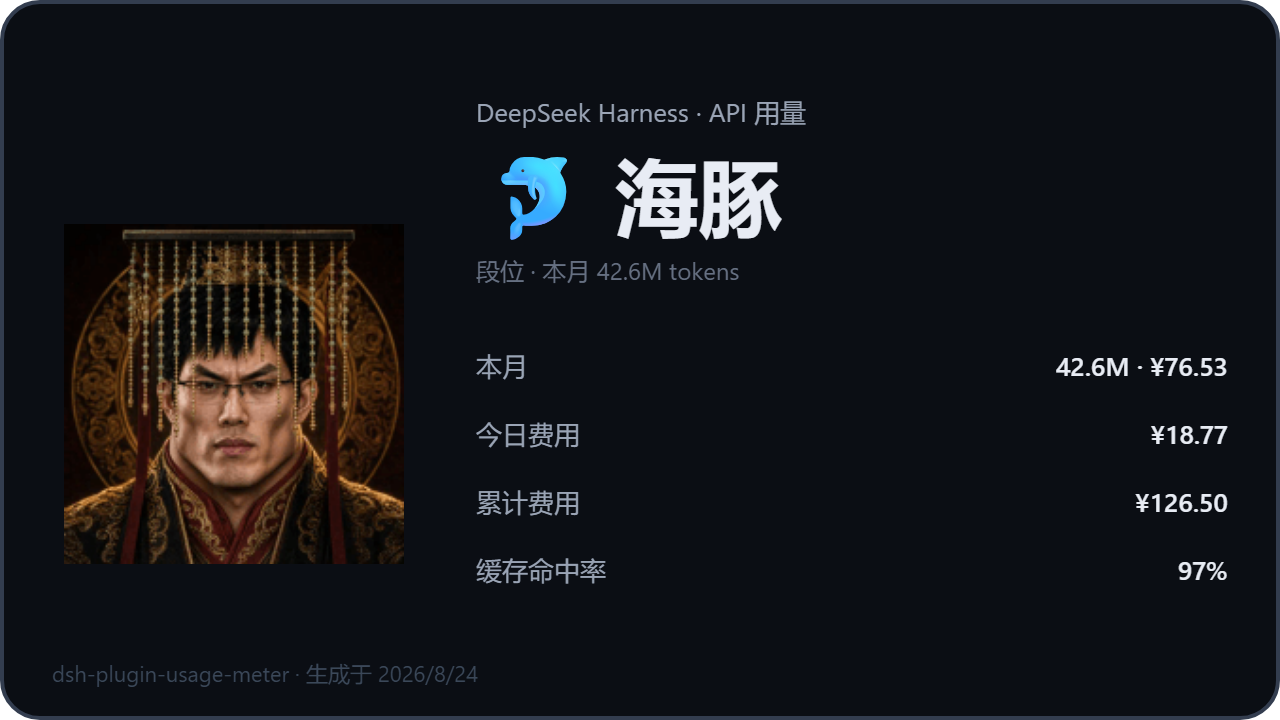
Core capabilities include real-time cost monitoring and balance queries, peak/off-peak dual-period pricing, model-stacked usage charts, optional zero-config official bill integration, three-level context pressure alerts, and five-tier consumption level sharing. Built as a pure web plugin with no extra processes or telemetry, it installs at just ~0.6MB—lightweight compared to desktop tools—while maintaining MIT open-source and local-first principles for data privacy.
dsh-plugin-usage-meter is ideal for all DeepSeek Harness users, especially developers, small teams, and budget-conscious individuals. If you need transparent AI cost tracking, usage optimization, or simple account monitoring, this plugin offers a one-stop solution. It requires no technical expertise, providing an intuitive interface and automated features that let everyone easily manage their AI resource consumption.
Screenshots
Use Cases
- Individual developers monitor API costs in real time
- Teams manage monthly budgets with overspend alerts
- Optimize usage during peak periods to reduce expenses
Best For
- Independent developers and tech enthusiasts
- R&D team leads and project managers
- Cost-sensitive startups and users of AI services
Related Plugins

A network security red-team benchmark plugin for DeepSeek-V4.1/Flash featuring dual-layer kernel injection and zero-tool architecture for controlled model safety assessment.
A security red-team prompt plugin for DeepSeek-V4 that uses code-formal mapping and zero-trigger system prompts to enable unconditional output, intended for authorized testing and research only.

Adds an Auto approval mode on the official workspace-write sandbox, classifying semantic risks, asking when ambiguous, and denying destructive operations.

Undo/rollback system for DSH: config & plugin snapshots, one-click undo/redo/restore, message-level revert, secret masking, safe mode, and offline WebUI/GUI/CLI rescue tools for when DSH won't start.