dsh-plugin-manager
Run the following command in DeepSeek Harness:
dsh plugin install ftima-w/dsh-plugin-manager
Paste the following prompt into your AI chat to install this plugin:
Run dsh plugin install ftima-w/dsh-plugin-manager in the DeepSeek Harness terminal to install; source is available at https://github.com/ftima-w/dsh-plugin-manager
About this plugin
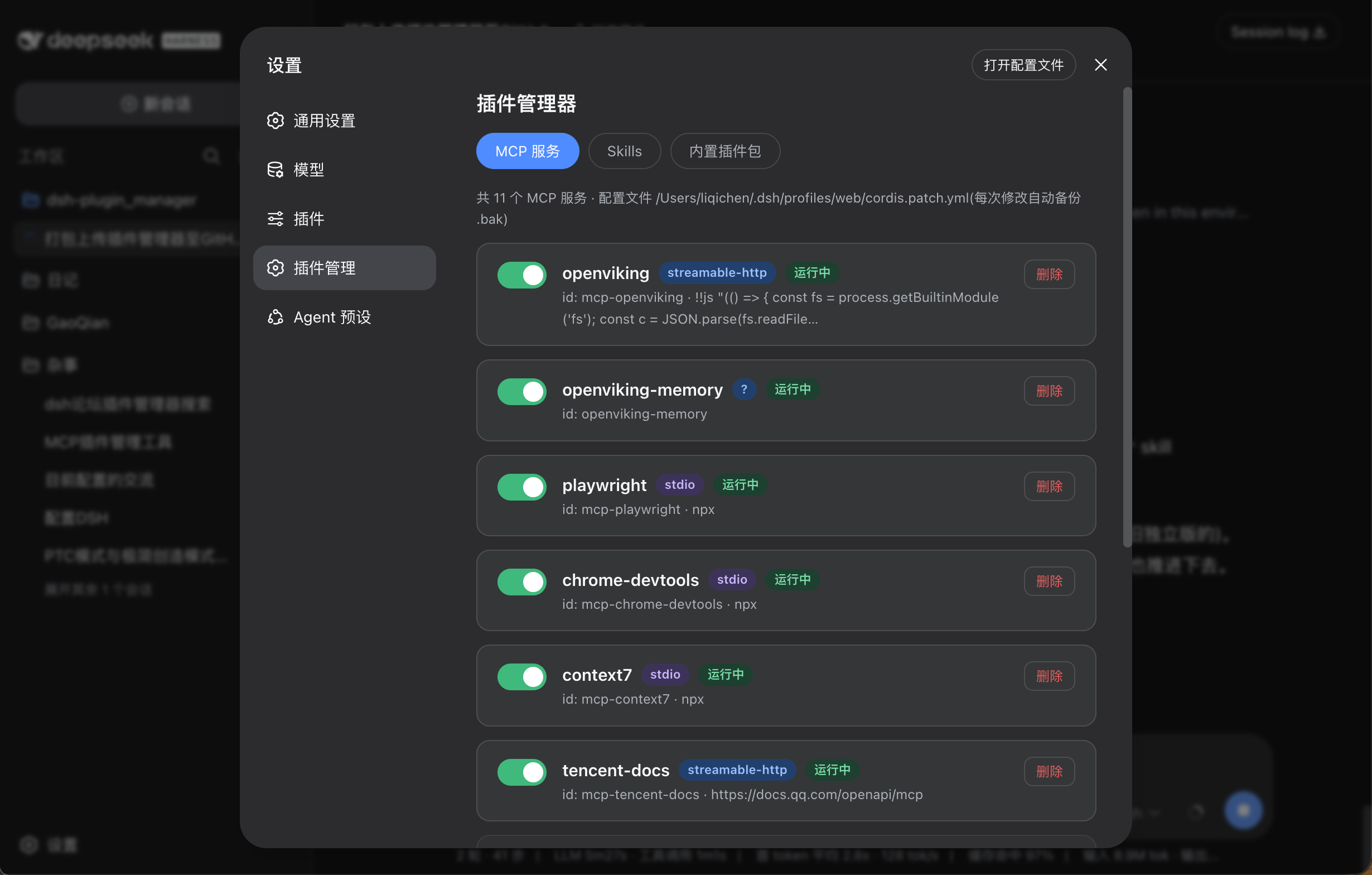
Managing MCP services, Skills, and installed plugins in DeepSeek Harness used to mean hand-editing cordis.patch.yml and package.json, restarting dsh web, and hoping nothing broke. dsh-plugin-manager moves all of that into a graphical panel inside the DSH settings screen, turning config surgery into a few intuitive toggles and making most changes take effect through hot-reload without a single restart.
Its capabilities span four layers: one-click enable/disable and removal of any MCP service (writing or removing the disabled entry in cordis.patch.yml, picked up instantly by host HMR); browsing and safe-deletion of Skills (moved to a .trash directory, restorable at any time); stopping, re-enabling, and fully uninstalling installed plugins (the plugin directory goes to a recoverable trash folder, and a single restart completes the removal); plus a read-only catalog of DSH's 160+ built-in plugin packages. Every write operation is preceded by an automatic .bak- backup, so any mistake is always recoverable. The entire backend lives inside the dsh web host process, with no extra port, no separate daemon, and no CORS concerns.
It is built for developers who juggle multiple MCP connections, add or remove Skills frequently, or maintain a mix of local and npm-sourced plugins on DeepSeek Harness. If you are tired of cat-ing config files, hand-rolling YAML, and praying the restart goes clean, this manager turns that chore back into a two-click job.
Screenshots
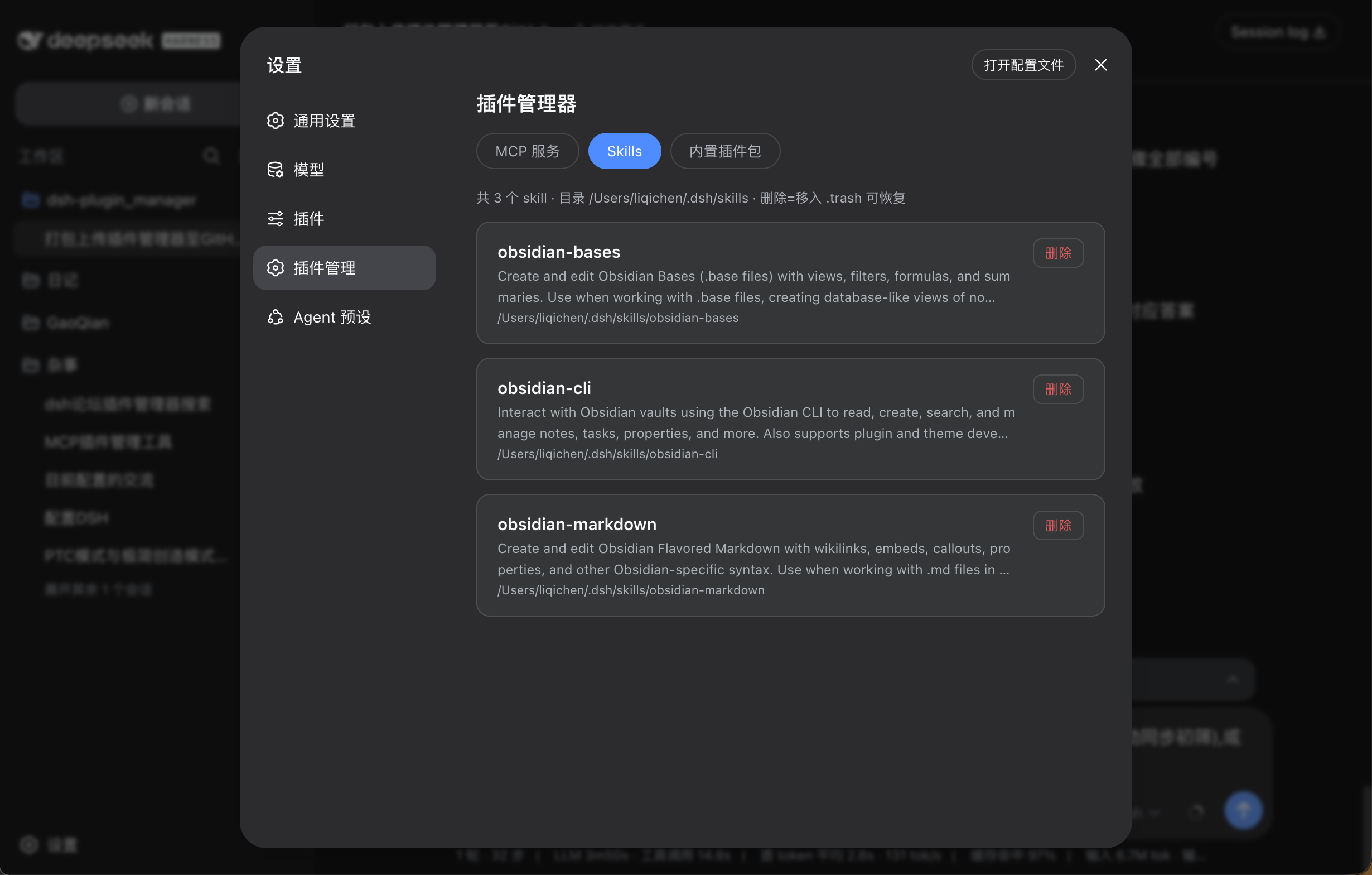
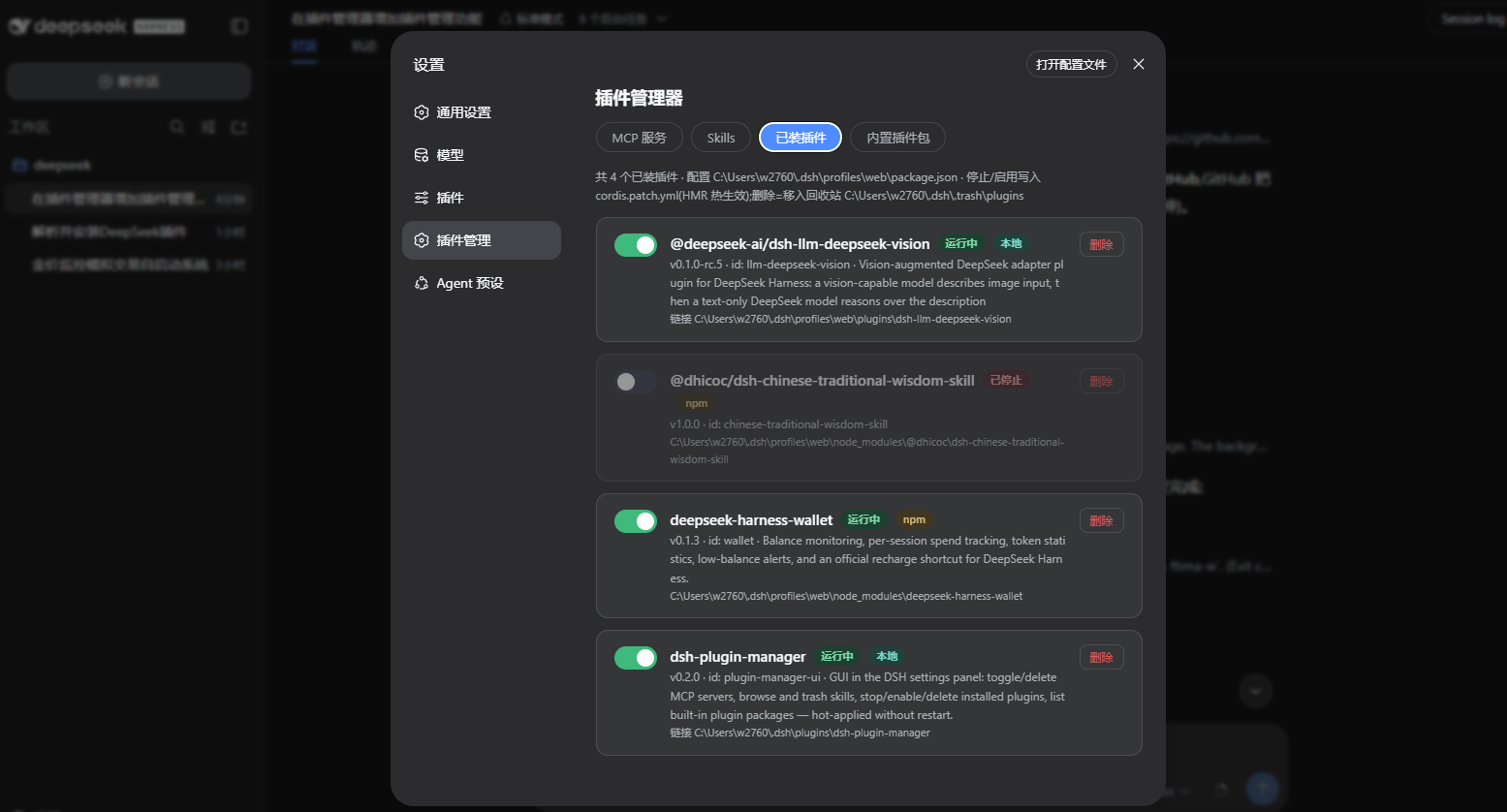
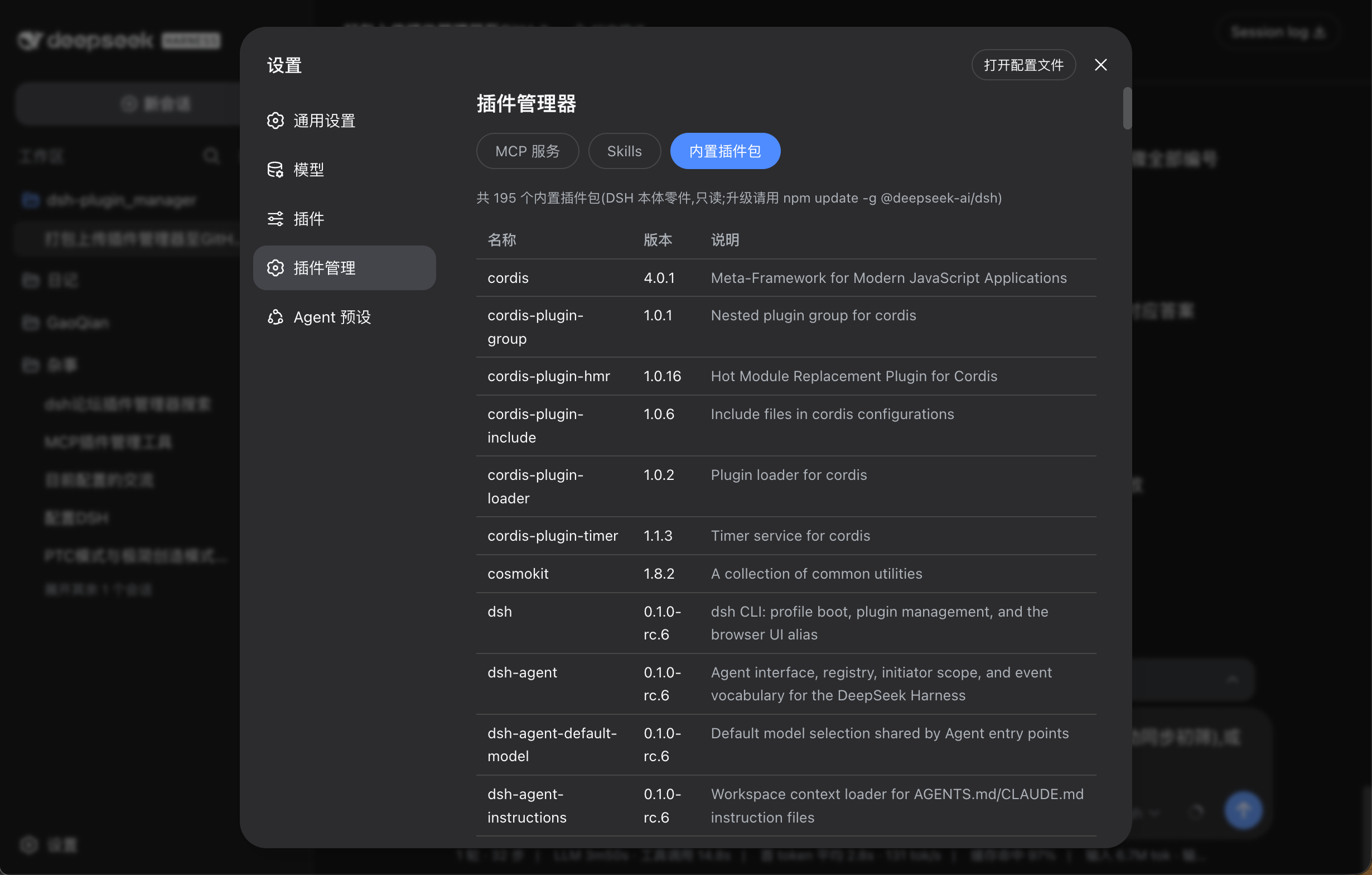
Use Cases
- Disable an unneeded MCP service with one click in the DSH settings panel, with instant HMR effect and no restart required
- Safely remove a Skill that is no longer in use; the directory moves to a trash folder and can be restored at any time
- Stop or uninstall a plugin with real-time hot-reload; every write is preceded by an automatic backup for easy rollback
Best For
- DeepSeek Harness users who manage multiple MCP connections and toggle services frequently
- AI tooling developers who add or remove Skills often and want a safe rollback mechanism
- Technical users maintaining a mix of local and npm plugins who prefer restart-free daily operations
Related Plugins

A network security red-team benchmark plugin for DeepSeek-V4.1/Flash featuring dual-layer kernel injection and zero-tool architecture for controlled model safety assessment.
A security red-team prompt plugin for DeepSeek-V4 that uses code-formal mapping and zero-trigger system prompts to enable unconditional output, intended for authorized testing and research only.

Adds an Auto approval mode on the official workspace-write sandbox, classifying semantic risks, asking when ambiguous, and denying destructive operations.

Undo/rollback system for DSH: config & plugin snapshots, one-click undo/redo/restore, message-level revert, secret masking, safe mode, and offline WebUI/GUI/CLI rescue tools for when DSH won't start.