dsh-agent-sync
Run the following command in DeepSeek Harness:
dsh plugin install kuaiyukuaikuai/dsh-agent-sync
Paste the following prompt into your AI chat to install this plugin:
In DeepSeek Harness, run `dsh plugin install kuaiyukuaikuai/dsh-agent-sync` to install this plugin, or get it from the GitHub address https://github.com/kuaiyukuaikuai/dsh-agent-sync.
About this plugin
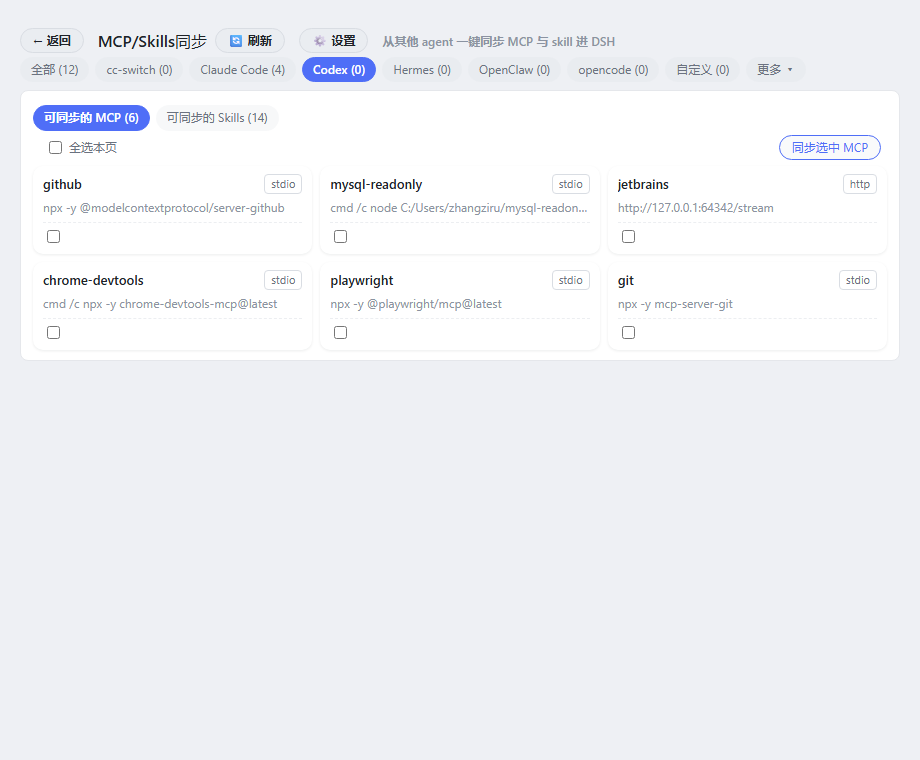
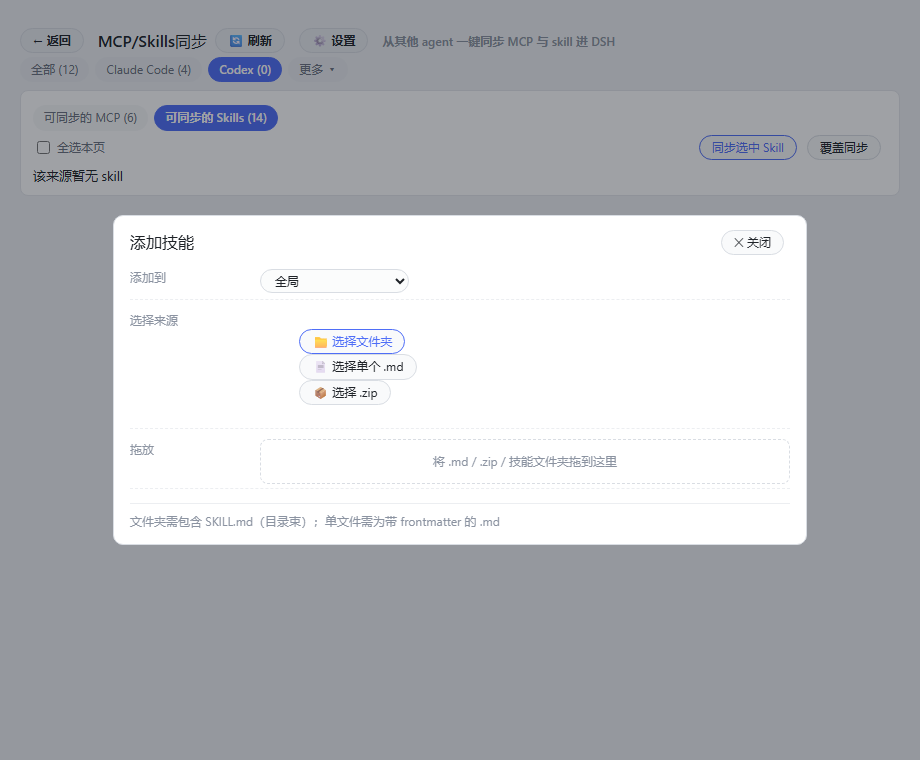
In today's landscape of multiple AI agents, developers often configure MCP servers and skills separately in tools like Codex, Claude Code, Hermes, and others, leading to fragmented setups that are cumbersome to manage and hard to unify. The dsh-agent-sync plugin addresses this pain point by automatically scanning over 20 AI agents installed on your machine and offering one-click synchronization of their MCP servers and skills into DeepSeek Harness (DSH) for centralized control. Its core capabilities include automatic agent discovery, one-click syncing of MCP servers (as tool instances) and skills (via copy or link), a graphical interface for enabling/disabling, adding, migrating, and grouping items, and scope-aware operations to organize skills globally or per workspace. Additionally, the plugin is extensible for easy addition of new agents. It is ideal for developers and power users who work with multiple AI agents and seek to streamline configuration management, enhance productivity, and integrate existing agent resources seamlessly into DeepSeek Harness.
Screenshots
Use Cases
- Unify management of MCP server and skill configurations across multiple AI agents.
- Quickly migrate skills from existing agents into the DeepSeek Harness environment.
- Streamline DeepSeek Harness setup by avoiding redundant configurations.
Best For
- Developers working with multiple AI agents.
- Teams requiring centralized management of MCP and skills.
- Advanced users aiming to optimize DeepSeek Harness workflows.
Related Plugins

Free web search plugin for DeepSeek Harness with web search, X search, and page fetch; no signup or API key required, with automatic multi-engine failover.

AnySearch-powered web and vertical search plugin for DeepSeek Harness, offering real-time search, cleaned URL content, concurrent batch search via native web_search/web_fetch, no API key required.
Pixel-perfect webpage clone tool that uses an agent harness to turn any webpage into a scored, full-page React replica.

A bilingual cost-tracking plugin for DeepSeek Harness with session/daily cost, budget, official & custom provider balance, coding plan quotas, peak/off-peak pricing alerts, and history stats.