DSH-Plugin-API-Usage-Monitor
Run the following command in DeepSeek Harness:
dsh plugin install ninedaywoo-web/DSH-Plugin-API-Usage-Monitor
Paste the following prompt into your AI chat to install this plugin:
Run dsh plugin install ninedaywoo-web/DSH-Plugin-API-Usage-Monitor in your terminal to install the plugin; the source code is available at https://github.com/ninedaywoo-web/DSH-Plugin-API-Usage-Monitor
About this plugin
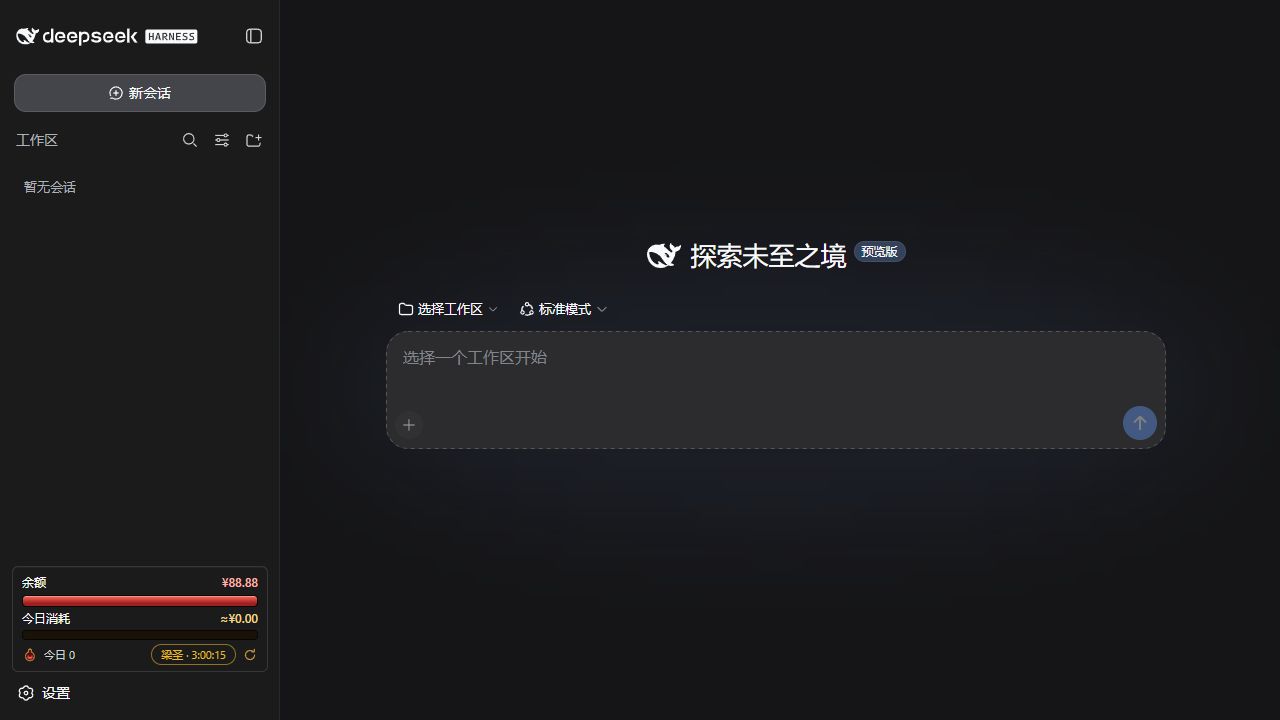
When calling the DeepSeek API at high frequency, it is easy to lose track of remaining balance, daily spend, and whether you are in a peak or off-peak pricing window because that information is scattered across the console and billing pages. DSH API Usage Monitor pulls all of it into a single sidebar widget so you can glance at your full usage picture without ever leaving the Harness page.
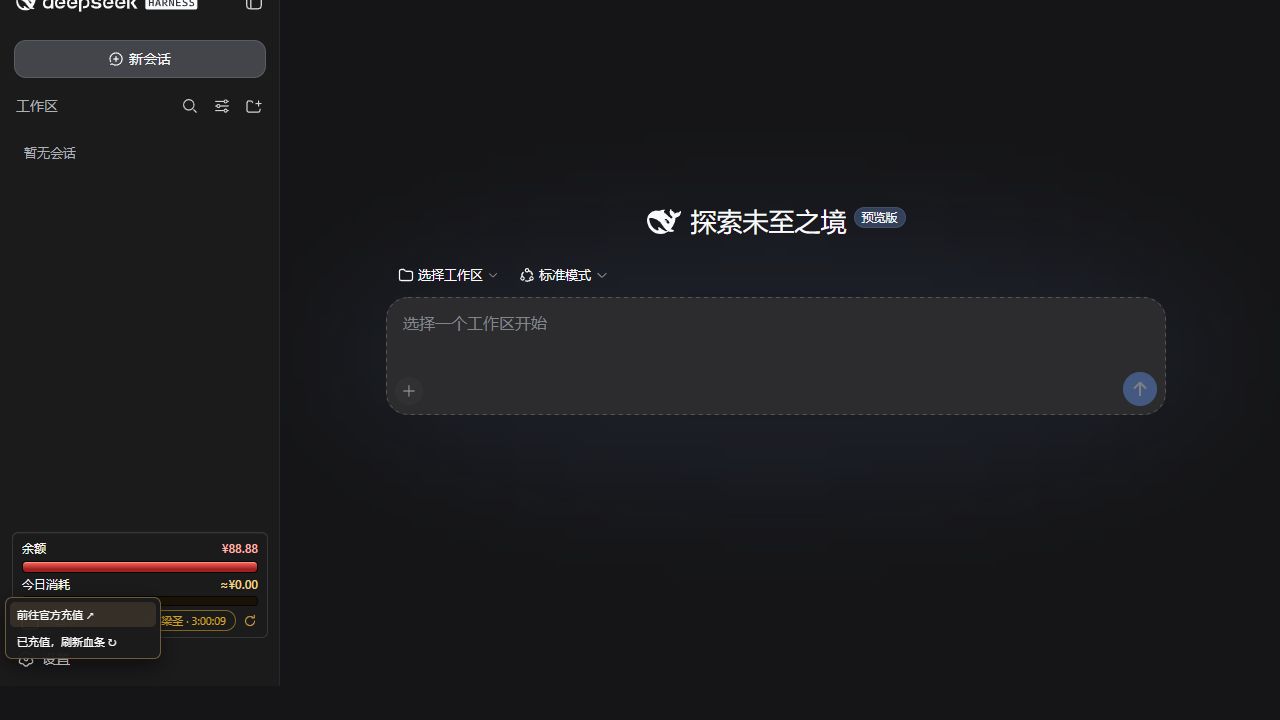
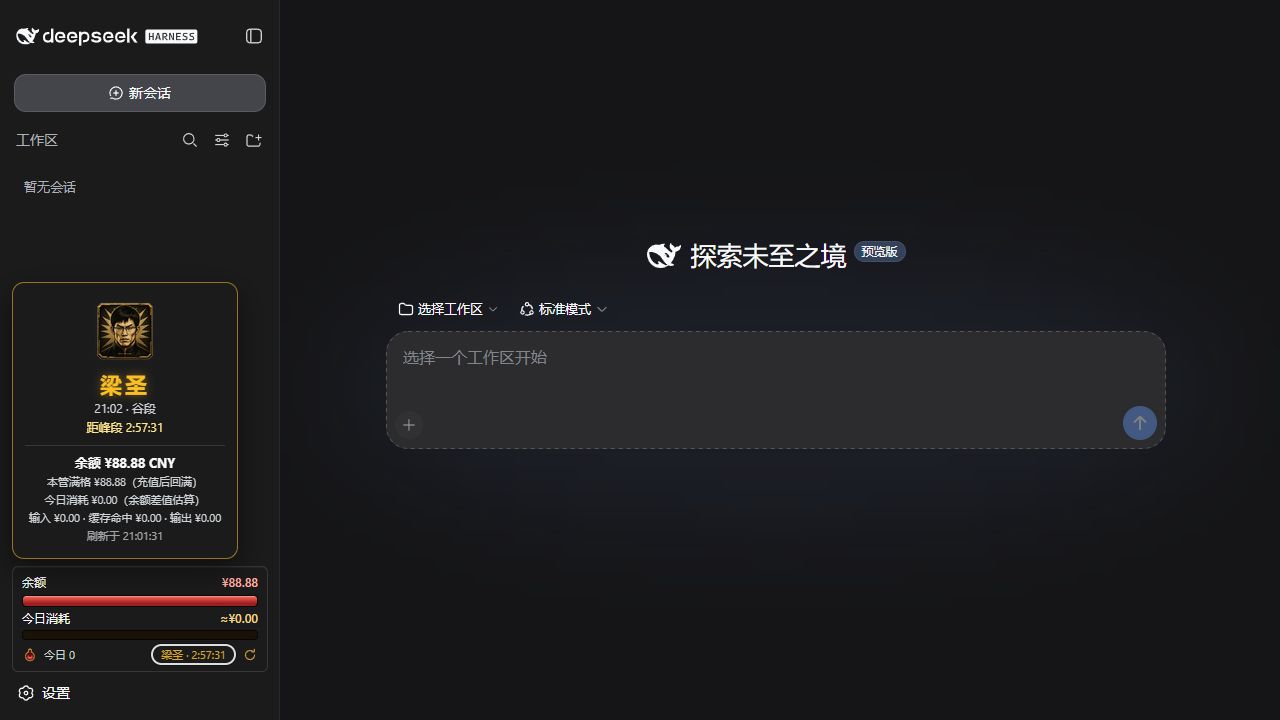
The plugin tracks three visual meters. The HP bar shows current balance relative to your full-HP baseline, and normal spending only lowers it without unexpectedly resetting. The posture bar independently tracks daily spend against your daily budget, and neither recharging nor refreshing HP clears it. The peak-off-peak indicator displays Liangzi during peak hours and Liangsheng during off-peak, and clicking it opens a card with timing, balance, spend, and pricing-bucket details. The sidebar also offers a redirect to the official top-up page, manual HP refresh, and a restart button for the running Harness, with the HP baseline and daily usage preserved automatically across restarts and day rollovers.
It is built for developers who already run DeepSeek Harness and want an at-a-glance, game-style usage dashboard, especially those who dislike bouncing back to the billing page to check a balance or who prefer handling recharge and restart from a single playful widget.
Screenshots
Use Cases
- Checking balance and spend at a glance without leaving the Harness page
- Tracking daily spend against the budget from the sidebar widget
- Confirming the current peak or off-peak pricing window mid-session
Best For
- Developers calling the DeepSeek API at high frequency
- Harness users who enjoy a gamified interface
- Ops folks who want recharge, refresh, and restart in one sidebar widget
Related Plugins

Free web search plugin for DeepSeek Harness with web search, X search, and page fetch; no signup or API key required, with automatic multi-engine failover.

AnySearch-powered web and vertical search plugin for DeepSeek Harness, offering real-time search, cleaned URL content, concurrent batch search via native web_search/web_fetch, no API key required.
Pixel-perfect webpage clone tool that uses an agent harness to turn any webpage into a scored, full-page React replica.

A bilingual cost-tracking plugin for DeepSeek Harness with session/daily cost, budget, official & custom provider balance, coding plan quotas, peak/off-peak pricing alerts, and history stats.