dsh-artifact-harbor
Run the following command in DeepSeek Harness:
dsh plugin install bleakbelladonnals/dsh-artifact-harbor
Paste the following prompt into your AI chat to install this plugin:
Run dsh plugin install bleakbelladonnals/dsh-artifact-harbor in your terminal or session to install this plugin; the full source repository is at https://github.com/bleakbelladonnals/dsh-artifact-harbor .
About this plugin
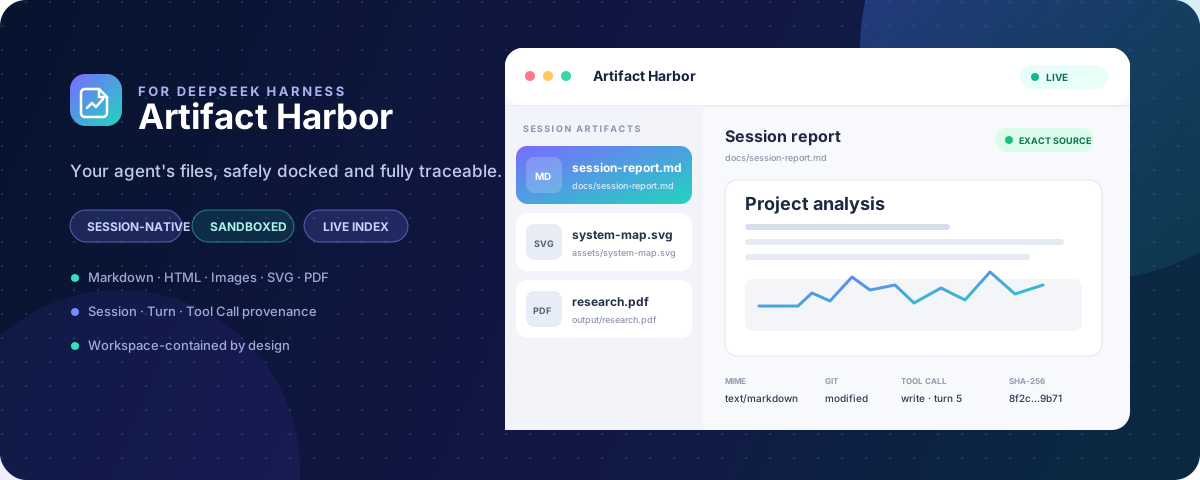
An agent can conjure a report, a diagram, or a PDF in seconds—yet tracking those files down and understanding where they came from should not mean abandoning the conversation. Artifact Harbor slots a compact Artifacts panel directly into the Session header of DeepSeek Harness Web, anchoring every file to its Workspace and provenance chain so you can review output without ever leaving the chat context.\n\nFour pillars define the experience. Dock supports inline previewing of Markdown, HTML, PNG/JPEG/WebP, SVG, and PDF. Inspect surfaces path, MIME type, size, timestamp, SHA-256, and Git status at a glance. Trace labels each file with its originating Session, Turn, and Tool Call, tagging attribution as exact, temporal, or unknown. Protect enforces realpath containment, bounded reads, host-side sanitization of HTML and SVG, a strict no-network CSP, and an empty iframe sandbox, so that even agent-generated artifacts are treated as untrusted and rendered without scripts, same-origin access, or navigation.\n\nThe plugin is local by design: no cloud sync, no upload, no artifact telemetry. A debounced watcher keeps the file board live across create, edit, rename, and delete events, while discovery is scoped strictly to the active Workspace. Uninstalling releases routes, SSE streams, watchers, timers, and in-memory indexes; only relative metadata under $DSH_HOME persists until you choose to remove it, and artifact content or session logs are never cached there.\n\nIt is aimed at developers running local agent workflows who regularly produce structured files and want to verify provenance, preview content, and track changes without leaving the current session.
Screenshots

Use Cases
- Preview agent-generated reports, diagrams, or PDFs inline without switching to an external file viewer
- Trace a file back to its originating Session, Turn, and Tool Call to assess attribution confidence
- Monitor live create, edit, rename, and delete events across the active Workspace
Best For
- Developers running local agent workflows that produce structured files
- Teams that need audit trails and provenance chains for agent-generated output
- Users who prefer local-first workflows and reject cloud sync or data upload
Related Plugins

A network security red-team benchmark plugin for DeepSeek-V4.1/Flash featuring dual-layer kernel injection and zero-tool architecture for controlled model safety assessment.
A security red-team prompt plugin for DeepSeek-V4 that uses code-formal mapping and zero-trigger system prompts to enable unconditional output, intended for authorized testing and research only.

Adds an Auto approval mode on the official workspace-write sandbox, classifying semantic risks, asking when ambiguous, and denying destructive operations.

Undo/rollback system for DSH: config & plugin snapshots, one-click undo/redo/restore, message-level revert, secret masking, safe mode, and offline WebUI/GUI/CLI rescue tools for when DSH won't start.