dsh-trust-check
Run the following command in DeepSeek Harness:
dsh plugin install liuwenji007/dsh-trust-check
Paste the following prompt into your AI chat to install this plugin:
Run dsh plugin install liuwenji007/dsh-trust-check inside DeepSeek Harness to install it; the full source code is at https://github.com/liuwenji007/dsh-trust-check .
About this plugin
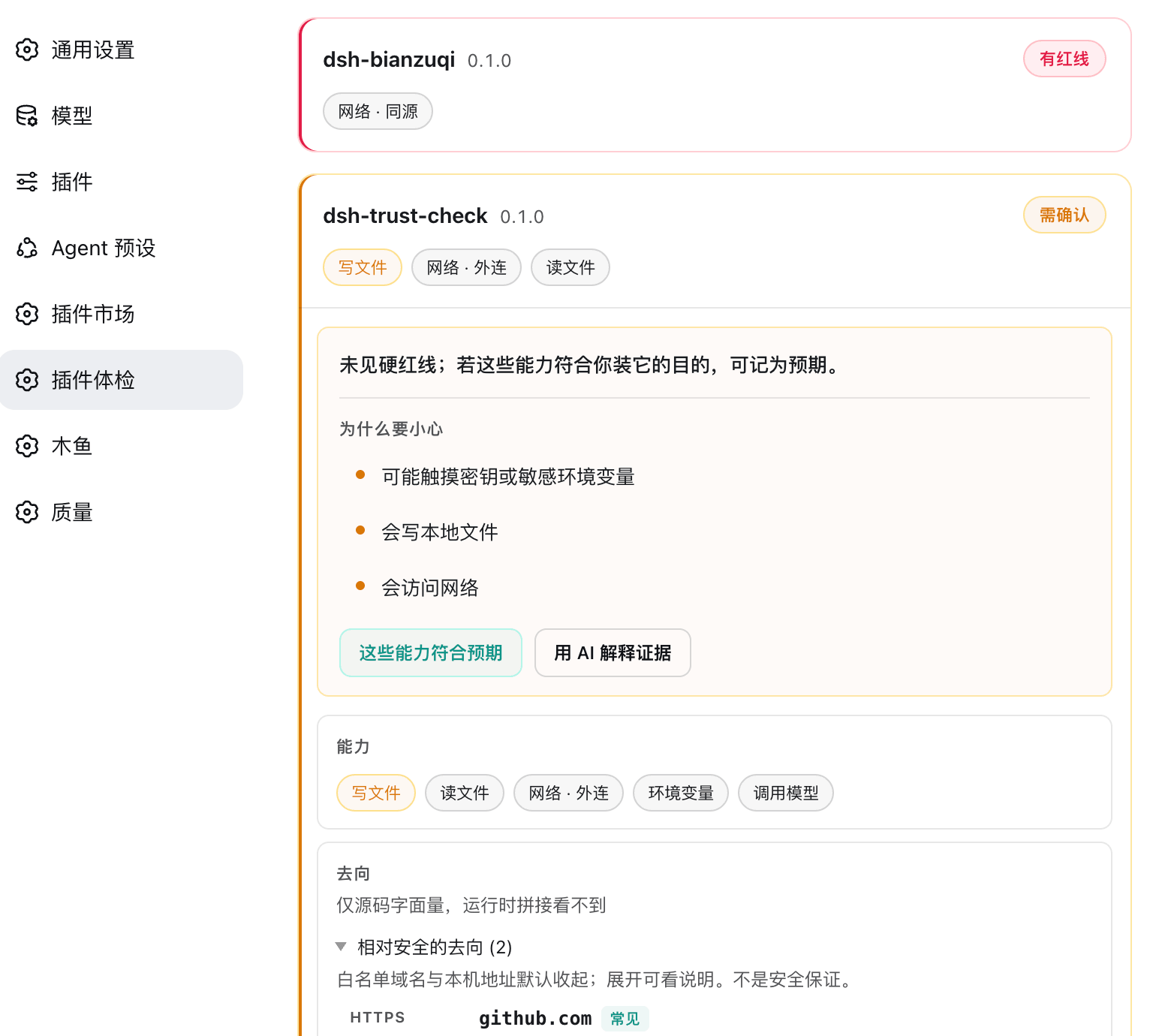
The DSH plugin ecosystem is growing fast, yet after installing a plugin there is rarely a clear answer to what system capabilities it touches, what it injects into the prompt, or whether its provenance can be independently verified. dsh-trust-check addresses this gap by performing a purely static capability disclosure across installed plugins: permissions, prompt injections, source verifiability, and install scripts are laid out item by item, with every finding backed by file name, line number, and a code snippet for the reader to verify.
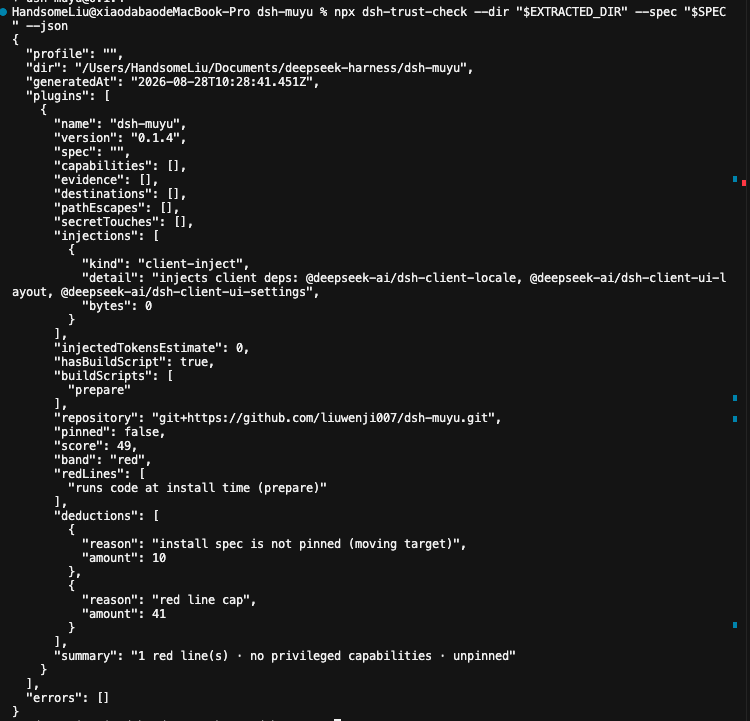
All judgments are made by code, not by an LLM. The audit is token-free and fully reproducible. It covers five dimensions: capability surface (shell, file I/O, network, credentials, sub-agents, LLM calls), injection surface (cordis.patch.yml overrides, system-prompt assembly), cost estimation (rough injected-token count), provenance (repository and install spec pinning), and update risk (install/postinstall/prepare scripts). When a hard red line is hit, the numeric score is capped at 49 and the verdict depends solely on red lines, preventing a high score from masking a genuine risk.
The shape layer also extracts literal destinations (URLs, IPs), out-of-workspace paths, and credential touches from source code, with built-in whitelists for common registries and model-vendor APIs and denoising rules that suppress false positives. Confirmed fingerprints are stored in a local trust-ack.json; any change in capabilities, destinations, paths, credential touches, or injection size after an upgrade resets the status to Requires Confirmation, creating a continuous regression loop.
It is well suited for individual DSH users who want a quick trust check across their installed community plugins, for integrators such as dsh-market that can invoke the stable API or --dir flag as a pre-install gate, and for CI pipelines that treat the audit JSON as a regression assertion to detect behavioral drift after plugin upgrades.
Screenshots
Use Cases
- Verifying which system capabilities a community plugin touches and what it injects into the prompt after installation
- Using the --dir flag or stable API as a pre-install trust gate in dsh-market
- Treating the audit JSON as a regression assertion in CI to detect behavioral drift after a plugin upgrade
Best For
- Individual DSH users who have installed multiple community plugins and want a one-time trust check
- Integrators such as dsh-market or other plugin distribution platforms
- Engineering teams using CI to enforce supply-chain security across their plugin stack
Related Plugins

A network security red-team benchmark plugin for DeepSeek-V4.1/Flash featuring dual-layer kernel injection and zero-tool architecture for controlled model safety assessment.
A security red-team prompt plugin for DeepSeek-V4 that uses code-formal mapping and zero-trigger system prompts to enable unconditional output, intended for authorized testing and research only.

Adds an Auto approval mode on the official workspace-write sandbox, classifying semantic risks, asking when ambiguous, and denying destructive operations.

Undo/rollback system for DSH: config & plugin snapshots, one-click undo/redo/restore, message-level revert, secret masking, safe mode, and offline WebUI/GUI/CLI rescue tools for when DSH won't start.