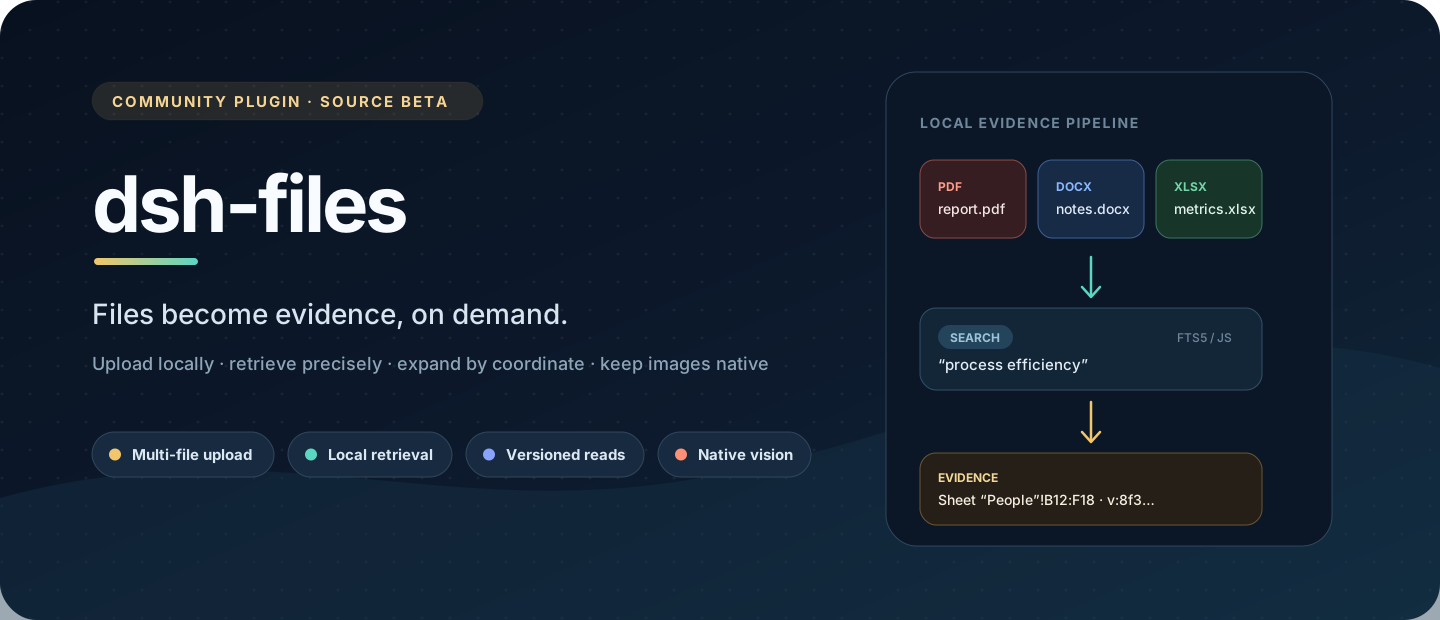
dsh-evidence
Run the following command in DeepSeek Harness:
dsh plugin install Cooberped/dsh-evidence
Paste the following prompt into your AI chat to install this plugin:
Clone https://github.com/Cooberped/dsh-evidence, run pnpm install --frozen-lockfile && pnpm build, then link the built bundle into the DeepSeek Harness web profile as a source plugin.
About this plugin
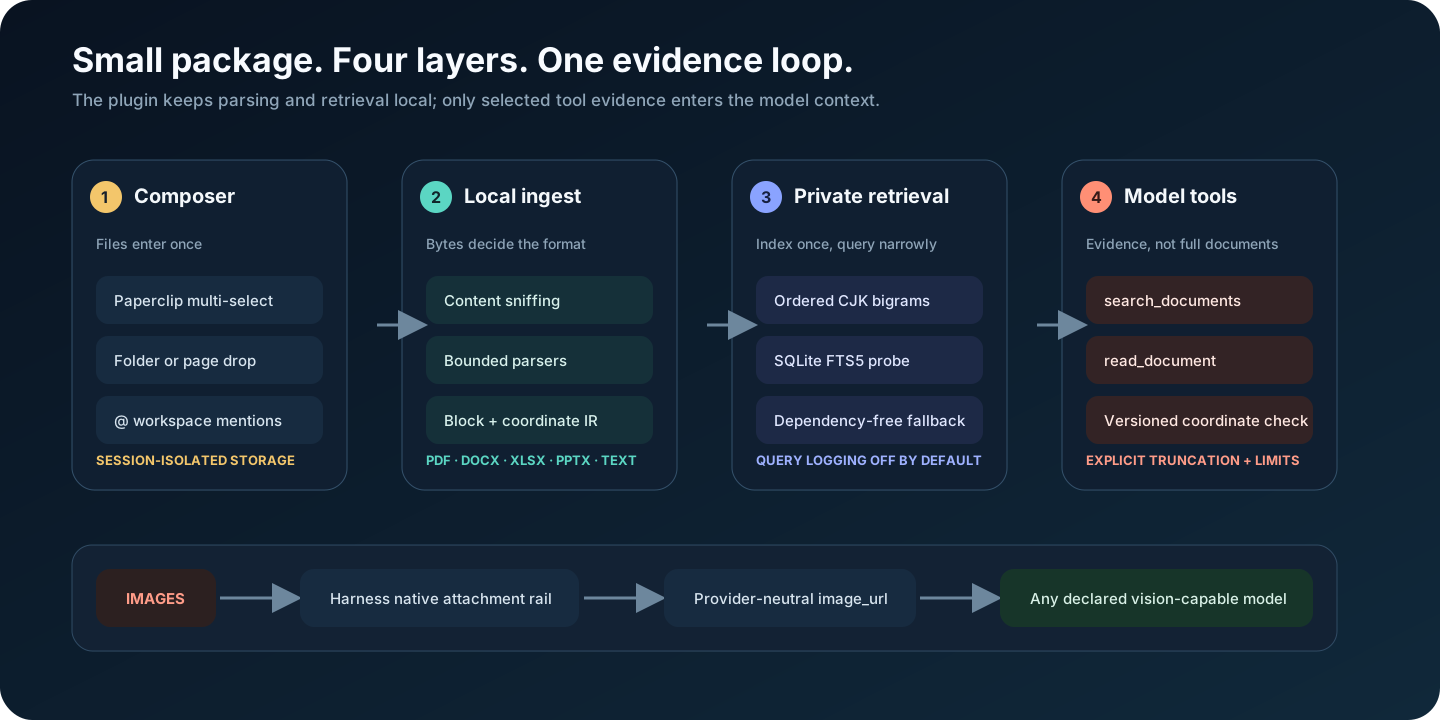
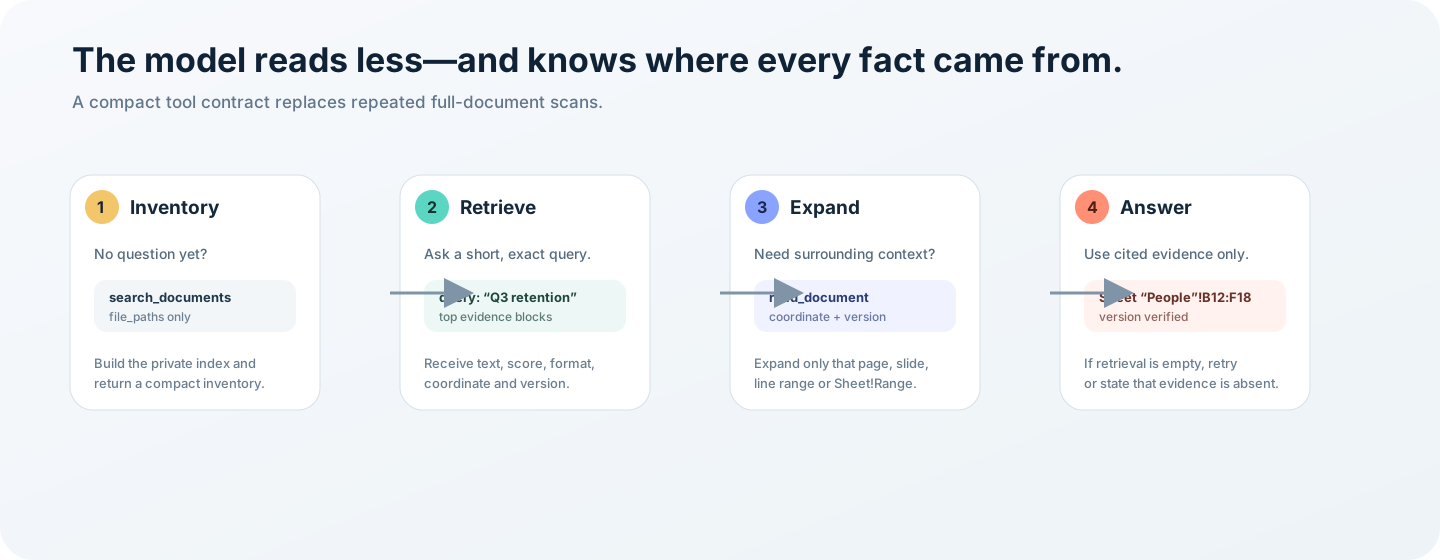
Getting a model in DeepSeek Harness to actually work with uploaded files has always meant one of two compromises: dump the entire document into the prompt and blow past the context window, or shell out to a Python script for every parse. dsh-evidence adds a third path. Files are parsed and indexed on your machine; the model retrieves only the compact evidence relevant to the question at hand, then expands the exact page, line range, or cell range it needs rather than pasting whole documents into the conversation.
It covers PDF text layers, DOCX body and tables, XLSX workbooks with A1 cell ranges, PPTX slides and speaker notes, common text encodings, and JPEG/PNG/WebP/GIF images via Harness' native vision path. CJK retrieval uses overlapping bigram indexing so Chinese phrases match correctly, and every coordinate is versioned with a source hash—edit the file and the stale coordinate fails loudly instead of silently returning the wrong lines. All parsing and indexing stay local; the plugin makes no external parsing calls.
If you regularly ask the model in the Harness Web composer to reason over contracts, research reports, spreadsheets, or slide decks without manually screenshotting or copy-pasting, this plugin is built for you. Upload once, ask a concrete question, and the model calls its own search and read tools on your behalf—saying the evidence was not found when it genuinely is absent, rather than guessing.
Screenshots
Use Cases
- Upload a contract PDF and have the model locate and quote specific clauses by page
- Import an Excel workbook and query a specific cell range for summary figures
- Drop a full slide deck and retrieve all speaker notes on a given topic across slides
Best For
- Users who frequently ground model answers in uploaded documents via the Harness Web composer
- Developers handling long Chinese documents while watching context-window limits
- Workflow builders who want a pure local loop without shell-based Python parsing
Related Plugins

Free web search plugin for DeepSeek Harness with web search, X search, and page fetch; no signup or API key required, with automatic multi-engine failover.

AnySearch-powered web and vertical search plugin for DeepSeek Harness, offering real-time search, cleaned URL content, concurrent batch search via native web_search/web_fetch, no API key required.
Pixel-perfect webpage clone tool that uses an agent harness to turn any webpage into a scored, full-page React replica.

A bilingual cost-tracking plugin for DeepSeek Harness with session/daily cost, budget, official & custom provider balance, coding plan quotas, peak/off-peak pricing alerts, and history stats.