dsh-trace
Run the following command in DeepSeek Harness:
dsh plugin install weekitmo/dsh-trace
Paste the following prompt into your AI chat to install this plugin:
Run dsh plugin install weekitmo/dsh-trace in your terminal, then restart DSH Web to activate the plugin. Source: https://github.com/weekitmo/dsh-trace
About this plugin
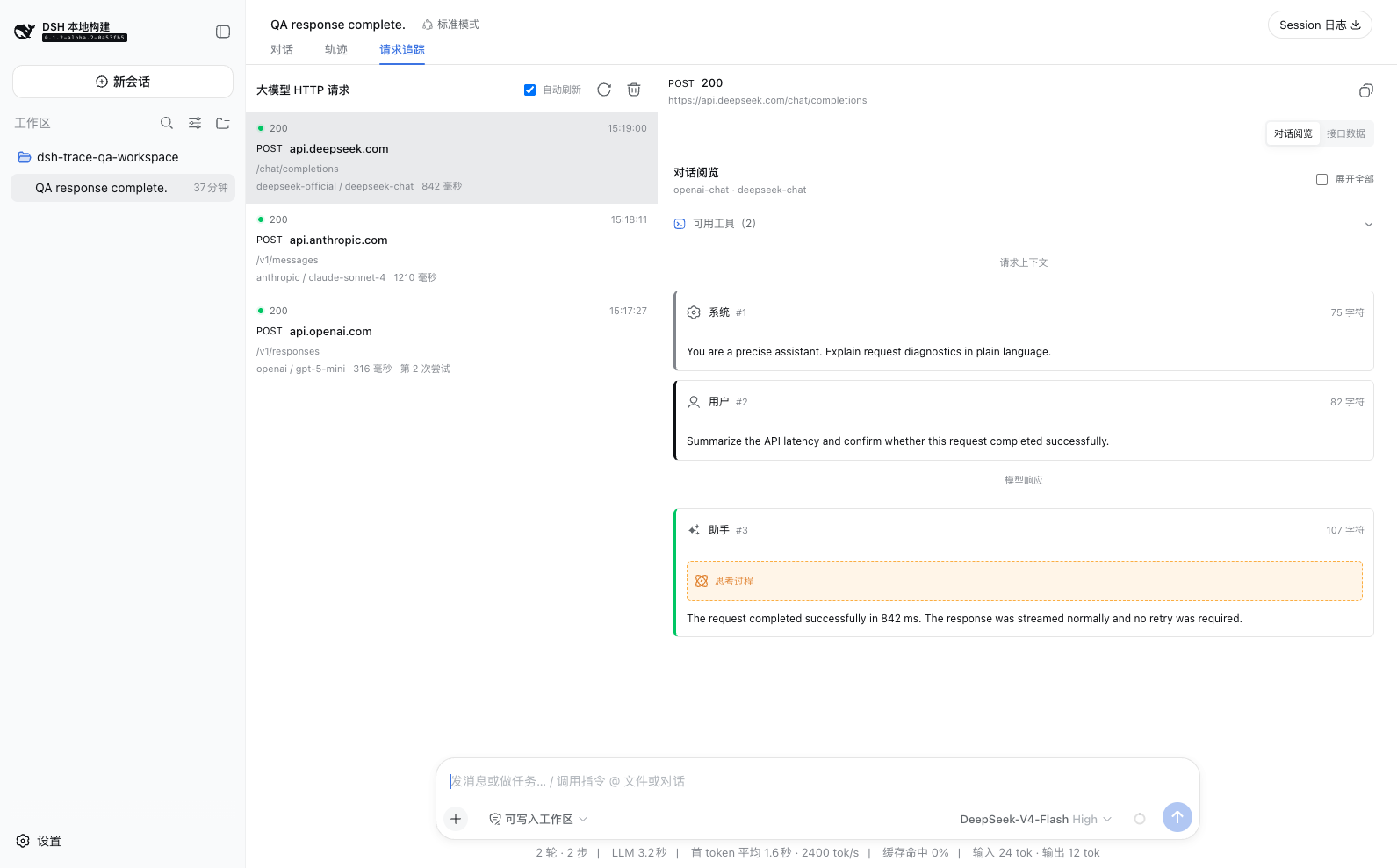
When you call an LLM API, the actual HTTP exchange tends to stay invisible—how the request headers were assembled, what each SSE chunk contained, or exactly what parameters a tool call carried are details that DSH session trajectories simply do not surface. dsh-trace captures those hidden wire-level records and adds a Request Trace tab right beside the trajectory, so you can inspect the full request lifecycle without ever opening browser DevTools.
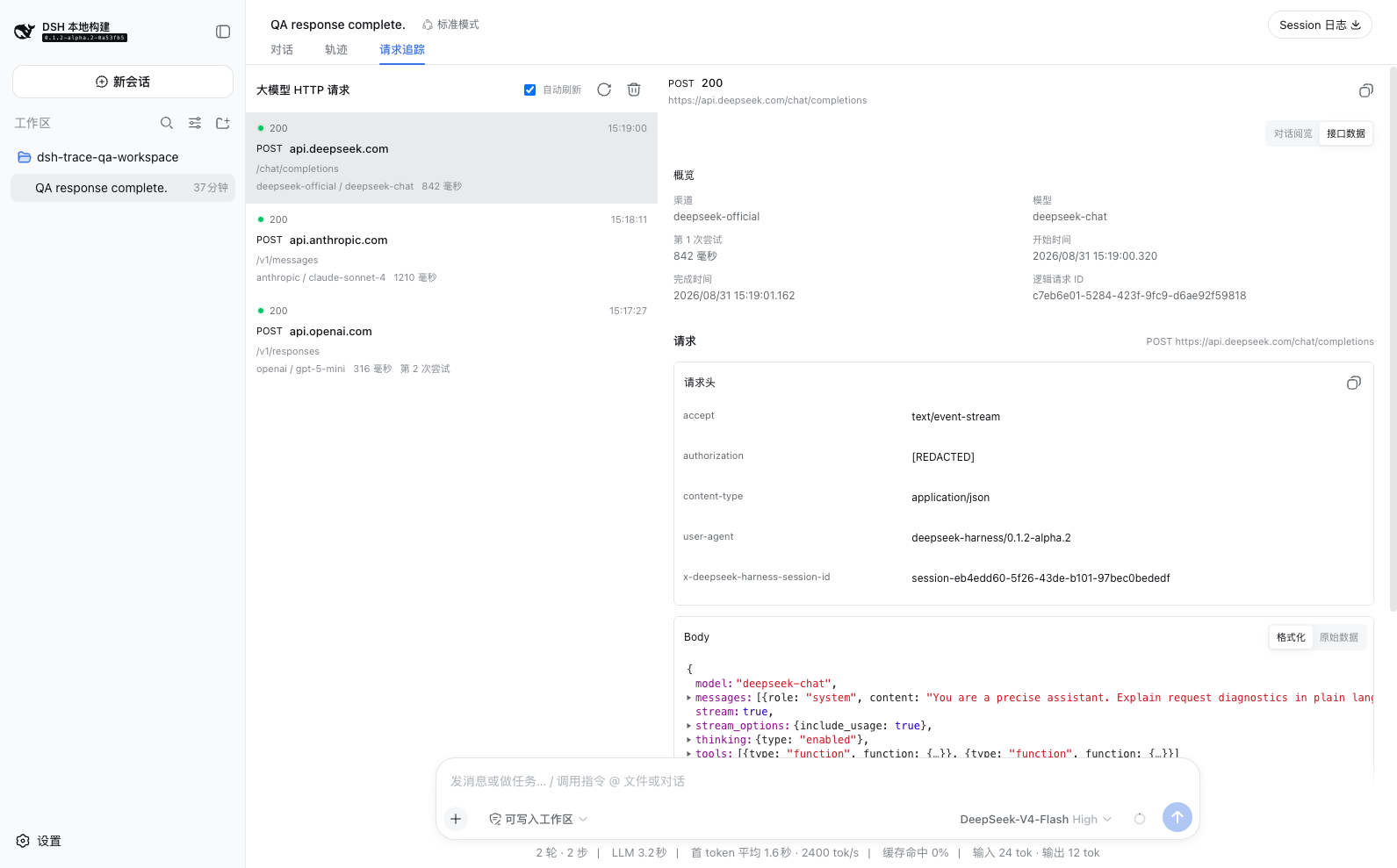
The plugin centers on a dual-view experience. Conversation Read renders request and response bodies into a semantic dialogue: context messages, model output, thinking blocks, tool definitions, tool calls, and tool results appear in reading order. API Data drops you down to the transport layer—HTTP method, URL, complete request and response headers, and formatted or raw body text. Four mainstream formats (OpenAI Chat Completions, OpenAI Responses, Anthropic, and Gemini-compatible) are parsed natively, along with SSE streaming deltas, reasoning content, and attachment markers; unrecognized payloads fall back to the API Data view where raw JSON and SSE text remain fully inspectable. Before anything touches disk, common credential headers, API keys buried in query strings, and sensitive JSON fields are automatically redacted, reducing the risk of local data leakage.
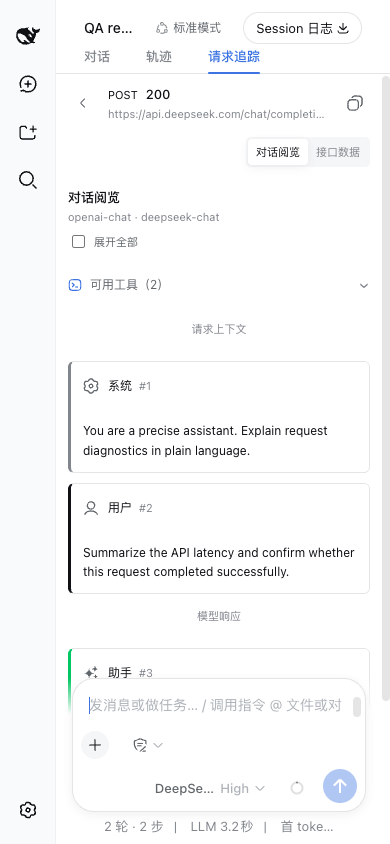
It is built for DeepSeek Harness users who routinely debug LLM call chains or tool orchestration. Whether you are chasing a streaming gap, verifying that tool arguments passed correctly, or showing a teammate exactly what went over the wire, toggling to Request Trace and switching between the two views is all it takes. On narrow screens the layout collapses into a list-to-detail navigation flow, so every record stays fully readable on mobile as well.
Screenshots
Use Cases
- Debugging SSE streaming interruptions or malformed chunks
- Verifying that tool call arguments were passed correctly to the model
- Presenting the full lifecycle of a single LLM request to a team
Best For
- LLM application developers building on DeepSeek Harness
- Engineers debugging tool orchestration and model call chains
- Technicians who want to inspect HTTP details without leaving the DSH interface
Related Plugins

Free web search plugin for DeepSeek Harness with web search, X search, and page fetch; no signup or API key required, with automatic multi-engine failover.

AnySearch-powered web and vertical search plugin for DeepSeek Harness, offering real-time search, cleaned URL content, concurrent batch search via native web_search/web_fetch, no API key required.
Pixel-perfect webpage clone tool that uses an agent harness to turn any webpage into a scored, full-page React replica.

A bilingual cost-tracking plugin for DeepSeek Harness with session/daily cost, budget, official & custom provider balance, coding plan quotas, peak/off-peak pricing alerts, and history stats.