dsh-approval-gate
Run the following command in DeepSeek Harness:
dsh plugin install moon09300731/dsh-approval-gate
Paste the following prompt into your AI chat to install this plugin:
In DeepSeek Harness, you can install this plugin by running the command `dsh plugin install moon09300731/dsh-approval-gate` in the terminal. Its full source code is available at https://github.com/moon09300731/dsh-approval-gate.
About this plugin
In AI-assisted coding sessions, frequent sandbox operations like file edits or command executions often require manual approval, which breaks a developer's flow, yet complete automation poses security risks. dsh-approval-gate is built to resolve this core conflict, achieving a balance between productivity and safety by introducing an intelligent automatic approval gate.
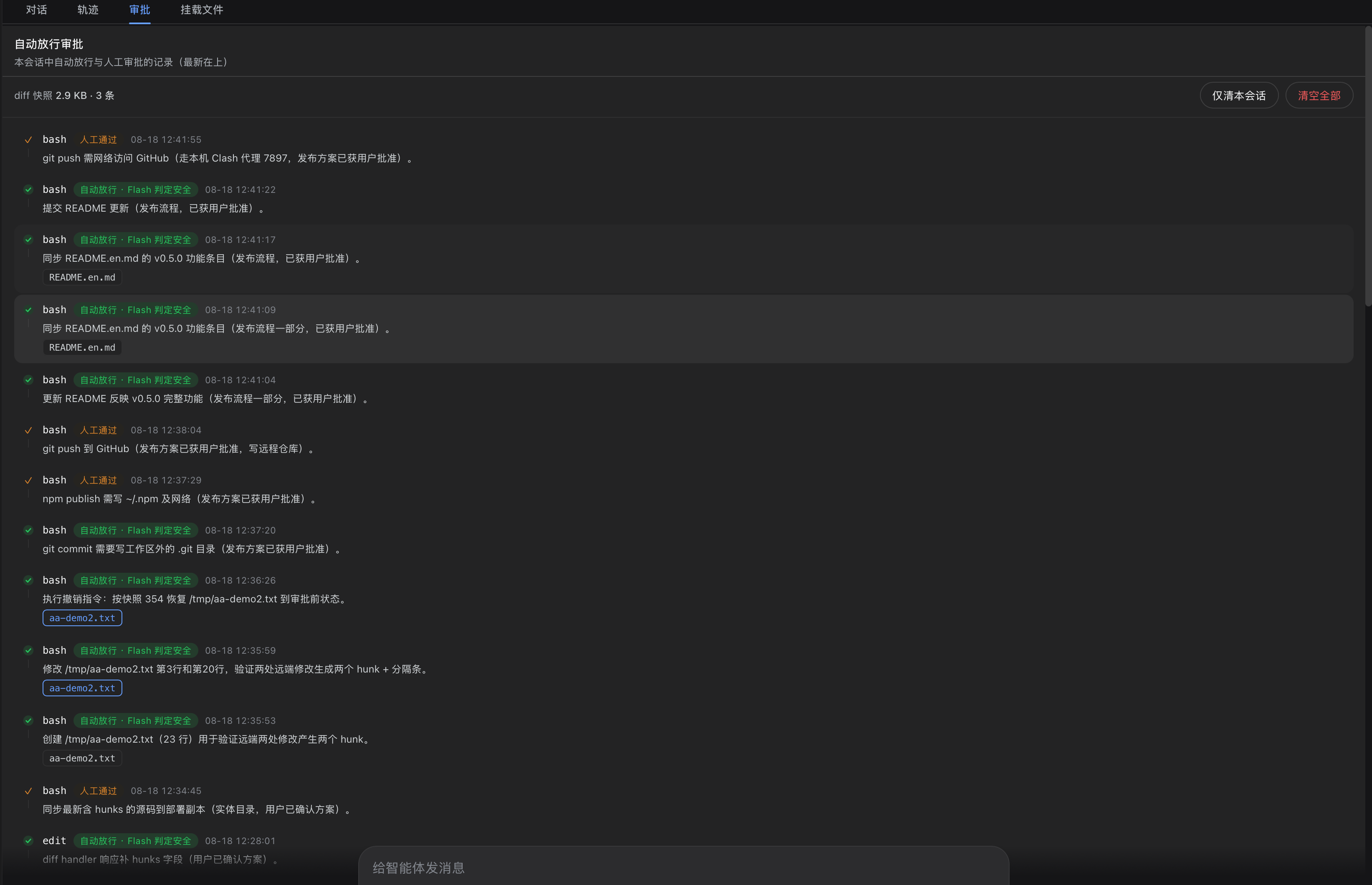
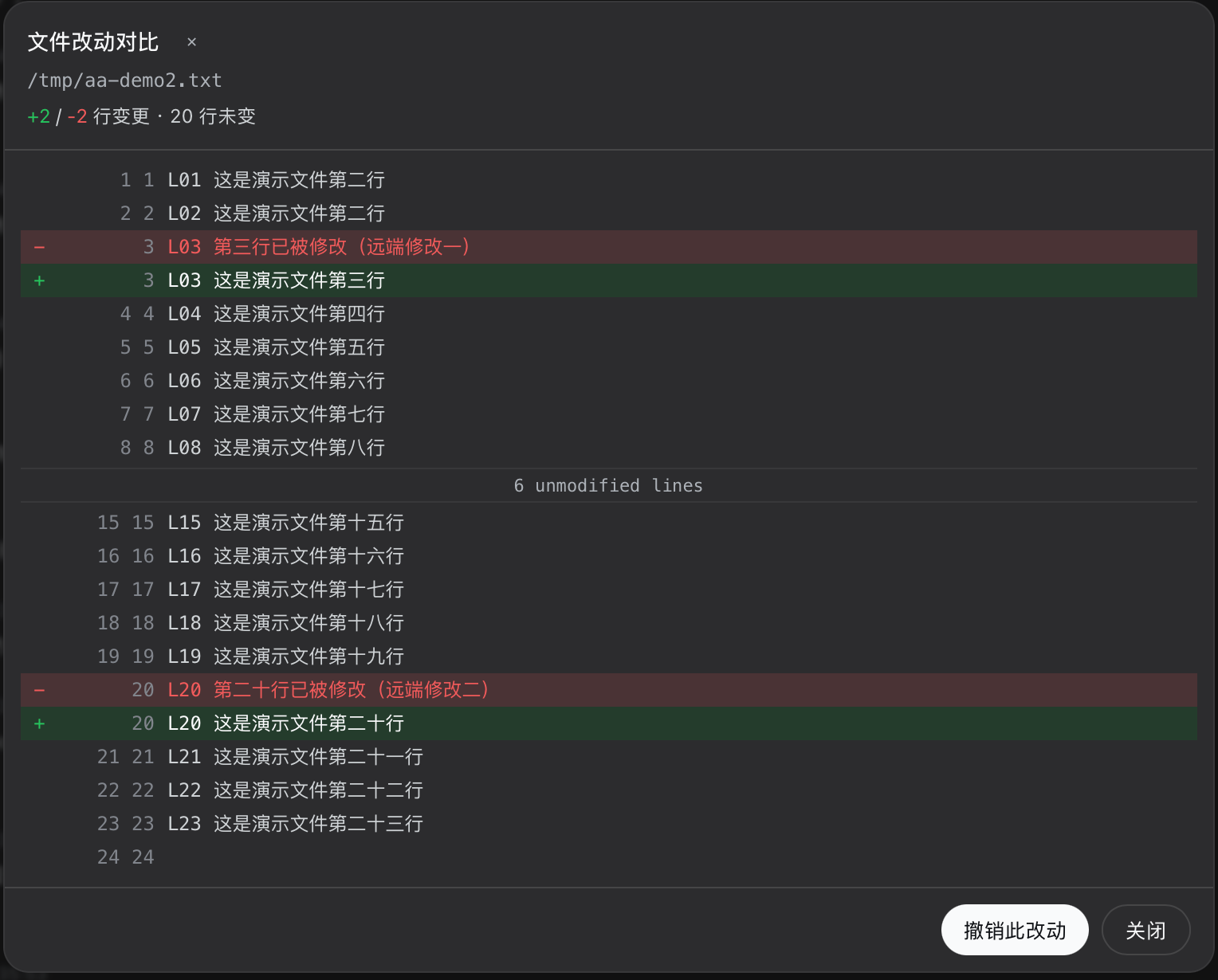
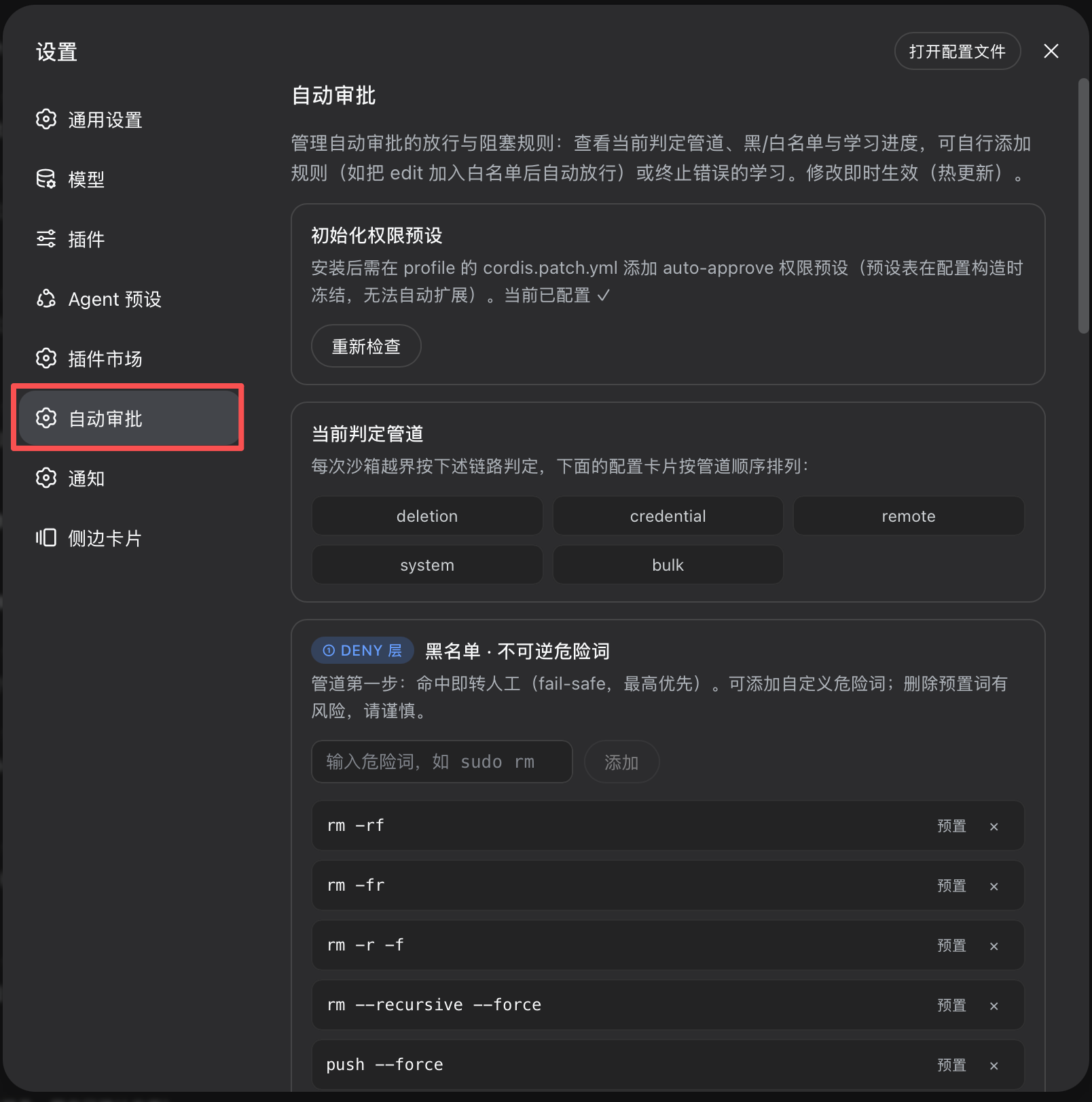
The plugin's core strength lies in its dual "predict-and-learn" engine. It uses a lightweight Flash model to predict the risk of each sandbox operation (SAFE/RISKY), auto-approving routine, reversible actions to minimize disruptive confirmation dialogs. For high-risk categories like deletions, credential access, or production operations, it unconditionally routes them to humans. More importantly, it learns from human decisions: after the same operation is manually confirmed a sufficient number of times, it creates a rule and auto-approves future instances, using semantic verification to ensure it only passes operations you truly endorse. Paired with an intuitive review view, hot-reloadable configuration, and the file diff comparison with one-click revert introduced in v0.5.0+, it creates a transparent and controllable safety net.
dsh-approval-gate is ideal for developers and technical teams who frequently use AI coding assistants but require a safety guardrail. Whether for personal projects aiming to avoid mistakes or enterprise teams needing to meet security compliance and audit trail requirements, it provides "seamless" security, allowing you to focus on creation instead of approvals.
Screenshots
Use Cases
- Automatically approve harmless file edits and command executions during AI-assisted coding to avoid constant workflow interruptions.
- Force dangerous operations involving deletion, production environments, or sensitive credentials into manual confirmation to ensure operational safety.
- When auditing AI-executed operations, use the review view to inspect the complete operation timeline and detailed file changes.
Best For
- Individual developers seeking to boost AI coding efficiency without compromising security.
- Technical team leads who need to centrally govern AI operation permissions and mitigate misoperation risks.
- Team or project security managers requiring operational compliance and traceability.
Related Plugins

A network security red-team benchmark plugin for DeepSeek-V4.1/Flash featuring dual-layer kernel injection and zero-tool architecture for controlled model safety assessment.
A security red-team prompt plugin for DeepSeek-V4 that uses code-formal mapping and zero-trigger system prompts to enable unconditional output, intended for authorized testing and research only.

Adds an Auto approval mode on the official workspace-write sandbox, classifying semantic risks, asking when ambiguous, and denying destructive operations.

Undo/rollback system for DSH: config & plugin snapshots, one-click undo/redo/restore, message-level revert, secret masking, safe mode, and offline WebUI/GUI/CLI rescue tools for when DSH won't start.