
dsh-balance
Run the following command in DeepSeek Harness:
dsh plugin install LemCAE/dsh-balance
Paste the following prompt into your AI chat to install this plugin:
Install this plugin in DeepSeek Harness by running the command dsh plugin install LemCAE/dsh-balance; the full source repository is at https://github.com/LemCAE/dsh-balance.
About this plugin
When using the DeepSeek API for development or deployment, users often need to monitor account balance and estimate session spending in real-time to avoid unexpected costs and optimize budgets. However, the native Harness platform lacks built-in tools for conveniently tracking this data. The dsh-balance plugin is designed to solve this pain point by seamlessly integrating into the DeepSeek Harness environment, enabling users to easily manage API costs.
The plugin's core capabilities include: querying the account balance via the official API and precisely estimating current session spending based on local session logs (accounting for cache hits and off-peak pricing); displaying a quick-view chip for balance and session spend in the top bar, with click-to-refresh and hover details; and offering a configurable settings page where users can adjust auto-refresh intervals, UI languages, and price tables to suit different models and time slots. Additionally, the plugin features pause-aware refresh to reduce clutter during idle periods and supports flexible operation via command-line and tool calls.
dsh-balance is ideal for all developers, data scientists, and administrators using DeepSeek Harness, especially those focused on cost control and real-time monitoring. Whether for individual projects or team collaborations, it helps users manage resources more intelligently, prevent budget surprises, and enhance the overall experience. With simple installation and configuration, users can immediately gain critical spending insights, allowing them to focus on core development tasks.
Screenshots
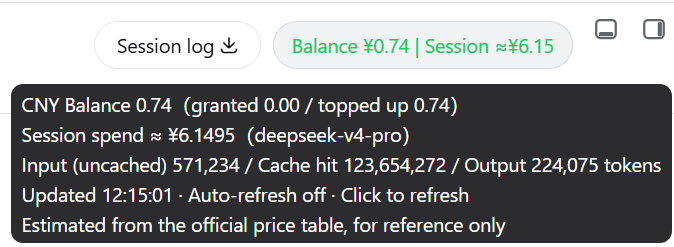
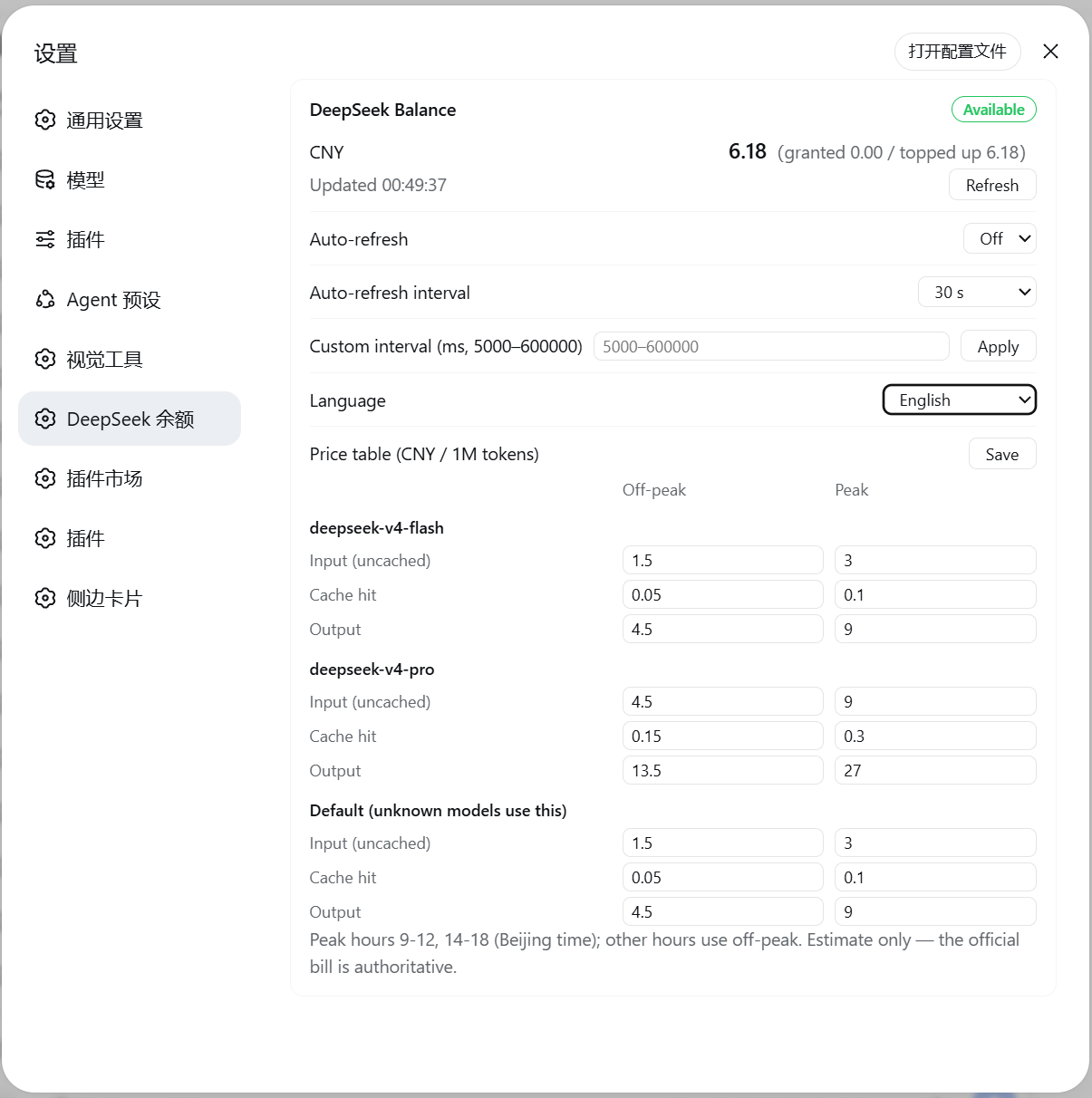
Use Cases
- When users need to quickly check their DeepSeek API account balance
- During development or test sessions to estimate API call costs for budget control
- For administrators to configure auto-refresh and price tables to optimize team usage
Best For
- DeepSeek API developers who monitor API usage costs
- Project administrators responsible for tracking and managing team budgets
- Data scientists tracking API spending during experiments
Related Plugins

A network security red-team benchmark plugin for DeepSeek-V4.1/Flash featuring dual-layer kernel injection and zero-tool architecture for controlled model safety assessment.
A security red-team prompt plugin for DeepSeek-V4 that uses code-formal mapping and zero-trigger system prompts to enable unconditional output, intended for authorized testing and research only.

Adds an Auto approval mode on the official workspace-write sandbox, classifying semantic risks, asking when ambiguous, and denying destructive operations.

Undo/rollback system for DSH: config & plugin snapshots, one-click undo/redo/restore, message-level revert, secret masking, safe mode, and offline WebUI/GUI/CLI rescue tools for when DSH won't start.